EyeScreen is a hands-free interface designed to revolutionize the way we interact with computers, leveraging real-time facial tracking and eye-pupil movement to control mouse navigation, browse web pages, and interact with applications without the need for traditional input devices like keyboards or mice.
This project was developed during a hackathon and utilizes cutting-edge technology such as Google's Mediapipe framework, Apple's built-in text-to-speech dictation, and several Python modules to create a truly accessible and innovative user experience.
- Head Gesture Control
- Eye-Pupil Tracking for Navigation
- Auto-Scroll via Smile and Eyebrow Raise
- Hands-Free Clicks
- Speech-to-Text
Make sure you have the following installed on your system:
- Python 3.x
- Pip (Python package manager)
Clone the repository:
git clone https://github.com/lakpa-finju/EyeScreen.git
cd EyeScreen
Install Dependencies Run the following command to install required Python modules:
pip install -r requirements.txt
Ensure that you have Apple's Dictation feature enabled on your macOS device. You can enable this via:
- System Preferences > Keyboard > Dictation.
- Enable Dictation and use the default shortcut (double-tap the ctrl key).
To start the application, run the following:
python3 eyeCursorInterface.py
This will launch the EyeScreen interface and begin tracking your facial gestures and eye movements for hands-free control.
Usage Guide
-
Mouse Navigation
- Move your head to control the mouse cursor.
- Blink your left eye for a left-click and your right eye for a right-click.
-
Web Page Navigation (Eye-Pupil Movement)
- Look Left: Go back to the previous webpage.
- Look Right: Move forward to the next webpage.
-
Auto-Scrolling
- Smile: Scroll down the webpage or document.
- Raise Eyebrows: Scroll up.
-
Speech-to-Text
- Activate Apple’s built-in dictation by opening your mouth a bit larger than your usual speaking position.
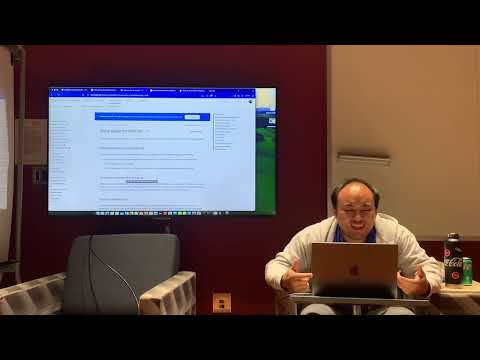
Check out the demo video showcasing EyeScreen’s capabilities:
If you'd like to contribute to EyeScreen, feel free to fork the repository and submit pull requests. Contributions such as new features, bug fixes, and optimizations are welcome!