Context session visualizer and improver for AI coding agents.
Browse, search, and track costs across all your AI coding agents. See where your context window is going, understand session health, and get guidance on when to continue, rewind, compact, or start fresh. One binary, no accounts, everything local.

# macOS / Linux
curl -fsSL https://agentsview.io/install.sh | bash

# Windows
powershell -ExecutionPolicy ByPass -c "irm https://agentsview.io/install.ps1 | iex"
Or download the desktop app (macOS / Windows) from GitHub Releases.
agentsview                 # start server, open web UI
agentsview usage daily     # print daily cost summary
go run ./cmd/agentsview sync --full
On first run, agentsview discovers sessions from every supported agent on your
machine, syncs them into a local SQLite database, and opens a web UI at
http://127.0.0.1:8080.
agentsview usage is a fast, local replacement for ccusage and similar tools.
It tracks token consumption and compute costs across all your coding agents
-- not just Claude Code. Because session data is already indexed in SQLite,
queries are over 100x faster than tools that re-parse raw session files on every
run.
# Daily cost summary (default: last 30 days)
agentsview usage daily

# Per-model breakdown
agentsview usage daily --breakdown

# Filter by agent and date range
agentsview usage daily --agent claude --since 2026-04-01

# One-line summary for shell prompts / status bars
agentsview usage daily --all --json
agentsview usage statusline
Features:
- Automatic pricing via LiteLLM rates (with offline fallback)
- Prompt-caching-aware cost calculation (cache creation / read tokens)
- Per-model breakdown with
--breakdown - Date filtering (
--since,--until,--all), agent filtering (--agent) - JSON output (
--json) for scripting - Timezone-aware date bucketing (
--timezone) - Works standalone -- no server required, just run the command
| Context guidance | Timeline view |
|---|---|
 |
 |
| Dashboard | Session viewer |
|---|---|
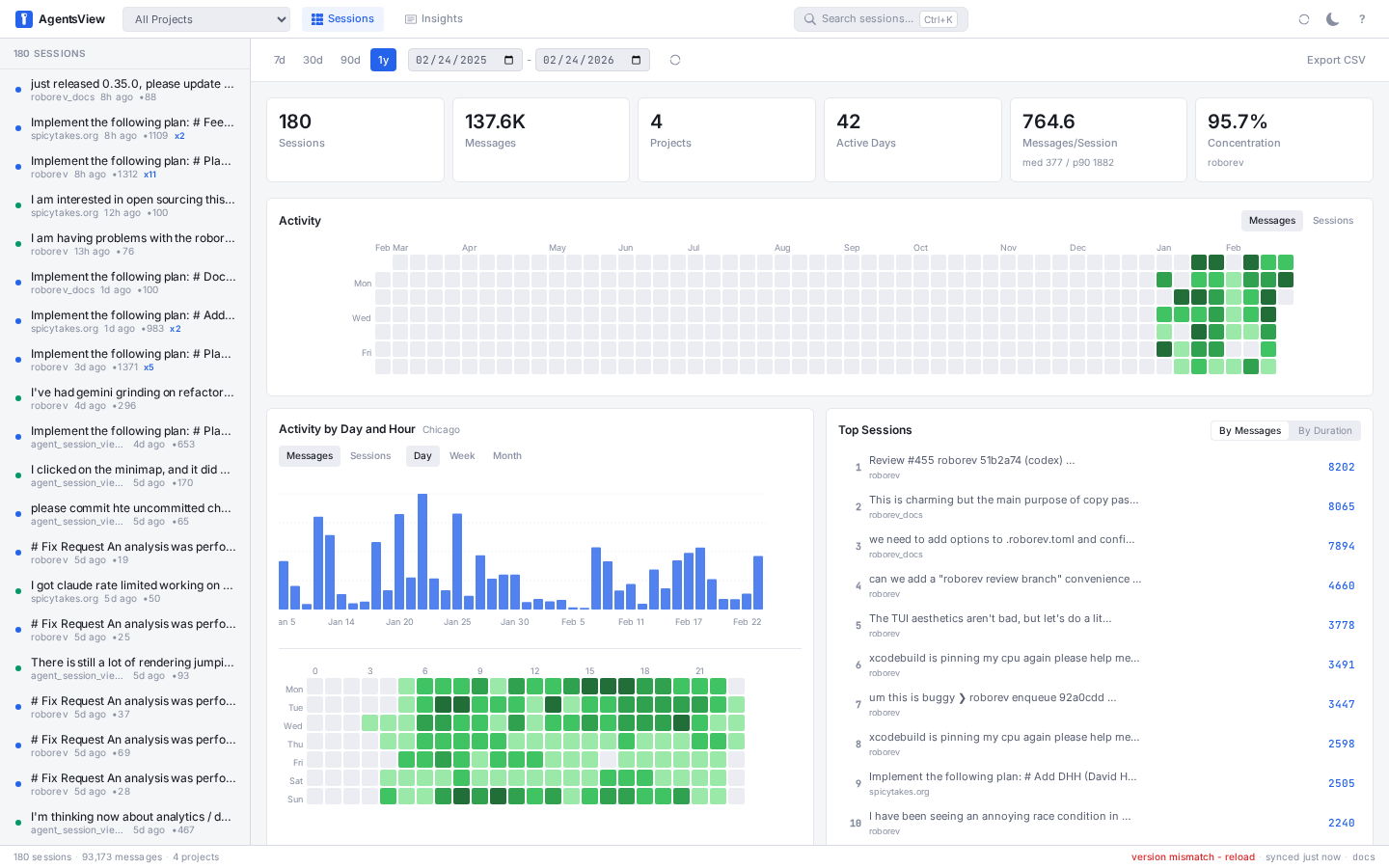 |
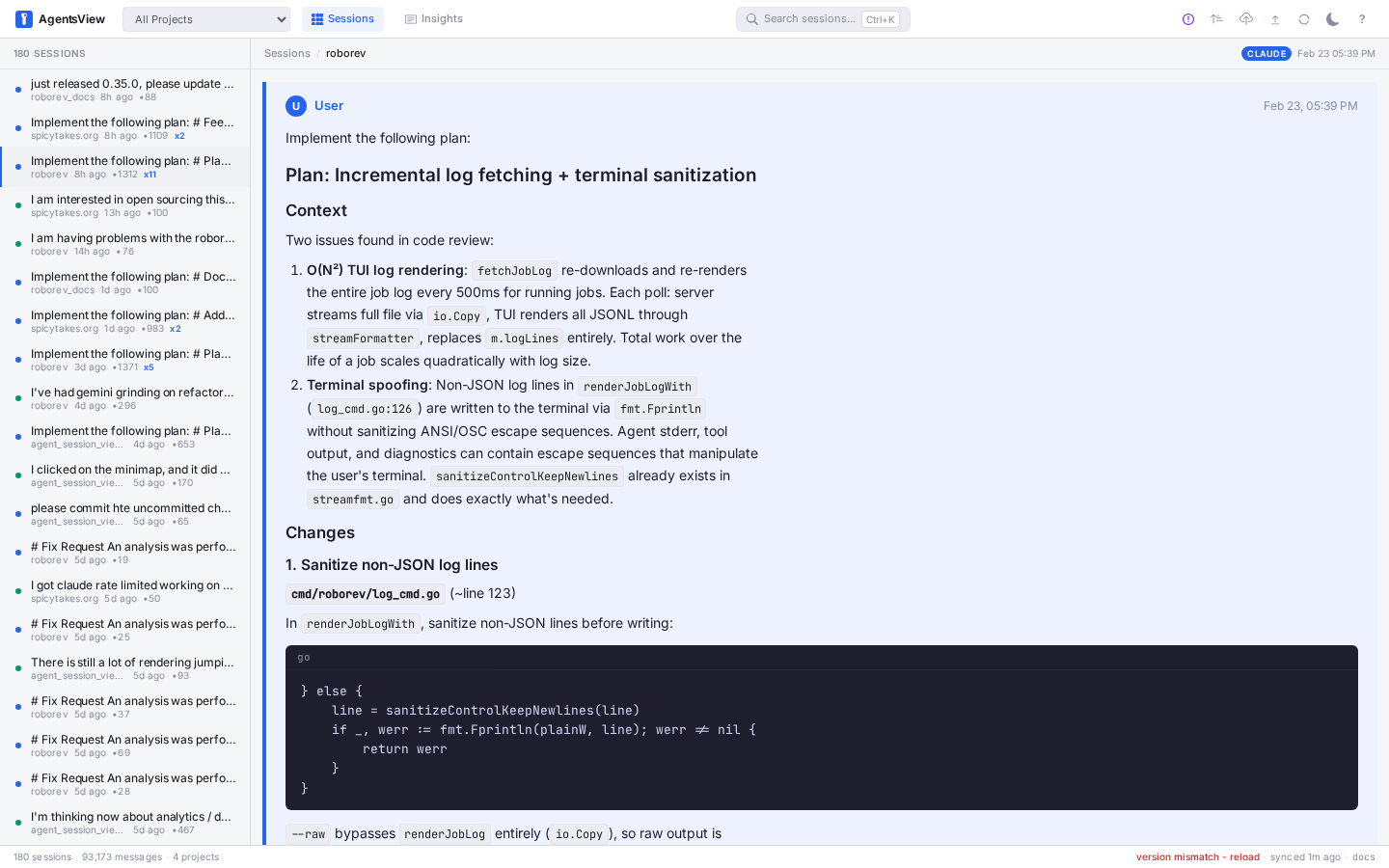 |
| Search | Activity heatmap |
|---|---|
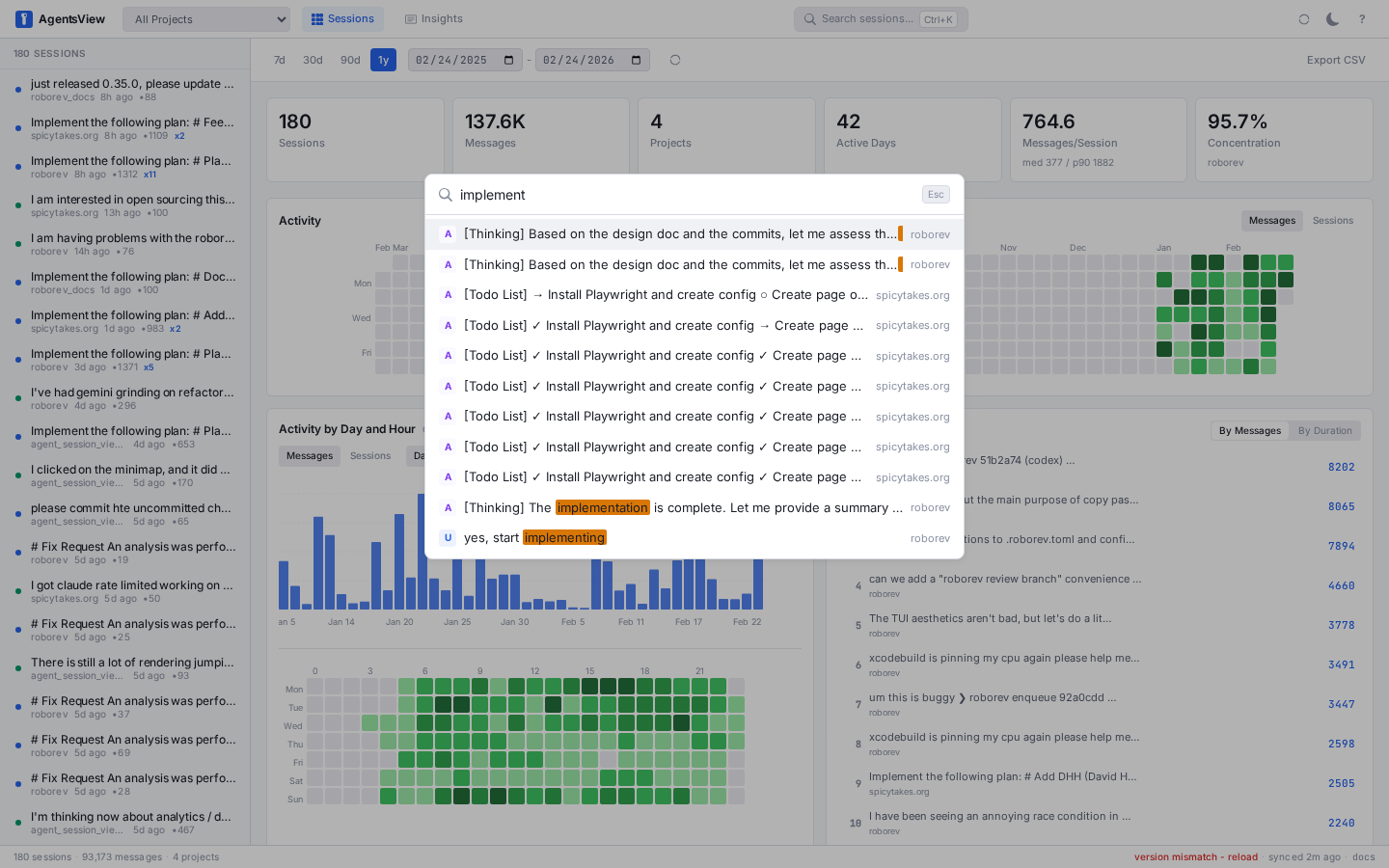 |
 |
- Full-text search across all message content (FTS5)
- Token usage and cost dashboard -- per-session and per-model cost breakdowns, daily spend charts, all in the web UI
- Analytics dashboard -- activity heatmaps, tool usage, velocity metrics, project breakdowns
- Live updates via SSE as active sessions receive new messages
- Keyboard-first navigation (
j/k/[/],Cmd+Ksearch,?for all shortcuts) - Export sessions as HTML or publish to GitHub Gist
Periscope adds a context visualizer and guidance layer on top of the session browser. It answers questions that raw transcripts cannot:
- Where did the context budget go?
- Which tool outputs are now dead weight?
- Is the session still healthy enough to continue?
- Would a rewind, compaction, or fresh session be the better move?
It provides a turn-by-turn timeline view with composition breakdowns and token accounting, plus a guidance layer that classifies session health, detects branch points, and recommends concrete next actions — continue, rewind, compact, fork, or delegate. See the full Periscope spec for detailed design, data model, and implementation notes.
agentsview auto-discovers sessions from all of these:
| Agent | Session Directory |
|---|---|
| Claude Code | ~/.claude/projects/ |
| Codex | ~/.codex/sessions/ |
| Copilot CLI | ~/.copilot/ |
| Gemini CLI | ~/.gemini/ |
| OpenCode | ~/.local/share/opencode/ |
| OpenHands CLI | ~/.openhands/conversations/ |
| Cursor | ~/.cursor/projects/ |
| Amp | ~/.local/share/amp/threads/ |
| iFlow | ~/.iflow/projects/ |
| VSCode Copilot | ~/Library/Application Support/Code/User/ (macOS) |
| Pi | ~/.pi/agent/sessions/ |
| OpenClaw | ~/.openclaw/agents/ |
| Kimi | ~/.kimi/sessions/ |
| Kiro CLI | ~/.kiro/sessions/cli/ |
| Kiro IDE | ~/Library/Application Support/Kiro/ (macOS) |
| Cortex Code | ~/.snowflake/cortex/conversations/ |
Each directory can be overridden with an environment variable. See the configuration docs for details.
Push session data to a shared PostgreSQL instance for team dashboards:
agentsview pg push       # push local data to PG
agentsview pg serve      # serve web UI from PG (read-only)
See PostgreSQL docs for setup and configuration.
No telemetry, no analytics, no accounts. All data stays on your machine. The
server binds to 127.0.0.1 by default. The only outbound request is an optional
update check on startup (disable with --no-update-check).
Full docs at agentsview.io: Quick Start -- Usage Guide -- CLI Reference -- Configuration -- Architecture
Requires Go 1.25+ (CGO), Node.js 22+.
make dev            # Go server (dev mode)
make frontend-dev   # Vite dev server (run alongside make dev)
make build          # build binary with embedded frontend
make install        # install to ~/.local/bin
If make dev auto-selects a port other than 8080, point the Vite proxy at
that backend before starting the frontend dev server:
AGENTSVIEW_DEV_PROXY_TARGET=http://127.0.0.1:8081 make frontend-devmake test # Go tests (CGO_ENABLED=1 -tags fts5)
make lint # golangci-lint
make e2e # Playwright E2E testsPre-commit hooks via prek: make install-hooks
after cloning (requires prek and uv).
The jetbrains-plugin/ directory contains a JetBrains IDE plugin that embeds
the agentsview web UI in a tool window. Requires JDK 17+.
cd jetbrains-plugin
./gradlew build       # compile and package the plugin
./gradlew runIde      # launch a sandboxed IDE with the plugin loaded
./gradlew buildPlugin # produce distributable ZIP in build/distributions/cmd/agentsview/ CLI entrypoint
internal/ Go packages (config, db, parser, server, sync, postgres)
frontend/ Svelte 5 SPA (Vite, TypeScript)
desktop/ Tauri desktop wrapper
jetbrains-plugin/ JetBrains IDE plugin (Kotlin, Gradle)
Forked from agentsview by Wes McKinney.
Also inspired by claude-history-tool by Andy Fischer and claude-code-transcripts by Simon Willison.
MIT