

该脚本可以将excel中的经纬度坐标生成'.kml'格式坐标数据。并且可以根据“位置1”建立文件夹自动归档。
该脚本使用python3.6.0编写。
导入pandas库操作excel数据,使用simplekml库生成'.kml'文件
import pandas as pd
import simplekml
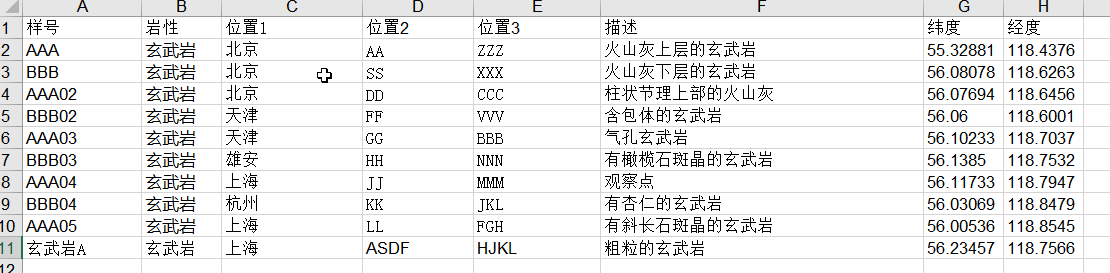
excel文件格式如上。除了经纬度之外尽量避免数字字符,否则会报错。
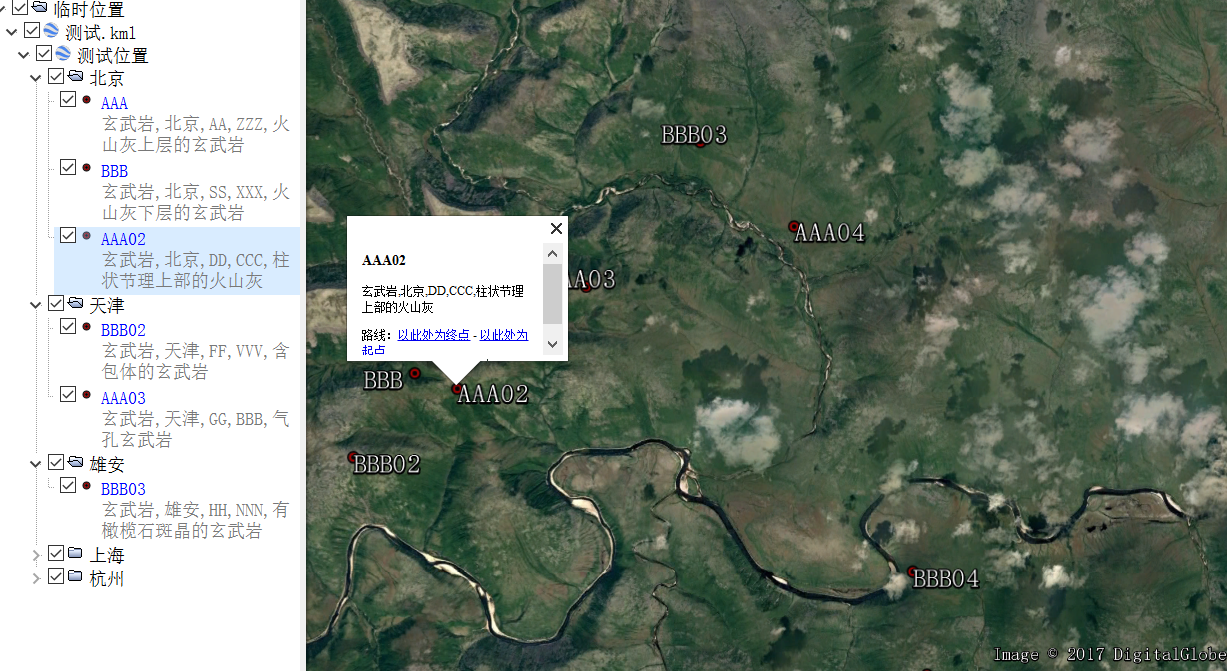
运行脚本后会在脚本同文件夹下生成kml文件,直接导入google earth即可
df = pd.read_excel("测试.xls").fillna('')
kml.save('测试.kml')
2.建议阅读simplekml库的文档,以获取更多的功能。(http://simplekml.readthedocs.io/en/latest/)
python

import pandas as pd
import simplekml

df = pd.read_excel("测试.xls").fillna('')

位置集合 = []
[位置集合.append(i) for i in list(df['位置1']) if not i in 位置集合]
kml = simplekml.Kml()
doc = kml.newdocument(name = '测试位置')
fld = []
pnt = []
for i in range(len(位置集合)):
    fld.append(doc.newfolder(name = 位置集合[i]))

sharedstyle = simplekml.Style()
sharedstyle.labelstyle.scale = 0.85
sharedstyle.iconstyle.color = 'ff0000aa'
sharedstyle.iconstyle.scale = 0.7
sharedstyle.iconstyle.icon.href = 'http://maps.google.com/mapfiles/kml/shapes/placemark_circle.png'

for j in range(len(df['样号'])):
    pnt.append(fld[位置集合.index(df.ix[j]['位置1'])].newpoint())
    pnt[j].name = df.ix[j]['样号']
    pnt[j].description = df.ix[j]['岩性'] + ',' + df.ix[j]['位置1'] + ',' + df.ix[j]['位置2'] + ',' + df.ix[j]['位置3'] + ',' + df.ix[j]['描述']
    pnt[j].coords = [(df.ix[j]['经度'], df.ix[j]['纬度'])]
    pnt[j].style = sharedstyle

kml.save('测试.kml')