A lightweight and flexible local Kubernetes lab environment powered by Vagrant, VirtualBox, and Ansible (via uv). Supports multiple CNI options: Flannel, Calico, and Weave Net. Ideal for testing, development, and hands-on Kubernetes learning.
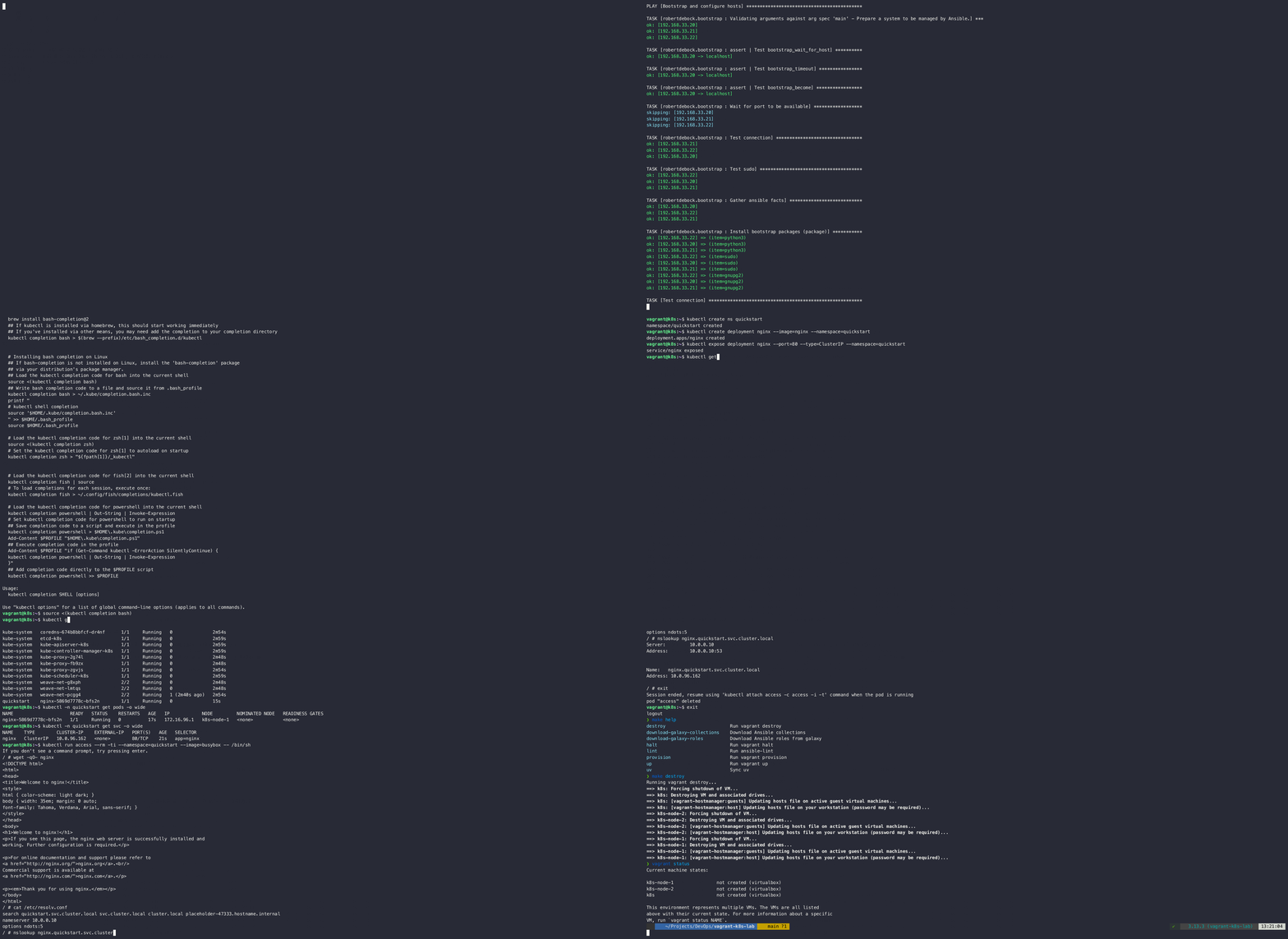
This animated demo illustrates the complete provisioning process of the Kubernetes lab using a single make command. It includes:
- Installing all required dependencies via uv
- Spinning up VirtualBox VMs using Vagrant
- Bootstrapping the cluster with Ansible automation
- Installing the selected CNI plugin (default: Weave Net)
- Configuring Pod and Service CIDRs, customizable to avoid conflicts
- Verifying the cluster state using
kubectl - Link to Kubernetes Lab Demo
- Kubernetes v1.33 preinstalled (via prepared Vagrant box)
- Preinstalled components:
containerd, runc, crictl, kubelet, kubeadm, kubectl - Multi-node Kubernetes cluster with 1 control plane and 2 workers
- Choose from 3 (Container Network Interface) CNI addons:
- Managed with Ansible, isolated via uv
- Easy lifecycle management via
Makefile
- Vagrant (for VM management)
- VirtualBox (as the VM provider)
- uv (Python package manager)
- GNU Make (for running commands)
- Python 3.10 or higher (for uv)
Select one of the supported CNI plugins before bringing up the cluster:
- Weave Net (default)
- Flannel
- Calico
Configuration is controlled via Ansible vars in ansible/playbooks/k8s/vars.yml
pod_network_cidr: "172.16.0.0/16"
service_cidr: "10.0.0.0/16"

kubernetes_pod_network:
  cni: "calico" # for Calico
  version: "v3.30.2"
💡 Both
pod_network_cidrandservice_cidrare configurable to avoid IP range overlap
The lab creates the following VMs:
- 1 Kubernetes control plane node (2 CPUs, 2GB RAM)
- 2 Kubernetes worker nodes (2 CPUs, 4GB RAM each)
All VMs are based on Debian 12 (using the celavi/debian12-k8s box).
- Clone this repository:
git clone https://github.com/loncarales/vagrant-k8s-lab
cd vagrant-k8s-lab- Provision the lab:
makeThis will:
- Set up a Python virtual environment using
uv - Download required Ansible roles and collections
- Start the Vagrant VMs
- Provision the Kubernetes cluster
You can manage everything with make. Run:
make helpTo see available targets:
| Command | Description |
|---|---|
make destroy |
Run vagrant destroy |
make download-galaxy-collections |
Download Ansible collections |
make download-galaxy-roles |
Download Ansible roles from Galaxy |
make halt |
Run vagrant halt |
make lint |
Run ansible-lint |
make provision |
Run vagrant provision |
make up |
Run vagrant up |
make uv |
Sync Python environment via uv |
make help |
Show this help menu |
Once the cluster is up and running, you can SSH into the control plane node:
vagrant ssh k8sFrom there, you can use kubectl to interact with your Kubernetes cluster.
kubectl get nodes -o wide
kubectl get pods -A -o widekubectl create ns quickstart
kubectl create deployment nginx --image=nginx --namespace=quickstart
kubectl expose deployment nginx --port=80 --type=ClusterIP --namespace=quickstartkubectl run access --rm -ti --namespace=quickstart --image=busybox -- /bin/sh
wget -qO- nginxTo clean up the lab and remove all resources, run:
make destroyMIT License. See the LICENSE file.
- Ansible
- Vagrant and Vagrant Boxes
- VirtualBox
- Kubernetes
- uv
- Weave Net
- Project Calico
- Flannel
- Put together with ❤️ by Aleš Lončar
Issues, feedback, and PRs are welcome. Fork and submit your ideas!