Volume orientation adjustment
For **mannually** finding parameter to adjust the 3D-volume orientation/scale/position; also can compare with a reference image.
The result of adjustment can be quickly visualized using ImageJ/FIJI.
The adjustment is an affine transformation.
1. ImageJ/FIJI
    link for FIJI: https://imagej.net/software/fiji/
2. Miji: a Java package for running ImageJ and Fiji within Matlab
    link: http://bigwww.epfl.ch/sage/soft/mij/
1. Script: volOrientationAdjust.m
2. Example images: test image (test.tif); reference image (ref.tif)
            Example images are from Allen brian atlas CCFv3, nissl images
            Ref: Wang et al., 2020, https://doi.org/10.1016/j.cell.2020.04.007
Before and after adjustment (adjustment maked by mannually finding roation, scaling and translocation)
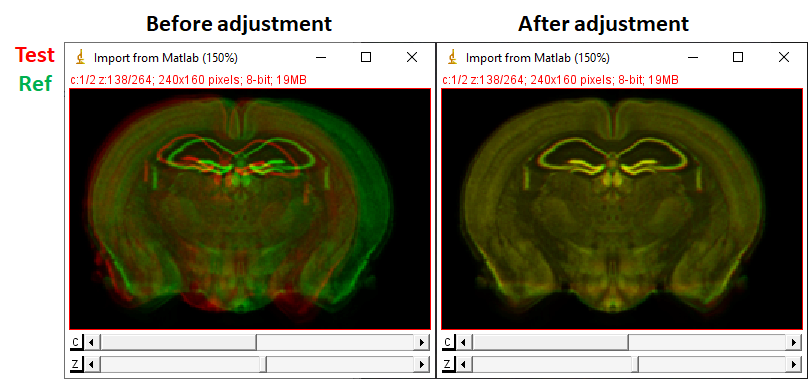
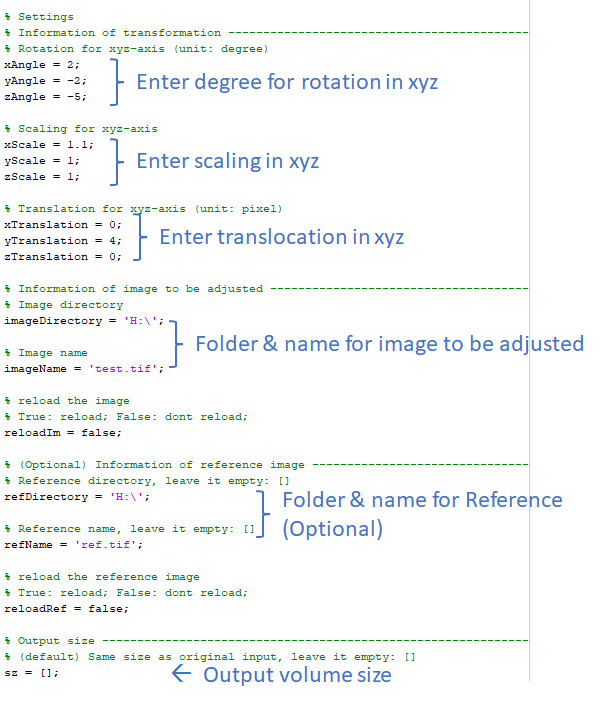
-
Measure rotation on z-axis.
For mouse brains, it may be easier to do rotation on z & y-axis before x-axis. z & y-rotation adjustment is to make the left and right hemisphere symetric. And rotation on x-axis depended on the reference atlas you are using (for example CCF vs stereotaxic coordinates).
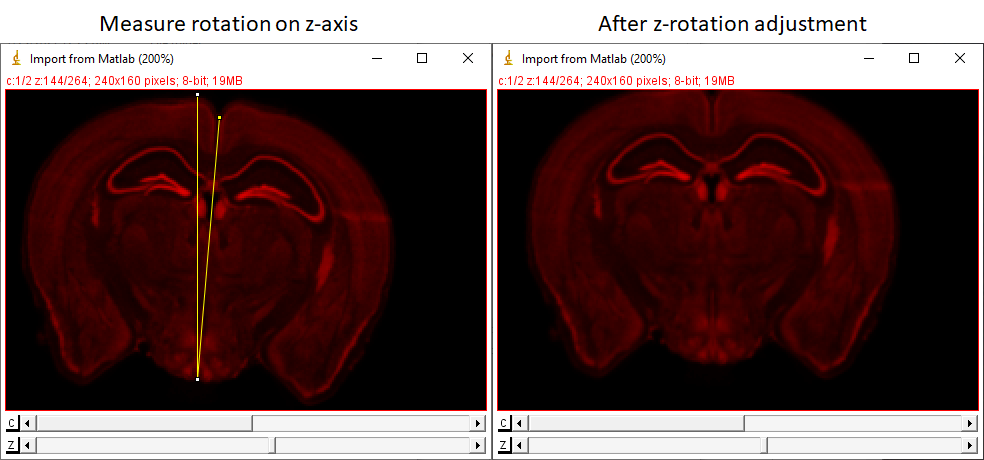
(to measure rotation, the 'Angle Tool' in ImageJ/FIJI is very helpful)
- Measure rotation on y-axis.
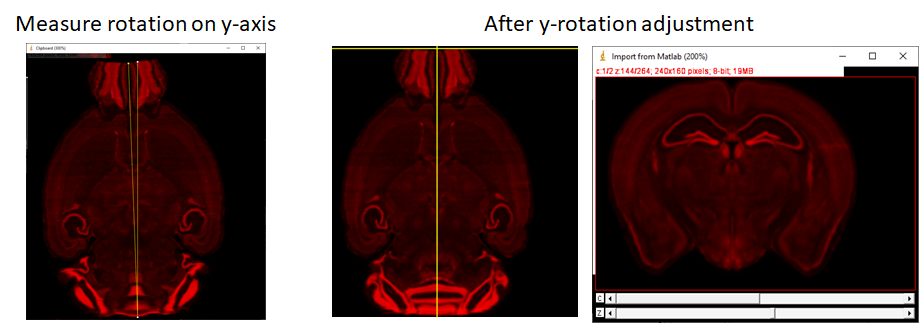
(to measure rotation on y-axis, the 'Orthogonal Views' (Image > Stacks > Orthogonal Views) is very helpful. But you may need to copy or save the image to a new window to use the angle tool to measure the angle.)
-
Combine with the reference map, measure scaling.
(If translation is adjusted before scaling, it may need to be adjust again.)
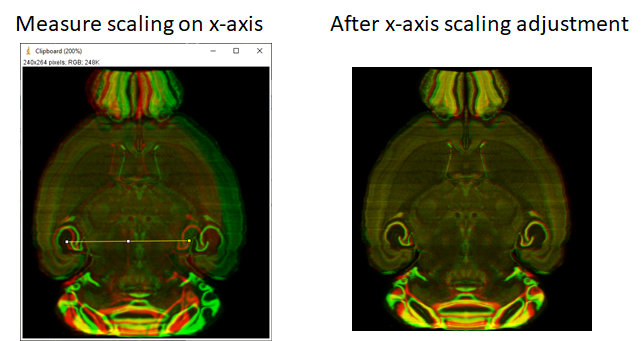
- Measure translation.
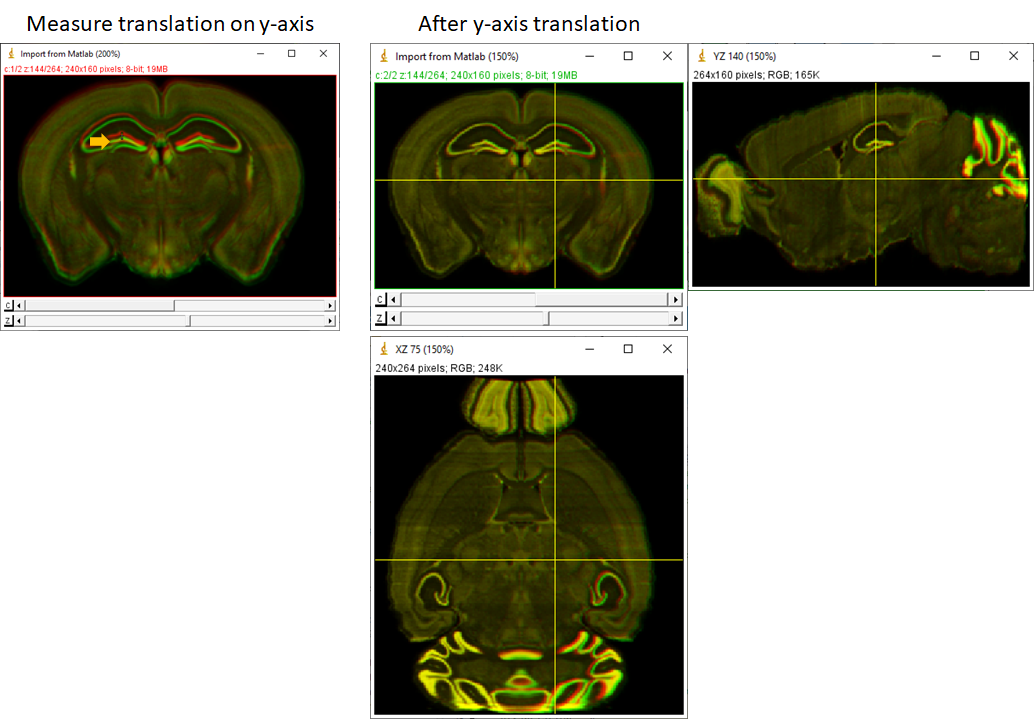
Note: As you can see this method for adjust/alignment is not very accurate, it needs time for fine tune. But I hope this code can give you a quick answer for the transformation. The transformation matrix is MATLAB variable tform (affine3d object). The matrix can be seen in tform.T; tform can be directly used for imwarp in MATLAB for downstream applications.