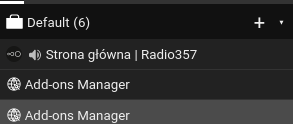
Custom CSS
.container {
    counter-reset: tab-idx;
}

.container-tab::before {
    counter-increment: tab-idx;
    content: counter(tab-idx) ". ";
}

/* hide favicon */
.favicon {
    display: none;
}.container-tabs {
display: flex;
flex-direction: column-reverse;
}Handy for macOS users where scrollbar overlaps with the close button.
.container-tab-close, .container-tab-close:hover {
   position: absolute;
   background: #333;
   border-radius: 20px;
   padding: 2px;
   left: 2px;
   top: 50%;
   transform: translateY(-50%);
}You can hide anything but icons by using the following css:
.container-tab-title, .container-tab-close, .container-tab-count, .container-title {
  display: none !important;
}
Though, Firefox won't let you make the sidebar narrower than ~200px by default. To get a narrower sidebar, you will have to edit userChrome.css (https://github.com/maciekmm/container-tabs-sidebar#appearance-modifications) by specifying min-width: 0 for the #sidebar-box id.
Move tab's elements around (https://github.com/maciekmm/container-tabs-sidebar/issues/105)
You can move tab's elements around by using CSS order property:
e.g. this will move mute button between favicon and title.
.container-tabs .favicon {
    order: 0;
}
.container-tab-action--mute {
    padding-top: 4px;
    margin-left: 5px;
    order: 1;
}
.container-tab-title {
    order: 2;
}
.container-tab-close {
    order: 3;
}