

This is a monorepo supported by Turborepo, containing the following applications:
apps/frontend: Next.js 14 frontend applicationapps/backend: Strapi backend applicationdocs: Documentation
git clone [email protected]:magdazelena/primer.git
cd primernpm run setupNext, navigate to your /apps/backend directory and set up your .env file. You can use the .env.example file as reference:
HOST=localhost
PORT=1337
APP_KEYS="toBeModified1,toBeModified2"
API_TOKEN_SALT=tobemodified
ADMIN_JWT_SECRET=tobemodified
JWT_SECRET=tobemodified
TRANSFER_TOKEN_SALT=tobemodifiedWhen building the backend for the first time, use:
cd apps/backend
npm run build:allIn the backend directory we have our seed-data.tar.gz file. We will use it to seed our data.
Navigate to the apps/backend folder and run the following command to seed your data:
npm run seedThis will import your data locally.
npm run devThis will start your admin panel.
You will be prompted to create your first admin user.

Next we need to switch to our /apps/frontend directory and create our .env file and paste in the following.
NEXT_PUBLIC_STRAPI_API_TOKEN=your-api-token
NEXT_PUBLIC_PAGE_LIMIT=6
NEXT_PUBLIC_STRAPI_FORM_SUBMISSION_TOKEN=your-form-submission-token
NEXT_PUBLIC_STRAPI_API_URL=http://localhost:1337
Before starting our Next JS app we need to go inside our Strapi Admin and create two tokens that we will be using for form submission and displaying our content.
Inside your Strapi Admin Panel navigate to Settings -> API Tokens and click on the Create new API Token.
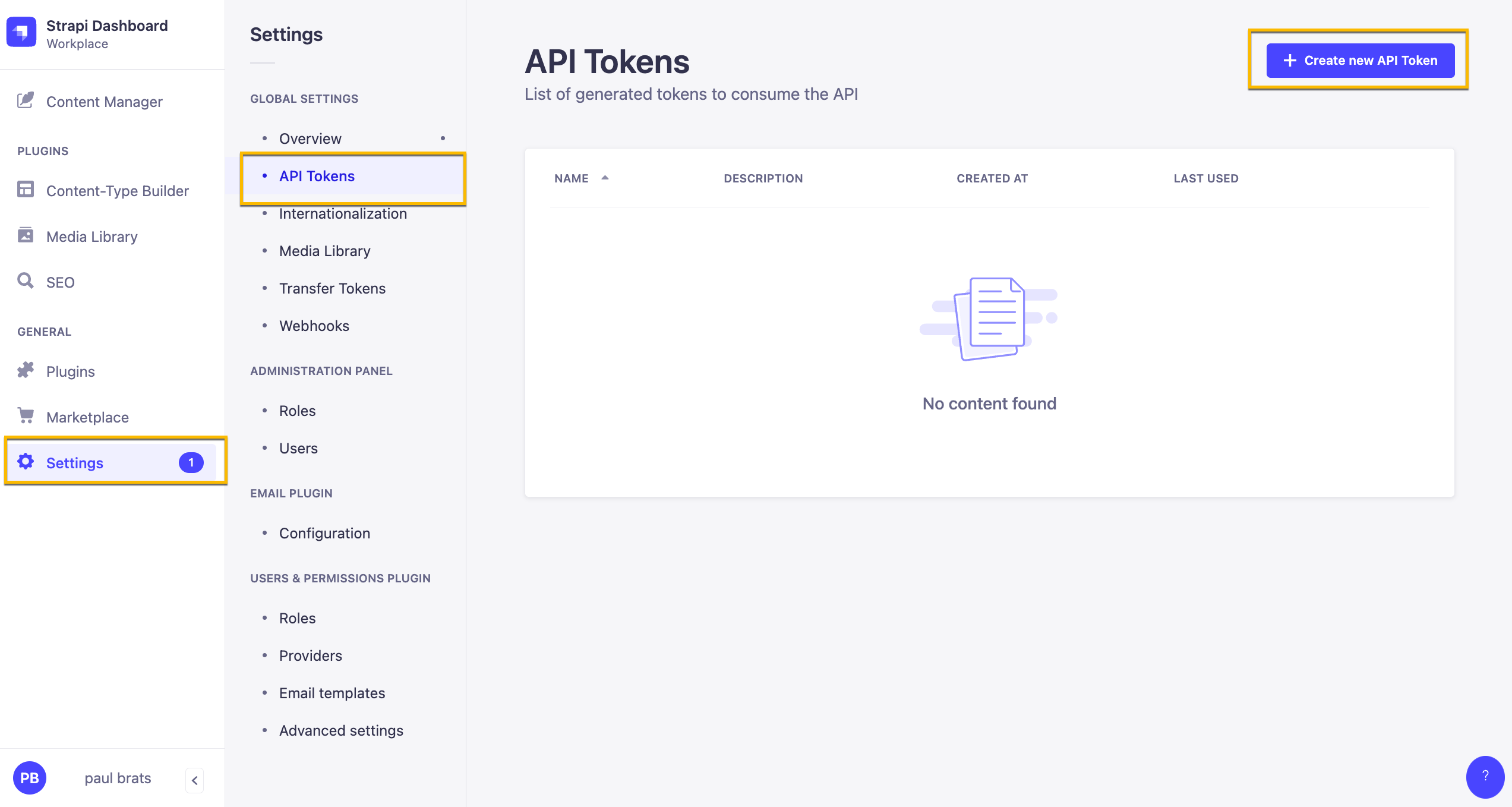
Here are our Token Settings
Name: Public API Token Content Description: Access to public content. Token duration: Unlimited Token type: Custom

Once you have your token add it to your NEXT_PUBLIC_STRAPI_API_TOKEN variable name in the .env file.
Alternatively: you can create a READ only Token that will give READ permission to all your endpoints.
In this particular project this is not an issue. Although the above is the recommended way, just wanted to show you this option here as well.
When creating a Token, just select the Read-only option from token type drop down.

Next create a token that will allow us to submit our form.
Name: Public API Form Submit Description: Form Submission. Token duration: Unlimited Token type: Custom
In Permissions lets give the following access.
| Content | Permissions |
|---|---|
| Lead-Form-Submission | create |
Add your token to your NEXT_PUBLIC_STRAPI_FORM_SUBMISSION_TOKEN variable name in the .env file.
Once your environment variables are set you can start your frontend application by running from root:
npm run frontendor
cd apps/frontend
npm run dev
You should now see your Next JS frontend.
If you want to install external package, use:
npm install <package> --prefix apps/<project name>for example:
npm install react-router-dom --prefix apps/frontendIf your dependency is being shared by the projects, make sure to install it into the root directly!
- Release management
- Contributor guide
- User developer guide
- User non-developer guide
- Frontend docs
- Backend docs
This is an open-source side project. It is progressing slowly, and I'm pretty tired ☕️.
