Run your test files automatically on your source file save.
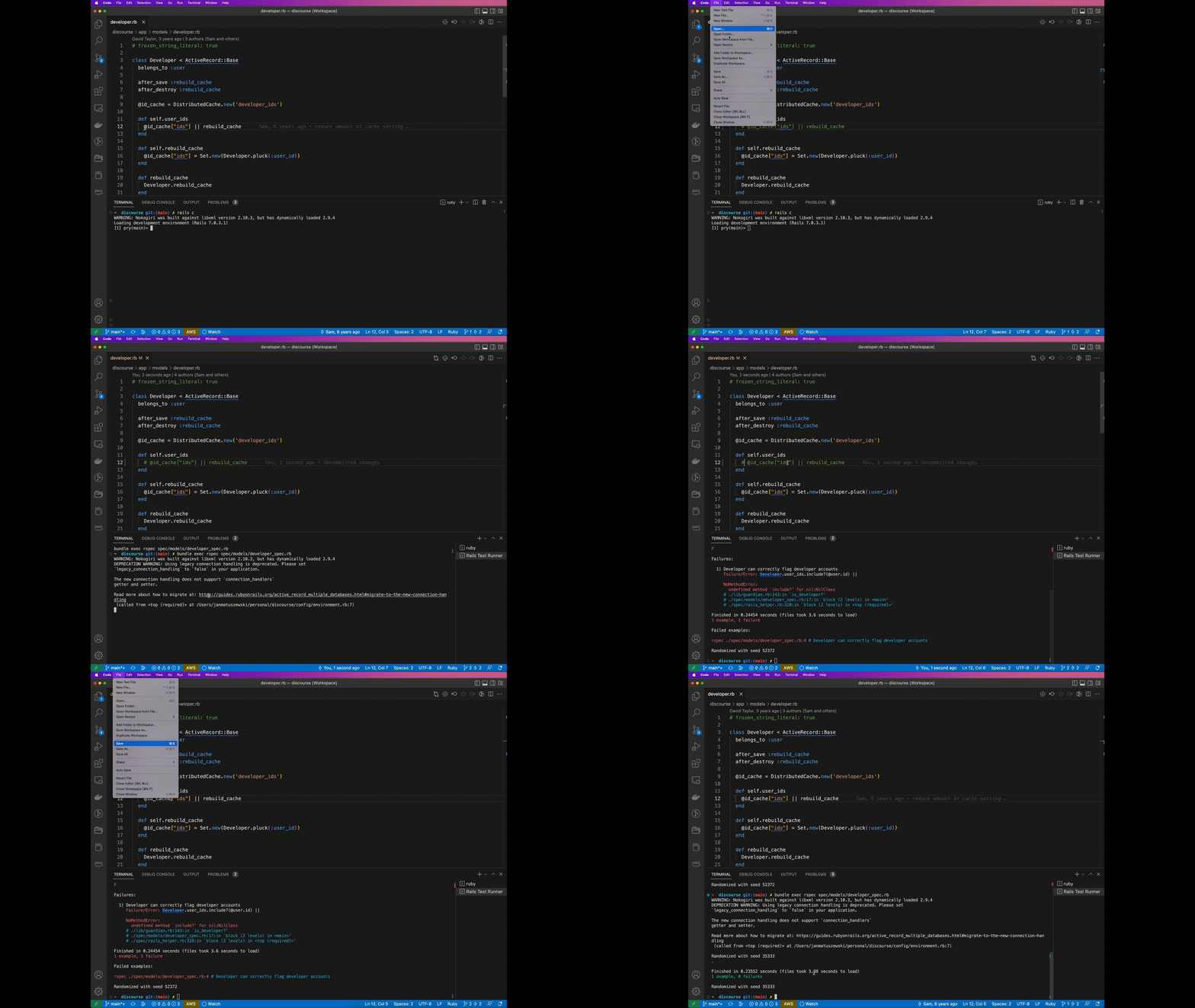
While saving any application app/models/{your_model}.rb file it will look for it's corresponding test file, depends on test framework you use it could be either: spec/models/{your_model}_spec.rb(RSpec) or test/models/{your_model}_test.rb(Minitest).
The results of the test command will be displayed in the Rails Test Runner terminal.
Supports:
- RSpec
- Minitest
- Create new VS Code workspace with your Rails application as the root folder
- Choose your testing framework in extension settings
- Make sure you have specified proper test directory in settings
- Try saving any of your files in
/appdirectory, it should either run test or displayno corresponding test file founderror
railsAutomaticTestRunner.framework: Specifies which framework is used to execute test commandsrailsAutomaticTestRunner.testsDirectory: Specifies the folder where your test files are locatedrailsAutomaticTestRunner.bundleExec: Appendbundle execbefore test command?railsAutomaticTestRunner.envVariables: Pass any environment variables as a string there, eg:CRUCIAL_API_KEY=testrailsAutomaticTestRunner.args: Pass any arguments like--fail-fastas a string thererailsAutomaticTestRunner.automaticOutputDisplay: Automatically switch to the output tab, when enabled might interrupt terminal work