





Simple GPU accelerated differentiable finite elements for solid mechanics with PyTorch. PyTorch enables efficient computation of sensitivities via automatic differentiation and using them in optimization tasks.
You may install torch-fem via pip with
pip install torch-fem
Optional: For GPU support, install CUDA, PyTorch for CUDA, and the corresponding CuPy version.
For CUDA 11.8:
pip install torch torchvision torchaudio --index-url https://download.pytorch.org/whl/cu118
pip install cupy-cuda11x # v11.2 - 11.8
For CUDA 12.9:
pip install torch torchvision torchaudio --index-url https://download.pytorch.org/whl/cu129
pip install cupy-cuda12x # v12.x
-
Elements
- 1D: Bar1, Bar2
- 2D: Quad1, Quad2, Tria1, Tria2
- 3D: Hexa1, Hexa2, Tetra1, Tetra2
- Shell: Flat-facet triangle (linear only)
-
Material models
- Isotropic linear elasticity
- Orthotropic linear elasticity
- Isotropic small strain plasticity
- Isotropic small strain damage
- Hyperelasticity (via automatic differentiation of their energy function)
- Isotropic thermal conductivity
- Orthotropic thermal conductivity
- Custom user material interface
-
Utilities
- Homogenization of orthotropic elasticity for composites
- Simple structured meshing
- I/O to and from other mesh formats via meshio
The subdirectory examples/basic contains a couple of Jupyter notebooks demonstrating the use of torch-fem for trusses, planar problems, shells, and solids. You may click on the examples to check out the notebooks online.
 |
 |
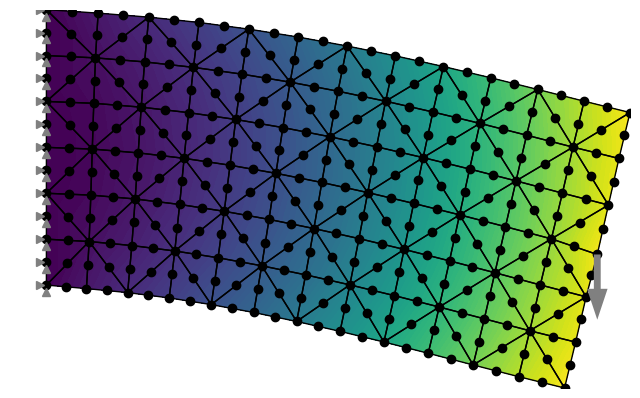 |
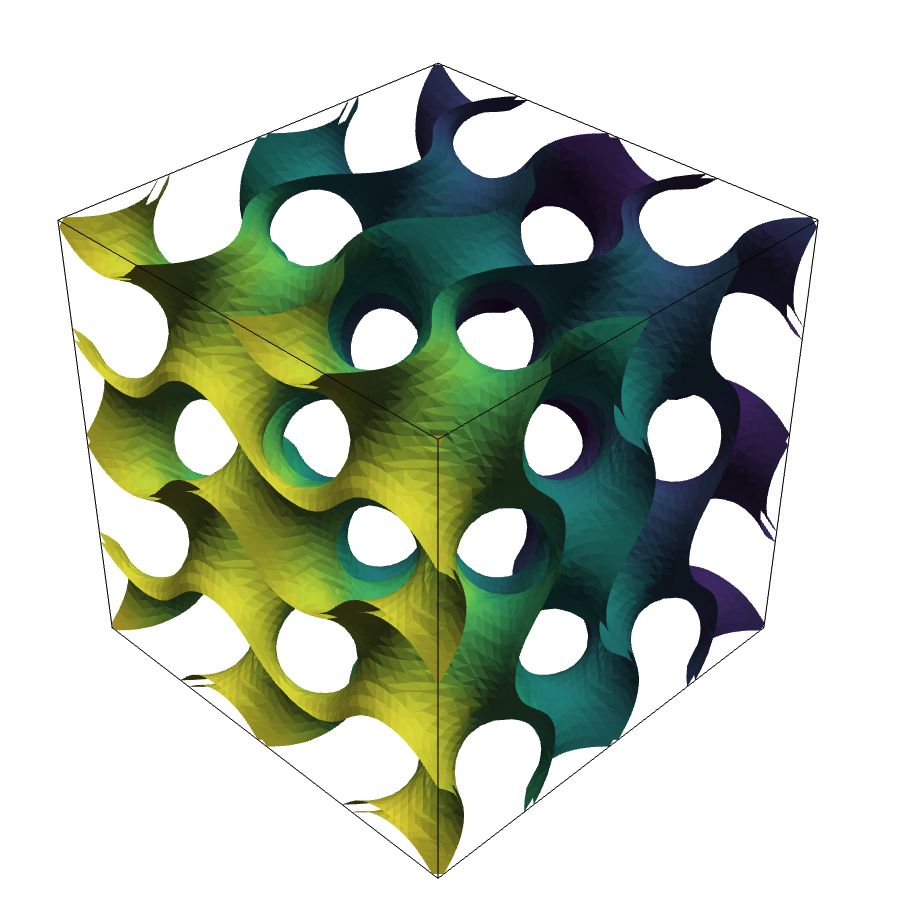
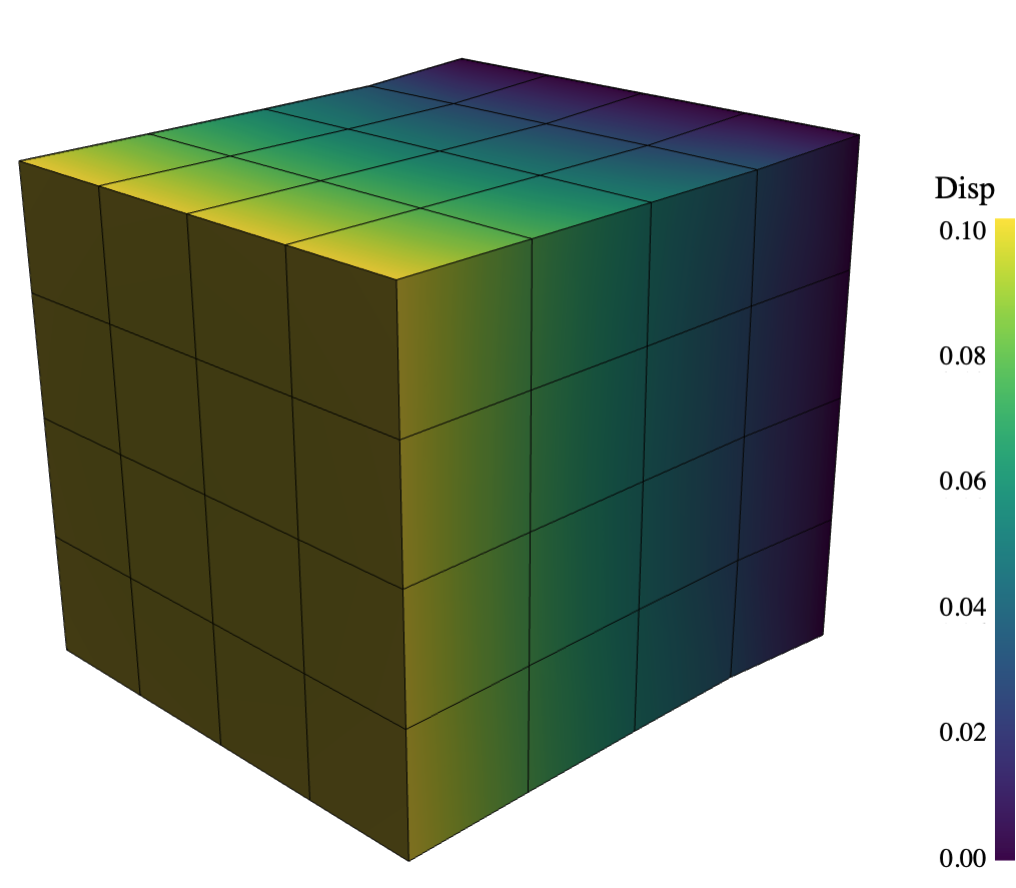
| Gyroid: Support for voxel meshes and implicit surfaces. | Solid cubes: There are several examples with different element types rendered in PyVista. | Planar cantilever beams: There are several examples with different element types rendered in matplotlib. |
 |
||
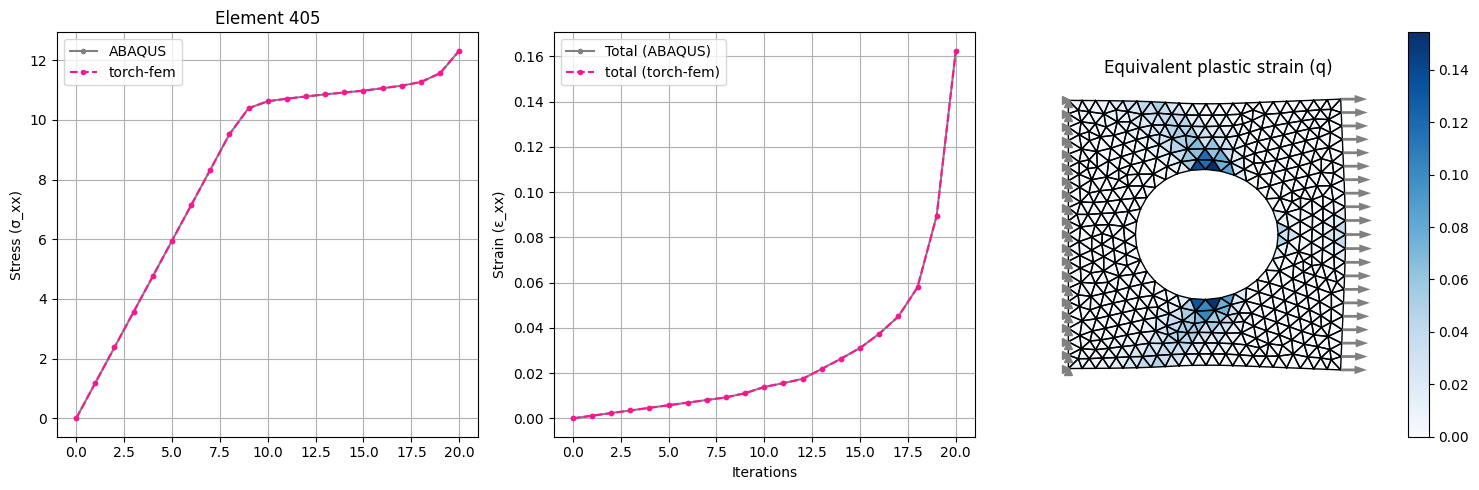
| Plasticity in a plate with hole: Isotropic linear hardening model for plane-stress or plane-strain. | ||
 |
||
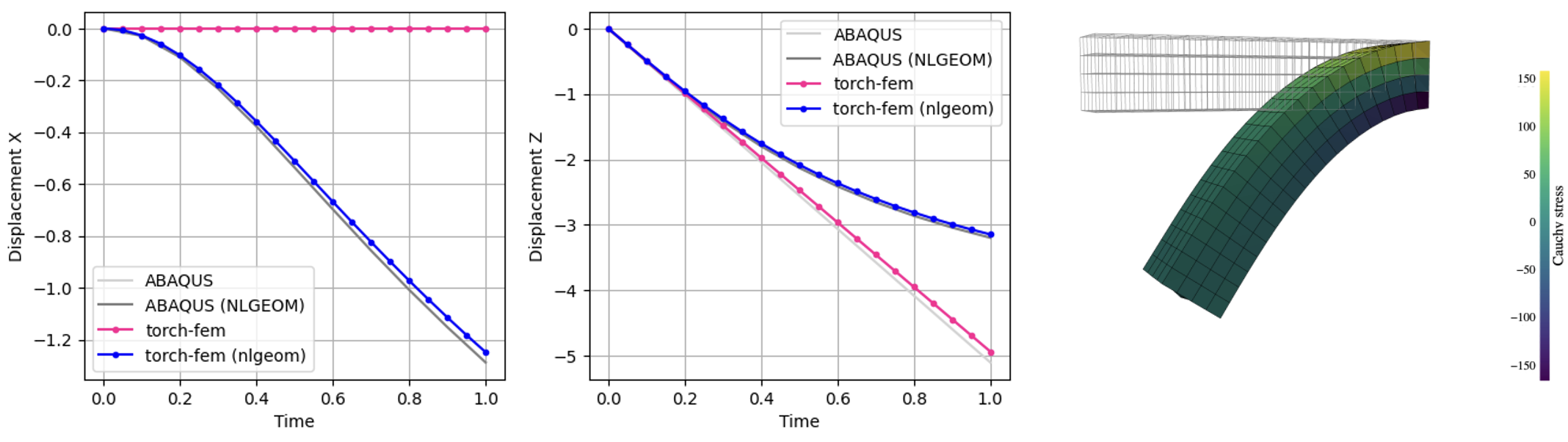
| Finite strain cantilever: Hyperelastic model in Total Lagrangian Formulation. | ||
The subdirectory examples/optimization demonstrates the use of torch-fem for optimization of structures (e.g. topology optimization, composite orientation optimization). You may click on the examples to check out the notebooks online.
 |
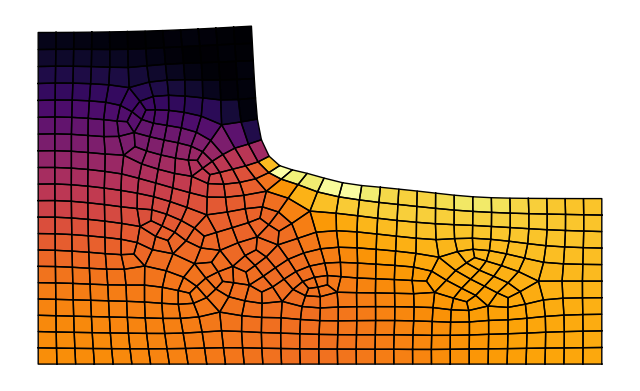 |
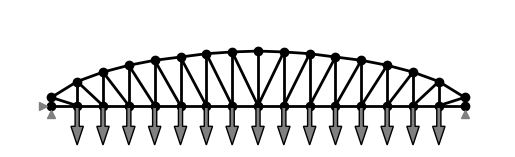
| Shape optimization of a truss: The top nodes are moved and MMA + autograd is used to minimize the compliance. | Shape optimization of a fillet: The shape is morphed with shape basis vectors and MMA + autograd is used to minimize the maximum stress. |
 |
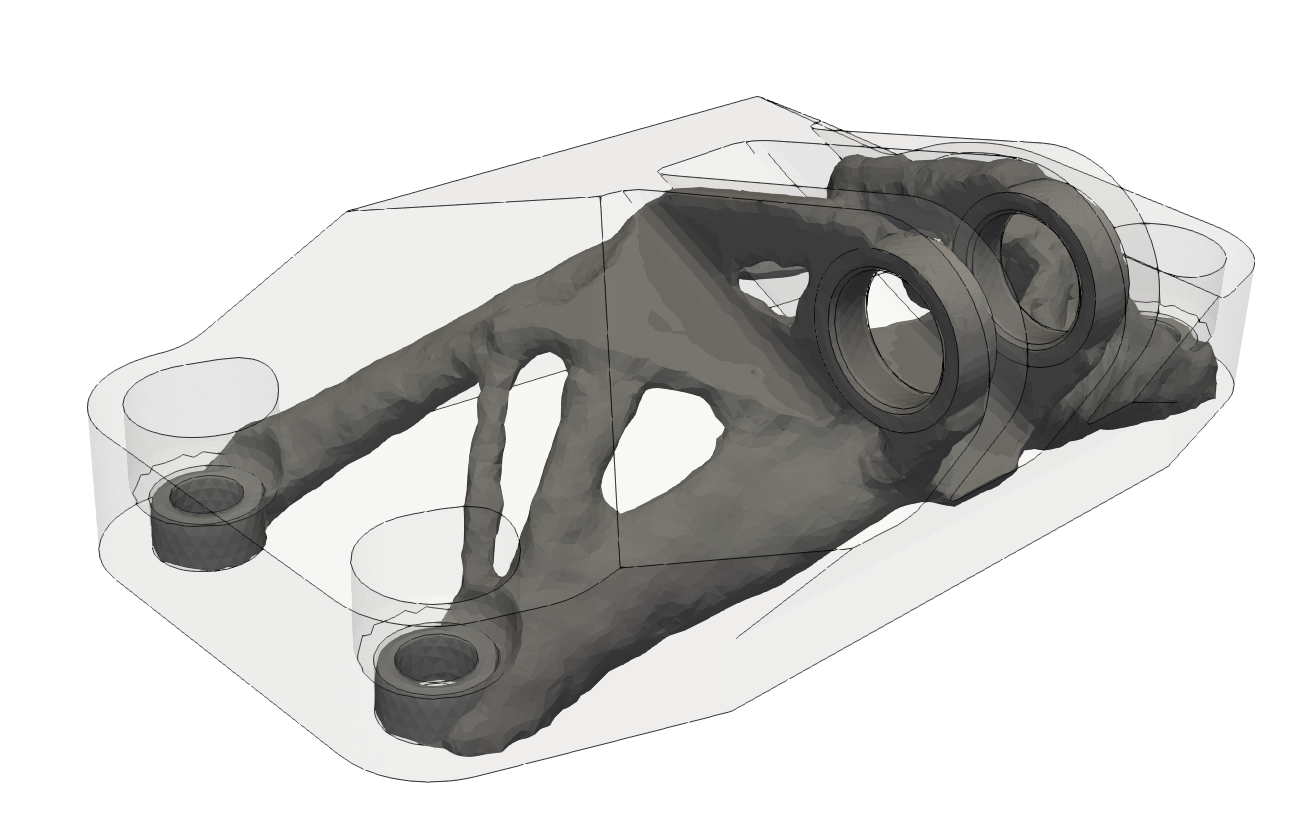 |
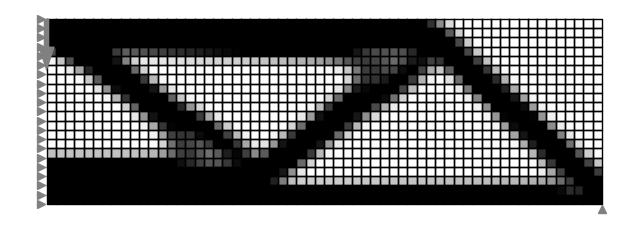
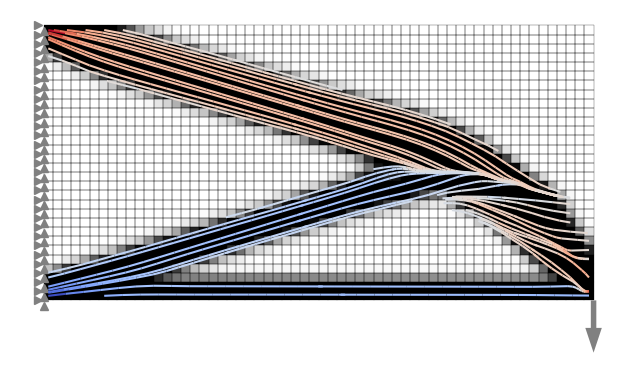
| Topology optimization of a MBB beam: You can switch between analytical and autograd sensitivities. | Topology optimization of a jet engine bracket: The 3D model is exported to Paraview for visualization. |
 |
|
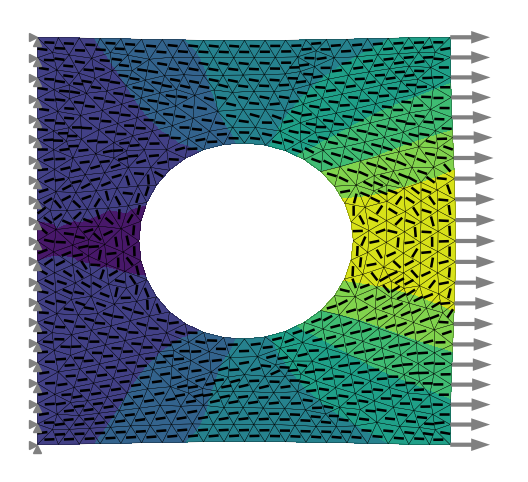
| Combined topology and orientation optimization: Compliance is minimized by optimizing fiber orientation and density of an anisotropic material using automatic differentiation. | Fiber orientation optimization of a plate with a hole Compliance is minimized by optimizing the fiber orientation of an anisotropic material using automatic differentiation w.r.t. element-wise fiber angles. |
 |
|
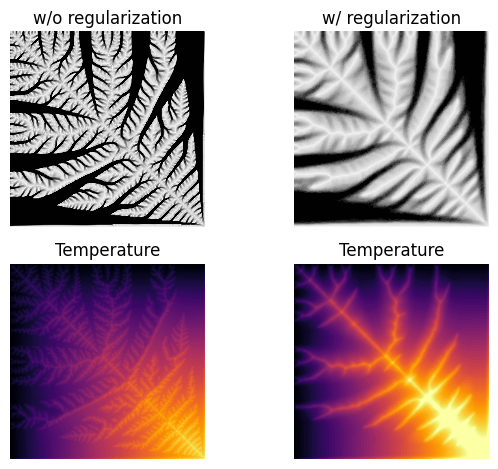
| Heat sink: Thermal topology optimization | |
This is a minimal example of how to use torch-fem to solve a very simple planar cantilever problem.
import torch
from torchfem import Planar
from torchfem.materials import IsotropicElasticityPlaneStress

torch.set_default_dtype(torch.float64)

# Material
material = IsotropicElasticityPlaneStress(E=1000.0, nu=0.3)

# Nodes and elements
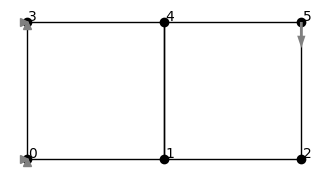
nodes = torch.tensor([[0., 0.], [1., 0.], [2., 0.], [0., 1.], [1., 1.], [2., 1.]])
elements = torch.tensor([[0, 1, 4, 3], [1, 2, 5, 4]])

# Create model
cantilever = Planar(nodes, elements, material)

# Load at tip [Node_ID, DOF]
cantilever.forces[5, 1] = -1.0

# Constrained displacement at left end [Node_IDs, DOFs]
cantilever.constraints[[0, 3], :] = True

# Show model
cantilever.plot(node_markers="o", node_labels=True)
This creates a minimal planar FEM model:
# Solve
u, f, σ, F, α = cantilever.solve()

# Plot displacement magnitude on deformed state
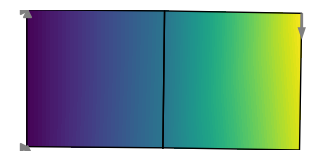
cantilever.plot(u, node_property=torch.norm(u, dim=1))
This solves the model and plots the result:
If we want to compute gradients through the FEM model, we simply need to define the variables that require gradients. Automatic differentiation is performed through the entire FE solver. Rather than differentiating through individual solver iterations or Newton iterations (this would explode in memory and autograd graph size) though, the implicit function theorem is used to formulate an adjoint backward for solve().
# Enable automatic differentiation
cantilever.thickness.requires_grad = True
u, f, _, _, _ = cantilever.solve(differentiable_parameters=cantilever.thickness)

# Compute sensitivity of compliance w.r.t. element thicknesses
compliance = torch.inner(f.ravel(), u.ravel())
torch.autograd.grad(compliance, cantilever.thickness)[0]The following benchmarks were performed on a cube subjected to a one-dimensional extension. The cube is discretized with N x N x N linear hexahedral elements, has a side length of 1.0 and is made of a material with Young's modulus of 1000.0 and Poisson's ratio of 0.3. The cube is fixed at one end and a displacement of 0.1 is applied at the other end. The benchmark measures the forward time to assemble the stiffness matrix and the time to solve the linear system. In addition, it measures the backward time to compute the sensitivities of the sum of displacements with respect to forces.
Python 3.10, SciPy 1.15.3, Apple Accelerate, float64
| N | DOFs | Setup | FWD Solve | BWD Solve | Peak RAM |
|---|---|---|---|---|---|
| 10 | 3000 | 0.02s | 0.16s | 0.37s | 490.4MB |
| 20 | 24000 | 0.14s | 0.74s | 0.35s | 895.6MB |
| 30 | 81000 | 0.52s | 2.73s | 0.84s | 1947.5MB |
| 40 | 192000 | 1.23s | 6.53s | 1.57s | 3060.2MB |
| 50 | 375000 | 2.63s | 13.02s | 3.22s | 4398.7MB |
| 60 | 648000 | 4.71s | 26.17s | 5.48s | 5789.2MB |
| 70 | 1029000 | 9.18s | 46.37s | 9.43s | 7893.5MB |
| 80 | 1536000 | 13.90s | 73.41s | 17.95s | 9739.0MB |
Python 3.13, CuPy 14.0.1, CUDA 12.9, float64
| N | DOFs | Setup | FWD Solve | BWD Solve | Peak RAM |
|---|---|---|---|---|---|
| 10 | 3000 | 0.27s | 0.45s | 0.46s | 1682.9MB |
| 20 | 24000 | 0.24s | 0.49s | 0.49s | 1703.6MB |
| 30 | 81000 | 0.25s | 0.60s | 0.59s | 1707.4MB |
| 40 | 192000 | 0.25s | 0.78s | 0.73s | 1738.4MB |
| 50 | 375000 | 0.28s | 1.08s | 0.94s | 1710.4MB |
| 60 | 648000 | 0.32s | 1.54s | 1.27s | 1710.8MB |
| 70 | 1029000 | 0.39s | 2.13s | 1.73s | 1728.7MB |
| 80 | 1536000 | 0.49s | 3.76s | 3.22s | 2220.5MB |
There are many alternative Python FEM tools that you may also consider, depending on your needs:
- General-purpose FEM/PDE frameworks
- Differentiable or adjoint-capable FEM


