🎯 GUI App to edit mulle-match pattern files
A desktop application for visually editing mulle-match configuration files, the pattern files used in mulle-sde projects to match project files. This editor provides a dual-column interface for managing ignore patterns and match patterns.
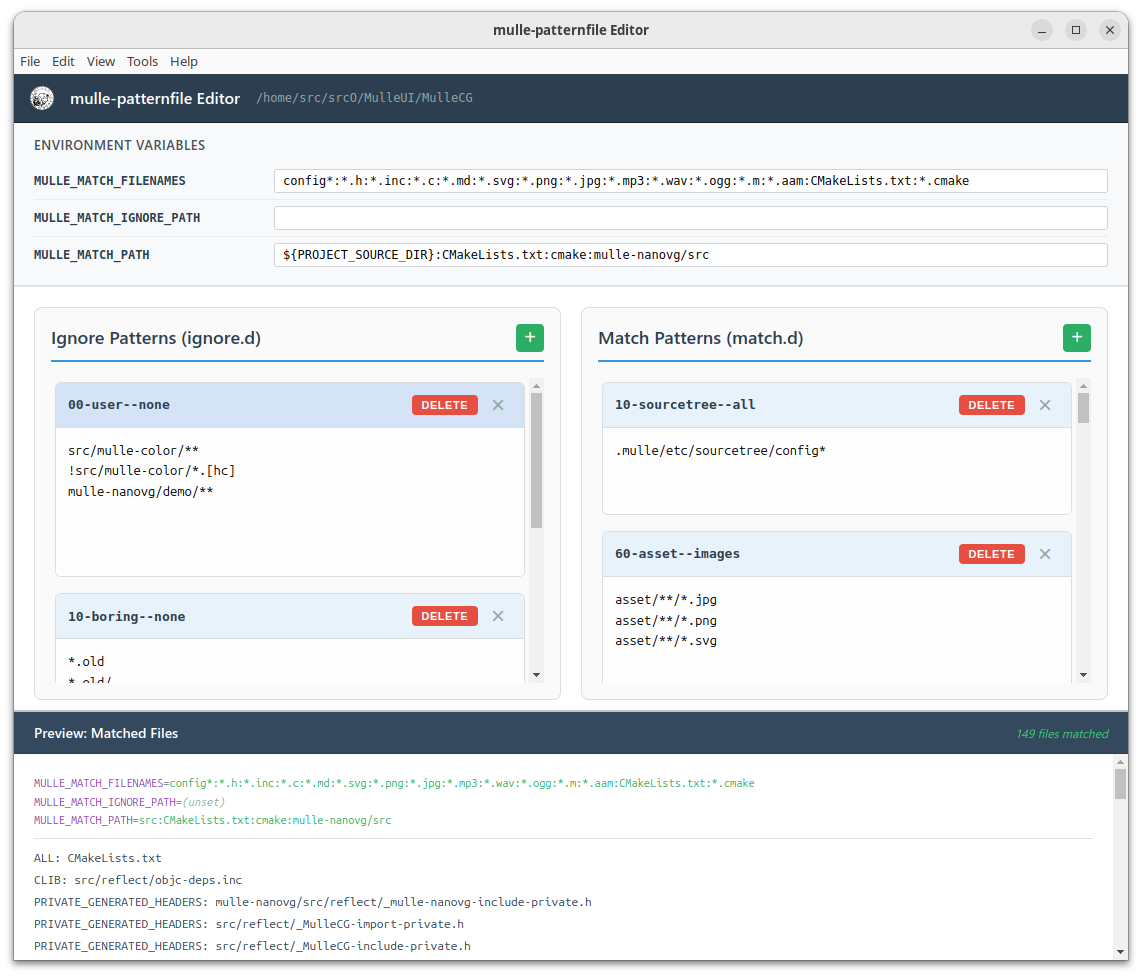
- Two-column layout for ignore.d and match.d pattern files
- Visual file management (add, delete, edit)
- Smart saving with symlink handling
- Cross-platform support (Linux, macOS, Windows)
Download the latest release for your platform from the Releases page.
or
npm install mulle-patternfile-editornpm install
npm start# Build for current platform
npm run build
# Build for specific platforms
npm run build:linux
npm run build:mac
npm run build:win- Open a mulle project directory (containing
.mulle/etc/matchand.mulle/share/match) - Edit pattern files in either column
- Save changes with Ctrl+S (Cmd+S on macOS)
MIT License - see LICENSE file for details.
Mulle kybernetiK
nat@mulle-kybernetik.com
https://github.com/mulle-sde