This is an Obsidian plugin which can quickly switch tabs in various ways.
Switch tabs in the following ways:
Go to previous/next tab: Move between tabs like in most appsOpen tab selector: Use a modal to switch tabs with keeping the keyboard home positionShow tab shortcuts: Switch tabs with simple keyboard shortcuts, no modal neededSearch tabs: Find and open tabs by name
- Set up the
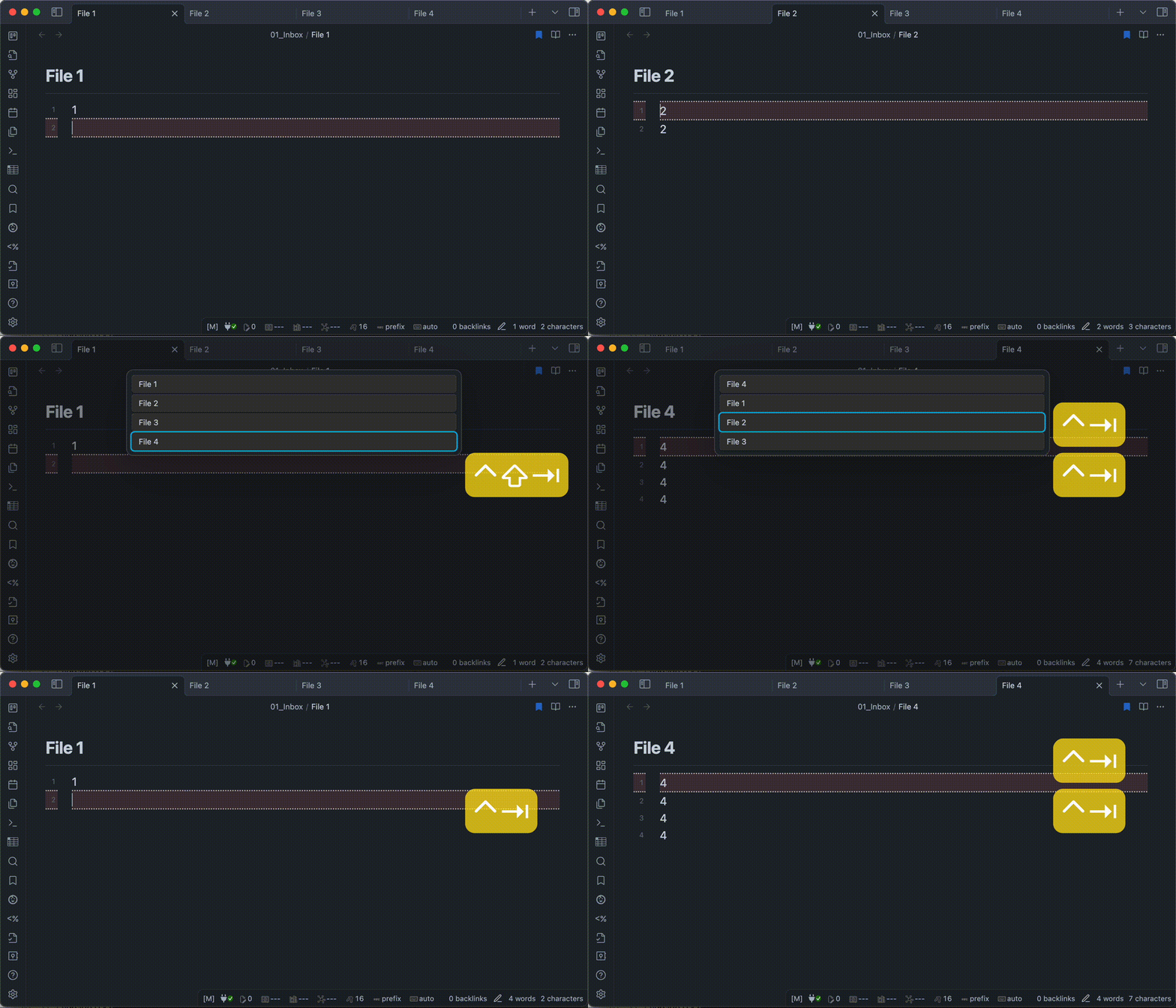
Go to previous/next tabcommand in the plugin's settings.- In the default configuration, each command are as follows.
- Tab Selector: Go to previous tab:
^TaborCtrl + Tab - Tab Selector: Go to next tab:
^⇧TaborCtrl + Shift + Tab
- Tab Selector: Go to previous tab:
- Don't use shortcut keys reserved by the OS. OS shortcut keys take precedence and don't work properly.
- In case MacOS,
⌘Taband⌥Tabetc… can't use.
- In case MacOS,
- In the default configuration, each command are as follows.
- Set hotkeys to match the command settings implemented above.
- From then on you can switch tabs using hotkeys.
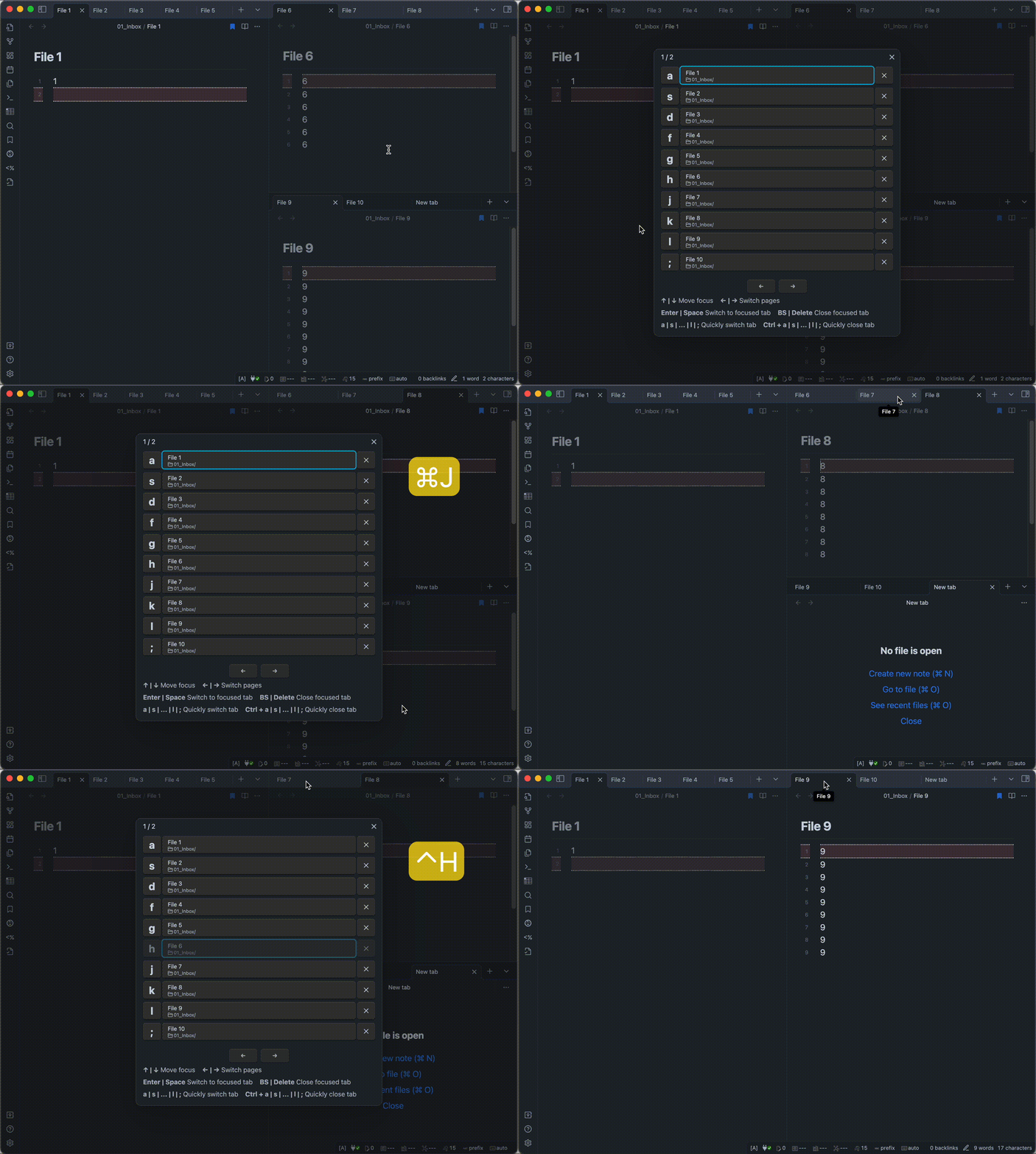
- Call the modal in one of the following ways.
- Using hotkey. (recommend)
- Click the icon(
Open tab selector) from the Ribbon. - Selecting
Tab Selector: Open tab selectorfrom the command palette.
- Select the tab you want to switch to in one of the following ways.
- Press the one-letter key displayed to the left of the tab name. (recommend)
- Move the cursor with arrow keys and select the tab.
- Click on the tab name with the mouse cursor.
- If you want to close a tab, you can do in one of the following ways.
- Hold down the
Controlkey, press the one-letter key displayed to the left of the tab name. - Move the cursor with arrow keys and press
BackspaceorDeletekey. - Click on the
Xbutton with the mouse cursor.
- Hold down the
Note
This command is available on PC or tablet devices. It’s not available on smartphones.
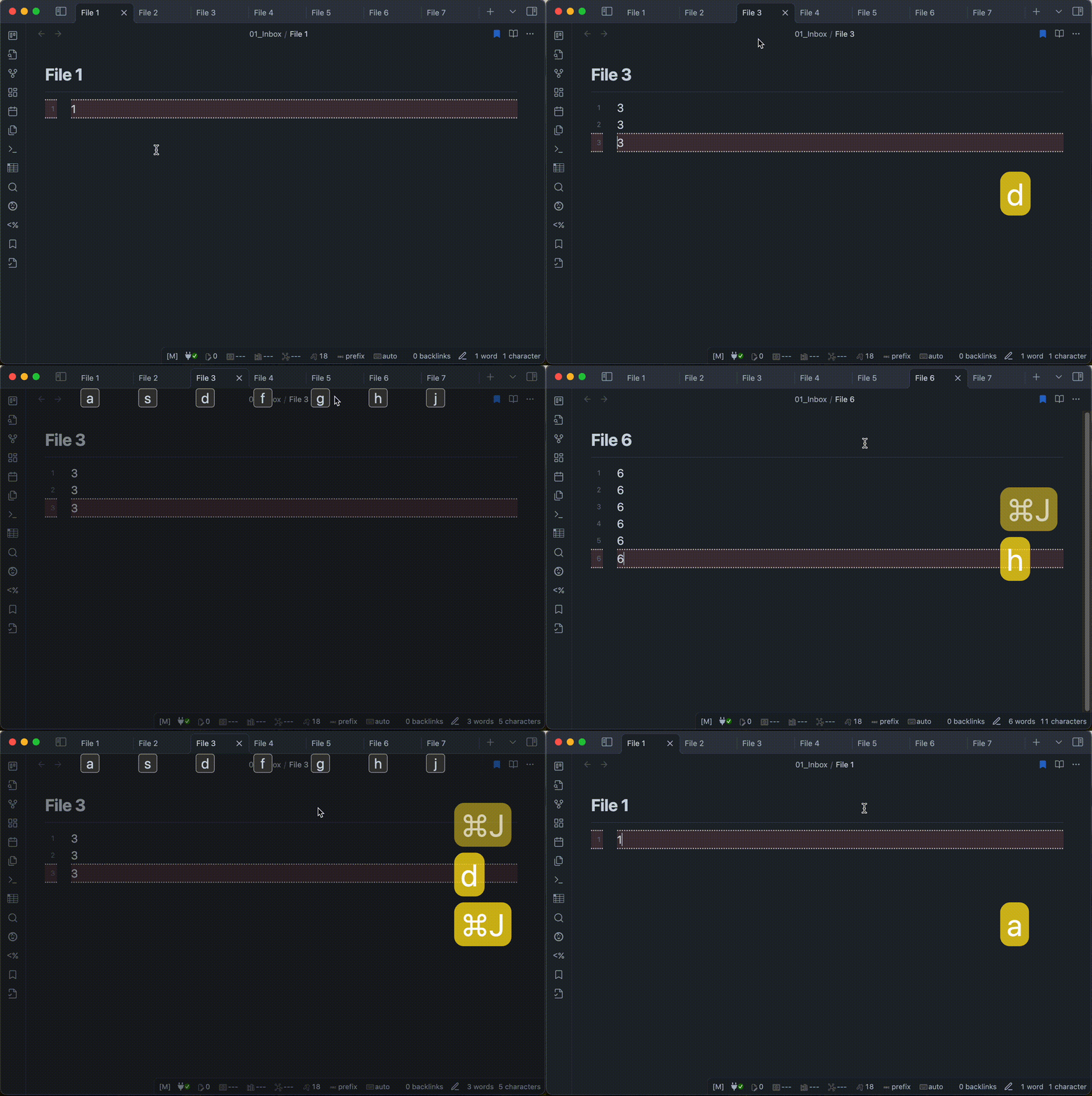
- Call the modal in one of the following ways.
- Using hotkey. (recommend)
- Selecting
Tab Selector: Show tab shortcutsfrom the command palette.
- Press the one-letter key displayed under the tab name.
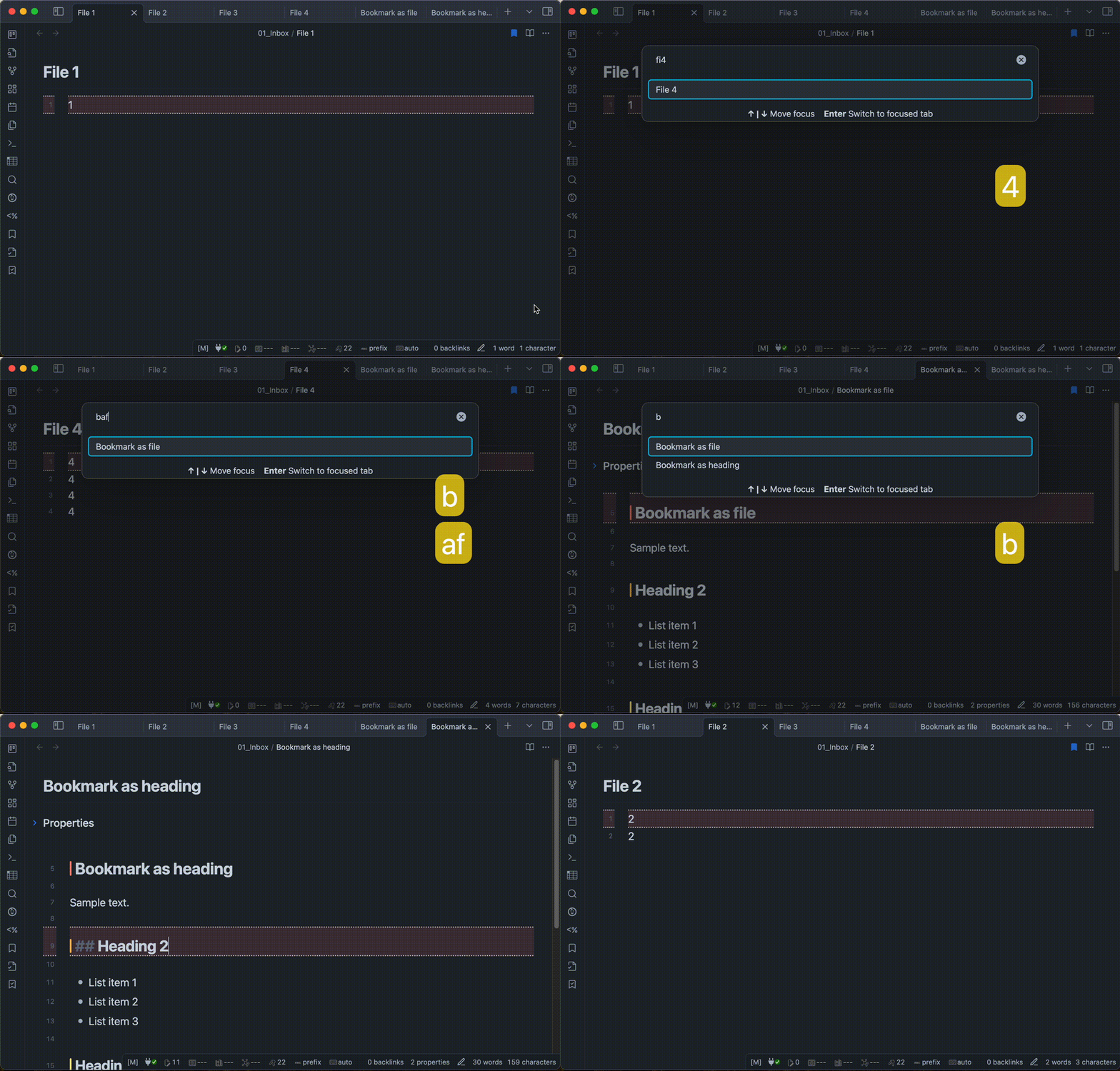
- Call the modal in one of the following ways.
- Using hotkey. (recommend)
- Selecting
Tab Selector: Search tabsfrom the command palette.
- Enter keywords to find a tab.
- Select the tab you wish to open in one of the following ways.
- Move the cursor with arrow keys and select the item.
- Click on the item name with the mouse cursor.
You can find and install this plugin through Obsidian’s Community Plugins Browser.
For detailed steps or alternative installation methods, click here.