Caution
Although I have tried to made this library as general-purpose as possible, this is still a personal library, primarily made for my own projects.
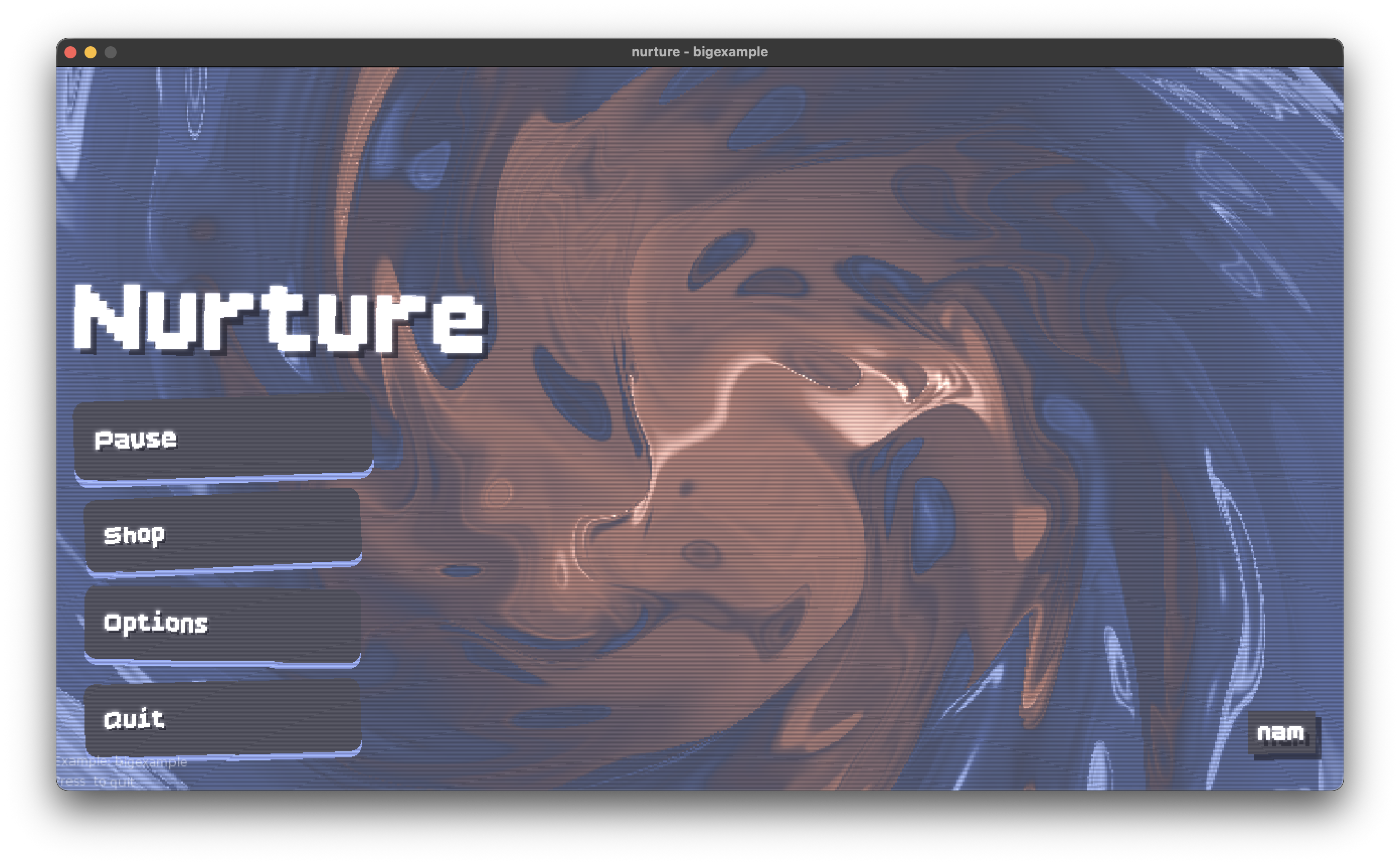
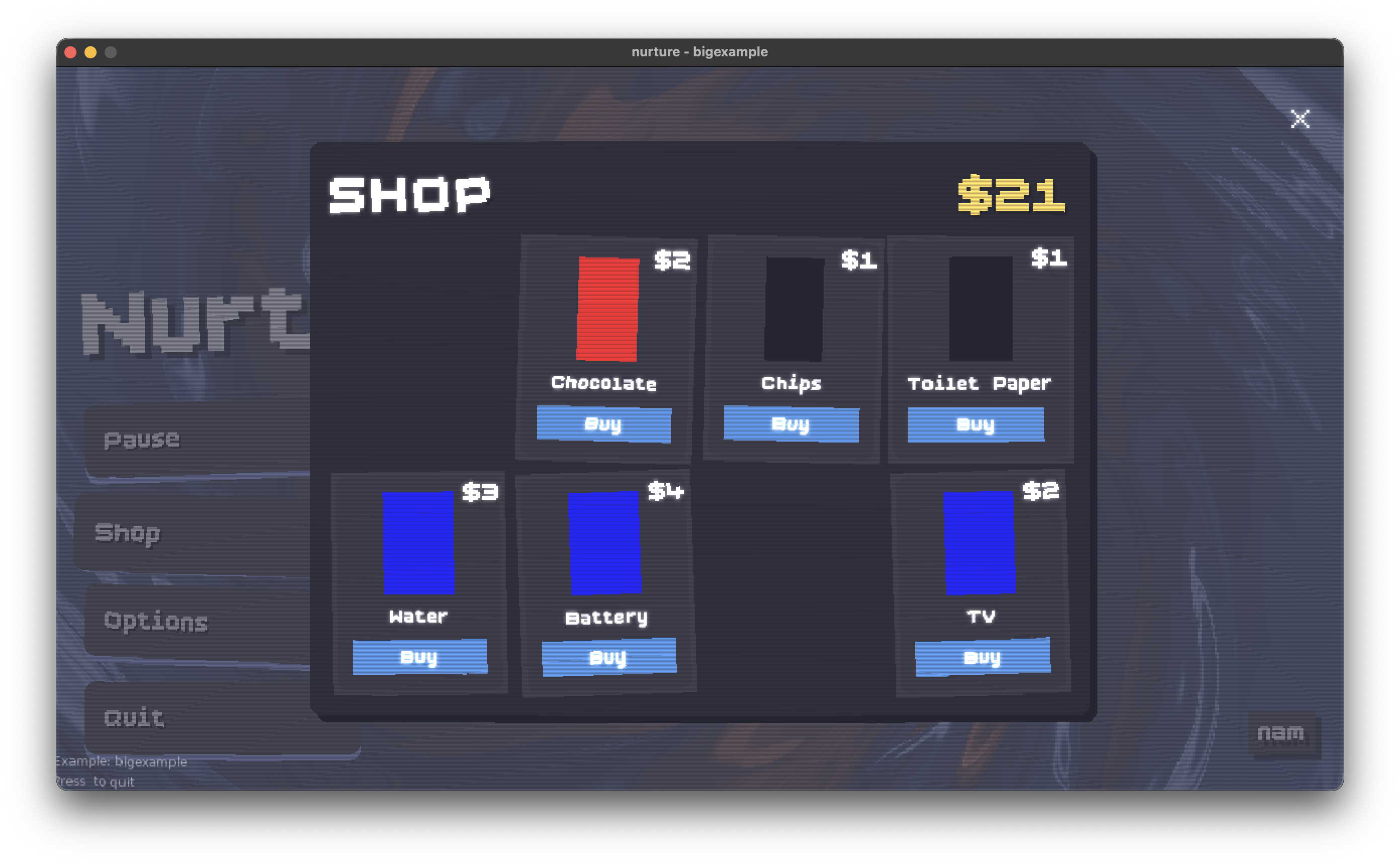
Take a look at the examples directory for some working examples and screenshots.
- Box
- Horizontal/Vertical Box
- Horizontal/Vertical Fraction Box
- Grid
- Stack Layout
- Buttons
- Progressbars
- Sliders
- Text Label
- Tabs
- Image/Video
- Shapes
- Input Boxes
To run a example from the examples directory, simply the example in main.lua
local CURRENT_EXAMPLE = "pausemenuanim"and then run it using
love .
To use nurture in your project, copy the nurture directory to your love2d project. In your own main.lua.
-- main.lua


local nurture = require("nurture")

N = nurture:new()


function love.load()
    N:registerFont('assets/BoldPixels.ttf', 'TitleFont', 24, true)
    -- adds in a box
    nurture.Box:new(N, {
        x = 50,
        y = 50,
        forcedWidth = 200,
        forcedHeight = 100,
        backgroundColor = { 0.2, 0.5, 0.8, 0.9 },
        padding = 10,
        children = {
            nurture.TextLabel:new(N, "Hello World", "TitleFont", {
                color = { 1, 1, 1, 1 },
            })
        }
        })
end

function love.draw()
    -- nurture manages all of its widgets
    N:draw()
end

function love.update()
    -- no need to draw and update each one of them seperately
    N:update()
end

function love.mousepressed(x, y, button)
    N:mousepressed(x, y, button)
end

function love.mousereleased(x, y, button)
    N:mousereleased(x, y, button)
end

function love.mousemoved(x, y, dx, dy)
    N:mousemoved(x, y, dx, dy)
end

function love.keypressed(key, scancode, isrepeat)
    N:keypressed(key, scancode, isrepeat)
end

function love.textinput(text)
    N:textinput(text)
endlocal N = nurture:new() -- Create new UI manager instance
N:registerFont(path, name, size, isDefault) -- Register a font
N:font(name) -- Get font by name
N:setFont(name) -- Set current font
N:removeFont(name) -- Remove a font
N:addWidget(widget) -- Add widget to manager
N:removeWidget(widget) -- Remove widget from manager
N:clearWidgets() -- Remove all widgets
N:getWidgets() -- Get all top-level widgets
N:getFromUUID(uuid) -- Get widget by UUID
N:getAllByClassname(classname) -- Get all widgets with classname
N:loadShader(path) -- Load and cache a shader
N:clearShaderCache() -- Clear shader cacheAll widgets inherit these properties and methods:
widget.x, widget.y                    -- Position
widget.width, widget.height           -- Dimensions
widget.visible                        -- Visibility (boolean)
widget.enabled                        -- Enabled state (boolean)
widget.zIndex                         -- Draw order (higher = on top)
widget.classname                      -- Optional class identifier
widget.scaleX, widget.scaleY          -- Scale factors
widget.rotation                       -- Rotation in radians

widget:setPosition(x, y)
widget:show() / widget:hide()
widget:enable() / widget:disable()
widget:setZIndex(zIndex)
widget:setClassName(name)
widget:setScale(scaleX, scaleY)
widget:setRotation(rotation)
widget:isPointInside(px, py)
widget:getParent()
widget:getChildren()
widget:getAllByClassname(classname)
widget:delete()widget:setUpdateCallback(fn) -- fn(widget, dt)
widget:setDrawCallback(fn) -- fn(widget)
widget:setClickCallback(fn) -- fn(widget, x, y, button)
widget:setMouseOverCallback(fn) -- fn(widget, x, y)
widget:setMouseLeaveCallback(fn) -- fn(widget, x, y)
widget:setDragCallback(fn) -- fn(widget, x, y, dx, dy)
widget:setDragEndCallback(fn) -- fn(widget, x, y, button)Container with background, padding, and optional child.
nurture.Box:new(N, {
    x = 0, y = 0,
    forcedWidth = 200,
    forcedHeight = 100,
    padding = 10,                             -- or {left=, right=, top=, bottom=}
    backgroundColor = {r, g, b, a},
    rounding = 5,                             -- or {rx=, ry=, segments=}
    halign = "center",                        -- "left", "center", "right"
    valign = "center",                        -- "top", "center", "bottom"
    shadow = {x=, y=, color={r,g,b,a}},
    backgroundShader = "path/to/shader.glsl",
    child = widget,                           -- single child widget
})Interactive box with hover/press states.
nurture.Button:new(N, {
    -- Same as Box, plus:
    colors = {
        primaryColor = {r, g, b, a},
        hoveredColor = {r, g, b, a},
        pressedColor = {r, g, b, a},
        disabledColor = {r, g, b, a},
    },
    disabled = false,
    onClick = function(btn, x, y, button) end,
    onMouseOver = function(btn, x, y) end,
    onMouseLeave = function(btn, x, y) end,
})Horizontal or vertical layout containers.
nurture.HBox:new(N, {
    spacing = 10,
    justify = "left",      -- "left", "right", "center", "space-evenly", "space-between"
    forcedWidth = 400,
    forcedHeight = 100,
    children = { widget1, widget2, ... },
})

nurture.VBox:new(N, {
    spacing = 10,
    justify = "top",       -- "top", "bottom", "center", "space-evenly", "space-between"
    children = { widget1, widget2, ... },
})
Child alignment in HBox/VBox:
child.vertAlign = "stretch"   -- HBox: "stretch", "top", "center", "bottom"
child.horizAlign = "stretch" -- VBox: "stretch", "left", "center", "right"Fractional layout - children sized by ratios.
nurture.HFracBox:new(N, {
    forcedWidth = 400,
    spacing = 10,
    ratios = {1, 2, 1},        -- Child widths proportional to ratios
    children = { w1, w2, w3 },
})2D grid layout.
nurture.Grid:new(N, {
    rows = 3,
    columns = 4,
    spacing = 5,
    fillDirection = "row",     -- "row" or "column"
    children = { ... },
})

grid:setCell(row, col, widget)
grid:getCell(row, col)
grid:addChild(widget)          -- Auto-places in next empty cell
grid:removeChild(widget)
grid:clear()Overlapping children (for layered UIs).
nurture.Stack:new(N, {
    forcedWidth = 300,
    forcedHeight = 200,
    children = { background, foreground },
})

stack:bringToFront(widget)
stack:sendToBack(widget)
stack:sendOneFront(widget)
stack:sendOneBack(widget)
Child alignment in Stack:
child.stackHorizAlign = "stretch"  -- "stretch", "left", "center", "right"
child.stackVertAlign = "stretch" -- "stretch", "top", "center", "bottom"Tab container (children must be Box widgets).
nurture.Tabbed:new(N, {
    tabs = {
        tab1 = boxWidget1,
        tab2 = boxWidget2,
    },
    tabOrder = {"tab1", "tab2"},
    activeTab = "tab1",
    switchCallback = function(tabName) end,
})

tabbed:switch("tab2")
tabbed:getActiveTabName()
tabbed:getActiveTab()
tabbed:addTab(name, boxWidget)
tabbed:removeTab(name)Text display widget.
nurture.TextLabel:new(N, "Hello", "FontName", {
    color = {1, 1, 1, 1},
    shadow = {x=2, y=2, color={0,0,0,1}},
    wrapping = false,
    wrapAlign = "left",        -- "left", "center", "right", "justify"
})

label:setText("New text")
label:setColor(r, g, b, a)
label:setWrapping(true)
Image display widget.
nurture.Image:new(N, "path/to/image.png", {
    x = 0, y = 0,
    forcedWidth = 100,
    forcedHeight = 100,
    scaleX = 1, scaleY = 1,
    rotation = 0,
    color = {1, 1, 1, 1},
})

image:setImage("new/path.png")
image:setScale(sx, sy)
Progress bar widget.
nurture.Progress:new(N, {
    x = 0, y = 0,
    forcedWidth = 200,
    forcedHeight = 20,
    value = 50,
    maxValue = 100,
    orientation = "horizontal",  -- or "vertical"
    fill = "start",              -- or "end"
    color = {
        background = {r,g,b,a},
        color = {r,g,b,a},       -- progress fill color
    },
})

progress:setValue(75)
progress:setMaxValue(100)Draggable slider widget.
nurture.Slider:new(N, {
    x = 0, y = 0,
    width = 200, height = 20,
    minValue = 0,
    maxValue = 100,
    value = 50,
    stepSize = 1,
    orientation = "horizontal",  -- or "vertical"
    trackColor = {r,g,b,a},
    trackRounding = 5,
    fillColor = {r,g,b,a},
    fillType = "left",           -- "left", "right", "center", "none"
    knob = knobWidget,           -- any widget as knob
    onValueChange = function(slider, value) end,
})

slider:setValue(75)
slider:getValue()
slider:setValueRange(min, max)Text input field.
nurture.Input:new(N, {
    x = 0, y = 0,
    width = 200, height = 40,
    text = "",
    placeholder = "Enter text...",
    maxLength = 50,
    padding = 10,
    rounding = 5,
    backgroundColor = {r,g,b,a},
    textColor = {r,g,b,a},
    borderColor = {r,g,b,a},
    focusedBorderColor = {r,g,b,a},
    cursorColor = {r,g,b,a},
    placeholderColor = {r,g,b,a},
    onTextChanged = function(input, text) end,
    onFocus = function(input) end,
    onUnfocus = function(input) end,
})

input:setText("value")
input:getText()
input:focus()
input:unfocus()
input:isFocused()Basic shape primitives.
nurture.Shape.Rectangle:new(N, {
    x = 0, y = 0,
    width = 100, height = 50,
    color = {1, 1, 1, 1},
    mode = "fill",             -- "fill" or "line"
    lineWidth = 1,
    rx = 5, ry = 5,            -- rounding
})

nurture.Shape.Circle:new(N, {
    x = 100, y = 100,          -- center position
    radius = 50,
    color = {1, 1, 1, 1},
    mode = "fill",
    segments = 32,
})

nurture.Shape.Line:new(N, {
    points = {x1, y1, x2, y2, ...},
    color = {1, 1, 1, 1},
    lineWidth = 1,
})

nurture.Shape.Polygon:new(N, {
    vertices = {x1, y1, x2, y2, x3, y3, ...},
    color = {1, 1, 1, 1},
    mode = "fill",
})

nurture.Shape.Point:new(N, {
    x = 100, y = 100,
    size = 3,
    color = {1, 1, 1, 1},
})