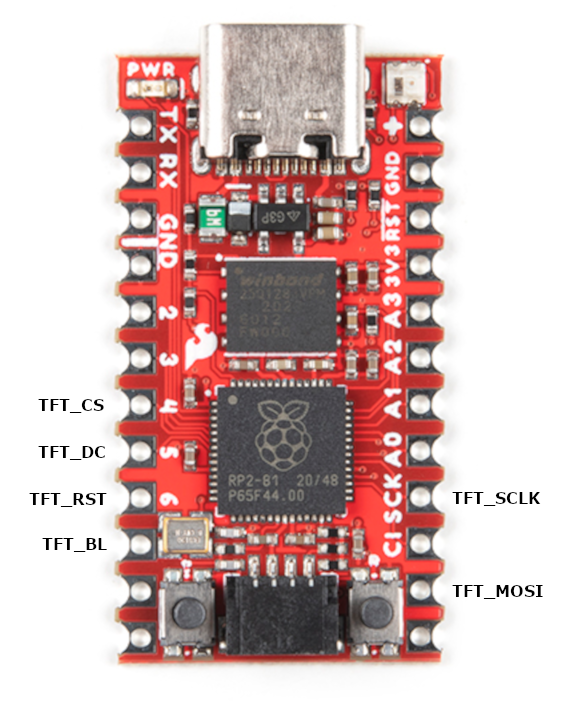
Wiring Diagrams
The pin mappings provided are for the required data pins for operation. Connect your display to the corresponding TFT_ pins and your optional external SD reader to the corresponding SD_ pins.
You will of course also need to connect to the necessary power pin(s) for your devices. For the GC9A01, that would be the 3V3(OUT) pin on the Pico. An ILI9341 display will want 5v power, so that would be better connected to the VBUS or VSYS pins.
If you have an external SD reader you will need to hook it up to the 3V3(OUT) pin, possibly sharing it with the display.
If you're using a RoundyPi you don't have to worry about any of this 😁
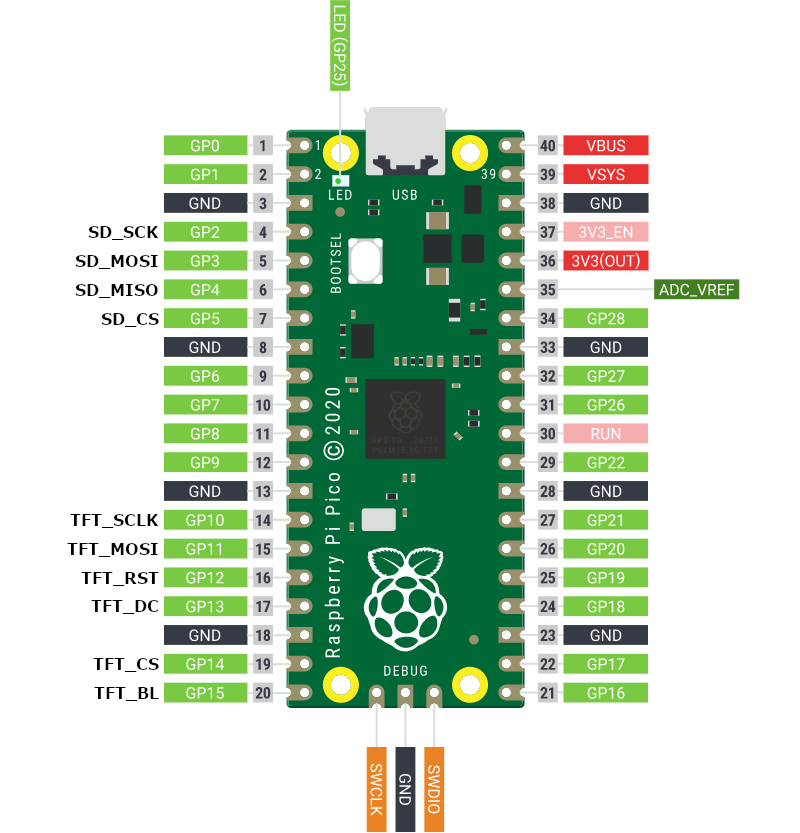
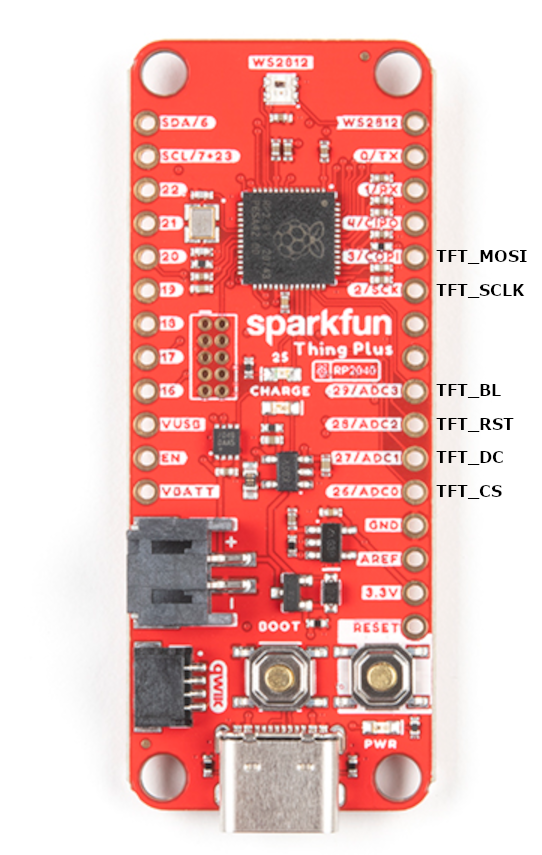
*microSD unsupported at this time