This site, I or the manufacturer of Gene Café CBR-101 shall not be responsible or liable, directly or indirectly, for any damage or loss caused or alleged to be caused by or in connection with use of or reliance of this information. No approval has been given by the manufacturer of Gene Café CBR-101 for any modifications to the Gene Café CBR-101. Any modifications done should be carried out by qualified electrical personnel. Applying this mod to your Gene CBR 101 or similar roaster will not only void your warranty but be irreversible where cuts to the casing are made. Also you should know what you are doing when dealing with electricity and heat. This document makes no claim for correctness or completeness.
- Artisan on Windows/Mac/Linux
- Standalone apps on Windows(x64/x86)/iOS/Android/ARM which include:
- Manual roasting
- Following custom roast profiles
- Control over the roaster (start cooling, return drum, ...)
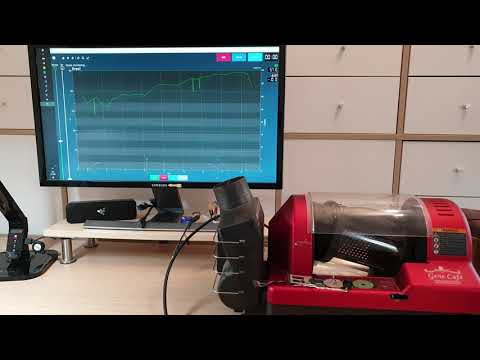
This is a mod which I am currently using with my Gene CBR 101 home coffee roaster. It consists of a new harware build, which connects to your home wifi network. The roaster can then be connected to using any app and platform you like for a better roasting experience. You can use and adapt this repo as you want for use with different roaster etc. Contibutions or donations are greatly appreciated. If you are confident in your modding skills but do not have the time to get the code to build (there is some setup to be done) you can write me. I may have some pre-programmed PCBs left which I could sent to you.
Android app on Google Play TODO: Add more binaries here.
The microcontoller controls the roaster hardware using basic commands received on the serial port over tcp. Current commands are:
- Start: Start the roaster (drum and fan on), set temp to setpoint (heater on) and try to hold it there.
- Stop: Return the drum and turn the fan off if the temperature is below 80 °C.
- Cool: Run both drum and fan until the roaster is below 80 °C.
- temp: Set a new setpoint as new roasting temperature.
The app communicates with the microcontroller and sends the signal for above commands, thus controlling the whole roast process. In turn the roaster sends the current temperature value to the app for display. A slider can be used to set a new temperature during roast while the time is stopped by the app. Furthermore, previously created roast profiles can be loaded as *.csv or *.txt. These must hold the time temperature pairs at which time the roast temperature is to be changed automatically. This allows for a fully automatic roast process.
If you don't know Artisan, it is basicialy above apps with development started 10 years ago. It is widely used in the coffee industy up to mid sized roasters (around 100 kg per batch). With this mod applied you can connect your roaster wirelessly to your PC running Artisan. Use the scripts provided in GeneRev4Py to set the button controls and temperature response accordingly. An examply of my initial settings is also attached (GeneRev4Py/artisan-settings.aset) which can be loaded directly with Artisan. Check your paths to the files tough!
You will need to modify your roaster a bit. To help with this step, a new PCB is available which will allow you to keep the original connectors. Only a new K-Type thermocouple will be needed for measuring the air temperature using a MAX31855. Hints on the hardware setup are in the old version) of this mod. Also check the STM32 source file for used hardware and the connection setup/routing if you want to build the PCB yourself or make adaptions.

For the TCP communication to work, I used an ESP8266 as ESP-01S module. This setup is currently not included in this repo. You can choose your prefered communication. My current version just connects to your local wifi, allows for a connection of multiple clients and forwards all serial commanication from the microprocessor to all connected clients and vice versa. Here is a good general explanation and code example (See TCP Server)
- Since I don't have an iOS device, only the Windows and Android apps were built and tested.
- To install the Windows UWP app, install it from the project directly. Currently there is no prebuilt and signed installer. available