

New Features
Completion
Flow now has full inline auto completion support! There is a new
dropdown UI with support for insert and replace completion styles while
editing inline. An info popup box can display completion and hover
documentation and there are commands to toggle modes and styles
interactively.
There are three completion trigger modes available:
manual- completion is triggered via keybind to thecompletioncommandautomatic- completion is triggered whenever a trigger character is insertedevery_keystroke- completion is triggered on every insert operation
Trigger characters are provided by the current document's LSP. Note that a
completion request may not always return results and in that case no
completion UI will be shown. Completion items that insert LSP snippets are
now supported and the next snippet tab stop can be selected with the tab
key. There are two keybind modes for inline completion. standard mode
will steal the up/down and enter keys from the main editor and
noninvasive mode that will not. noninvasive mode requires that you use
the alternate keybindings ctrl+n/ctrl+p to pick a completion item
and tab to select it. These keybindings also work in standard mode.
The original palette style completion UI is also still available and may be
selected with the toggle_completion_style command.
Keybinds:
ctrl+spaceorctrl+.- manually trigger completionctrl+space(when completing) - toggle info box, info panel or no infoup,down,ctrl+p,ctrl+n- pick a completion item from the listenter,tab- select and insert a completionesc- cancel completionctrl+k r- toggle insert or replace completion modealt+f9- select next completion dropdown UI widget styleshift+alt+f9- select next info box widget style
Configuration options:
completion_triggercompletion_stylecompletion_insert_modecompletion_info_modedropdown_keybinds-standardornoninvasivedropdown_limit
Vertical Splits
Flow Control can now show multple editors in vertical, side by side, views.
Each split can have it's own tab bar and tabs may be moved between splits
with mouse or keyboard commands. Commands or palettes that navigate to
files now have an "alternate" mode that will open the file in a new split
if it is not already open.
Keybinds:
ctrl+\- add_splitctrl+k w- close_splitctrl+1toctrl+8- focus_splitctrl+page_down- select tab rightctrl+page_up- select tab leftctrl+shift+page_down- move tab rightctrl+shift+page_up- move tab leftshift+enter- (palette or command) navigate to file in a new split
Centered View
When only one split is open on a wide screen you can now center the view.
The width of the centered view is controllable with keybinds and/or the
centered_view_width configuration option.
Keybinds:
ctrl+k x- toggle centered viewalt+-- shrink centered viewalt+=- expand centered view
Horizontal scrolling
Horizontal scrolling with a horizontal mouse wheel is now supported. Also,
scrolling the regular vertical mouse wheel with the shift key pressed
will now scroll horizontally. Fast scroll (hold the 'alt' key) is also
supported for horizontal scrolling.
Git Diffs
Diff markers in the editor gutter are now based on the git HEAD commit if
the current project is a git repository. Also, the new commands
goto_next_change and goto_prev_change will move the primary cursor to
the next/previous marker in the gutter.
Keybinds:
alt+f5- goto_next_changealt+shift+f5- goto_prev_change
Blame
Git blame information for the current line is displayed in the remaining on
the line. This can be toggled with the toggle_inline_vcs_blame command.
Keybinds:
ctrl+shift+g alt+b- toggle_inline_vcs_blame
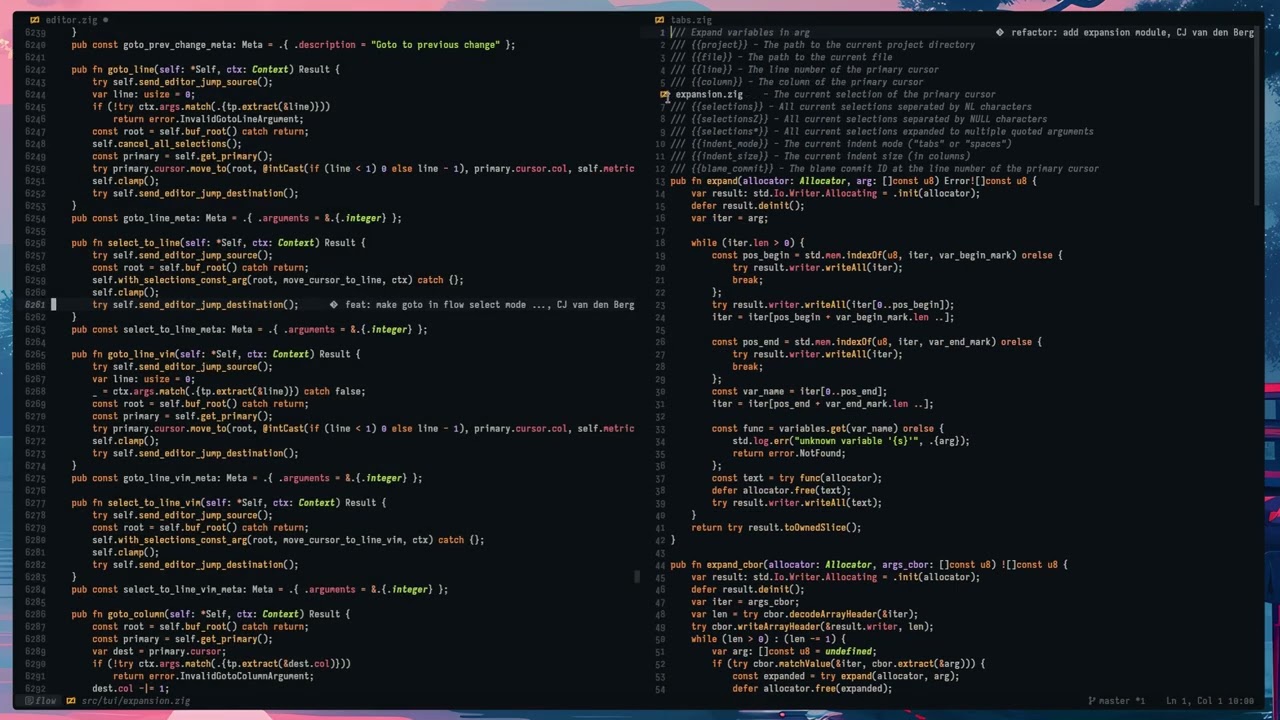
Variable Expansions
Tasks and filter bindings may now use variable expansions in their
arguments. Variable names to be expanded should be wrapped in {{ and
}}.
The following variables are available in this release:
{{project}}- The path to the current project directory{{file}}- The path to the current file{{line}}- The line number of the primary cursor{{column}}- The column of the primary cursor{{selection}}- The current selection of the primary cursor{{selections}}- All current selections seperated by NL characters{{selectionsZ}}- All current selections separated by NULL characters{{indent_mode}}- The current indent mode (tabsorspaces){{indent_size}}- The current indent size (in columns){{blame_commit}}- The blame commit ID for the line at the primary cursor (if there is one)
Highlight References
Added support for the LSP textDocument/documentHighlight request as the
highlight_references command. Flow will automatically mark the results of
this query as matches so you can use the the goto_next_match and
goto_prev_match commands to navigate them. highlight_references is also
available as an idle action for automatic reference highlighting (See the
Idle Actions secion below)
Keybind:
ctrl+k i
Auto Run Commands, Auto Backups & Session Saving
auto_run_commands and auto_run_time_seconds can be used to configure
commands that will run automatically like a cron job. save_session and
save_session_quiet commands were also added to make auto run useful as a
backup tool.
The default configuration for auto_run_commands is save_session_quiet
and the default for auto_run_time_seconds is 120, so in the (rare!) event
of a flow crash you can return to flow with minimal data loss with flow --restart-session.
The save_session_and_quit command was also added for when you want to
manuall exit and restart flow with flow --restart-session.
Idle Actions & Commands
Idle actions & commands run whenever the user pauses their interaction with
flow. Actions are specific functions designed to run on idle. At the moment
just hover and highlight_references. These actions have commands to
toggle them interactively. The idle timeout is configured with the
input_idle_time_ms option.
Find Mode
There are now three find modes. Exact match, case folded (insensitive)
and auto mode. Auto mode (the new default) selects to do an exact match
search or case folded search depending on whether the query term contains
case foldable characters or not. So if you enter a lowercase search term
you get a case insensitive search. Also, auto find mode (which searches as
soon as you select something) now has a command (and a keybind) to toggle
it on/off.
Keybinds:
alt+c(in find mode) - toggle exact or case folded search modealt+f3- toggle auto find mode
Key Hints
There is a new key hints overlay that displays all currently available
keybindings. It can be explicitly activated with alt+f1 or ctrl+?, and
will be automatically displayed when an incomplete keybinding sequence is
waiting for additional input. The key hints overlay is invisible to mouse
events and can be active in any flow input mode or submode.
Keybinds:
alt+f1or 'ctrl+?' - show/hide the key hints overlayshift+f1or 'ctrl+alt+?' - next key hints pageshift+alt+f9- next widget style for key hints
Restart with Sudo
You can now restart the flow session with sudo to save files with root
permissions. The current session, with unsaved file content (but currently
not undo info), is first saved and then automatically restored when flow is
restarted by sudo. If the sudo command fails for any reason the saved
flow session can be reloaded as usual with flow --restart-session. Flow
now displays a red lock symbol in the status bar and a (configurable)
warning message on the home screen when running with root permissions.
Symlinks
Flow can now follow symlinks when writing files and scanning the project
tree. New options retain_symlinks, follow_directory_symlinks and
maximum_symlink_depth control symlink behavior. Symlink following on file
save (retain_symlinks) is now enabled by default.
follow_directory_symlinks when scanning the project tree is not enabled
by default.
Symbols Palette
Added support for the LSP textDocument/documentSymbol request with a
palette interface to browse and filter symbols in the current document.
Keybinds:
ctrl+shift+o- open the symbols paletteenter- jump to the highlighted symbolshift+enter- select the highlighted symbolup/down/pgup/pgdn/home/end- browse the symbols list- anything else - filter the symbols list with a fuzzy search
esc- cancel and return to original document location
Project switching
Switching projects without exiting Flow Control (ctrl+r) now restores
open tabs and splits making for a much smoother multi-project workflow.
Last Palette
You can now re-open the last used palette with the last_palette command.
This restores the state of the palette when last used, which is very
useful, for example, for browsing through multiple files that match a fuzzy
query.
Keybinds:
ctrl+,- open lasted used palette- [helix]
space '- open lasted used palette
Goto Matching Bracket
Added the classic goto matching bracket command.
Keybinds:
- flow -
ctrl+shift+\ - emacs -
C-M-p C-M-n - vim -
% - helix -
mm
Reflow text
The reflow command can soft wrap paragraphs of text. There is basic
detection of the line prefix to aid in reflowing indented or commented
blocks of text. Blank lines are preserved as paragraph boundaries. The
default line width for reflow is configured with the reflow_width
config option and can also be specified for the current, and any following,
reflow operation with an integer command parameter. (alt+1, etc.)
Keybinds:
alt+q- reflow paragraph
LSP Configuration
The open_lsp_config_global and open_lsp_config_project will open a json
file where you can add LSP configuration that is sent to the LSP on startup
via the LSP initializationOptions init request field. Project and global
configurations are not merged in anyway and project config overrides global
config entirely. The project (and global) LSP configuration is stored in
the flow configuration directory, even for project specific config.
Language support changes
- Set default lua formatter to stylua
- Set ty as default lsp for python
- Update ziggy and superhtml
Helix mode
- Added switch_to_lowercase
- Add cursors with selections for selected lines (Alt+s)
- maw and maW support
- miw and miW support
Themes
- Changed the default theme to the more modern ayu-mirage
- Added selenized theme
- Added ethereal theme
Misc minor features and new commands
- add gutter_width_mode and gutter_width_minimum/maximum config options
- add more modes to linenumstate status bar widget
- add uuidgen keybind
- add option to disable sgr pixel mode support
- add show_bottom_bar_grip config option
- make expand_selection and shrink_selection multicursor aware
- add option to align inline diagnostics to the left
- add toggle_command_logging command
- add select_to_line_vim command
- make goto in flow select mode select to line
- map kp_ movement keys as regular keys if the kp_ variants are not explicitly mapped
- add panel border to logview
- subscribe to keybind_match events in inputview and display them
- add ignore_filter_stderr config option
- add config option keybind_mode with workaround ignore_alt_text_modifiers
- add show_local_diagnostics_in_panel config option
- add whitespace_mode external
- add modes_can_change_cursor configuration option
- add results count to generic palette
- add results count to open_recent palette
- add scrollbar_auto_hide config option
- add pane_style config option
- add option to disable modal dim effect
- add switch_input_mode command to change keybind mode in a mini mode
- add value type descriptions to config files
- enable indent whitespace_mode by default
- bind open_config to alt+f5
- add FLOW_CONFIG_DIR env var to override configuration directory
- propagate indent guides across blank lines
- add path segment completion to open_recent palette
Fixes
There have been many, many fixes since the last release. Some big, some
small. Please see the full commit & issue history for the full details as
there are too many to list here.
Contributors
Many, many thanks to all who contributed to this release!
CJ van den Berg
Igor Támara
Miguel Granero
Danylo Kondratiev
Jakob Ingvast
Palanix
Ian Johnson
Janne Hellsten
xdBronch
Downloads
flow-control.dev (source only)
codeberg.org (binaries & source)
github.com (binaries & source)