
Anyone docking: Browser-based molecular docking — no installation required.



Paste a SMILES, draw a structure, or upload a file. Pick a PDB or CIF. Dock in seconds.
Recent updates: New CLI and Python API via
anyonecandockon PyPI. Newredockcommand — automatically re-docks the co-crystal ligand with zero SMILES input (RCSB CCD lookup → CIF block → 3D fallback). Receptor setup now auto-scans ligand-like HETATM records. Ligand preparation supports pKaNET-ranked microstates with manual rank selection.
| Mode | Best for | How |
|---|---|---|
| 🌐 Streamlit Web App | Quickest start, no setup | Open in browser → |
| ☁️ Streamlit via Colab | Web UI on free GPU/CPU |  |
| 🖥️ Streamlit locally | Full control, own machine | pip install anyonecandock && streamlit run app.py |
| 📓 Colab notebook | Batch docking, scripting | |
⌨️ CLI (acd) |
Automation, pipelines, scripts | pip install anyonecandock then acd dock ... |
| 🐍 Python API | Programmatic integration | from anyonecandock import core |
| 🤖 GPT / Claude plugin | Natural-language docking | See below ↓ |
Ask GPT-4o to dock molecules using natural language.

Connect Claude to the ACD API as a custom MCP connector — ask Claude to dock molecules, search PDB targets, and interpret results directly in the chat.
Setup (3 steps):
-
Copy the MCP server URL:
https://anyone-can-dock-mcp.anyonecandock.workers.dev -
Click the badge below to open Claude Connectors settings, then click "Add custom connector"
-
Paste the URL into Remote MCP server URL and click Add


Example prompts after connecting:
"dock quercetin into JAK2 and report binding affinity"
"compare erlotinib vs gefitinib binding to EGFR (1M17)"
Powered by: AutoDock Vina 1.2.7 · pKaNET protonation at pH 7.4 · MCP Streamable HTTP
MCP server URL:
https://anyone-can-dock-mcp.anyonecandock.workers.dev
Install from PyPI:
pip install anyonecandockacd <command> [options]
dock Full pipeline: receptor + ligand + Vina (single ligand)
redock Self-docking validation — no SMILES input needed
batch Batch docking from a .smi file or SMILES list
receptor Prepare receptor only (download/convert → .pdb + .pdbqt + box)
ligand Prepare ligand only (SMILES/file → .pdbqt + .sdf)
diagram Generate a 2D interaction diagram SVG for a completed run
# Dock a single ligand by compound name
acd dock --receptor 1M17 --compound erlotinib

# Dock by SMILES
acd dock --receptor 4AGN --smiles "CCO" --name ethanol

# Dock from an existing receptor preparation (skips re-prep)
acd dock --receptor-json ./rec/receptor_summary.json --compound baicalein

# Dock from a structure file
acd dock --receptor structure.cif --ligand-file ligand.sdf --name mylig

# ── Redocking (self-docking validation) — NEW ──────────────────────────
# Re-docks the co-crystal ligand automatically; no SMILES required.
# SMILES acquired via: RCSB CCD → CIF _chem_comp.pdbx_smiles → 3D fallback
acd redock --receptor 4AGN
acd redock --receptor structure.cif --fmt CIF
acd redock --receptor 4AGN --resname DC3 --diagram
acd redock --receptor-json ./rec/receptor_summary.json

# Batch docking
acd batch --receptor 1M17 --ligands compounds.smi
acd batch --receptor 4AGN --smiles-list "CCO ethanol" "c1ccccc1O phenol"The redock command automatically identifies and re-docks the co-crystal ligand present in a PDB/CIF structure — no SMILES input required.
acd redock --receptor <PDB_ID_or_FILE> [options]

Options:
  --resname     Override the auto-detected ligand residue name (e.g. DC3, ATP)
  --name        Output name for the re-docked ligand (default: residue code)
  --ph          Target pH for protonation (default: 7.4)
  --diagram     Generate 2D interaction diagram after docking
  --save-poses  Save each docked pose as an individual SDF/PDB file
  -e / --exhaustiveness   Vina exhaustiveness (default: 16)
  -n / --poses            Max poses to output (default: 10)
  -o / --output           Output directory (default: ./acd_redock)
SMILES acquisition order:
- RCSB CCD REST API — ideal, stereo-correct, curated SMILES from the PDB chemical component dictionary
- CIF
_chem_comp.pdbx_smiles— parsed directly from the structure CIF (no network required) - 3D coordinate conversion — RDKit + OpenBabel with hydrogen-aware bond perception (last resort; a warning is shown)
Redocking verdict (printed automatically):
- ✓ PASS — best pose RMSD ≤ 2.0 Å vs crystal
- ⚠ BORDERLINE — RMSD 2–3 Å
- ✗ FAIL — RMSD > 3.0 Å
usage: acd dock [options]
acd dock --help

Protein:
  --receptor PDB_ID_or_FILE
      PDB ID (auto-downloaded) or path to .pdb/.cif
  --receptor-json PATH
      JSON from a previous acd receptor run
  --fmt {PDB,CIF}
      Input format (default: PDB)

Ligand:
  --smiles SMILES
      Ligand SMILES string
  --compound NAME
      Compound name for PubChem lookup
  --ligand-file PATH
      Ligand structure file (.sdf/.mol2/.pdb)
  --name NAME
      Output name (default: LIG)
  --ph PH
      Target pH (default: 7.4)
  --neutral
      Keep the input charge and add hydrogens only
  --no-pubchem
      Skip PubChem pKa lookup

Docking box:
  --center {auto,manual,selection}
      Box center mode (default: auto)
  --cx X
      Manual box-center X coordinate
  --cy Y
      Manual box-center Y coordinate
  --cz Z
      Manual box-center Z coordinate
  --bx Å
      Box X size, 10–40 Å (default: 18)
  --by Å
      Box Y size, 10–40 Å (default: 18)
  --bz Å
      Box Z size, 10–40 Å (default: 18)

pKaNET:
  --max-tautomers N
      Maximum tautomers, 1–20 (default: 8)
  --ph-window PH
      pH window, 0.2–2.0 (default: 1.0)
  --conformer-seed N
      RDKit conformer seed (default: random)

Vina:
  -e N, --exhaustiveness N
      Vina exhaustiveness (default: 16)
  -n N, --poses N
      Maximum poses (default: 10)
  --energy-range KCAL
      Energy range in kcal/mol (default: 3)
  --seed N
      Vina random seed (default: random)

Validation and output:
  --redock-smiles "SMILES [name]"
      Dock a reference co-crystal ligand
  --save-poses
      Save individual pose files
  --diagram
      Generate a 2D interaction diagram
  -o OUTPUT, --output OUTPUT
Output directory (default: ./acd_results)from anyonecandock import core
# Reproducibility settings
SEED = 72
BOX_SIZE = (18, 18, 18)
vina_bin = "/path/to/vina"
# Prepare receptor
result = core.prepare_receptor(
raw_pdb="raw.pdb",
wdir="./rec",
box_size=BOX_SIZE,
)
# Prepare ligand using heuristic pKaNET backend
lig = core.prepare_ligand(
smiles="c1ccc(cc1)O",
name="phenol",
ph=7.4,
wdir="./lig",
mode="pkanet",
use_pubchem=False,
max_tautomers=8,
ph_window=1.0,
conformer_seed=SEED,
)
# Run deterministic docking
dock = core.run_vina(
receptor_pdbqt=result["rec_pdbqt"],
ligand_pdbqt=lig["pdbqt"],
config_txt=result["config_txt"],
vina_path=vina_bin,
exhaustiveness=16,
n_modes=10,
energy_range=3,
seed=SEED,
wdir="./out",
out_name="phenol",
)
print("Top score:", dock["top_score"])
# Auto-detect co-crystal SMILES
smiles, source, warning = core.get_cocrystal_smiles(
ligand_pdb_path=result["ligand_pdb_path"],
cocrystal_ligand_id=result["cocrystal_ligand_id"],
raw_pdb="raw.cif",
)
print(f"SMILES source: {source}")
print(f"SMILES: {smiles}")
if warning:
print(f"Warning: {warning}")
# 2D interaction diagram
svg_bytes = core.draw_interaction_diagram(
receptor_pdb=result["rec_fh"],
pose_sdf="./out/phenol_out.sdf",
smiles=lig["prot_smiles"],
title="Phenol · 4AGN",
)
with open("./out/diagram.svg", "wb") as handle:
handle.write(svg_bytes)The simplest entry point — no installation, runs in the browser.
Supports single and batch docking, all 2D diagram engines, interactive drag layout, ADME predictions, and ready-to-use figure export.
Run the full Streamlit web interface on Colab's free compute tier — no local install needed.
Batch docking with 4 docking engines in a Python notebook environment:
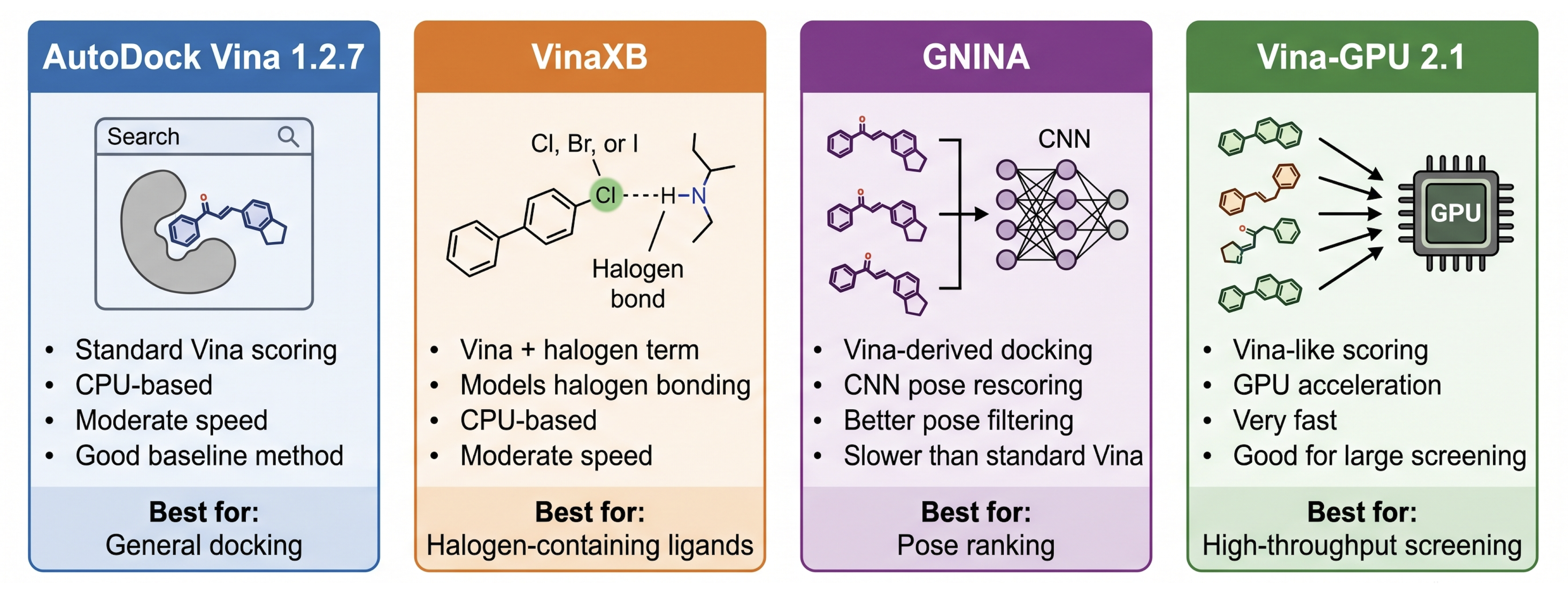
The local app uses the deterministic heuristic pKaNET backend. ML pKa backends are disabled.
sudo apt update

sudo apt install -y \
  python3.11 \
  python3.11-venv \
  openbabel \
  libcairo2-dev \
  libpango1.0-dev \
  libpangocairo-1.0-0

git clone https://github.com/nyelidl/anyone-docking-local.git
cd anyone-docking-local

python3.11 -m venv venv
source venv/bin/activate

python -m pip install --upgrade pip
python -m pip install -r requirements.txt

streamlit run app.pybrew update
brew install python@3.11 open-babel cairo pango
git clone https://github.com/nyelidl/anyone-docking-local.git
cd anyone-docking-local
python3.11 -m venv venv
source venv/bin/activate
python -m pip install --upgrade pip
python -m pip install -r requirements.txt
streamlit run app.pyApple Silicon (M1–M4): Fully supported — the app auto-downloads the correct
aarch64Vina binary.
Recommended: Use WSL2 with Ubuntu and follow the Linux instructions above.
For native Windows:
- Install OpenBabel from openbabel.org and add to PATH
- Install Cairo/Pango via conda:
conda install -c conda-forge cairo pango
git clone https://github.com/nyelidl/anyone-docking-local.git
cd anyone-docking-local
python -m venv venv && venv\Scripts\activate
pip install -r requirements.txt
streamlit run app.pyanyone-docking/
├── app.py
├── core.py
├── requirements.txt # Python packages
└── packages.txt # System packages (openbabel, libcairo2-dev, …)
| 🔬 | Single & batch docking via AutoDock Vina 1.2.7 |
| ♻️ | redock — self-docking validation — auto-fetches co-crystal SMILES (RCSB CCD → CIF → 3D), docks, reports RMSD verdict |
| 🏗️ | Guided receptor prep — download any PDB/CIF, review ligand candidates automatically, strip solvent, add hydrogens |
| 📄 | PDB & mmCIF support — upload .pdb or .cif files or download from RCSB (auto-fallback to CIF for large entries) |
| 🎯 | Smart grid detection — auto-detects ligand-like HETATM records; shows dropdown only when multiple candidates exist |
| ✏️ | 3-way ligand input — SMILES text, file upload, or draw in Ketcher |
| 🧬 | pKaNET-ranked microstates — tautomer-aware protonation at target pH with manual rank selection Open in browser → |
| ⚖️ | Conservative docking-state selection — avoids over-deprotonated states for polyphenols, flavonoids, coumarins |
| 🧬 | Heme-aware preparation — HEM/HEC/HEA/HEB stripped before OpenBabel, re-injected with correct AD4 atom types |
| ⚗️ | Water/cofactor/metal control — remove waters, keep metals, keep/strip FAD/NAD/ATP/CoA independently |
| 🗺️ | Three 2D diagram engines: ACD custom SVG · RDKit · PoseView (proteins.plus) |
| 🖱️ | Interactive drag mode — reposition residue labels in real time, export PNG (up to 600 dpi) or SVG |
| 🔭 | Binding pocket viewer — interacting residues as orange sticks with adjustable distance cutoff |
| 🤖 | AI-ready prompt — auto-filled for Claude, GPT-4o, Gemini; adapts to redocking context |
| 📊 | 3D viewers — animated multi-pose sweep, pose selector, binding pocket view |
| 📁 | One-click ZIP — all poses, corrected SDFs, diagrams, score plot, pKaNET log |
Three tabs — each with a different rendering engine:
| Feature | Detail |
|---|---|
| 8 interaction types | H-bond (distance on line), hydrophobic, π-π, cation-π, ionic, metal/heme, halogen bond, H···halogen |
| Geometry-based | All interactions computed from 3D coordinates — no server, works offline |
| ACS-style bonds | Bond widths, double-bond spacing, and wedge geometry follow ACS publication standards |
| Smart layout | Radial placement by interaction angle; push-apart prevents overlap |
| Interactive drag | Reposition any residue label in real time; distance labels update live |
| Export | SVG (vector) · PNG at 1× / 2× (150 dpi) / 3× (300 dpi) / 4× (600 dpi) |
Classic highlight-circle style. H-bond (blue) · Hydrophobic (green) · Other/metal (pink). Side-by-side with co-crystal reference when available.
REST API submission of receptor + docked pose. PoseView v1 (docked pose) + PoseView2 (co-crystal reference by PDB code + ligand ID). Built-in API test and manual fallback download.
⚠️ PoseView limitation: charged species are shown in neutral form. Use ACD or RDKit diagrams for ligands with formal charges.
| Protein class | Support | Notes |
|---|---|---|
| Standard single-chain proteins | ✅ Full | Primary use case |
| Multi-chain / homo-oligomers | ✅ Full | Duplicate chains deduplicated; chain A ligand auto-selected |
| Heme proteins (CYP450, peroxidases, Hb, Mb) | ✅ Full | Fe-porphyrin handled separately; grid auto-centers on Fe |
| Metal-binding proteins (zinc fingers, carbonic anhydrase) | ✅ Full | ZN, MG, CA, MN, FE, CU re-injected with correct charges |
| MD simulation outputs (GROMACS, AMBER) | ✅ Full | Blank chain IDs auto-assigned to chain A |
| Non-standard ligand names (MOL, LIG, UNL, INH) | ✅ Full | |
| Modified amino acids (CYP, MSE, TPO, SEP) | ✅ Full | Backbone atom check keeps them in receptor |
| Multiple co-crystal ligands | ✅ Full | Dropdown shown only when needed |
| Cofactor-binding proteins (FAD, NAD, ATP, CoA) | ✅ Full | Kept or stripped independently |
| Glycoproteins | Glycans kept in receptor; not in 2D diagram | |
| Membrane proteins | Dockable without lipids; lipids not auto-filtered | |
| RNA / DNA targets | Basic interaction detection; no nucleic-acid-specific types | |
| Covalent docking | ❌ No | Vina is non-covalent only |
Available in all modes (Streamlit, CLI acd redock, API, Colab):
| Feature | Description |
|---|---|
| Auto SMILES acquisition | RCSB CCD API → CIF _chem_comp.pdbx_smiles → 3D conversion (no manual input needed) |
| RMSD vs crystal | Heavy-atom RMSD via MCS matching against original crystal pose |
| Verdict | PASS ≤ 2.0 Å · BORDERLINE 2–3 Å · FAIL > 3.0 Å |
| Reference score line | Dashed red line on affinity plot |
| Pose confirmation | Browse reference poses, pin as baseline for score comparisons |
| Download | Export reference poses as SDF/PDBQT |
| Platform | Vina binary | OpenBabel | Status |
|---|---|---|---|
| Linux x86_64 | ✅ Auto-download | apt install openbabel |
Fully supported (primary) |
| macOS Intel | ✅ Auto-download | brew install open-babel |
Fully supported |
| macOS Apple Silicon (M1–M4) | ✅ Native aarch64 |
brew install open-babel |
Fully supported |
| Windows x86_64 | ✅ Auto-download | Installer | Supported (WSL2 recommended) |
| Streamlit Cloud | ✅ Auto-download | via packages.txt |
Fully supported |
| Google Colab | ✅ Auto-download | !apt install openbabel |
Fully supported |
| Mode | Meaning |
|---|---|
| Auto recommended | pKaNET recommendation. For ambiguous systems (polyphenols, coumarins, flavonoids), may choose a conservative state rather than the highest score |
| Highest-scoring | Top-ranked pKaNET state directly |
| Manual rank | Choose any ranked microstate from a dropdown before docking |
| Option | Default | Effect |
|---|---|---|
| Remove waters | ✅ On | Removes crystallographic waters |
| Keep metal ions | ✅ On | Keeps ZN, MG, CA, MN, FE, CU, CO, NI, CD, HG, NA, K |
| Keep cofactors | ✅ On | Keeps ATP, ADP, FAD, FMN, NAD, CoA, SAM, HEM |
Buffers and additives (GOL, EDO, PEG, SO4, PO4) are removed by default.
If you use this tool in research, please cite:
AutoDock Vina 1.2.7 Eberhardt et al., J. Chem. Inf. Model., 2021 · DOI: 10.1021/acs.jcim.1c00203
DFDD Hengphasatporn, K.; Duan, L.; Harada, R.; Shigeta, Y., J. Chem. Inf. Model., 2026 · DOI: 10.1021/acs.jcim.5c02852
RDKit · Landrum, G. (2023) · https://www.rdkit.org
ProDy · Bakan et al., Bioinformatics, 2011 · DOI: 10.1093/bioinformatics/btr168
stmol · Nápoles-Duarte et al., Front. Mol. Biosci., 2022 · DOI: 10.3389/fmolb.2022.990846
Dimorphite-DL · Ropp et al., J. Cheminform., 2019 · DOI: 10.1186/s13321-019-0336-9
pKaNET Cloud · Please cite the corresponding manuscript when available.
gemmi (optional, for CIF support) · Wojdyr, M., JOSS, 2022 · DOI: 10.21105/joss.04200
MIT License — see LICENSE for details.