A simple viewer for VSIX files, which lets you see the contents of VSIX files within Visual Studio Code.
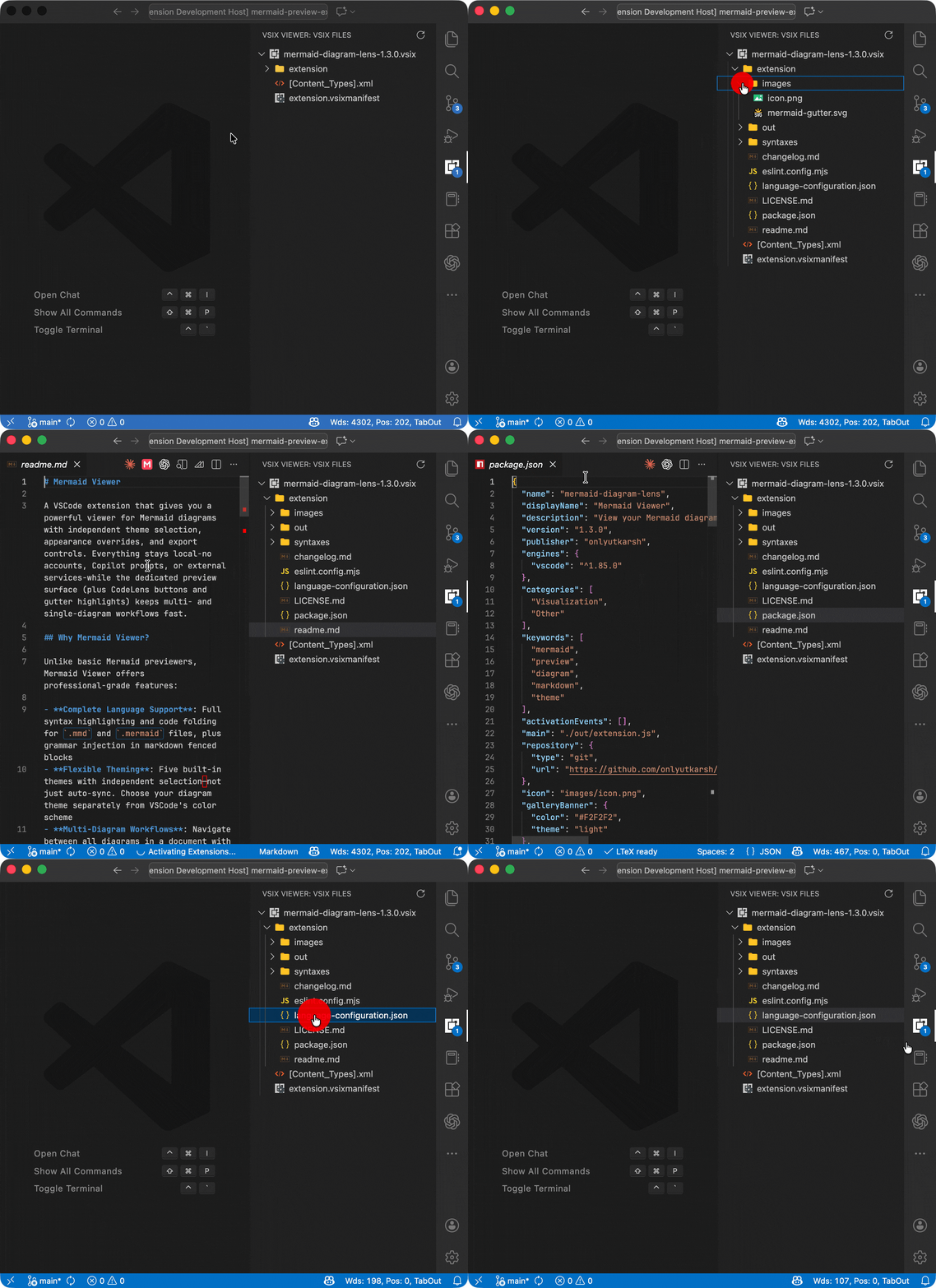
- Dedicated Activity Bar Panel: Access VSIX Viewer from its own panel in the Activity Bar
- Automatic Workspace Scanning: Automatically detects and displays all VSIX files in your workspace
- File Tree Exploration: Browse the contents of VSIX files in an intuitive tree view
- File Preview: Click on any file in the tree to preview its contents
- Real-time Updates: Automatically detects when VSIX files are added or removed from your workspace
- File Count Badge: Shows the number of VSIX files found in your workspace (configurable)
- Custom File Icons: Rich icon support for various file types within VSIX files
- Multiple VSIX Support: View multiple VSIX files simultaneously in the same workspace
- Refresh Command: Manually refresh the list of VSIX files when needed
VSIX files are automatically detected when you open a workspace containing them. The VSIX Viewer panel will appear in the Activity Bar, showing all VSIX files found in your workspace.
- Click on any file in the tree to preview its contents
- Use the refresh button in the panel toolbar to rescan for VSIX files
- Run
Refresh VSIX Filesfrom the Command Palette to manually refresh
You can control whether the file count badge is displayed in the VSIX Viewer panel:
{
    "vsixViewer.showBadge": true
}
Set to false to hide the badge.
See Change Log here
If you find any bug or have any suggestion/feature request, please submit the issues to the GitHub repo.
Some icons comes from the brilliant vscode-icons extension for Visual Studio Code.