Release v1.41.0 #997
Merged
Release v1.41.0 #997
Conversation
This file contains hidden or bidirectional Unicode text that may be interpreted or compiled differently than what appears below. To review, open the file in an editor that reveals hidden Unicode characters.
Learn more about bidirectional Unicode characters


…columns + row id even if no rows found (#952)

### Problem

"Find Single Row" action does not return columns and row ID when no rows are found, making it difficult for users to set up the "Update Row" step.

### Solution
- Modified the `find-single-row` action to return an empty row ID and an empty row object with all columns set to empty strings when no rows are found
- Added ordering for `rowsFound` and `rowId` to appear before column data
- Added a test case to verify the behaviour when no rows are found

### How to test?

1. Create a "Find Single Row" action with filters that won't match any rows
2. Run the action and verify that:
   - `Row Found` is set to 0
   - `Row ID` is an empty string
   - All column values are empty strings
   - The metadata fields are properly ordered
…ables (#953) ### Problem Show all variables in Row ID input in Update single row is confusing to users. ### Solution 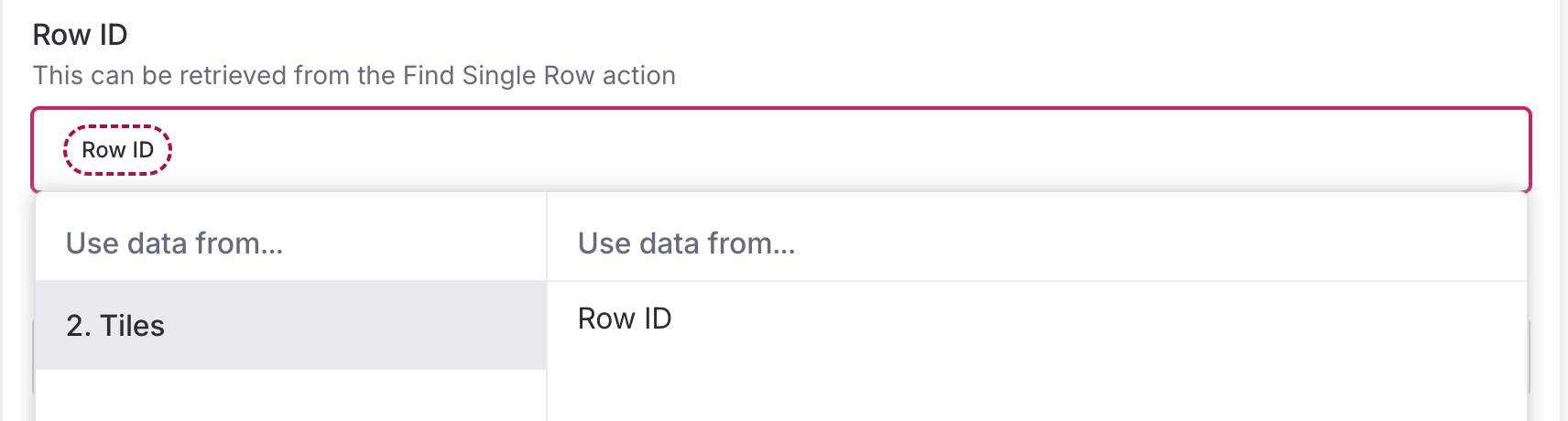 Filter only Row IDs to show as variables - Added a new variable type `tile_row_id` to the `TDataOutMetadatumType` enum - Set the type for `rowId` in the Find Single Row, Update Single Row and Create Row actions - Added `variableTypes` constraint to the Update Row action to accept `tile_row_id` variables ### How to test? 1. Create a workflow with a "Find Single Row" action 2. Add an "Update Row" action after it 3. Verify that only the Row ID output is shown in the variable list
… attachment (#954) ### Problem - Certain variable types can be confusing to users, e.g. users may not know what Row ID can be used for - FormSG attachments not showing in output results, users may think that they're not processed ### Solution Add a tag to variables with a explanation tooltip. Also, show all variable types (including files) in output. - Added a new `VariableTag` component that displays tags for specific variable types (array, file, tile_row_id) - Each tag includes a tooltip explaining the variable's purpose - Remove filtering by variable type in TestSubstep output. 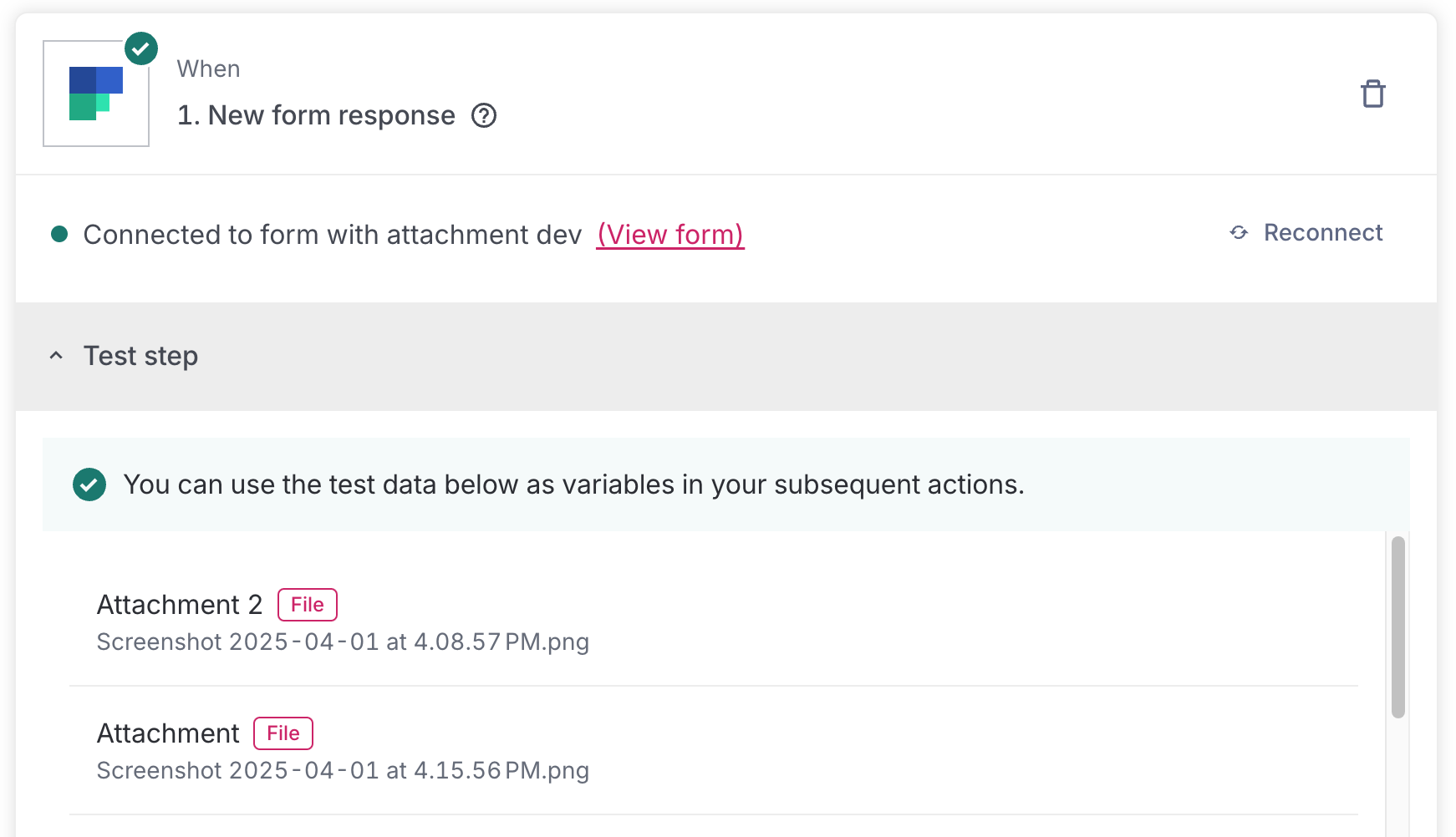 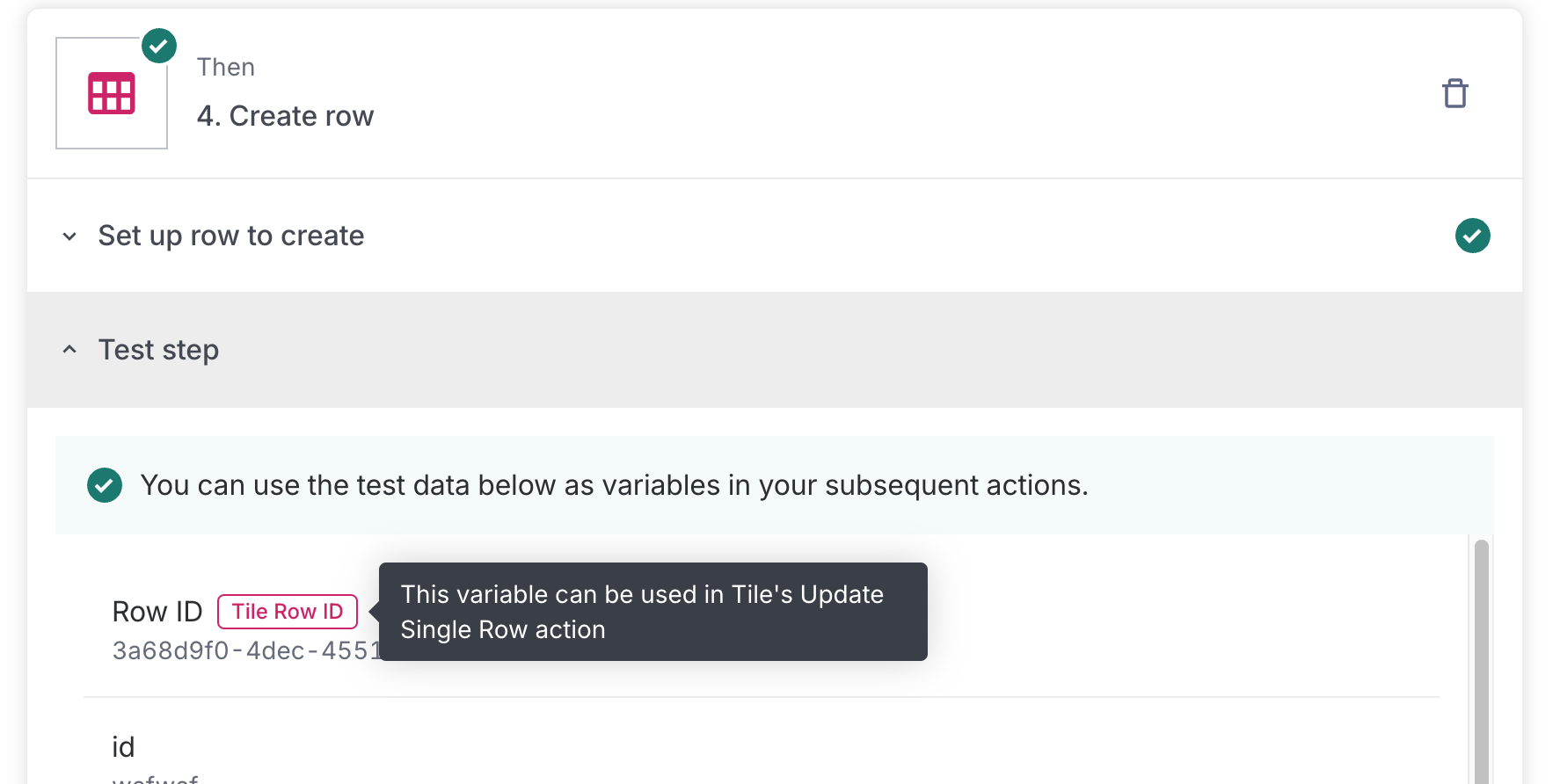 ### How to test? a. Test that FormSG show attachment results in test results b. Test that variables has the appropriate Variable Tag (e.g. attachment, tile row ID, etc.)

## Problem
Postman guide link changed.

## Before & After Screenshots

**BEFORE**:


https://github.com/user-attachments/assets/f66fae69-03ab-4907-b1c2-83d090f4133d

**AFTER**:


https://github.com/user-attachments/assets/bf15a238-0c5e-4840-8ae5-9a2e8b447a7c


## Tests
- [ ] Verify that Link element for supported file types opens a new tab
to Postman's new guide

## Problem

Right now, users can name their form `[UAT]` or `[STAGING]` and the form
link gets broken

## Solution

Add an env to the auth so that the frontend can process whether it is
prod, staging or UAT.

## Tests

- [ ] Staging form shows correct URL and display
- [ ] Prod form shows correct URL and display
- [ ] Prod form with `[UAT]` or `[STAGING]` still shows prod url
## Problem

Excel `getTopNTableRows` is buggy because `usedRange` includes all
non-empty cells (not limited to a table)
It can accidentally include:
- Stray formatting
- Other tables if you resize too far

There's no way to limit `usedRange` to a table specifically — it works
on worksheet or relative range context

## Solution

Considered using the `rows` API, but it involves pagination so the query
takes around 5s for a table of 50k rows
Also considered using the `columns` API, but it does not return the
`headerSheetRowIndex` address so another API query has to be made to
obtain it

Eventually settled on using `range` which gives both the header row and
data rows as well as the `headerSheetRowIndex`, keeping the API call to
still be 1

## Tests
`getTableRow` action:
- [ ] Works for multiple found rows (the first row found is returned)
- [ ] Values outside the table will not be retrieved

`updateTableRow` action:
- [ ] Works for multiple found rows (the first row found is returned)
- [ ] Values outside the table will not be retrieved
This reverts commit b908cc5.


Datadog ReportBranch report: ✅ 0 Failed, 774 Passed, 0 Skipped, 2m 20.67s Total Time |


Sign up for free
to join this conversation on GitHub.
Already have an account?
Sign in to comment





Add this suggestion to a batch that can be applied as a single commit.
This suggestion is invalid because no changes were made to the code.
Suggestions cannot be applied while the pull request is closed.
Suggestions cannot be applied while viewing a subset of changes.
Only one suggestion per line can be applied in a batch.
Add this suggestion to a batch that can be applied as a single commit.
Applying suggestions on deleted lines is not supported.
You must change the existing code in this line in order to create a valid suggestion.
Outdated suggestions cannot be applied.
This suggestion has been applied or marked resolved.
Suggestions cannot be applied from pending reviews.
Suggestions cannot be applied on multi-line comments.
Suggestions cannot be applied while the pull request is queued to merge.
Suggestion cannot be applied right now. Please check back later.
Feature(s)
Fix(es)