


An iOS color picker built in Objective-C.
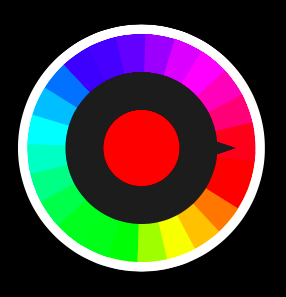
Import VCColorWheelView.h to your project.
VCColorWheelView *colorWheelView = [[VCColorWheelView alloc] init];
[self.view addSubview:colorWheelView];
Get selected color
UIColor *color = colorWheelView.selectedColor;Result:

To run the example project, clone the repo, and run pod install from the Example directory first.
- iOS 9.0 or later
VCColorWheel is available through CocoaPods. To install it, simply add the following line to your Podfile:
pod 'VCColorWheel'passpier, [email protected]
VCColorWheel is available under the MIT license. See the LICENSE file for more info.