The RISC-V vector intrinsic functions are defined in <riscv_vector.h> as follows:
#pragma clang riscv intrinsic vectorWhile the compiler can recognize these, clangd currently does not.
It may support them in the future, but for now, you'll need to manually
generate these header files as a workaround.
Let's write some RVV code!
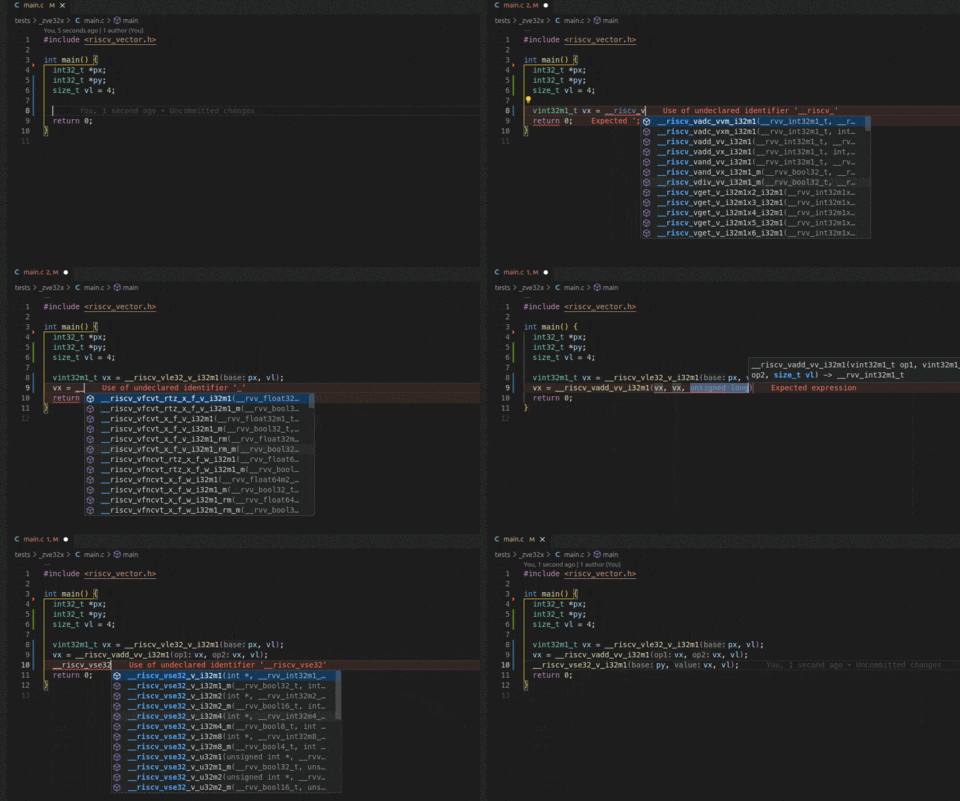
Download the release package from the Releases Page.
wget https://github.com/qiujiandong/rvv-intrinsic/releases/latest/download/rvv-intrinsic.tar.gz
tar -xzvf rvv-intrinsic.tar.gz
cd rvv-intrinsic_v[tab]
./configure
Then, the clangd configuration should work properly.
To generate the header files by a single script, run the following command:
./scripts/release.shIf you want to known the details, please follow the following steps:
Start by generating the intrinsic files from rvv-intrinsic-doc. Clone the submodule:
git submodule update --init --recursiveThe intrinsic version is v1.0-ratified. Prepare your Python environment,
navigate to the rvv-intrinsic-doc directory, and then run the following commands:
cd rvv-intrinsic-generator
pip install -r requirements.txt
git apply ../../scripts/clang-format.patch
make
The intrinsic files will be generated in rvv-intrinsic-doc/auto-generated/ in
.adoc format. We need to convert these to .h format.
Run the following command in the root of this repo:
./scripts/run.pyThis will generate the header files in the rvv_intrinsic directory.
The rvv_intrinsic.h file organizes the header files with corresponding extensions.
You do not need to include this file directly in your application, as the compiler
already knows about these intrinsics.
However, clangd does not automatically recognize them. To configure clangd,
please refer to the Configurations documentation.
Add the following configuration to your .clangd file:
CompileFlags:
  Add:
    [
      -include /path/to/repo/rvv_intrinsic/rvv_intrinsic.h,
      -I /path/to/repo/rvv-intrinsic/rvv_intrinsic,
    ]
This will force the inclusion of rvv_intrinsic.h and allow clangd to
locate the generated header files.
Before running tests, make sure you have prepared the RISC-V toolchain
and bear. bear is used to generate the compile_commands.json compilation
database, which is required by clangd.
The tests directory contains various RISC-V vector extension subset test cases,
including:
- _zve32x
- _zve32f
- _zfh_zvfh_zve32f
- _zve64x
- _zve64f
- _zve64d
For more details on the different vector extensions, refer to the RISC-V V-Spec v1.0.
To generate the compilation database (compile_commands.json),
run the following command in the directory where the Makefile exists:
bear -- makeIf you have the clangd plugin
installed in VSCode or Neovim, it should work seamlessly.
Let me know if you'd like to adjust anything further!
This project is licensed under the Apache License 2.0 - see the LICENSE.txt file for details.