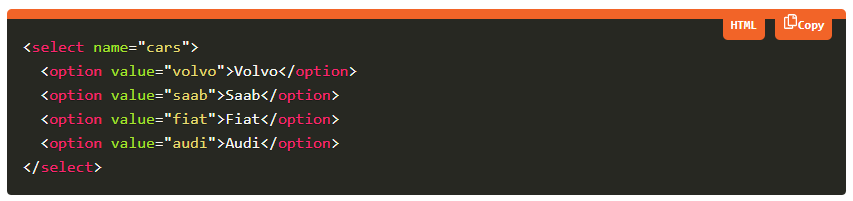
A lightweight, easy-to-use and framework agnostic syntax highlighter for your code examples(snippets) in web applications
There are many syntax highlighters avaliable already but most of those are either complex to setup or front end framework specific.
snippet-highlightis built using concepts of web components. You can use it everywhere, i.e. Angular, React, Vue, any framework, No Framework!
- Install/Include dependency (npm module or script)
- Add Selector and pass attributes in your HTML page
<snippet-highlight theme="dark" language="javascript" content="your code-snippet"/>-
Install as npm module
npm i snippet-highlightOR
yarn add snippet-highlight -
Or, Include as script on your HTML page
<script src="https://unpkg.com/snippet-highlight/dist/snippet-highlight.js"></script>
Using snippet-highlight within an Angular CLI project is a two-step process. We need to:
- Include the
CUSTOM_ELEMENTS_SCHEMAin the modules that use the components - Call
defineCustomElements(window)frommain.ts(or some other appropriate place)
Including the CUSTOM_ELEMENTS_SCHEMA in the module allows the use of the web components in the HTML markup without the compiler producing errors. Here is an example of adding it to AppModule:
import { CUSTOM_ELEMENTS_SCHEMA, NgModule } from '@angular/core';

@NgModule({
  schemas: [CUSTOM_ELEMENTS_SCHEMA],
})
export class AppModule {}
The CUSTOM_ELEMENTS_SCHEMA needs to be included in any module that uses custom elements.
snippet-highlight includes a main function that is used to load the components in the collection. That function is called defineCustomElements() and it needs to be called once during the bootstrapping of your application. One convenient place to do this is in main.ts as such:
import { defineCustomElements } from 'snippet-highlight/dist/loader';

platformBrowserDynamic().bootstrapModule(AppModule)
  .catch(err => console.log(err));
defineCustomElements(window);With an application built using the create-react-app script the easiest way to include the component library is to call defineCustomElements(window) from the index.js file.
import { defineCustomElements } from 'snippet-highlight/dist/loader';
defineCustomElements(window);In order to use the custom element library within the Vue app, the application must be modified to define the custom elements and to inform the Vue compiler which elements to ignore during compilation. This can all be done within the main.js file. For example:
import Vue from 'vue';
import App from './App.vue';
import { defineCustomElements } from 'snippet-highlight/dist/loader';

Vue.config.productionTip = false;
Vue.config.ignoredElements = [/snippet-\w*/];

defineCustomElements(window);

new Vue({
  render: h => h(App)
}).$mount('#app');| Attribute | Type | Possible Values | Description |
| content | string | Any code snippet in any of the supported languages | Code snippet to be highlighted |
| language | string | Any supported Language (See the list below), html (default) | e.g. html, xml, java, javascript, css etc |
| theme | string | dark(default), light | Look and feel of code snippet |
clike,ruby,crystal,csharp,dotnet,markup-templating,markup,xml,html,mathml,svg,django,jinja2,javascript,js,csp,css,d,dart,diff,docker,dockerfile,eiffel,elixir,elm,erb,erlang,flow,fortran,fsharp,gedcom,gherkin,git,glsl,go,graphql,groovy,haml,handlebars,haskell,haxe,hpkp,hsts,http,ichigojam,icon,inform7,ini,io,j,java,jolie,json,jsonp,jsx,julia,keyman,kotlin,latex,less,liquid,lisp,elisp,emacs,emacs-lisp,livescript,lolcode,lua,makefile,markdown,matlab,mel,mizar,monkey,n4js,n4jsd,nasm,nginx,nim,nix,nsis,ocaml,oz,parigp,parser,pascal,objectpascal,perl,php,sql,plsql,powershell,processing,prolog,properties,protobuf,pug,puppet,pure,python,q,qore,r,reason,renpy,rest,rip,roboconf,rust,sas,sass,scala,scheme,scss,smalltalk,smarty,soy,stylus,swift,tap,tcl,textile,tsx,tt2,twig,typescript,ts,velocity,verilog,vhdl,vim,visual-basic,vb,wasm,wiki,xeora,xeoracube,xojo,xquery,yaml
snippet-highlight is well verified on all modern browsers using Browser Stack. Using browserstack we make sure cross browser compatibility of the module, so that it works seamlessly on all supported browsers. Browserstack has helped us in identifying issues at very early stage.