
KanVibe 0.0.1 Release Notes
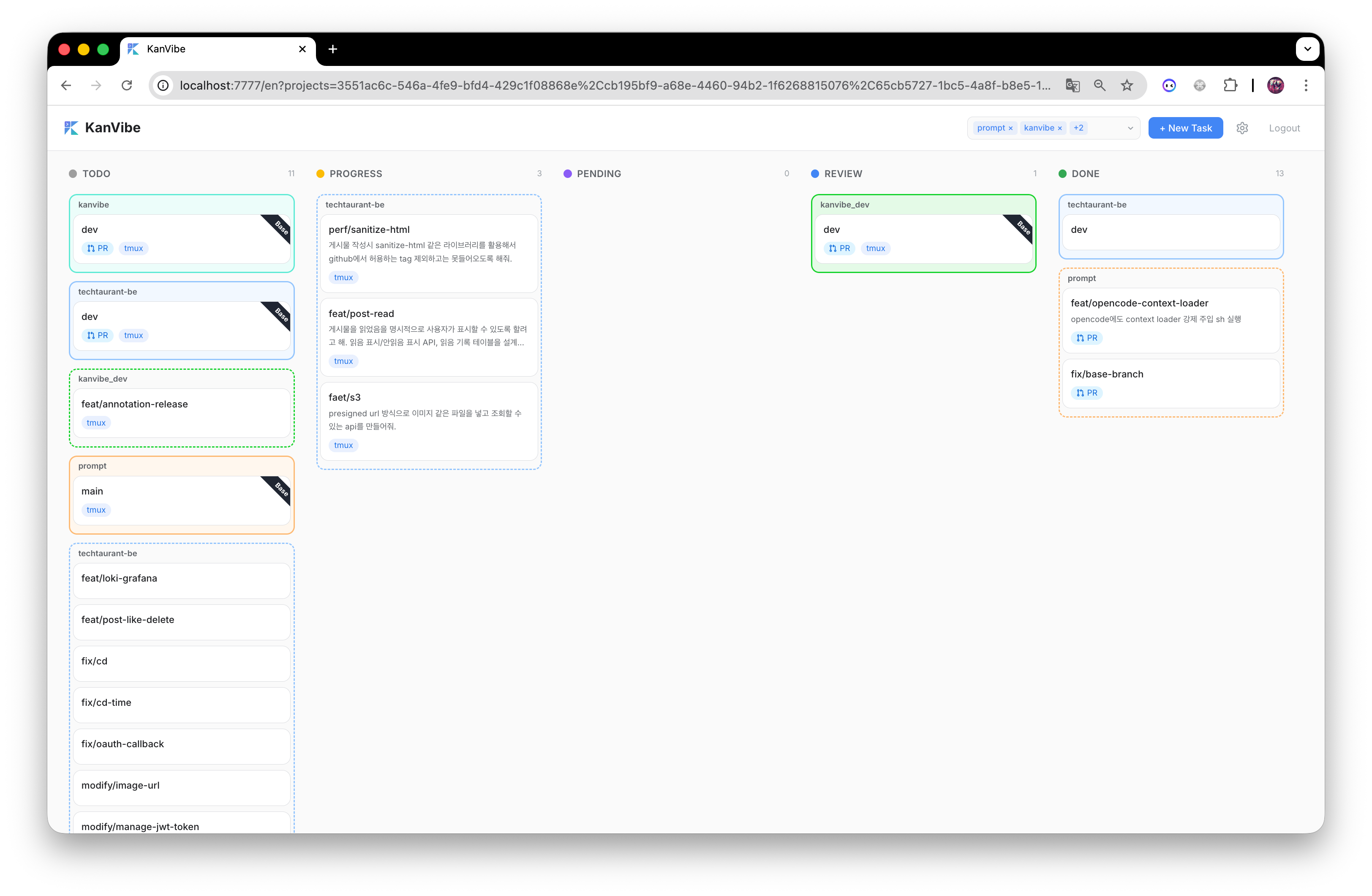
KanVibe 0.0.1 delivers a complete AI-agent-first development workflow in one place: create branch tasks, run real terminal sessions in-browser, and track progress automatically through agent events without manual status updates.
 |
 |
What Makes 0.0.1 Worth Trying
- From prompt to review, fully visible: 5-stage Kanban flow with live updates keeps every task in a clear state.
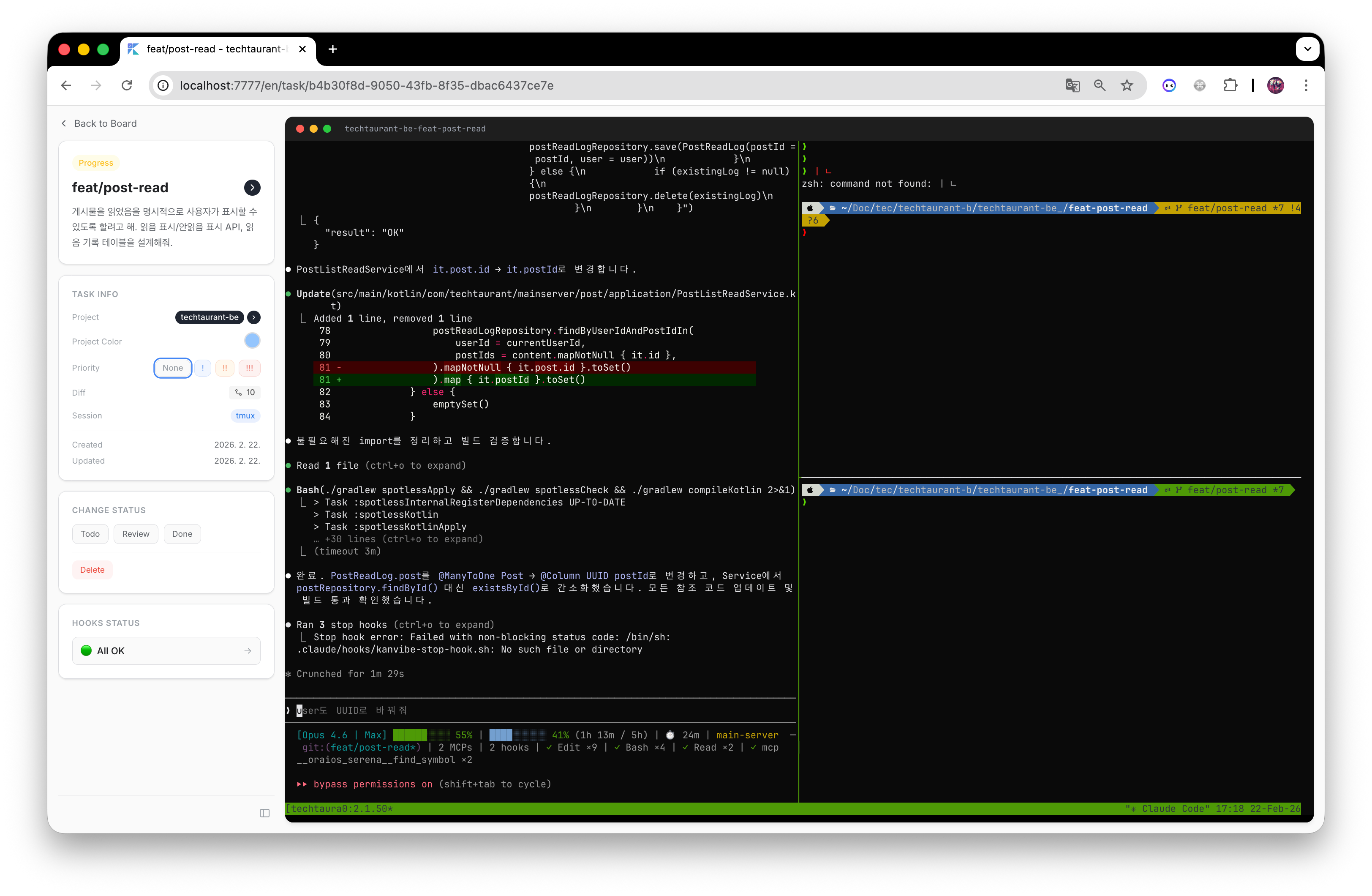
- From task to isolated workspace, automatic: branch-based tasks create git worktrees and terminal sessions instantly.
- From AI activity to board status, automatic: hooks/plugins convert agent events into Kanban transitions.
- From coding to code review, in one UI: GitHub-style diff view is built into task detail pages.
Core Features Included in This Release
1) AI Agent Task Kanban (Real-Time)
KanVibe ships with a task board purpose-built for AI coding workflows:
- 5 statuses:
TODO->PROGRESS->PENDING->REVIEW->DONE - Drag & drop task ordering
- Multi-project filtering
- Done column pagination
- Real-time synchronization through WebSocket
Why it matters:
- You can see exactly where every AI task is stuck, moving, or ready for review.
2) Git Worktree Automation for Branch Tasks
When you create a task with a branch name, KanVibe automatically handles workspace setup:
- Creates a git worktree for the branch
- Starts and links a terminal session (
tmuxwindow orzellijtab) - Scans existing worktrees and registers them as
TODOtasks - Cleans up branch + worktree + session automatically when task reaches
DONE
Why it matters:
- You get clean branch isolation with less setup overhead and less forgotten cleanup.
3) Browser Terminal with tmux/zellij + SSH
Terminal work happens directly in the KanVibe UI:
- Supports both
tmuxandzellij - Browser terminal powered by xterm.js + WebSocket
- SSH remote terminal support by reading
~/.ssh/config - Nerd Font rendering support
Why it matters:
- You can manage local and remote coding sessions without context switching across windows.
4) AI Agent Hooks (Automatic Status Tracking)
KanVibe integrates with major AI coding agents and maps their events to task statuses.
Claude Code
- User prompt ->
PROGRESS - AI AskUser question ->
PENDING - User answer ->
PROGRESS - AI completion ->
REVIEW
Gemini CLI
BeforeAgent->PROGRESSAfterAgent->REVIEW
Note: Gemini CLI currently does not provide a PENDING-equivalent question event.
Codex CLI (Partial in 0.0.1)
agent-turn-complete->REVIEW
Note: PROGRESS and PENDING transitions are not available yet in current Codex hook behavior.
OpenCode
message.updated(user role) ->PROGRESSquestion.asked->PENDINGquestion.replied->PROGRESSsession.idle->REVIEW
Implementation detail included in this release:
- KanVibe generates
.opencode/plugins/kanvibe-plugin.ts - Uses
@opencode-ai/pluginSDK and native OpenCode plugin events - Status updates are handled in-process (no external shell script execution needed)
Auto-install support:
- Hooks/plugins are auto-installed during project registration scan or worktree task creation.
- You can also install hooks manually per task from the detail page.
5) Browser Notifications for Agent-Driven Changes
When task status changes through hooks, KanVibe can notify you immediately in the browser:
- Real-time notifications with project, branch, and status context
- Background notifications even when KanVibe tab is unfocused
- Click notification to jump to the exact task detail page
- Per-project notification settings and status-based filters (
PROGRESS,PENDING,REVIEW,DONE)
Why it matters:
- You do not need to babysit tabs to know when AI asks for input or finishes work.
6) GitHub-Style Diff Review in Task Detail
Code review is built into the workflow:
 |
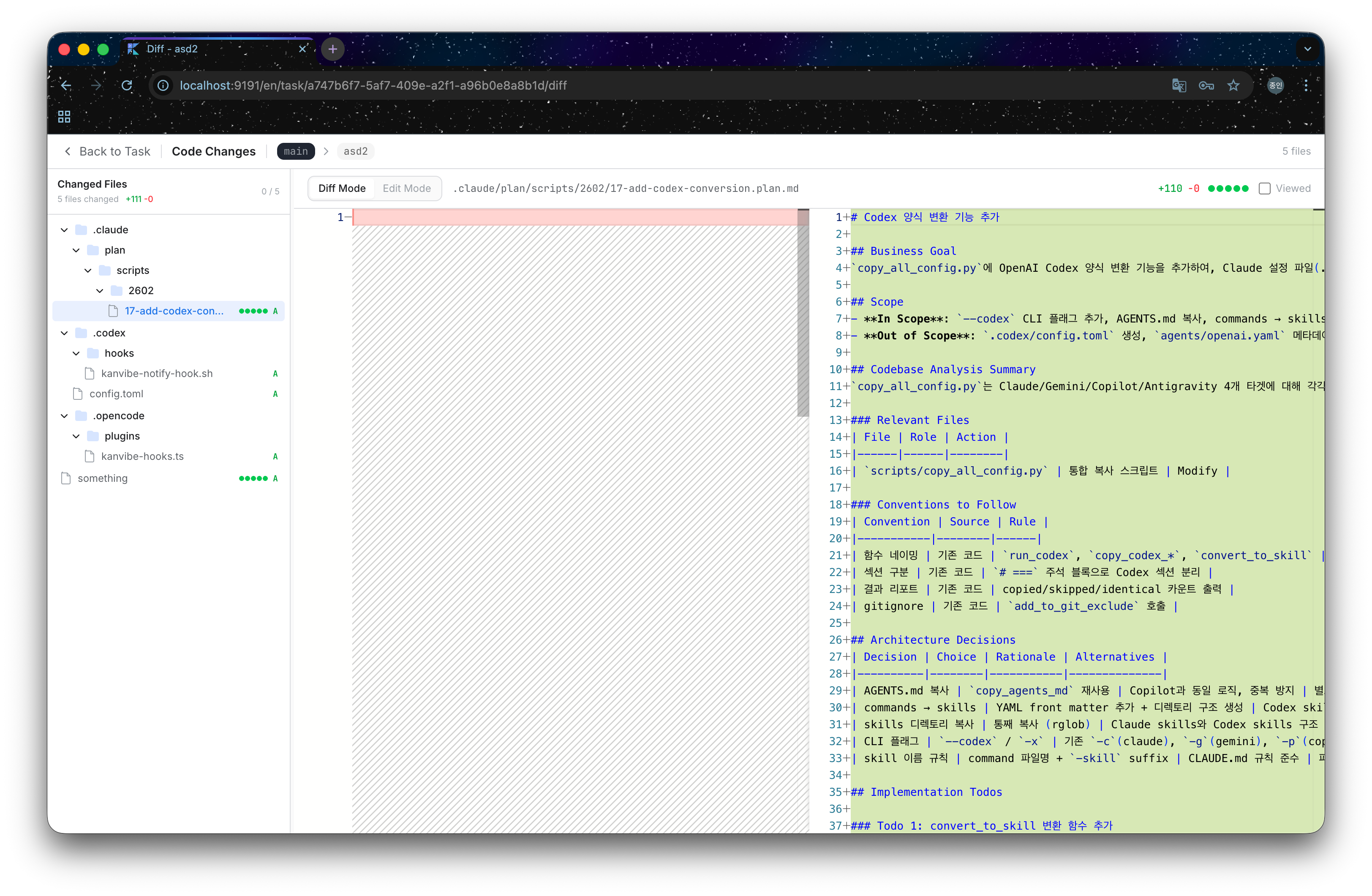 |
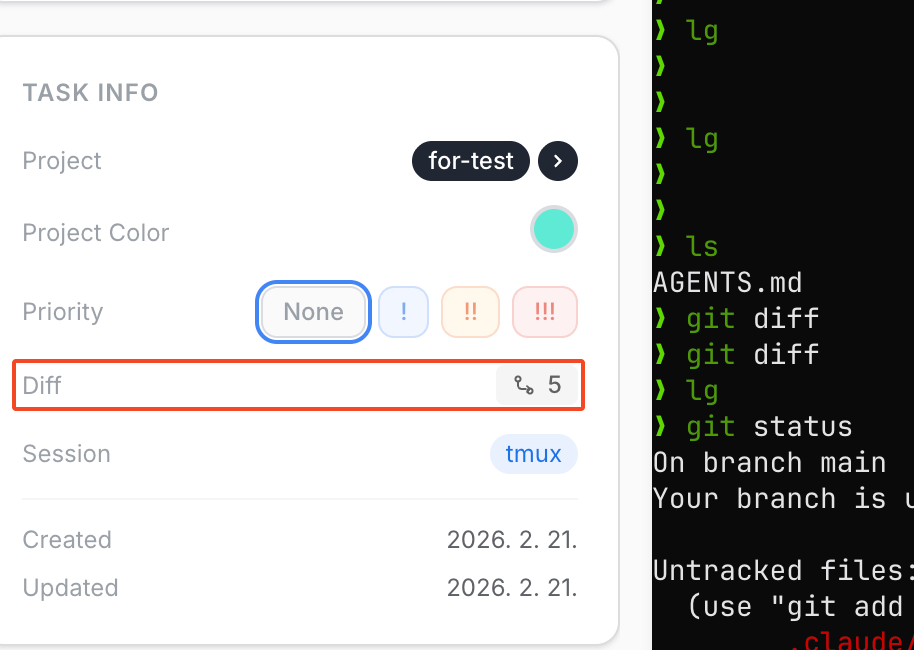
- Open diff view via the Diff badge on task detail
- Changed-file sidebar and file count
- Inline diff powered by Monaco Editor
- In-browser edit mode for quick fixes
- Viewed-file tracking using checkboxes
Why it matters:
- You can move from task execution to review without leaving KanVibe.
7) Pane Layout Editor for Repeatable Workspaces
This release includes a flexible terminal pane layout system:
- 6 presets:
Single,Horizontal 2,Vertical 2,Left + Right TB,Left TB + Right,Quad - Custom command per pane (
vim,htop,lazygit, test runners, etc.) - Global defaults and per-project overrides
Why it matters:
- Teams and individuals can standardize how coding sessions start for faster execution.
8) Internationalization + Simple Startup Experience
KanVibe 0.0.1 supports:
- Languages:
ko,en,zh - One-command startup via
kanvibe.sh
kanvibe.sh start flow includes:
- Dependency checks and guided installs
- Package install
- PostgreSQL startup (Docker Compose)
- Migration run
- Build and server launch
Why it matters:
- Faster onboarding with fewer manual setup steps.
API Endpoints Included for Hook Integration
POST /api/hooks/start- create a new taskPOST /api/hooks/status- update task status usingbranchName+projectName
Known Scope in 0.0.1
- Codex CLI support is currently partial (
agent-turn-complete->REVIEW). - Expanded Codex transition coverage will be added when broader hook APIs are available upstream.