Locale-adaptive video ad generator. One creative brief, three culturally-adapted video ads for the US, India, and China -- with localized characters, settings, and lip-synced dialogue in English, Hindi, and Mandarin.
Built for the UCLA Gemini API Hackathon.
Watch the full demo on YouTube
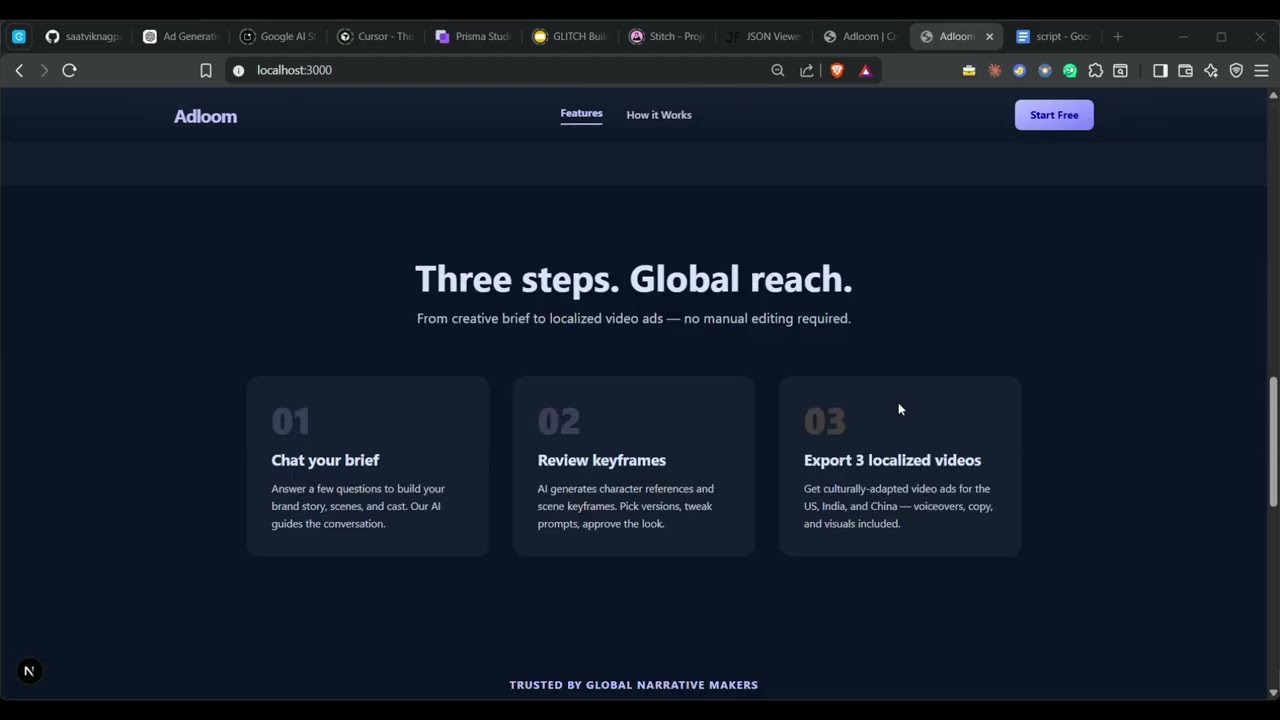
You chat with an AI creative director to define your brand, product, scenes, and cast. After approving the script, the system generates locale-specific character portraits, scene-by-scene video clips with multilingual dialogue, and stitches everything into three final MP4 exports -- one per market.
Pipeline: Chat → Script approval → Character generation → Video generation → Stitch → 3 exports
| Layer | Technology |
|---|---|
| Frontend | Next.js 15 (App Router), React 19, Tailwind CSS v4 |
| Chat / scripting | Gemini 2.5 Flash (multi-turn chat with function calling) |
| Character portraits | Gemini 3.1 Flash Image (Nano Banana 2) with labeled reference images |
| Video generation | Veo 3.1 with character/product reference images, multilingual dialogue |
| Video stitching | FFmpeg |
| Database | PostgreSQL with Prisma ORM |
| Object storage | MinIO (S3-compatible) |
| Background jobs | Inngest |
| Streaming | Server-Sent Events (SSE) |
- Node.js v18+
- Docker and Docker Compose
- FFmpeg (for video stitching)
- A Google AI Studio API key with access to Gemini and Veo
git clone https://github.com/saatviknagpal/adloom.git
cd adloom
npm installcp .env.example .envOpen .env and fill in:
# Required
GEMINI_API_KEY=your_gemini_api_key_here

# Database (defaults work with docker-compose)
DATABASE_URL="postgresql://adloom:adloom@localhost:5432/adloom?schema=public"

# MinIO object storage (defaults work with docker-compose)
MINIO_ENDPOINT=localhost
MINIO_PORT=9000
MINIO_ACCESS_KEY=adloom
MINIO_SECRET_KEY=adloom123
MINIO_BUCKET=adloom-assets

# Next.js dev port (change if 3000 is in use)
NEXT_DEV_PORT=3000

# Optional: override the Gemini text model (default: gemini-2.5-flash)
# GEMINI_TEXT_MODEL=gemini-2.5-flash

# Optional: debug brief processing
# ADLOOM_DEBUG_BRIEF=1Docker Compose brings up PostgreSQL, MinIO, and the Inngest dev server:
docker compose up -dThis starts:
- PostgreSQL on port
5432(user:adloom, password:adloom, db:adloom) - MinIO on port
9000(API) and9001(console UI) - Inngest dev server on port
8288(dashboard UI)
npx prisma generate
npx prisma db push
This creates the Prisma client and pushes the schema to PostgreSQL. The database has four tables:
Session-- tracks status, brief, regions, and links to messages/assets/snapshotsMessage-- chat history (user, assistant, system)Snapshot-- versioned script snapshots with scenes and charactersAsset-- all generated content (characters, videos, final exports)
npm run devOpen http://localhost:3000.
Port conflict? If Next.js says "Port 3000 is in use, using 3004", update
NEXT_DEV_PORT=3004in.envand restart Inngest:docker compose up -d inngest
Open the Inngest dashboard at http://localhost:8288. You should see the app registered with two functions:
image/generate-- handles character portrait generationvideo/generate-- handles video scene generation
If it's not connected, check that NEXT_DEV_PORT matches the port Next.js is actually using.
- Click "Start Creating" on the landing page to create a new session
- Chat with the AI to describe your brand, product, scenes, and cast
- Review script versions in the Storyboard panel (right side)
- Approve when you're happy with the script
- Watch as the system generates characters and videos per locale
- Download the three final MP4s from the Videos tab
src/
  app/
    page.tsx                          # Landing page
    chat/[id]/page.tsx                # Main editor UI (chat + storyboard)
    api/
      sessions/route.ts               # POST create, GET list sessions
      sessions/[id]/route.ts          # GET session, DELETE, PATCH clear
      sessions/[id]/chat/route.ts     # POST chat (discovery + video generation phases)
      sessions/[id]/approve/route.ts  # POST approve script
      sessions/[id]/upload/route.ts   # POST upload product image
      sessions/[id]/snapshots/        # GET list, POST select snapshot
      sessions/[id]/characters/       # POST select character version
      inngest/route.ts                # Inngest webhook endpoint
  server/
    services/
      gemini.ts          # Discovery chat, visual director agent, localization, gap-fill
      nano-banana.ts     # Character portrait generation (Gemini 3.1 Flash Image)
      veo.ts             # Video scene generation (Veo 3.1)
      stitch-video.ts    # FFmpeg video concatenation
      session.ts         # Database operations (Prisma)
      basic-brief.ts     # Brief merging, validation, schema helpers
      image-job-enqueue.ts  # Inngest job dispatch with dev fallback
      tts.ts             # TTS placeholder
      lyria.ts           # Music generation placeholder
      assembly.ts        # Final assembly placeholder
    lib/
      brief-debug-log.ts # Debug logging for brief processing
  inngest/
    client.ts            # Inngest client config
    functions/
      generateImageJob.ts   # Async image generation worker
      generateVideoJob.ts   # Async video generation worker
  lib/
    db.ts                # Prisma client singleton
    storage.ts           # MinIO upload/download helpers
  types/
    index.ts             # Shared TypeScript types
prisma/
  schema.prisma          # Database schema
docs/
  PRD.md                 # Product requirements document
  PLAN.md                # Implementation plan
  prompts/               # Documented prompts for each AI phase
docker-compose.yml       # PostgreSQL + MinIO + Inngest
| Method | Route | Description |
|---|---|---|
POST |
/api/sessions |
Create a new session |
GET |
/api/sessions |
List recent sessions |
GET |
/api/sessions/:id |
Get session with messages, assets, snapshots |
DELETE |
/api/sessions/:id |
Delete a session |
PATCH |
/api/sessions/:id |
Clear conversation ({ action: "clear" }) |
POST |
/api/sessions/:id/chat |
Send message (discovery or video generation phase) |
POST |
/api/sessions/:id/approve |
Approve script, trigger production phase |
POST |
/api/sessions/:id/upload |
Upload product image |
GET |
/api/sessions/:id/snapshots |
List script snapshots |
POST |
/api/sessions/:id/snapshots/:sid/select |
Select a snapshot version |
POST |
/api/sessions/:id/characters/:groupKey/select |
Select a character version |
The user chats with Gemini 2.5 Flash, which uses function calling to incrementally build a structured brief. Two tools are available:
update_draft_brief-- merges new information into the session's draftcommit_script_version-- saves a complete scene list + cast as a snapshot
When the user approves, the system:
- Merges the draft brief with the selected snapshot
- Runs gap-fill (Gemini infers any missing fields)
- Transitions to the production phase
Gemini acts as a "visual director" with two tools:
generate_character-- creates locale-specific character portraits via Nano Banana 2 (Gemini 3.1 Flash Image)generate_videos-- produces video clips per scene per locale via Veo 3.1
Characters are generated first for each market (US, India, China), then threaded as reference images into video generation so the same person appears consistently across scenes. Each locale gets its own cast with culturally appropriate appearance, and dialogue is adapted to the local language.
Scene clips per region are concatenated with FFmpeg into final MP4 exports. Each region gets one continuous video with all scenes in order.
# Development
npm run dev              # Start Next.js dev server
npm run dev:turbo        # Start with Turbopack (faster, but can have issues)
npm run build            # Production build
npm run start            # Start production server

# Database
npm run db:generate      # Regenerate Prisma client
npm run db:push          # Push schema to database
npm run db:studio        # Open Prisma Studio (http://localhost:5555)

# Infrastructure
docker compose up -d     # Start Postgres + MinIO + Inngest
docker compose down      # Stop all services
docker compose logs -f # Follow logsInngest not connecting: Make sure NEXT_DEV_PORT in .env matches the port Next.js printed. Restart Inngest with docker compose up -d inngest.
"Port 3000 is in use": Either free port 3000 or set NEXT_DEV_PORT=3004 in .env and restart Inngest.
Image generation falls back to inline: If Inngest is unreachable, the app processes image jobs in-process (slower but works). Check the server terminal for [inngest] falling back to inline messages.
MinIO bucket errors: The app auto-creates the bucket on first upload. Make sure MinIO is running (docker compose ps).
FFmpeg not found: Install FFmpeg (winget install Gyan.FFmpeg on Windows, brew install ffmpeg on macOS, apt install ffmpeg on Linux). Restart your terminal after installing.
MIT