👋 Welcome to my repository of beginner Python projects! This collection is a showcase of my journey in learning and applying Python fundamentals. Each project is designed to help me practice core concepts, and I'll be adding more as I continue to grow my skills.
A simple Python CLI game where the computer randomly selects a number between 1 and 10, and the player has to guess it. The game provides hints ("too high"/"too low") until the correct number is guessed, a play again option is also provided.
- Make sure you have Python installed on your computer
- Save the code as
numbguess_game.py - Open terminal/command prompt and navigate to the file location
- Run the program:
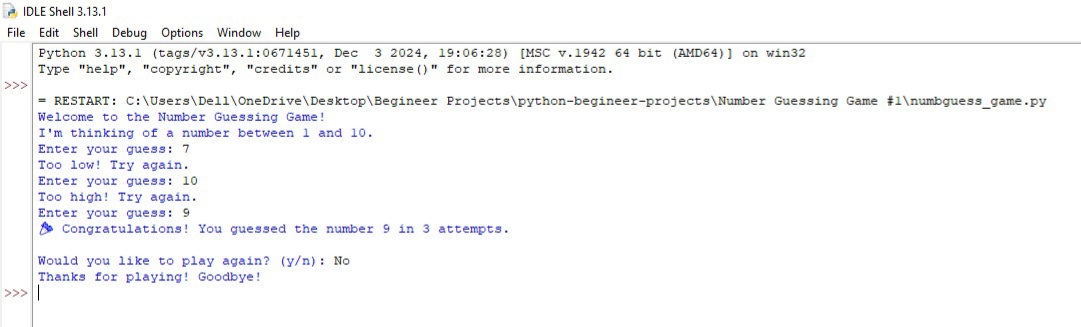
Sample Run (Screenshot + Text Example)
Welcome to the Number Guessing Game! I'm thinking of a number between 1 and 10. Enter your guess: 7 Too low! Try again. Enter your guess: 10 Too high! Try again. Enter your guess: 9 🎉 Congratulations! You guessed the number 9 in 3 attempts.
Would you like to play again? (y/n): No Thanks for playing! Goodbye!
- Using Python's
randommodule to generate random numbers - Implementing while loops for game logic
- Handling user input validation with try-except blocks
- Creating interactive console applications
- Adding replay functionality to games
- String methods like
lower()for case-insensitive input handling
- Input validation (only accepts numbers 1-10)
- Error handling for invalid inputs
- Case-insensitive play again option
- Attempt counter
- User-friendly feedback messages
A simple Python console application that helps users split rent and shared expenses (like food and electricity) among roommates or flatmates. The program takes input for total rent, food expenses, electricity units used, and the number of people sharing the room/flat,then calculates how much each person should pay. It also includes an option to calculate again or exit for convenience.
-
Make sure Python is installed on your computer.
-
Save the code as rent_calculator.py
-
Open Terminal/Command Prompt and navigate to the file location.
-
Run the program using the command:
python rent_calculator.py
- Follow the prompts on screen to enter rent, food cost, electricity details, and number of persons.
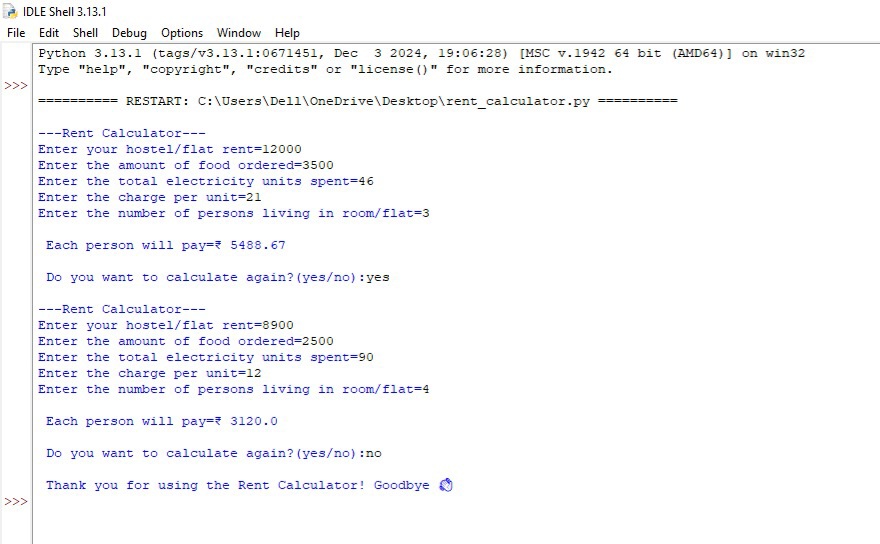
Enter your hostel/flat rent = 8000
Enter the amount of food ordered = 1200
Enter the total electricity units spent = 90
Enter the charge per unit = 10
Enter the number of persons living in room/flat = 3
Each person will pay = ₹ 3100.0
Do you want to calculate again? (yes/no): no
Thank you for using the Rent Calculator! Goodbye 👋

- String methods like .lower() and .startswith() for flexible input handling
- While loops to enable repeated calculations until the user exits
- Arithmetic operations to compute shared expenses
- User input handling with input() and int() conversion
- Basic error prevention by guiding user input format
- Modular thinking for future expansion (e.g., adding income, savings, or CSV export)
- Rent, food, and electricity cost calculator
- Per-person cost split based on total expenses
- Case-insensitive replay option using .startswith("y")
- Clear and friendly output formatting with round() for currency precision
- Looped interaction for multiple calculations in one session
- Exit message with gratitude and emoji for user experience polish