



A powerful and customizable Flutter library for displaying calendar events in day view format. Perfect for applications requiring detailed daily event visualization.
Renamed tap callbacks — all tap callbacks are now consistently named onTimeTap:
| View | Before (v5) | After (v6) |
|---|---|---|
CalendarDayView.category() |
onTileTap |
onTimeTap |
CalendarDayView.categoryOverflow() |
onTileTap |
onTimeTap |
CalendarDayView.inRow() |
onTap |
onTimeTap |
CalendarDayView.overflow() |
onTimeTap |
onTimeTap (no change) |
CategoryDayView() |
onTileTap |
onTimeTap |
CategoryOverflowDayView() |
onTileTap |
onTimeTap |
Removed parameters:
controlBarBuilderremoved fromCalendarDayView.category()andCalendarDayView.categoryOverflow()backgroundTimeTileBuilderremoved fromCalendarDayView.categoryOverflow()
Typedefs now exported — all typedefs (e.g., CategoryDayViewEventBuilder, DayViewItemBuilder) are now accessible via the main import 'package:calendar_day_view/calendar_day_view.dart' import. No need to import src/models/typedef.dart directly.
Styling moved to DayViewDecoration — all visual customization is now grouped in a separate DayViewDecoration object, passed via config.decoration:
// Before (v5.x)
OverFlowDayViewConfig(
  currentDate: DateTime.now(),
  timeColumnWidth: 70,
  dividerColor: Colors.black,
  currentTimeLineColor: Colors.red,
  timeLabelBuilder: (ctx, t) => Text(...),
)

// After (v6.x)
OverFlowDayViewConfig(
  currentDate: DateTime.now(),
  decoration: DayViewDecoration(
    timeColumnWidth: 70,
    dividerColor: Colors.black,
    currentTimeLineColor: Colors.red,
    timeLabel: (ctx, t) => Text(...),
  ),
)
Properties moved to DayViewDecoration: timeColumnWidth, timeTextStyle, timeTextColor, dividerColor, currentTimeLineColor, timeLabel (was timeLabelBuilder), currentTimeLine (was currentTimeLineBuilder), rowBackground (was timeRowBackgroundBuilder), divider (was dividerBuilder). The same decoration can be reused across multiple views for consistent branding.
- Auto-scroll to current time — set
scrollToCurrentTime: truein config to auto-scroll on load (overflow and in-row views) - Custom current time line — use
currentTimeLineBuilderin config to fully customize the current time indicator - Show all events in category cell — set
showAllEventsInCell: trueinCategoryDavViewConfigto display all events horizontally instead of only the first - Empty tile builder — use
emptyTileBuilderin category views to customize empty cells - Null end time safety — overflow views now default to 30 min duration for events without an end time instead of crashing
- Multi-Column Day View — new Google Calendar-style layout where overlapping events are placed side-by-side in columns with smart column reuse
- Config consolidation —
currentTimeLineColorandcropBottomEventsmoved to baseDavViewConfig, available to all views without duplication - Time row background builder — use
timeRowBackgroundBuilderin config to shade specific time ranges (lunch break, working hours, unavailable blocks) in overflow, multi-column, and in-row views - Divider builder — use
dividerinDayViewDecorationfor custom dividers per row (dashed lines, per-row thickness, hide specific dividers) DayViewDecoration— new visual decoration class groups all styling and builder callbacks. Reusable across view types for shared theming- Time column position —
timeColumnPosition: TimeColumnPosition.left | .right | .nonein decoration for flexible layouts - Header / footer builders —
headerandfooterin decoration for custom widgets above/below the time grid - Custom overlap strategy —
overlapStrategyonMultiColumnDayViewConfig<T>for custom multi-column layout algorithms
For full details, see the Changelog.
Check out the live demo at: https://samderlust.github.io/calendardayview
- Multi-Column Day View: Google Calendar-style layout — overlapping events are placed side-by-side in columns with smart column reuse
- Category Overflow Day View: Display events across multiple time slots within categorized columns
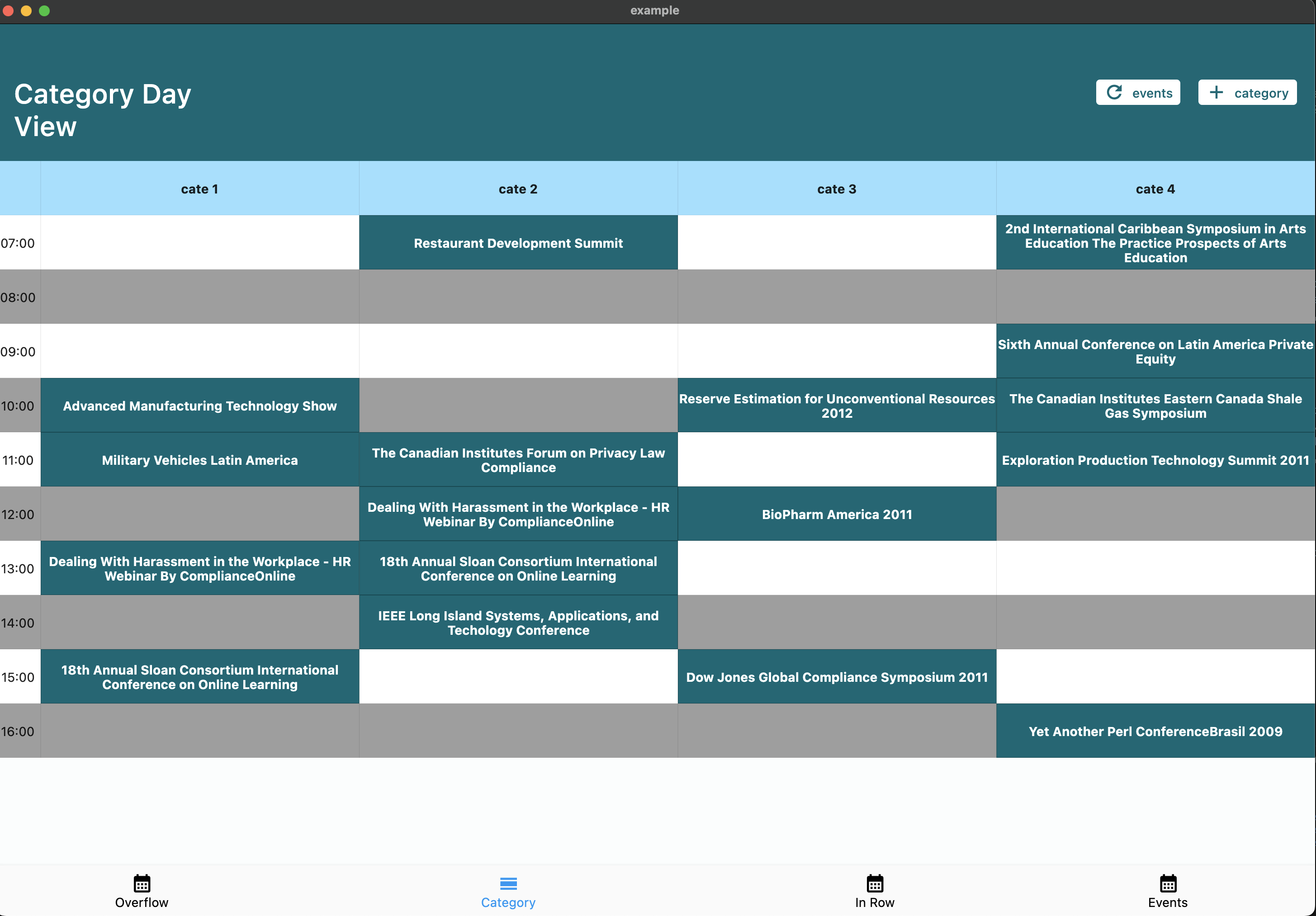
- Category Day View: Organize events by categories (e.g., meeting rooms, resources)
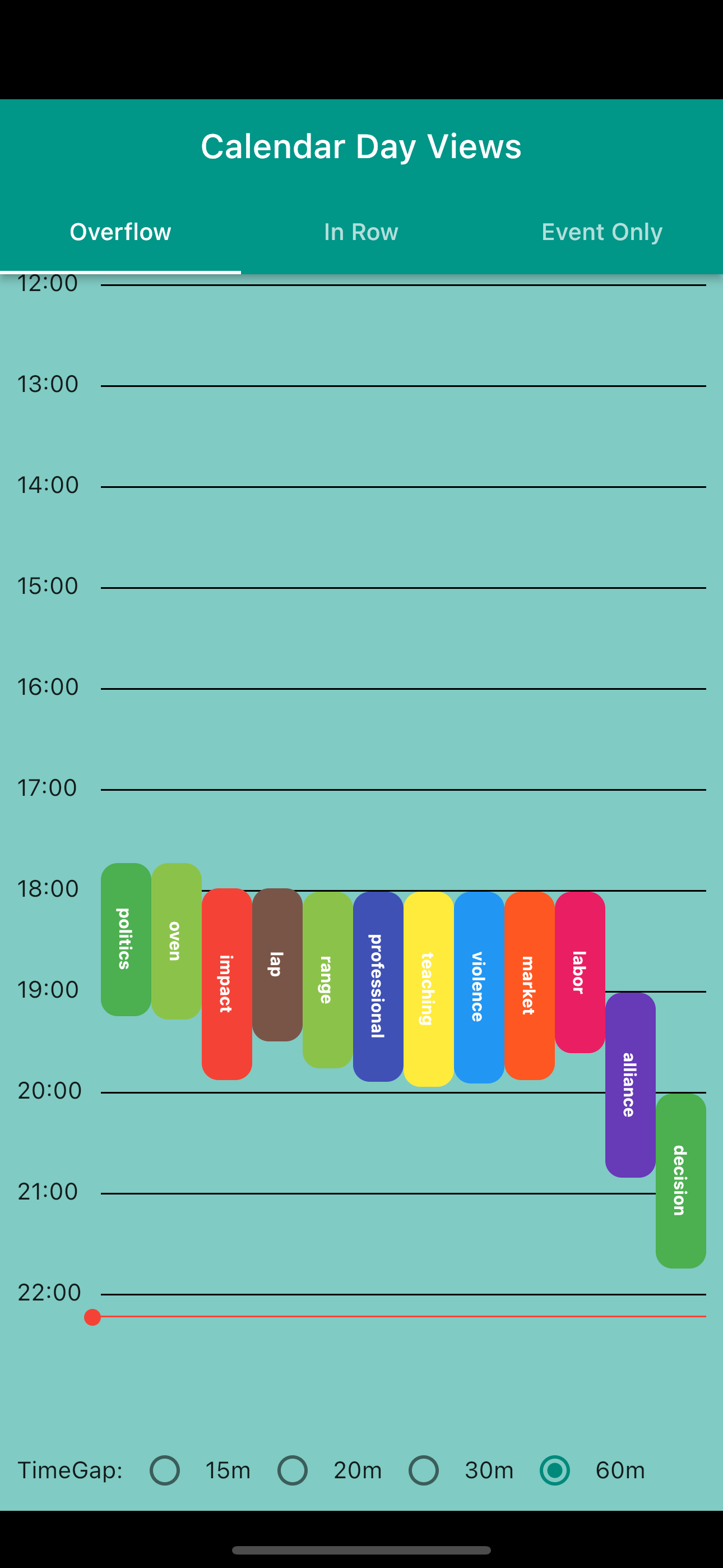
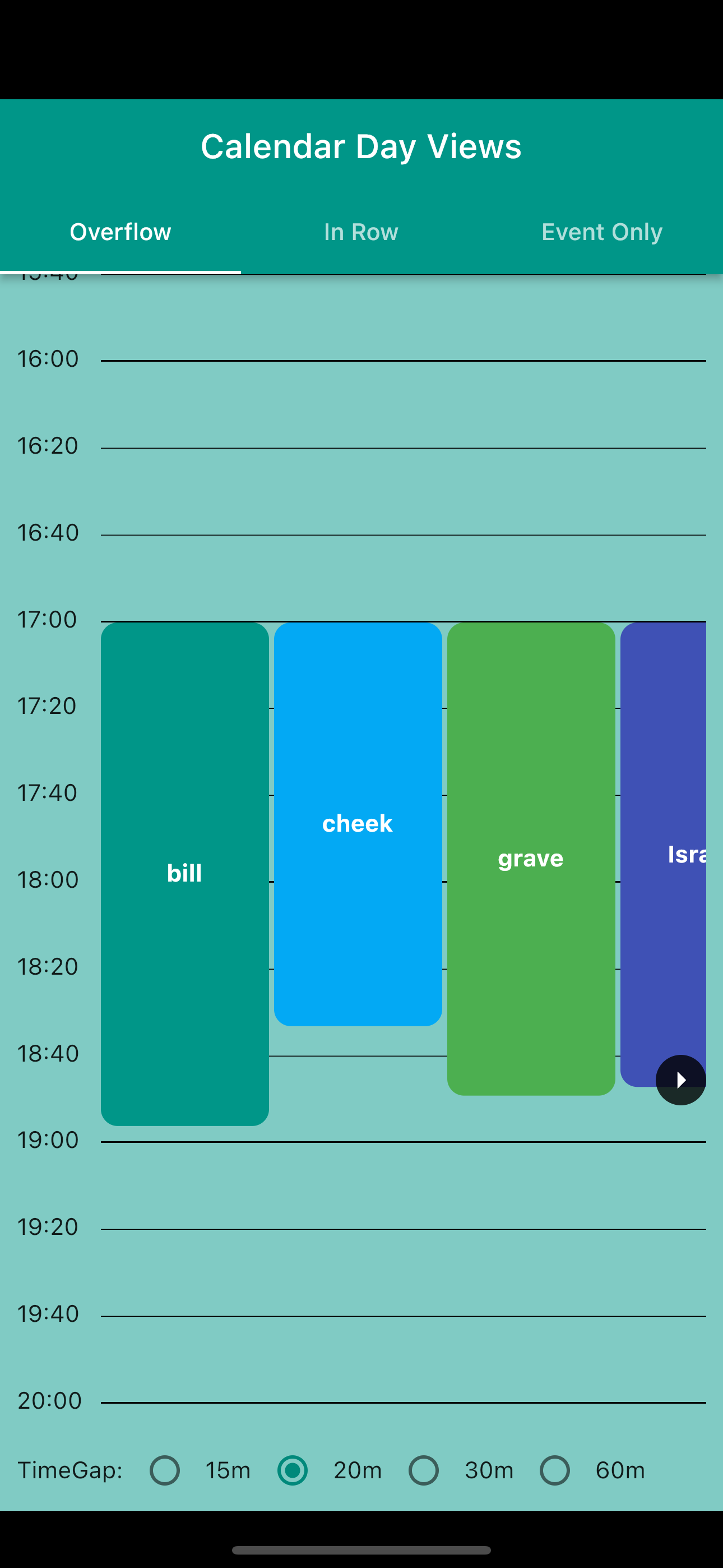
- Overflow Day View: Traditional calendar view with events spanning multiple time slots
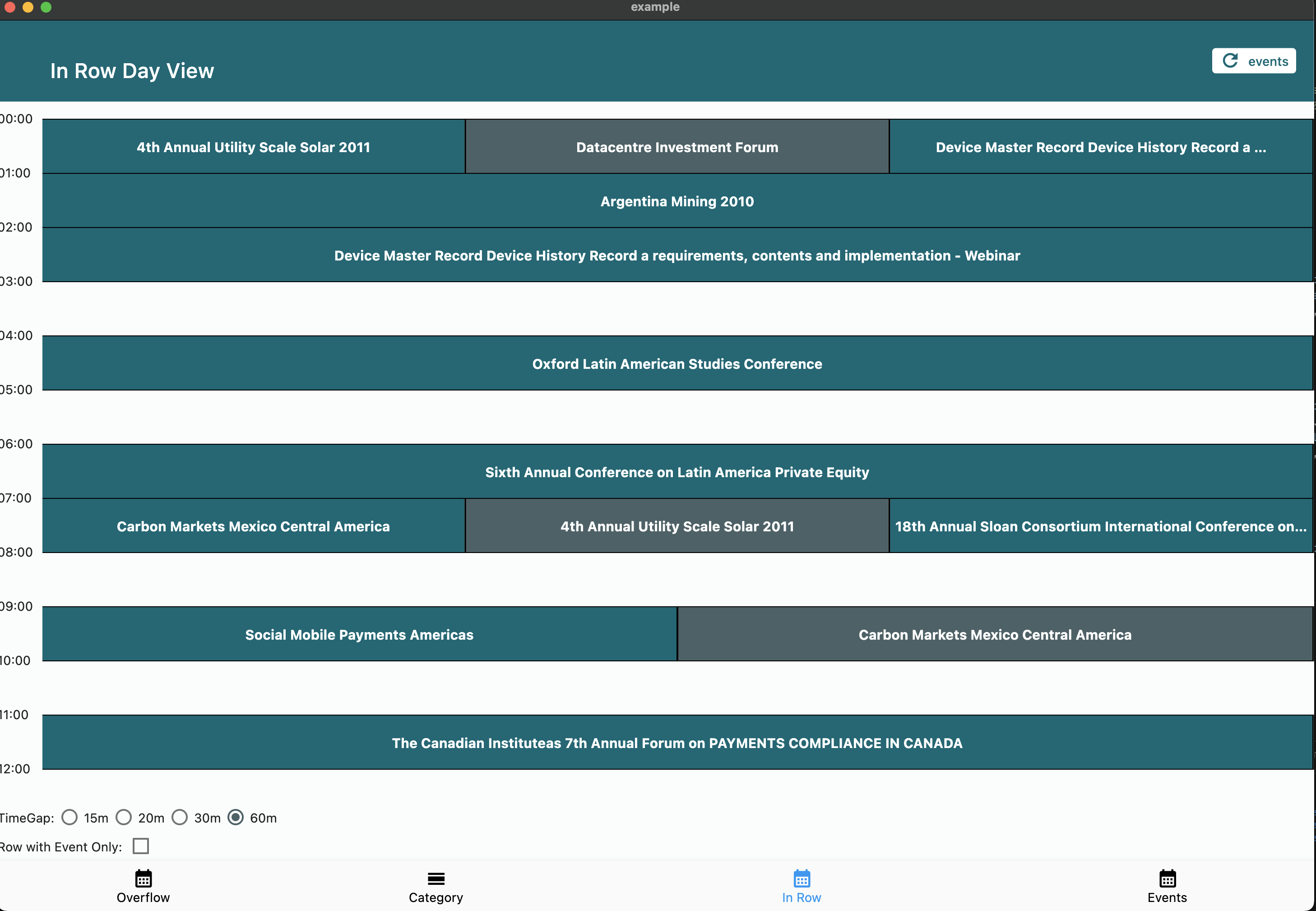
- In Row Day View: Group events starting in the same time window
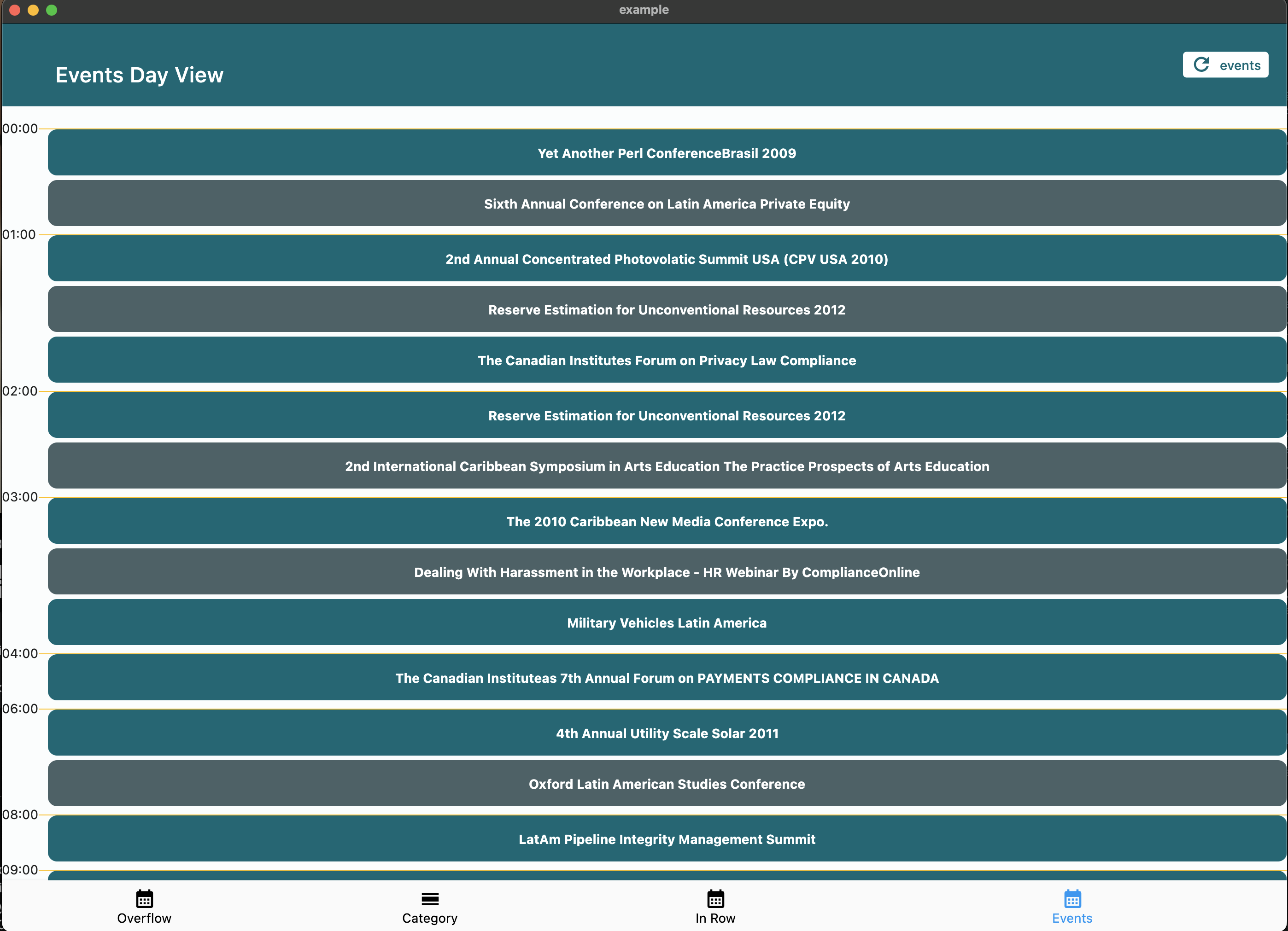
- Event Day View: Simple chronological list of daily events
- ⏰ Customizable day start and end times
- ⏱️ Adjustable time slot duration
- 🕒 Current time indicator with custom builder support
- 👆 Interactive time slot tapping
- 🎨 Fully customizable event widgets
- 📱 Responsive design support
- 🔄 Auto-scroll to current time on load
- 📋 Show all events or first-only in category cells
- 🏷️ Custom empty tile builder for category views
Add the package to your pubspec.yaml:
dependencies:
  calendar_day_view: <latest_version>
Then import it in your Dart code:
import 'package:calendar_day_view/calendar_day_view.dart';All visual customization is done via DayViewDecoration, which can be reused across view types:
final myDecoration = DayViewDecoration(
  timeColumnWidth: 70,
  dividerColor: Colors.grey.shade300,
  currentTimeLineColor: Colors.red,
  timeLabel: (context, time) => Text(
    DateFormat('HH:mm').format(time),
    style: const TextStyle(fontWeight: FontWeight.bold),
  ),
  rowBackground: (context, rowTime, constraints) {
    // Shade lunch break
    if (rowTime.hour == 12) {
      return Container(color: Colors.grey.withValues(alpha: 0.1));
    }
    return null;
  },
  divider: (context, rowTime) {
    // Thicker line at the hour
    if (rowTime.minute == 0) {
      return Divider(color: Colors.grey.shade400, thickness: 1.5, height: 0);
    }
    return null; // skip divider
  },
);

// Reuse the same decoration across different views
OverFlowDayViewConfig(currentDate: DateTime.now(), decoration: myDecoration);
MultiColumnDayViewConfig(currentDate: DateTime.now(), decoration: myDecoration);Google Calendar-style layout. Overlapping events are automatically placed side-by-side in columns. Column count is determined by the overlap pattern — solo events get full width.
CalendarDayView.multiColumn(
  config: MultiColumnDayViewConfig(
    currentDate: DateTime.now(),
    timeGap: 60,
    heightPerMin: 2,
    startOfDay: const TimeOfDay(hour: 7, minute: 0),
    endOfDay: const TimeOfDay(hour: 20, minute: 0),
    scrollToCurrentTime: true,
  ),
  events: events,
  onTimeTap: (time) => handleTimeTap(time),
  itemBuilder: (context, constraints, event, columnIndex, totalColumns) {
    return Container(
      margin: const EdgeInsets.all(1),
      decoration: BoxDecoration(
        color: Colors.blue.shade100,
        borderRadius: BorderRadius.circular(4),
      ),
      child: Text(event.value),
    );
  },
);Perfect for displaying events across multiple categories (e.g., meeting rooms, resources).
CalendarDayView.category(
  config: CategoryDavViewConfig(
    time12: true,
    allowHorizontalScroll: true,
    columnsPerPage: 2,
    currentDate: DateTime.now(),
    timeGap: 60,
    heightPerMin: 1,
    showAllEventsInCell: true, // show all events in cell horizontally
  ),
  categories: categories,
  events: events,
  onTimeTap: (category, time) {
    // Handle time slot tap
  },
  emptyTileBuilder: (constraints, category, time) {
    return Center(child: Text('Available'));
  },
  eventBuilder: (constraints, category, _, event) => YourEventWidget(),
);Display events with duration visualization across multiple time slots.
CalendarDayView.overflow(
  config: OverFlowDayViewConfig(
    currentDate: DateTime.now(),
    timeGap: 60,
    heightPerMin: 2,
    endOfDay: const TimeOfDay(hour: 20, minute: 0),
    startOfDay: const TimeOfDay(hour: 4, minute: 0),
    renderRowAsListView: true,
    time12: true,
    scrollToCurrentTime: true, // auto-scroll to current time
  ),
  onTimeTap: (time) => handleTimeTap(time),
  events: UnmodifiableListView(events),
  overflowItemBuilder: (context, constraints, itemIndex, event) => YourEventWidget(),
);Simple chronological list of events.
CalendarDayView.eventOnly(
  config: EventDayViewConfig(
    showHourly: true,
    currentDate: DateTime.now(),
  ),
  events: events,
  eventDayViewItemBuilder: (context, event) => YourEventWidget(),
);Group events starting in the same time window.
CalendarDayView.inRow(
  config: InRowDayViewConfig(
    heightPerMin: 1,
    showCurrentTimeLine: true,
    dividerColor: Colors.black,
    timeGap: 60,
    showWithEventOnly: true,
    currentDate: DateTime.now(),
    startOfDay: const TimeOfDay(hour: 3, minute: 00),
    endOfDay: const TimeOfDay(hour: 22, minute: 00),
    scrollToCurrentTime: true, // auto-scroll to current time
  ),
  events: UnmodifiableListView(events),
  onTimeTap: (time) => handleTimeTap(time),
  itemBuilder: (context, constraints, itemIndex, event) => YourEventWidget(),
);
| Normal | ListView |
|---|---|
 |
 |
We welcome contributions! Please feel free to submit a Pull Request. For major changes, please open an issue first to discuss what you would like to change.
- Fork the repository
- Create your feature branch (
git checkout -b feature/amazing-feature) - Commit your changes (
git commit -m 'Add some amazing feature') - Format your code with
dart format --line-length 200 lib/ test/ example/ - Push to the branch (
git push origin feature/amazing-feature) - Open a Pull Request
This project is licensed under the MIT License - see the LICENSE file for details.
- Thanks to all contributors who have helped improve this package
- Special thanks to the Flutter team for creating such an amazing framework