This project is an exercise to learn about EditorJS and MDX and to explore the feasibility of combining both to create something potentially useful for many different application areas.
The created app presents a proof of concept for adding MDX support in EditorJS. This PoC will help us evaluate the usability and the desirability of such a Markdown/MDX Editor feature in our future application's context.
You can find the running Editor deployed at https://kind-bhabha-447aff.netlify.app/
The Editor is pre-loaded with two blocks of data(of type H1 heading and image), which are both editable and removable.
To add a new MDX block, click on the + and select an MDX block, then enter your MDX content on the Textfield. The Preview checkbox when checked enables live rendering of the MDX as you type.
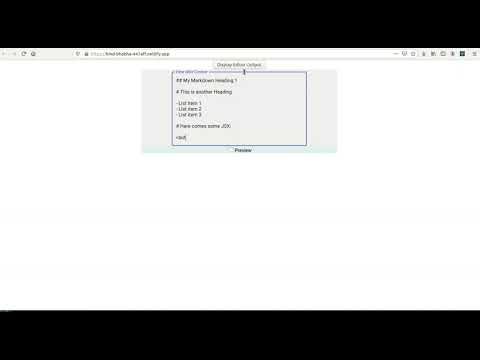
Below is the sequence of steps that were performed in the above video capture: 1 I first deleted the 1st block(type = "header") , 2 Then I deleted the 2nd block(type = "image") 3 Then I added a new block of type 'mdx' , and then in the textfield Enter MDX Content, I started to enter some Markdown/JSX (which will become part of the content for that block). The Preview checkbox is there for the user to easily see what is the rendered output of the Markdown/JSX that has been entered. 4 Finally I clicked on the Display Editor Output button to show the entire JSON output from EditorJS
The following is a list of issues encountered
- Using an 'import' inline in the MDX does not work. Importing a component for use has to be done at build/bundle time.
- Default mouse/keypress events of some components seem to be disabled, possibly due to conflict with the default event behaviors set by the EditorJS API.
- Some of EditorJS APIs are not working as expected, for example, the 'onChange' callback is not triggered when the content changes.
- Check out the new packages 'mdx-bundle' and 'xdm' to see if they can help to work around the above issues.
- Dive deeper into the EditorJS API internals to find ways to override the default event behaviors.
......
......
https://editorjs.io/creating-a-block-tool
https://www.walkthrough.so/pblc/QCawSCKwOQLn/creating-a-custom-editorjs-block-tool-with-react
https://walkthrough.so/pblc/snKICMzxzedr/codelab-integrating-editor-js-into-your-react-application