
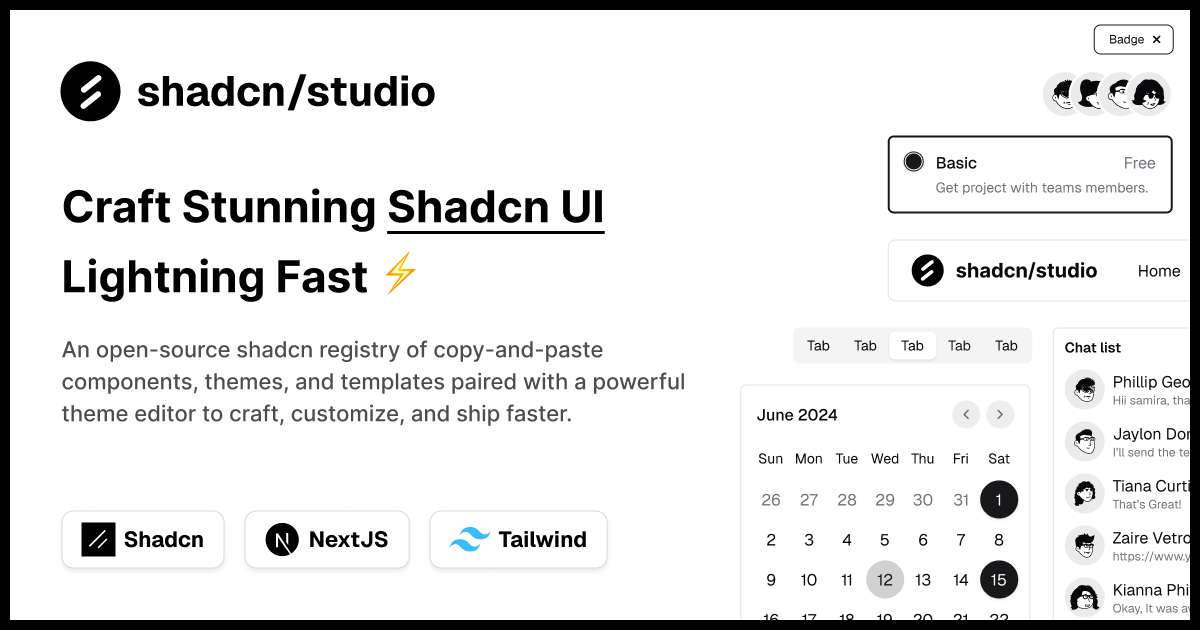
shadcn/studio is an open-source collection of copy-and-paste shadcn components, blocks, and templates - paired with a powerful theme generator & AI Tools to craft, customize, and ship faster. 🚀



Supported by ThemeSelection , with a commitment to empowering the open-source community.
- Table of Contents 📋
- Features ✨
- Project Structure 🏗️
- Quick Start 🚀
- Available Commands 🧞
- Code Formatting 🎨
- Configuration ⚙️
- Dependencies 📦
- Deployment 🌐
- Documentation 📚
- Community 🤝
- Useful Links 🎁
- Social Media 🌍
shadcn/ui aims to provide core components with a unique distribution system, allowing developers to copy and paste reusable, customizable UI elements directly into their codebase.
While this approach offers flexibility and control, it comes with some limitations: a lack of diverse component variants examples, limited theme customization options, and limited pre-built blocks. Additionally, its extensive customization options, though powerful, can sometimes feel overwhelming, especially for those seeking a more guided or streamlined experience.
This project showcases a complete business website with sections for Header, Hero, Changelog Timeline,FAQ, and call-to-action components.
- 🚀 Built with Astro - Fast, modern static site generation
- 🎨 Shadcn Studio Components - Beautiful, ready-to-use Tailwind CSS components
- 📱 Fully Responsive - Optimized for mobile, tablet, and desktop
- ⚡ Optimized Performance - Fast page loads and excellent SEO
- 🔧 TypeScript Support - Type-safe configuration and development
- 💅 Prettier Integration - Automatic code formatting with Tailwind class sorting
- 🌙 Tailwind CSS 4 - Latest Tailwind with modern features
shadcn-studio-astro-template/
├── public/                    # Public static assets
│   ├── favicon/               # Favicon files
│   ├── images/                # Public images
│   ├── _headers               # Netlify Deploy Headers
│   ├── robots.txt             # SEO crawler rules
│   └── site.webmanifest       # PWA manifest
│
├── src/
│   ├── assets/                # SVG and other assets
│   │
│   ├── components/            # Reusable UI components
│   │   └── blocks/            # Block components
│   │   └── layout/            # Layout components
│   │   └── sections/          # Data of components
│   │   └── ui/                # Base UI components
│   │
│   ├── layouts/               # Astro layout files
│   │   ├── BlankLayout.astro  # Minimal layout
│   │   ├── HeadSeo.astro      # SEO head layout
│   │   └── Layout.astro       # Main site layout
│   │
│   ├── lib/                   # Helper libraries
│   │   └── utils.ts           # Utility functions
│   │
│   ├── pages/                 # Route-based pages
│   │   ├── 404.astro          # 404 page
│   │   ├── index.astro        # Home page
│   │   └── rss.xml.js         # RSS feed generator
│   │
│   ├── styles/
│   │   └── global.css         # Global styles
│   │
│   ├── utils/                 # Utility functions
│   │   └── seo.ts             # SEO helpers
│   └── consts.ts              # Application constants (SEO)
│
├── astro.config.mjs           # Astro configuration
├── content.config.ts          # Content collections config
├── .env.example               # Environment variable template
├── components.json            # shadcn/ui config
├── package.json               # Dependencies & scripts
├── tsconfig.json              # TypeScript configuration
└── vercel.json                # Vercel deployment config
- Node.js 18, 20, or 22+
- pnpm (recommended) or npm
-
Install dependencies:
pnpm install
-
Start the development server:
pnpm run dev
The site will be available at
http://localhost:4321 -
Build for production:
pnpm build
The built site will be in the
dist/folder with relative asset paths for easy deployment. -
Preview the production build:
pnpm run preview
The template comes with several pre-configured scripts to help you with development, building, and maintaining your project. All scripts can be run using your package manager of choice (npm, pnpm, yarn, or bun) from the root of the project.
| Command | Action |
|---|---|
dev |
Starts the Astro development server with hot-reload enabled. Your application will be available at http://localhost:4321 |
build |
Creates an optimized production build of your application. This command generates static files and optimizes your code for deployment. |
preview |
Preview production site locally. Use this to test your production build locally before deploying. |
lint |
Runs ESLint to check your code for potential errors and code quality issues. This helps maintain clean and consistent code. |
lint:fix |
Runs ESLint and automatically fixes problems where possible. |
format |
Formats all files using Prettier to ensure consistent code style. |
check-types |
Checks TypeScript types to catch type errors before building or deploying. |
This project uses Prettier for code formatting with the following features:
- Automatic formatting on save in VS Code
- Tailwind CSS class sorting - Classes are automatically sorted in the recommended order
- Extra space removal - Trailing whitespace and extra spaces are removed
- Consistent code style - Enforced across all
.astro,.js,.ts, and.cssfiles
-
Install recommended VS Code extensions (you'll be prompted when opening the project):
- Prettier - Code formatter
- Astro
- Tailwind CSS IntelliSense
- EditorConfig for VS Code
-
Formatting will work automatically on save thanks to:
.prettierrc- Prettier configuration.editorconfig- Editor settings.vscode/settings.json- VS Code workspace settings
-
Manual formatting:
pnpm run format # Format all files
Edit src/consts.ts to customize your site:
export const siteConfig = {
  creatorName: 'Shadcn Studio',
  demoName: 'Ink',
  templateName: 'Blog Landing Page'
  // ... more settings
}Configure the site's SEO and global metadata in src/consts.ts. These settings power the HeadSeo.astro layout and seo.ts helpers so pages have correct titles, descriptions, and social previews.
Recommended fields:
siteTitle: The site-wide default title.siteDescription: Default meta description for pages.siteUrl: The canonical base URL for building absolute links.siteLocale: Locale string used for html/lang and Open Graph (e.g.en-US).siteAuthor: Default author/creator name.siteKeywords: Array of SEO keywords.socialImage: Path to the default social preview image (OG/Twitter card).faviconPath: Path to the favicon in/public.themeColor: Theme color meta for browsers and PWA.twitterHandle: Official Twitter/X handle for site cards.analyticsId: Optional analytics measurement id (Google Analytics, Plausible, etc.).
Example siteConfig with SEO fields:
// Example SEO & site settings — edit src/consts.ts
export const siteConfig = {
  siteTitle: 'Ink — Blog Landing Page',
  siteDescription: 'A beautifully crafted Blog and product landing page built with Astro and shadcn/studio.',
  siteUrl: 'https://example.com',
  siteLocale: 'en-US',
  siteAuthor: 'Shadcn Studio',
  siteKeywords: ['Blog', 'landing page', 'astro', 'shadcn'],
  socialImage: '/images/social-preview.png',
  faviconPath: '/favicon/favicon.ico',
  themeColor: '#0ea5e9',
  twitterHandle: '@ShadcnStudio',
  analyticsId: '' // optional
}
Tips:
- Keep
siteUrlconsistent with your deployed domain to ensure correct canonical and Open Graph URLs. - Place social preview images in
public/imagesand reference them with absolute paths (e.g./images/social-preview.png).
The production build creates static files with relative asset paths, making it easy to deploy to:
- GitHub Pages
- Netlify
- Vercel
- Any static hosting service
Simply upload the contents of the dist/ folder after running pnpm run build.
For comprehensive documentation, please visit shadcn/studio documentation.
Join the shadcn/studio community to discuss the library, ask questions, and share your experiences: