

Interactive command-line based application framework for C#
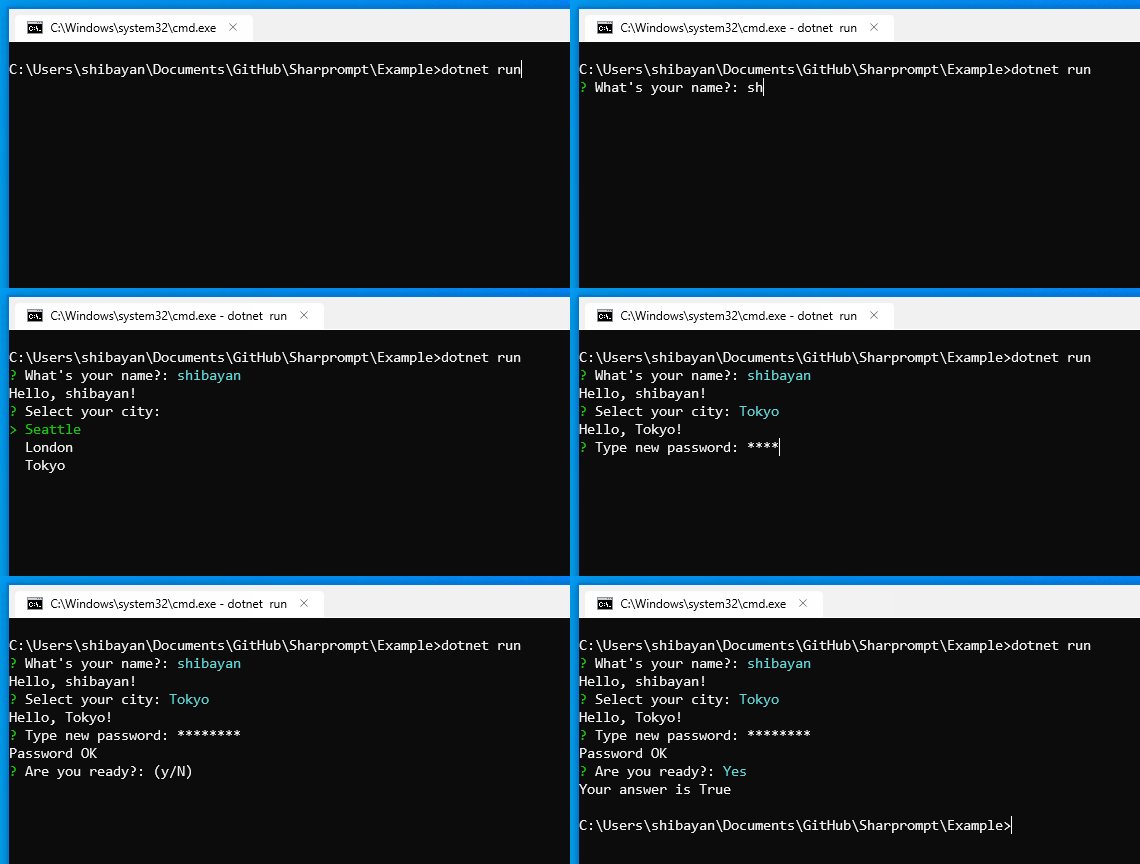
- Multi-platform support
- Supports the popular prompts (
Input/Password/Select/ etc) - Supports model-based prompts
- Validation of input value
- Automatic generation of data source using Enum type
- Customizable symbols and color schema
- Unicode support (Multi-byte characters and Emoji😀🎉)
Install-Package Sharpromptdotnet add package Sharprompt// Simple input
var name = Prompt.Input<string>("What's your name?");
Console.WriteLine($"Hello, {name}!");
// Password input
var secret = Prompt.Password("Type new password", validators: new[] { Validators.Required(), Validators.MinLength(8) });
Console.WriteLine("Password OK");
// Confirmation
var answer = Prompt.Confirm("Are you ready?", defaultValue: true);
Console.WriteLine($"Your answer is {answer}");The project in the folder Sharprompt.Example contains all the samples. Please check it.
dotnet run --project Sharprompt.ExampleTakes a generic type parameter and performs type conversion as appropriate.
var name = Prompt.Input<string>("What's your name?");
Console.WriteLine($"Hello, {name}!");

var number = Prompt.Input<int>("Enter any number");
Console.WriteLine($"Input = {number}");
var answer = Prompt.Confirm("Are you ready?");
Console.WriteLine($"Your answer is {answer}");
var secret = Prompt.Password("Type new password");
Console.WriteLine("Password OK");
var city = Prompt.Select("Select your city", new[] { "Seattle", "London", "Tokyo" });
Console.WriteLine($"Hello, {city}!");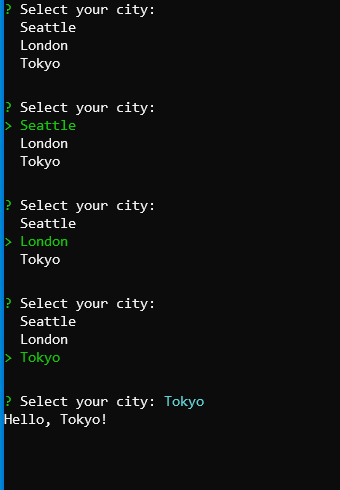
var cities = Prompt.MultiSelect("Which cities would you like to visit?", new[] { "Seattle", "London", "Tokyo", "New York", "Singapore", "Shanghai" }, pageSize: 3);
Console.WriteLine($"You picked {string.Join(", ", cities)}");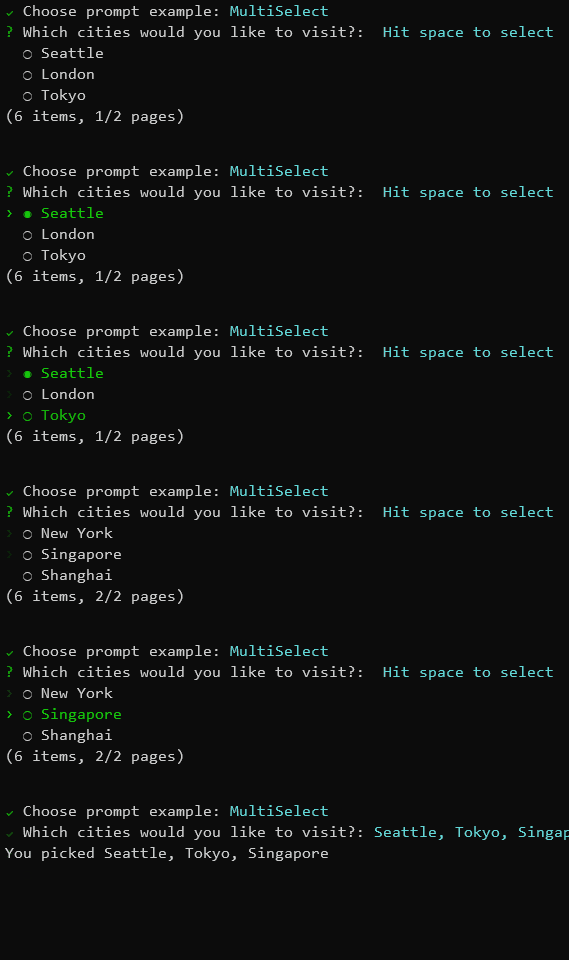
var value = Prompt.List<string>("Please add item(s)");
Console.WriteLine($"You picked {string.Join(", ", value)}");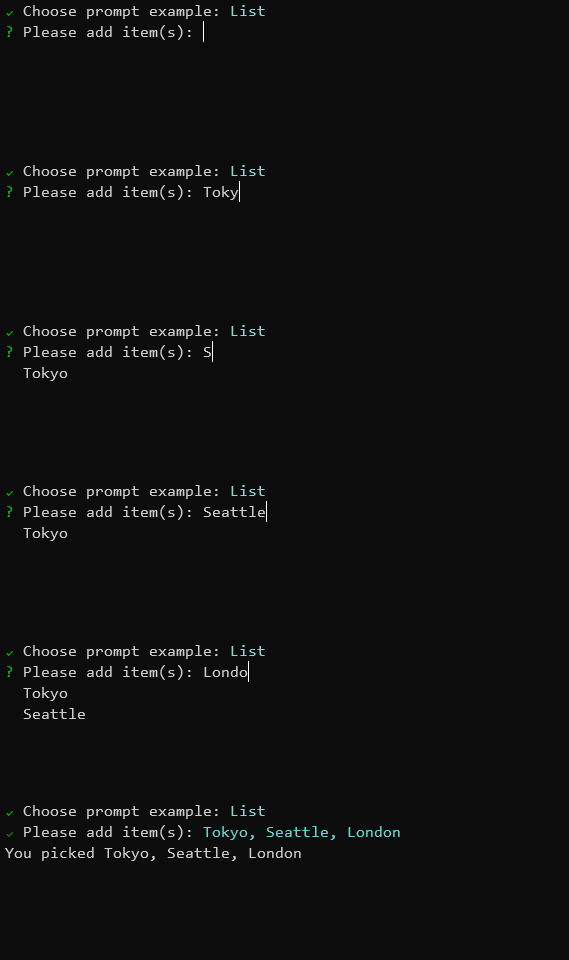
// Input model definition
public class MyFormModel
{
    [Display(Name = "What's your name?")]
    [Required]
    public string Name { get; set; }

    [Display(Name = "Type new password")]
    [DataType(DataType.Password)]
    [Required]
    [MinLength(8)]
    public string Password { get; set; }

    [Display(Name = "Select your city")]
    [Required]
    [InlineItems("Seattle", "London", "Tokyo")]
    public string City { get; set; }

    [Display(Name = "Are you ready?")]
    public bool? Ready { get; set; }
}

var result = Prompt.Bind<MyFormModel>();Prompt.Symbols.Prompt = new Symbol("🤔", "?");
Prompt.Symbols.Done = new Symbol("😎", "V");
Prompt.Symbols.Error = new Symbol("😱", ">>");
var name = Prompt.Input<string>("What's your name?");
Console.WriteLine($"Hello, {name}!");Prompt.ColorSchema.Answer = ConsoleColor.DarkRed;
Prompt.ColorSchema.Select = ConsoleColor.DarkCyan;
var name = Prompt.Input<string>("What's your name?");
Console.WriteLine($"Hello, {name}!");// Throw an exception when canceling with Ctrl-C
Prompt.ThrowExceptionOnCancel = true;
try
{
var name = Prompt.Input<string>("What's your name?");
Console.WriteLine($"Hello, {name}!");
}
catch (PromptCanceledException ex)
{
Console.WriteLine("Prompt canceled");
}Sharprompt provides built-in validators that can be used with the validators parameter.
var secret = Prompt.Password("Type new password", validators: new[] { Validators.Required(), Validators.MinLength(8) });| Validator | Description |
|---|---|
Validators.Required() |
Ensures the input is not empty |
Validators.MinLength(length) |
Ensures the input has at least the specified number of characters |
Validators.MaxLength(length) |
Ensures the input does not exceed the specified number of characters |
Validators.RegularExpression(pattern) |
Ensures the input matches the specified regular expression |
public enum MyEnum
{
    [Display(Name = "First value")]
    First,
    [Display(Name = "Second value")]
    Second,
    [Display(Name = "Third value")]
    Third
}

var value = Prompt.Select<MyEnum>("Select enum value");
Console.WriteLine($"You selected {value}");// Prefer UTF-8 as the output encoding
Console.OutputEncoding = Encoding.UTF8;
var name = Prompt.Input<string>("What's your name?");
Console.WriteLine($"Hello, {name}!");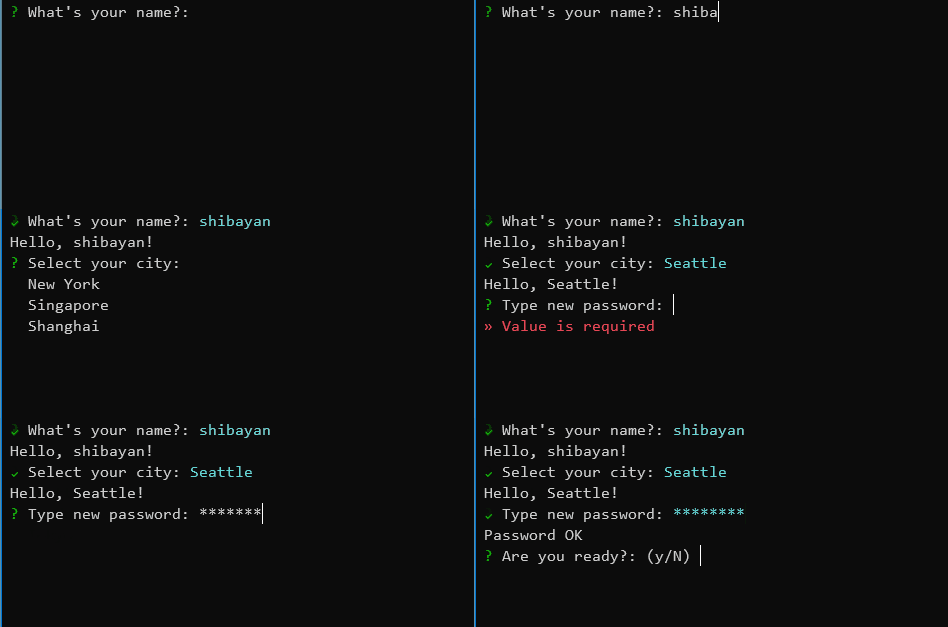
using Sharprompt.Fluent;

// Use fluent interface
var city = Prompt.Select<string>(o => o.WithMessage("Select your city")
                                       .WithItems(new[] { "Seattle", "London", "Tokyo" })
.WithDefaultValue("Seattle"));- Windows
- Command Prompt
- PowerShell
- Windows Terminal
- Linux (Ubuntu, etc)
- Windows Terminal (WSL 2)
- macOS
- Terminal.app
This project is licensed under the MIT License