

Navigate between tmux panes and Neovim splits with Ctrl-h/j/k/l. Pure tmux — no Neovim plugin or config needed.
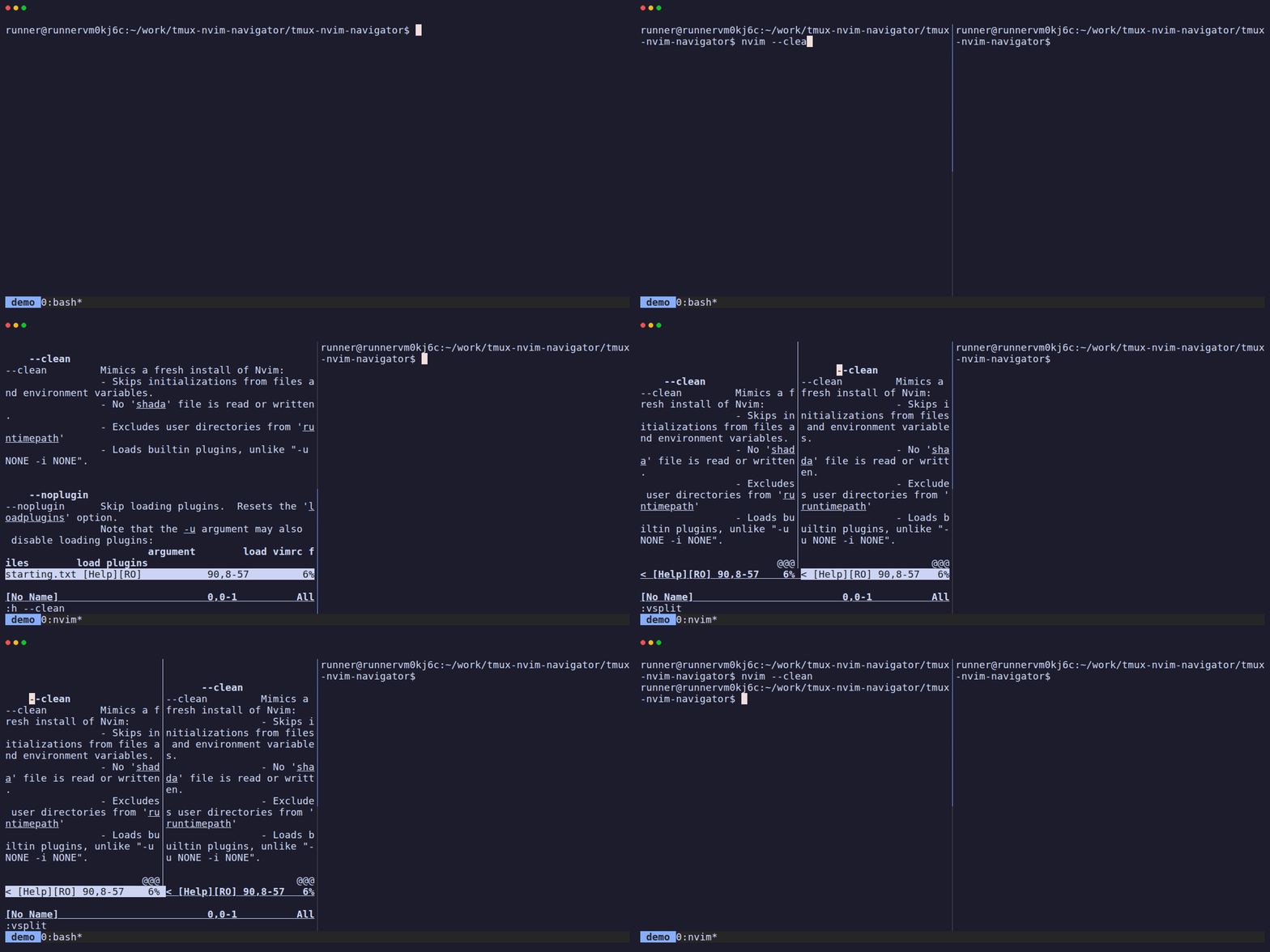
Works with any Neovim config, including --clean and multiple NVIM_APPNAME setups. When entering a Neovim pane, the cursor is repositioned to the nearest split on the side you came from.
- tmux >= 3.0
- Neovim >= 0.8
Add the plugin to your tmux.conf:
set -g @plugin 'sindrip/tmux-nvim-navigator'To customize the keybindings, set these options before the plugin line:
set -g @tmux-nvim-navigator-left  'C-h'
set -g @tmux-nvim-navigator-down  'C-j'
set -g @tmux-nvim-navigator-up    'C-k'
set -g @tmux-nvim-navigator-right 'C-l'Add these to your tmux.conf:
bind -n C-h run-shell "/path/to/bin/tmux-navigate left"
bind -n C-j run-shell "/path/to/bin/tmux-navigate down"
bind -n C-k run-shell "/path/to/bin/tmux-navigate up"
bind -n C-l run-shell "/path/to/bin/tmux-navigate right"When you navigate in a direction:
- If the current pane is running Neovim, the plugin tries to move within Neovim's splits
- If the cursor is already at the edge of Neovim's splits (or the pane isn't running Neovim), it moves to the next tmux pane
- When entering a Neovim pane, the cursor is repositioned to the nearest split on the side you came from
All of this is handled entirely on the tmux side via Neovim's --remote-expr RPC interface over the Unix socket. Your Neovim config stays completely untouched.
Other plugins require configuration for both programs:
| Plugin | Neovim plugin required? | tmux config required? |
|---|---|---|
| tmux-nvim-navigator | No | Yes |
| vim-tmux-navigator | Yes | Yes |
| smart-splits.nvim | Yes | Yes |
| nvim-tmux-navigation | Yes | Yes |
