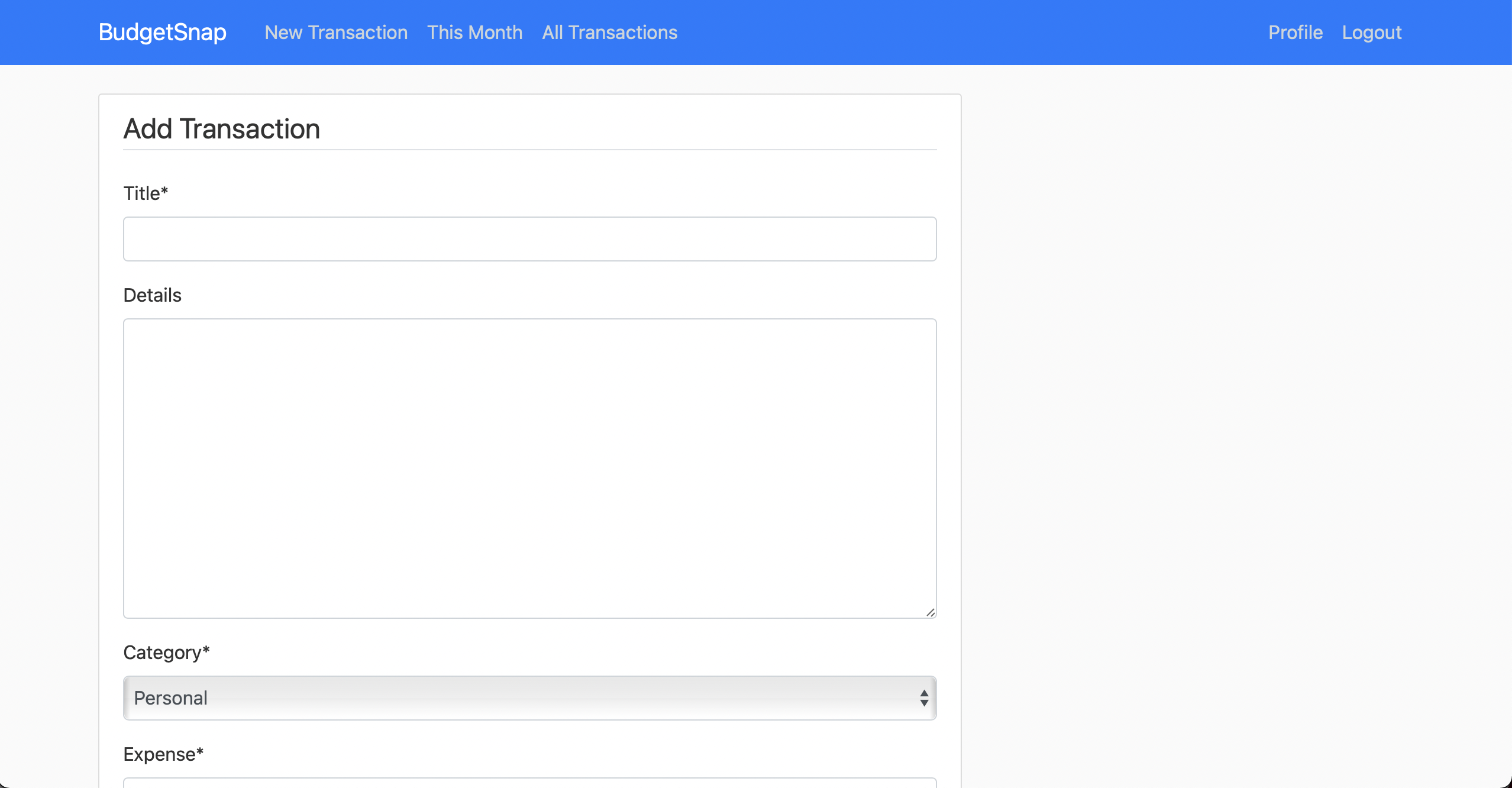
New Transaction Page
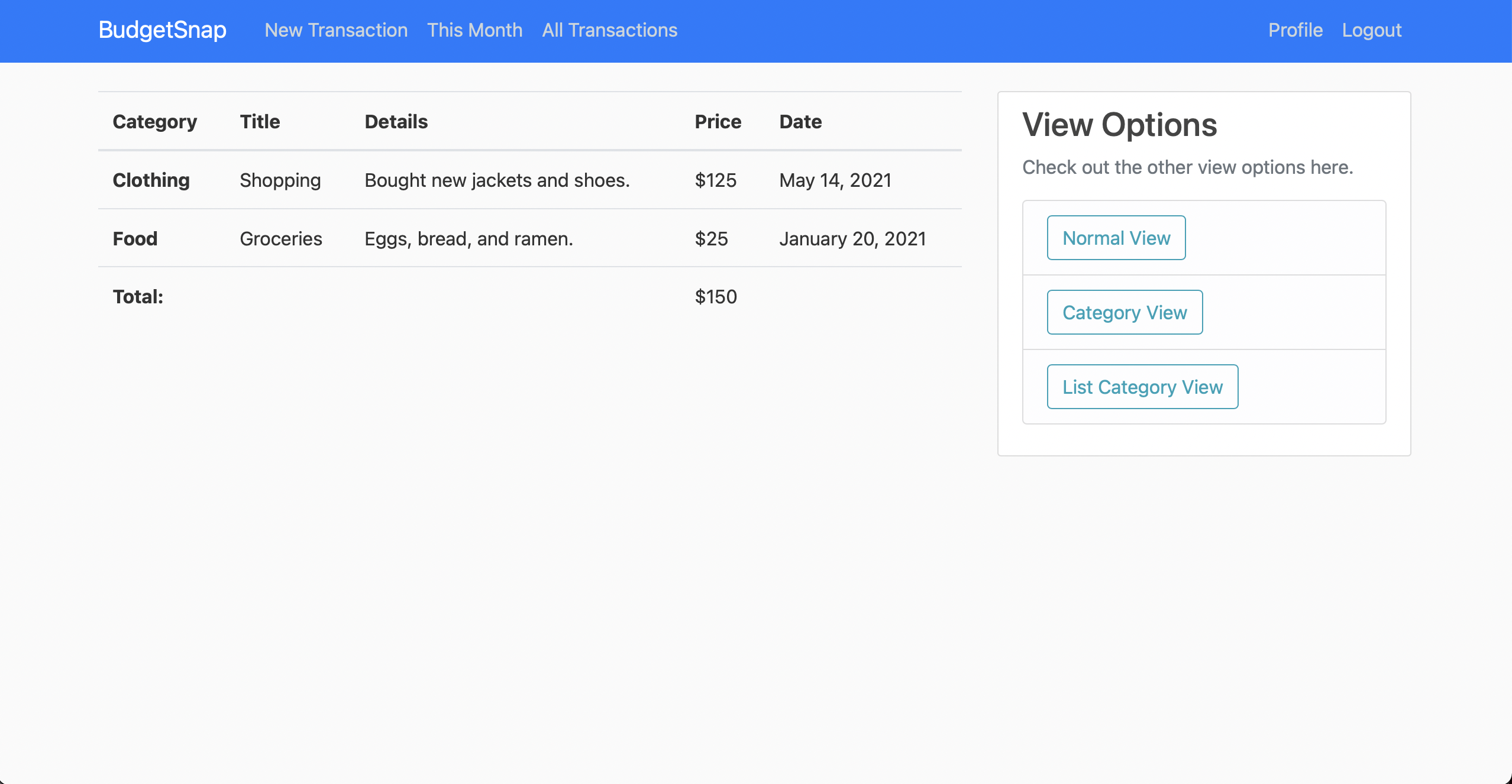
List View
This application allows a user to keep track of their expenses and profits in one location. There are several features incorporated into the application for the convenience of the users. The user must register an account and sign in to use the tracker. They can then create new transactions, view their monthly expenses/profits, and view all their transactions in a variety of ways (See View Options below). All the transactions are stored in a database so that each user can access their own transactions again by logging into the app.
The application was created with HTML, Bootstrap, Python, and Django. It is deployed with Heroku and all the transaction and profile data is stored in a PostgreSQL database.
For the last few years, Starr Decor, a balloon decor business I co-founded, used programs such as Apple's native Notes app to keep track of earnings as well as expenses from the business. This method of keeping track of transactions was inefficient and made it difficult to manage with multiple people. For this reason I created a web application that was customized for the needs of the company but could also be used by others around the world. The inspiration for some of the features below such as the view options and the categories were directly related to the needs for this business (they have been updated to reach a larger audience).
There are several options once the user is logged in. The category field contains 5 options which are personal, food, clothing, housing, and other. These are in a dropdown to make it quick and easy to categorize.
The user can go directly to create a new transaction and the fields to fill include:
- Title
- Details (Not required)
- Category
- Expense
- Date Purchased
They can also view their monthly transactions and all transactions and more detail about these are below.
When registering an account, the application makes sure that the password meets all 4 of the conditions so that the password is not too insecure.
- Your password can’t be too similar to your other personal information.
- Your password must contain at least 8 characters.
- Your password can’t be a commonly used password.
- Your password can’t be entirely numeric. After logging in they must simply sign in and all the navigation bar options will popup to start using the application as intended.
There are a total of 4 view options. The user can view their transactions based on the category, of which there are 5, or by the date of the transaction. This allows the user to view how much they are spending on specific categories and pinpoint any financial problems. They can also also view the transactions in post or list view which are further customizations after choosing to view by category or date. In post view, each transaction is allocated a box and includes details about the transaction. The user can also go through the post pages to see all of their posts. In list view, the transactions are condensed and in a table for a quick and clean view of their transactions.
There is a default user profile picture but the user can also customize their profile with a profile picture. This adds flavour to users profile, but does not add any functionality. Furthermore, in the profile section, the user can change their username in case their previous one was not what they intended anymore. By doing this, the user will be able to login with a new username as well.