


SVAR Vue Calendar is a customizable, interactive calendar component for Vue 3 designed for managing events and schedules. The component ships with multiple views (Day, Week, Month), drag-and-drop interface, an intuitive event editor, and flexible theming. Comes with full TypeScript support, a developer-friendly API, and flexible CSS styling.
The PRO Edition adds Year, Timeline, Agenda, and Resources views, as well as recurring events support. To see the event calendar in action, try the live demo.
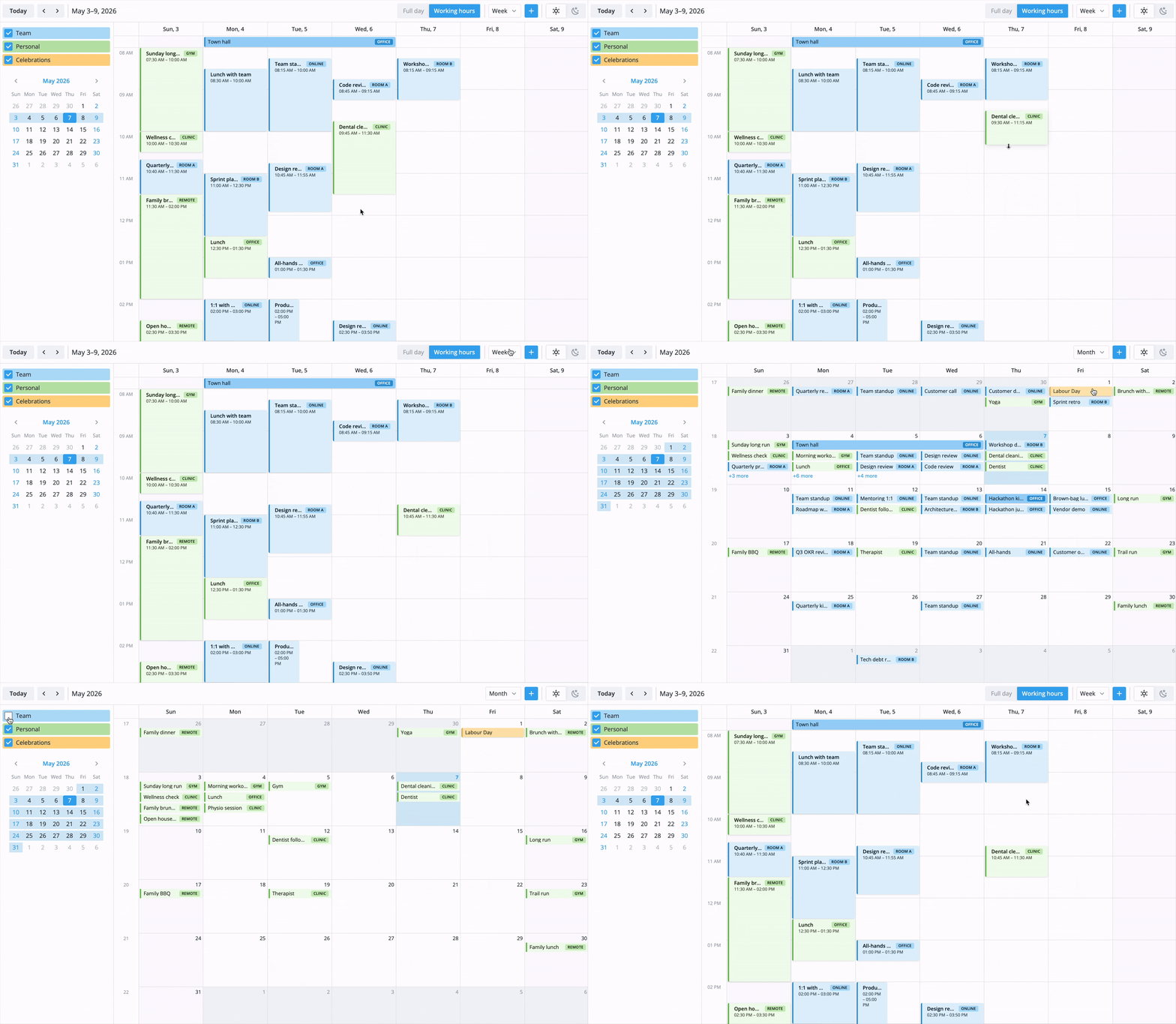
The calendar component provides all the essential functionality expected in an online calendar. It is completely customizable and can be quickly integrated into a Vue application that needs event planning and scheduling. Free, open-source edition supports:
- Multiple views: day, week, month
- Interactive event creation, editing with drag-and-drop and resize
- Customizable event editor form
- Toolbar and context menu
- Configurable week start, working hours and time format
- Custom event rendering
- Localization
- Light and dark themes
- Fast performance with large datasets
- iCal import/export
- Full TypeScript support
SVAR Vue Calendar is available in open-source and PRO editions. The PRO package includes additional calendar views and recurrence support that extends the open-source API:
- Agenda view
- Year view
- Resources view
- Timeline view
- Recurring events with RRULE expansion
Visit the pricing page for licensing details and feature comparison.
To install SVAR Vue Calendar:
npm install @svar-ui/vue-calendar
To use the widget, simply import the package and include the component in your Vue file:
<script setup>
import { Calendar } from "@svar-ui/vue-calendar";

const events = [
    {
        id: 1,
        start_date: new Date(2024, 3, 2, 10, 0),
        end_date: new Date(2024, 3, 2, 11, 30),
        text: "Project kick-off",
        details: "Align on scope and milestones.",
    },
];
const date = new Date(2024, 3, 2);
const mode = "week";
</script>

<template>
    <Calendar :events="events" :date="date" :mode="mode" />
</template>
For further instructions, follow the detailed quick start guide.
The package exports the following from @svar-ui/vue-calendar:
Calendar— main calendar componentCalendarPanel— embeddable panel variantEditor— event editorContextMenu— context menuWillow,WillowDark— themesgetDefaultToolbar,getDefaultMenu,getEditorItems,registerEditorItem
If SVAR Vue Calendar helps your project, give us a star! It helps us reach more developers and keeps us motivated to add new features.
Post an Issue or use our community forum.