


SVAR Vue Kanban is a customizable, interactive Kanban board component for Vue.js. It lets users create, edit, and rearrange cards on a clean, visual task board. The component supports flexible layouts, editing, sorting, filtering, grouping, and rich customization options.
It comes with full TypeScript support, an extensible API, and flexible CSS styling — a quick way to add project planning and workflow visualization to your Vue 3 apps. The PRO Edition adds extra features for enterprise projects (data export, dynamic loading, undo/redo support).
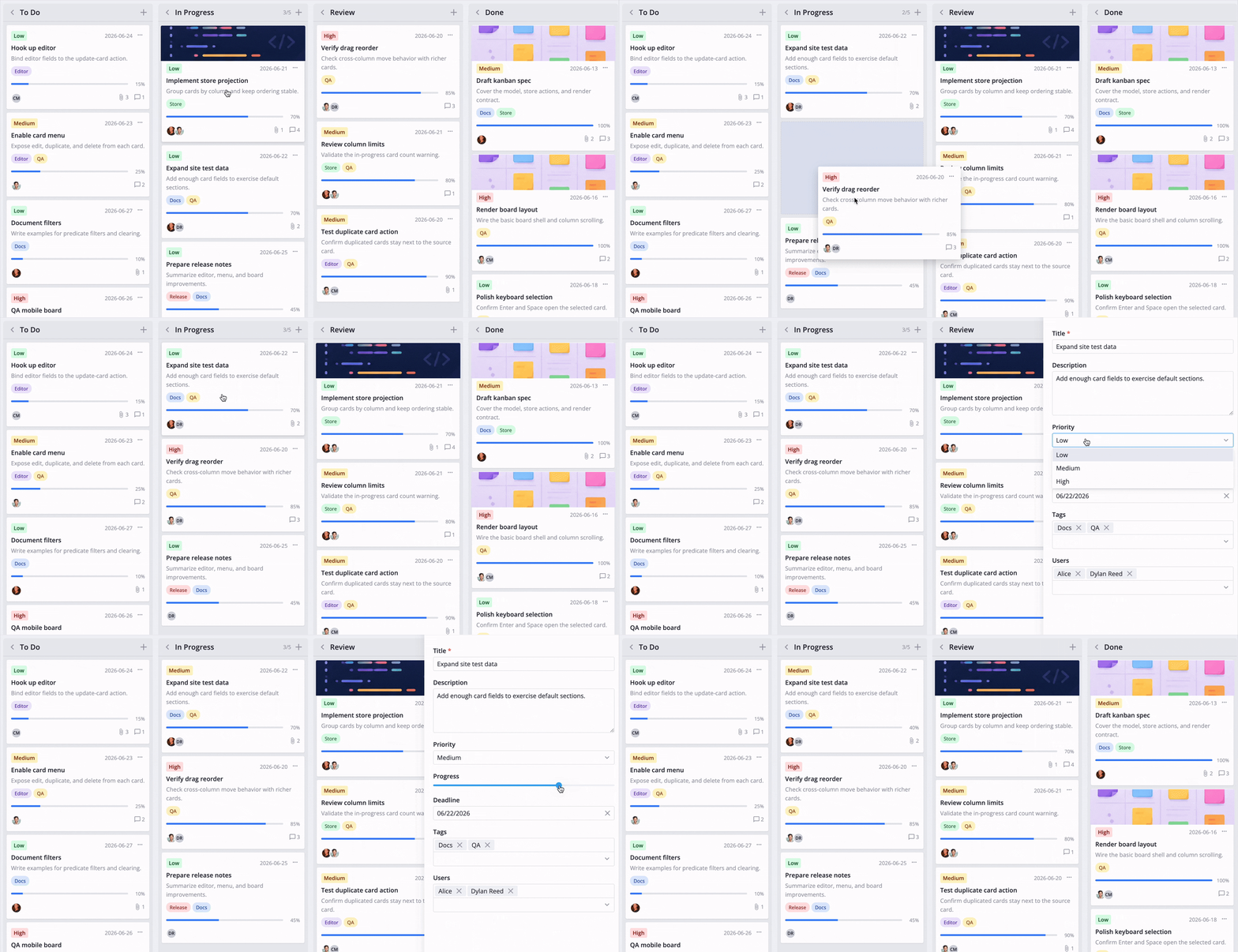
- Drag-and-drop cards between columns and rows
- Built-in card editor
- Context menu and toolbar
- Card filtering
- REST data provider for backend integration
- Custom card templates
- Localization
- Light and dark skins
- Full TypeScript support
SVAR Vue Kanban is available in open-source and PRO Editions. The PRO Edition offers extra features, including:
- Export to PDF/PNG/Excel
- Dynamic data loading
- Undo/redo support
Visit the pricing page for licensing details and feature comparison.
Install SVAR Vue Kanban via npm:
npm install @svar-ui/vue-kanban
To use the widget, simply import the package and include the component in your Vue file:
<script setup>
import { Kanban } from "@svar-ui/vue-kanban";

const cards = [
    { id: 1, label: "Design", column: "todo" },
    { id: 2, label: "Implement", column: "doing" },
];
const columns = [
    { id: "todo", label: "To Do" },
    { id: "doing", label: "Doing" },
    { id: "done", label: "Done" },
];
</script>

<template>
    <Kanban :cards="cards" :columns="columns" />
</template>
For further instructions, follow the detailed quick start guide.
If SVAR Vue Kanban helps your project, give us a star! It helps us reach more developers and keeps us motivated to add new features.
Post an Issue or use our community forum.