Exaquery is a UI for visualizing the timeline of Exasol queries. It also allows you to see detailed (profiling) information on each query.
Use touchpad's pinch & scroll functionality to zoom and move:
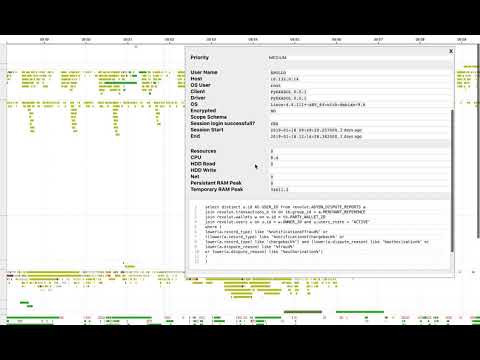

Warning: UI is tested on Macbook Chrome only. No idea how this looks on other browsers.
The easiest way to run the docker image:
docker run \
    -i \
    -t \
    -e HOST=<exasol_host:port> \
    -e USER=<user> \
    -e PASSWORD=<password> \
    -p 8080:8080 \
    sztanko/exaquery:latest
If you are using a tunnelled connection, use host.docker.internal as your hostname.
docker run \
    -i \
    -t \
    -e HOST=host.docker.internal:9000 \
    -e USER=sys  \
    -e PASSWORD=xxxx \
    -p 8080:8080  \
    sztanko/exaquery:latest
Then just open [http://0.0.0.0:8080] in your Chrome.
Database auditing and (system-wide) profiling needs to be enabled. Any user that can FLUSH STATISTICS and with SELECT ANY DICTIONARY privilege can be used for the project. App is not sending to third party server/recording/logging any information. Neither it writes any changes to the database.
Server's code is written in Python 3. It is located in the backend directory, cd into it to work on the backend code.
Follow Dockerfile instruction for installing
cd backend
pip install -r requirements.txtcd backend
source .env/bin/activate
HOST=127.0.0.1:9000 USER=sys PASSWORD=exasol python server.pyClient's code is in the ui directory, cd into it to work on the frontend code.
To install the UI dependencies:
cd ui
yarnJust run:
cd ui/
yarn start
The frontend is based on Facebook's Create React App.
To build for production, simply run:
cd ui
yarn buildTo build the Docker container with the backend and UI:
docker build -t exaquery .