dragdrop file
@todo rename formater-dragdrop-file
An area where drag and drop client file to replace input type file.
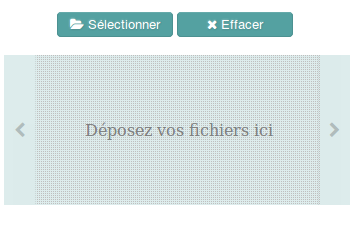
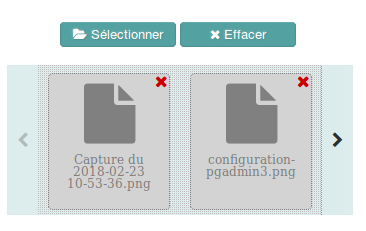
<template>
   <dragdrop-file  max-files="3" ext="jpg"  @change="changeFiles" lang="en" color="#990000"></dragdrop-file>
</template>
<script>
import  {DragdropFile} from 'formater-commons-components-vjs'
export default {
   components: {
     DragdropFile
   },
   methods: {
     changeFiles (event) {
       switch(event.type) {
         case 'add':
          this.receiveFile(event)
          break;
         case 'remove':
          this.removeFile(event);
          break;
        }
      },
      receiveFile (event) {
        // display image
        var reader  = new FileReader()
	var img = document.createElement('img')
	img.setAttribute('width',250)
	document.body.appendChild(img)
	reader.addEventListener("load", function () {
	  img.src = reader.result
	}, false)
	reader.readAsDataURL(event.file)
      }
    }
  //...
}
</script>language
- String
'fr'or'en' - Default
'fr'
list of accepted extensions separate by coma
- String
- Default
'png,jpeg,jpg,gif'
hexadecimal color of the buttons, background of the component is filled with this highlighted color (80%)
- String
- Default:
'#54a1a1'
component width in pixels, else use parent width
- Number
- Default:
null
the maximum of files, the user can add. Unlimited if not specified
- Number
- Default:
null
  event = {
     type: 'add',   // or 'remove'
     index: index,  // index to identify the file when add and remove
     file: file,    // when add, it is an instance of File
     filename: filename
}Then change background and button colors