


A Kubernetes operator for automating Renovate Bot deployments. This operator manages Renovate runs across repositories discovered from Git platforms, with a built-in web dashboard for monitoring.
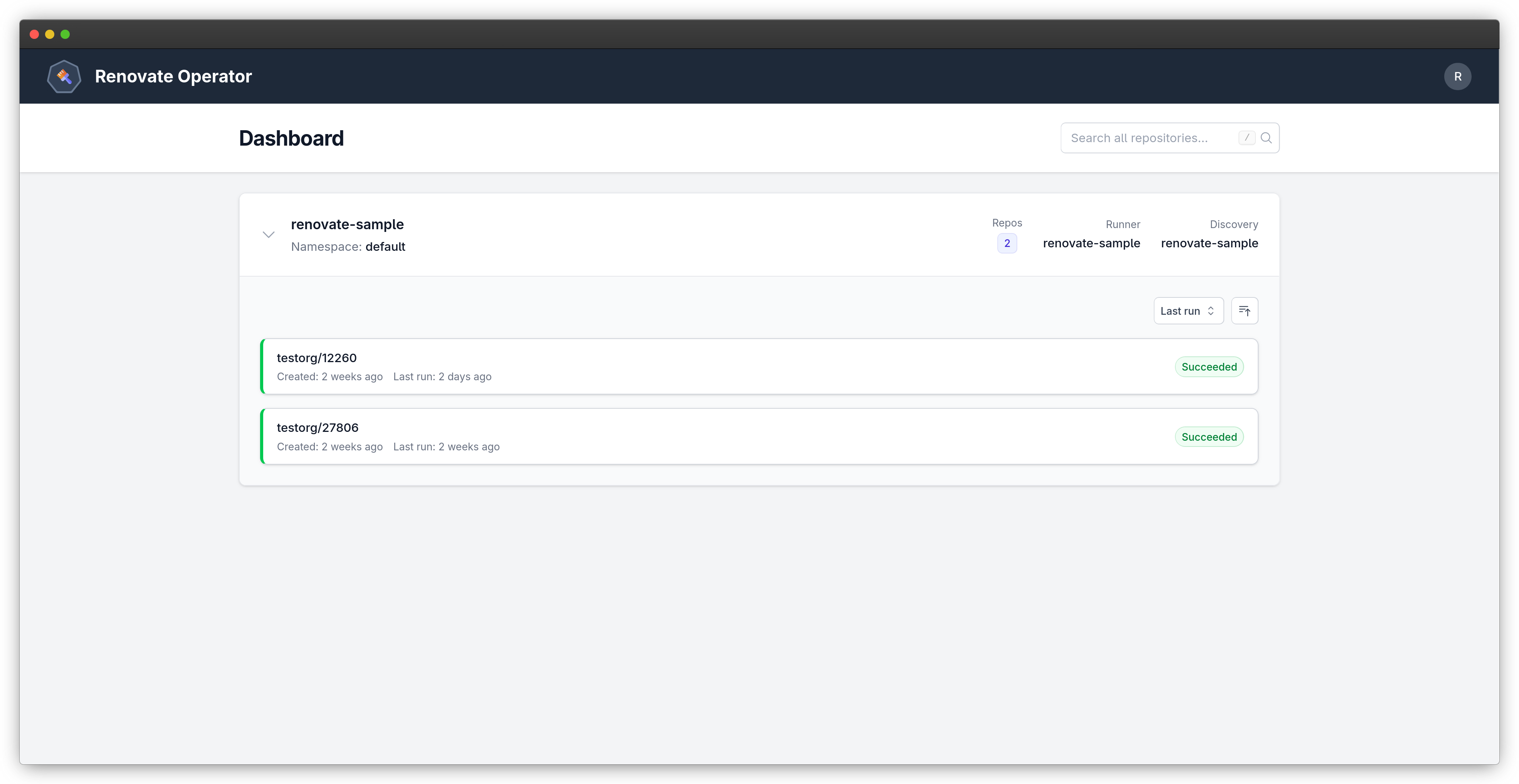
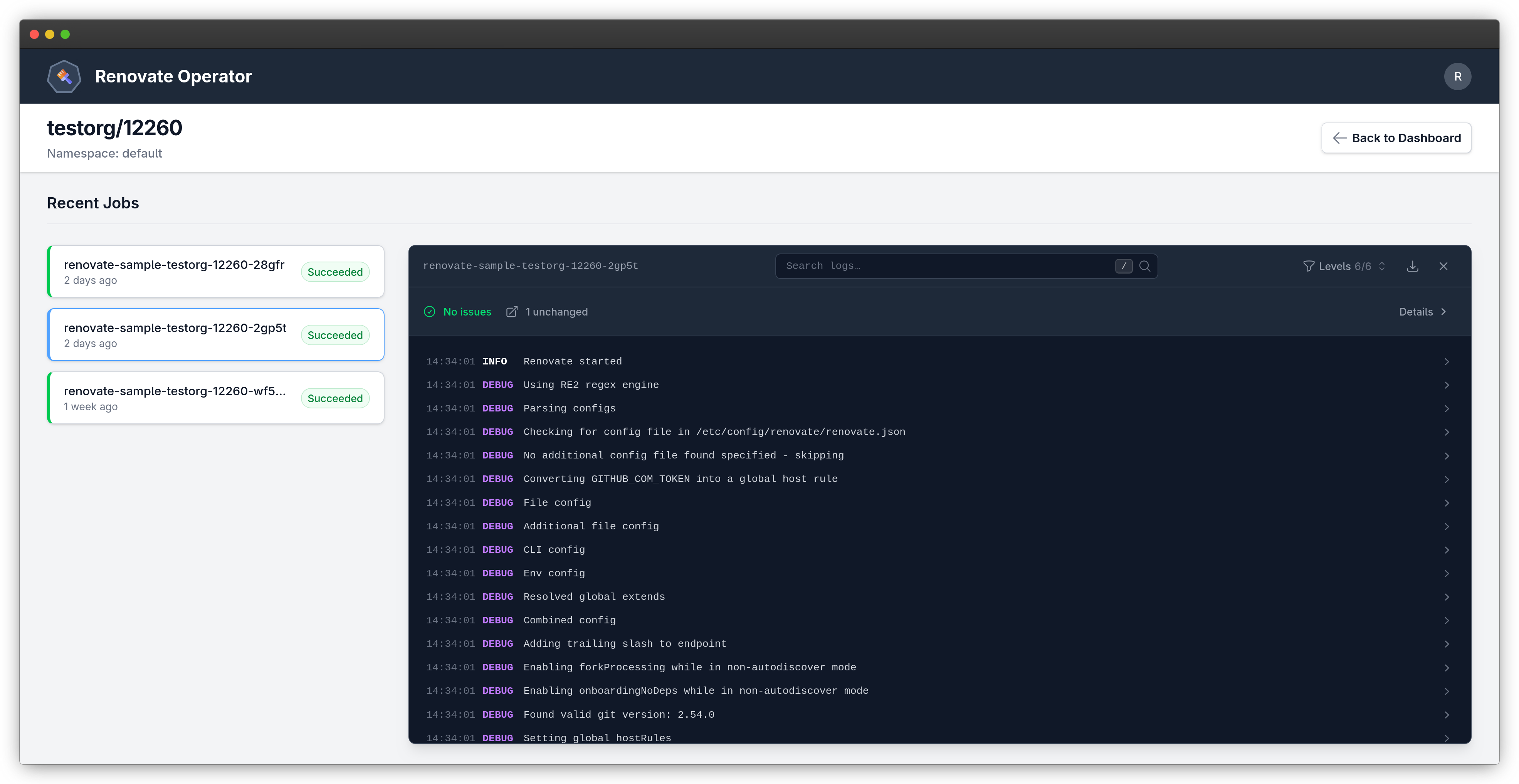
- Automated Scheduling: Cron-based scheduling for discovery and Renovate runs
- Repository Discovery: Automatic discovery of repositories from Git platforms
- Per-Repository Jobs: One Kubernetes Job per repository, all running concurrently
- Web Dashboard: Real-time monitoring with Server-Sent Events, job log viewer
- OAuth2 Login: Secure web UI access via platform OIDC
- Webhook Triggers: Trigger Renovate runs from platform webhook events
- Renovate platform
- Gitea
- GitHub
- Forgejo
- GitLab
- OAuth2 authentication
- Gitea
- GitHub
- Forgejo
- GitLab
- Kubernetes cluster (1.24+)
kubectlconfigured to access your cluster- Access token of a Git platform
The Helm chart and container images are published to:
- Quay.io:
quay.io/thegeeklab/renovate-operator - Docker Hub:
docker.io/thegeeklab/renovate-operator
Install using Quay.io:
helm install renovate-operator oci://quay.io/thegeeklab/renovate-operator \
--namespace renovate-system --create-namespaceDownload install.yaml from the GitHub Releases page, then:
kubectl apply -f install.yaml-
Create a Gitea token secret:
kubectl create secret generic gitea-token \
  --from-literal=token=your_gitea_token_here \
  --namespace renovate-system
-
Create a Renovator resource:
apiVersion: renovate.thegeeklab.de/v1beta1
kind: Renovator
metadata:
  name: my-renovator
  namespace: renovate-system
spec:
  schedule: "0 2 * * *"

  renovate:
    platform:
      type: gitea
      endpoint: https://gitea.example.com
      token:
        secretKeyRef:
          name: gitea-token
          key: token

  discovery:
    schedule: "0 */2 * * *"
    filter:
      - "your-org/*"
      - "!your-org/archived-*"

  runner:
    schedule: "0 3 * * *"
kubectl apply -f renovator.yaml
-
Verify:
kubectl get renovator my-renovator -n renovate-system
kubectl get gitrepos -n renovate-system
kubectl logs -n renovate-system deployment/renovate-operator-controller-manager
The frontend is served by the manager pod on port 8082 by default (configurable via --frontend-bind-address). There is no dedicated Kubernetes Service for the frontend in the default installation, so use port-forward directly to the pod:
kubectl port-forward -n renovate-system \
  deployment/renovate-operator-controller-manager 8082:8082
Then open <http://localhost:8082> in your browser.
WARNING:
GitRepoandAuthProviderresources have finalizers, so the operator must be running while they are deleted.GitReporesources also call the Git platform API to deregister webhooks. Deleting them with the operator unreachable can block deletion and leave orphaned webhooks registered on the platform.
Delete resources in this order:
# 1. Delete GitRepo resources and wait for finalizers to clear
kubectl delete gitrepos --all -n renovate-system
kubectl wait gitrepos --all --for=delete --timeout=120s -n renovate-system

# 2. Delete AuthProvider resources and wait for finalizers to clear
kubectl delete authprovider --all -n renovate-system
kubectl wait authprovider --all --for=delete --timeout=120s -n renovate-system

# 3. Delete Renovator instances
kubectl delete renovator --all -n renovate-system

# 4. Remove the operator
# If using Helm
helm uninstall renovate-operator -n renovate-system

# If using static manifest
kubectl delete -f install.yamlSpecial thanks to all contributors. If you would like to contribute, please see the instructions.
This project is heavily inspired by secustor/renovate-operator from Sebastian Poxhofer.
This project is licensed under the MIT License - see the LICENSE file for details.