

Home Assistant custom integration for Panasonic MirAIe smart air conditioners via local MQTT.
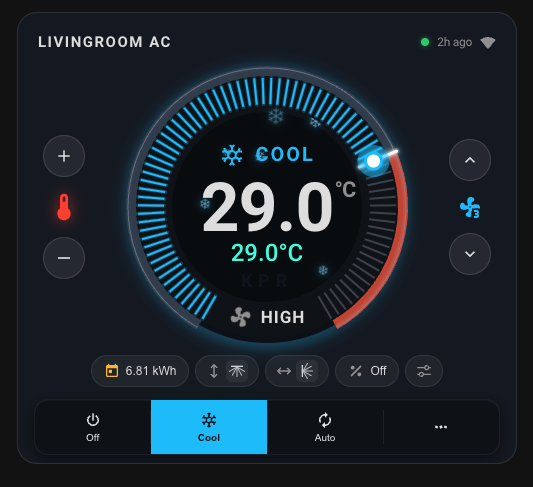
🎨 Also available: a matching Lovelace card — LVGL-inspired circular dial, mode-colored halo, room-temp needle, pill-row popups, responsive layout. See kpr-miraie-card for install + YAML + screenshots.
- Zero YAML — UI-based setup, auto-discovers all your ACs
- Full climate control — temperature, HVAC mode (cool / heat / auto / dry / fan), fan speed
- Positional swing — vertical and horizontal vane positions (Auto, 1-5)
- Extra controls — Eco (
acem), Clean (acec), Powerful, Nanoe, Display, Buzzer switches - Converti8 mode — compressor capacity select with 9 levels (Off / 40-90% / FC / HC)
- Diagnostics — room temperature, WiFi signal, online status
- Auto token refresh — no manual re-authentication needed
- Matching Lovelace card — polished circular dial with drag-to-set, see kpr-miraie-card
- Open HACS in Home Assistant → Integrations
- Click the three dots menu (top right) → Custom repositories
- URL:
https://github.com/hareeshmu/kpr-miraie-mqtt - Category: Integration → Click Add
- Search for "KPR MirAIe" and click Install
- Restart Home Assistant
- Download this repository
- Copy
custom_components/kpr_miraie_mqtt/to your HAconfig/custom_components/directory - Restart Home Assistant
- Home Assistant with MQTT integration configured and connected to a broker
- A Panasonic MirAIe app account
- Go to Settings → Devices & Services → Add Integration
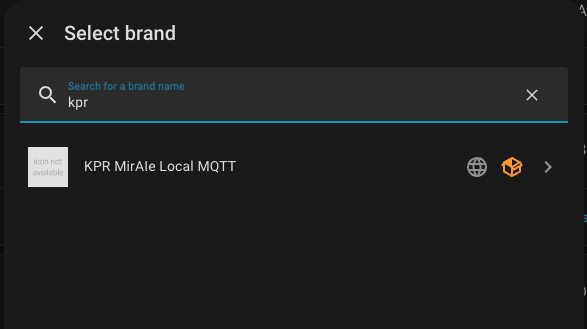
- Search for KPR MirAIe
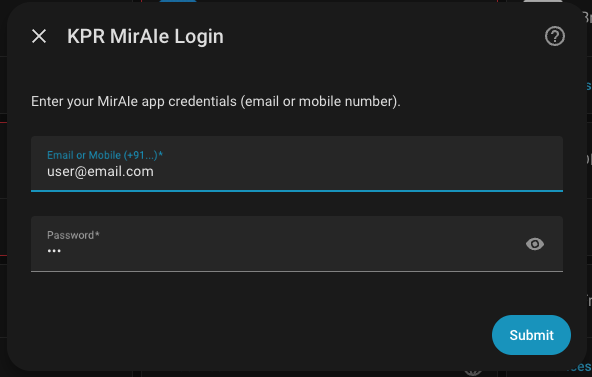
- Enter your MirAIe app credentials (email or mobile number + password)
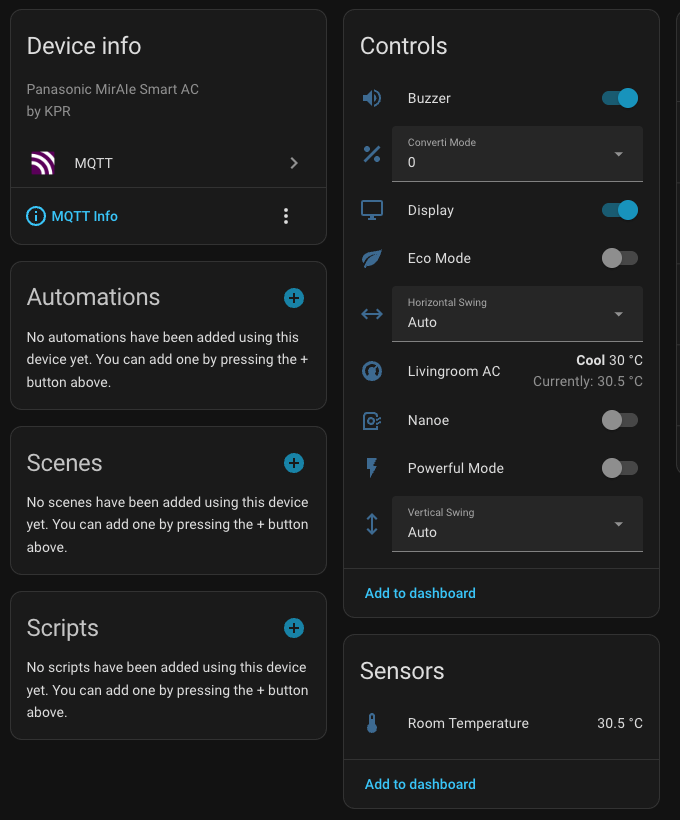
- All your ACs appear automatically under the integration
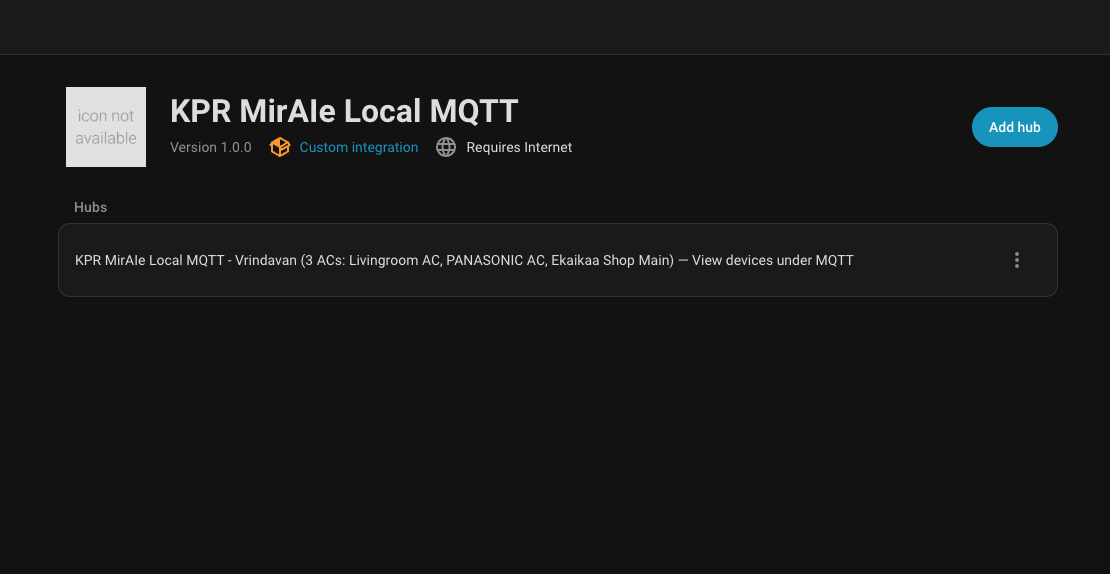
- View and control your AC devices under MQTT integration
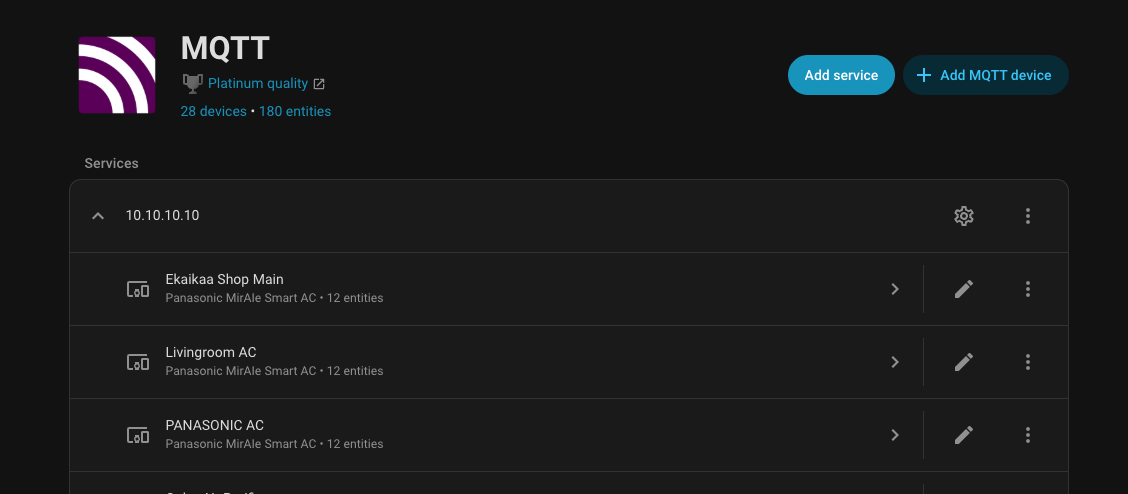
Each AC device gets these entities:
| Entity | Type | Description |
|---|---|---|
| Climate | climate |
Temperature, HVAC mode (cool/heat/auto/dry/fan), fan speed |
| Vertical Swing | select |
Vane position: Auto, 1 (up) to 5 (down) |
| Horizontal Swing | select |
Vane position: Auto, 1 (left) to 5 (right) |
| Eco Mode | switch |
Energy saving mode |
| Powerful Mode | switch |
Boost cooling/heating |
| Nanoe | switch |
Air purification |
| Display | switch |
LED panel on/off |
| Buzzer | switch |
Beep on/off |
| Converti Mode | select |
Compressor capacity: 0%, 50%, 100% |
| Room Temperature | sensor |
Current room temperature |
| WiFi Signal | sensor |
Signal strength in dBm (diagnostic) |
| Online | binary_sensor |
Device connectivity (diagnostic) |
The integration bridges MirAIe's cloud MQTT to your local MQTT broker:
- Logs into MirAIe cloud API with your credentials
- Discovers your home and all AC devices
- Connects to MirAIe's cloud MQTT broker
- Relays device status to your local MQTT broker
- Forwards control commands from HA through cloud MQTT to your ACs
- Auto-refreshes the auth token before it expires (~84 days)
Your Home Assistant only communicates with your local MQTT broker — it never talks to the cloud directly.
The HA component handles device discovery and entity creation. A separate bridge relays MQTT messages between MirAIe cloud and your local broker. You have two options — choose one:
If you are running Home Assistant OS or Supervised, the easiest way is the MirAIe MQTT Bridge add-on — developed by @pranjal-joshi. It runs the bridge directly inside HA with zero extra infrastructure needed.


Quick install:
- Click the button above — it opens HA and pre-fills the repository URL.
Or manually: Settings → Add-ons → Add-on Store → ⋮ → Repositories → pastehttps://github.com/hareeshmu/kpr-miraie-mqtt - Find MirAIe MQTT Bridge in the store → Install
- Go to the Configuration tab, enter your MirAIe credentials and leave
mqtt_*fields empty if you use the Mosquitto add-on - Start the add-on — devices are auto-discovered on first run
- Restart once after discovery, then check Settings → Devices & Services → MQTT for your entities
Full add-on documentation: addon-miraie-bridge/DOCS.md
Copy the bridge/ folder to any machine that can reach both your MQTT broker and the internet (e.g. the same host as your MQTT broker):
git clone https://github.com/hareeshmu/kpr-miraie-mqtt.git
cd kpr-miraie-mqtt/bridgeThe bridge reads credentials.json — you must create this file:
If you login with email:
cp credentials-email.json.example credentials.jsonIf you login with mobile number:
cp credentials-mobile.json.example credentials.jsonEdit credentials.json with your MirAIe app login details.
cp devices.yaml.example devices.yaml
# Edit devices.yaml — set your MQTT broker IP, port, username, password
# Leave the devices section empty — they will be auto-discoveredImportant: You must create both credentials.json and devices.yaml files (steps 2-3) before running Docker. If these files don't exist, Docker will create them as directories and the bridge will fail.
With Docker (recommended):
docker compose up -dOr directly with Python:
pip install -r requirements.txt
python3 miraie_bridge.py
On first run, the bridge auto-discovers all your ACs from MirAIe cloud, saves them to devices.yaml, and starts relaying.
docker logs miraie-bridgeYou should see devices connecting and status flowing.
┌──────────┐     ┌──────────────┐     ┌──────────────┐     ┌──────────┐
│ MirAIe   │◄───►│ miraie-bridge│◄───►│ MQTT Broker   │◄───►│   Home   │
│ Cloud    │     │ (Docker)     │     │ (EMQX/Mosq.) │     │ Assistant│
│ MQTT     │     │              │     │              │     │          │
└──────────┘     └──────────────┘     └──────────────┘     └──────────┘
                  relay control        local topics          MQTT
                  + status             miraie/{id}/*         Discovery
- Bridge: relays cloud MQTT ↔ local broker (control + status)
- HA Component: publishes MQTT Discovery configs, manages auth tokens
Integration not found after install:
- Restart Home Assistant after installing
- Check that
custom_components/kpr_miraie_mqtt/exists in your HA config directory
Login fails:
- Verify your credentials work in the MirAIe mobile app
- Try both email and mobile number formats
Entities show unavailable:
- Check that the bridge container is running:
docker logs miraie-bridge - Check that your MQTT broker is running and HA's MQTT integration is connected
- Verify the AC is online in the MirAIe app
Controls not responding:
- Check bridge logs:
docker logs miraie-bridge - Ensure bridge is forwarding commands (look for
[local→cloud]in logs) - The AC must be online (check the Online binary sensor)
Changed MirAIe password:
- Update
bridge/credentials.jsonwith the new password, thendocker compose restart - In HA: Settings → Devices & Services → KPR MirAIe → Delete → Re-add with new password
IsADirectoryError: 'devices.yaml':
- You created
devices.yamlas a folder instead of a file. Fix:rm -rf devices.yaml && cp devices.yaml.example devices.yaml
Companion card changes are tracked in the kpr-miraie-card repo. Most recent: v1.3.4 — auto-derive companion entities survives climate renames (resolves via HA entity registry
device_id).
- New: MirAIe MQTT Bridge HA add-on by @pranjal-joshi
- Runs the bridge natively inside Home Assistant OS — no separate Docker host needed
- Auto-discovers Mosquitto credentials via Supervisor API
- Auto-discovers MirAIe devices on first run; persists across restarts
- Full configuration via HA UI (no YAML files to edit)
- New Lovelace card (kpr-miraie-card) — LVGL-inspired circular dial, mode-color halo, draggable handle, room-temp needle, pill-row popups, responsive layout, auto-derived companion entities. Shipped as a separate HACS plugin repo.
- Protocol fix: Clean vs Eco —
acecis the MirAIe app's Clean button, not Eco.acemis real Eco mode. Both are now exposed as separate switches (switch.kpr_<id>_aceckept for history; newswitch.kpr_<id>_acemadded) - Converti8 — expanded from 3 levels (0/50/100) to 9 (Off / 40-90% / FC / HC)
- Bridge: unknown-field logger to help discover future MirAIe protocol additions
- Integration manifest version bumped to 1.3.0
- New KPR brand icon
- Updated brand icon — cropped and optimized for HA display
- Add brand/ folder for HA 2026.3+ local icon support
- New logo
- Fix swapped room temperature on affected AC models (PR #1 by @timaseth)
- Round operating hours to 1 decimal place
- Hide filter/operating hours sensors for devices that don't support them
- Fix Operating Hours, Filter Dust Level, Filter Cleaning sensors (now polled from REST API every 15 min)
- These fields are not in MQTT status — requires REST API polling
- Fix weekly energy sensor (MirAIe Weekly API broken, now sums daily values)
- Removed stale Energy Today entity
- Energy sensors: daily, weekly, monthly consumption (kWh)
- Energy polled from cloud API every 30 min
- AC model number shown in device info (e.g. CS-CU-NU18ZKY5W)
- Total Operating Hours sensor
- Filter Dust Level sensor
- Filter Cleaning Required alert
- MAC address and serial number in device info
- Auto-discover devices on first run (no manual device ID lookup)
- Initial release
- Climate control (temp, HVAC mode, fan speed)
- Vertical and horizontal swing (positional, Auto/1-5)
- Eco, Powerful, Nanoe, Display, Buzzer switches
- Converti mode select
- Room temperature and WiFi signal sensors
- Online status binary sensor
- Config flow with email/mobile login
- Token auto-refresh
A warm thank-you to everyone who has helped shape this project 💙
- @hareeshmu — original author & maintainer
- @pranjal-joshi — HA add-on developer
- @timaseth — swapped room-temperature fix (PR #1)
Bug reports, issues, and PRs are all genuinely appreciated — the integration, bridge, and card are better because of the community poking at them on real hardware. If you've tested a new MirAIe model, caught a quirk, or just helped validate behaviour, thank you.
Special thanks to everyone who shared MirAIe app captures and packet dumps that helped uncover undocumented protocol fields (e.g.
acec= Clean vsacem= Eco, the full 9-level Converti8 set).
A huge thank-you to the Home Automation India Discord — a community for home automation enthusiasts of Indian origin. The testing, encouragement, real-world device diversity, and late-night debugging sessions from this group made this project possible. Come say hi — lots of friendly, knowledgeable folks building cool things.
Want to contribute? Open an issue, send a PR, or drop by the Home Automation India Discord — even "works on my model" confirmations help.
MIT