Releases: tixl3d/tixl
v4.1.0.8

v4.1.0.4
v4.1.0.1 - alpha
This is an intermediate release.
Please consider using v4.0.6.
v4.0.6
Release notes
Watch release video:
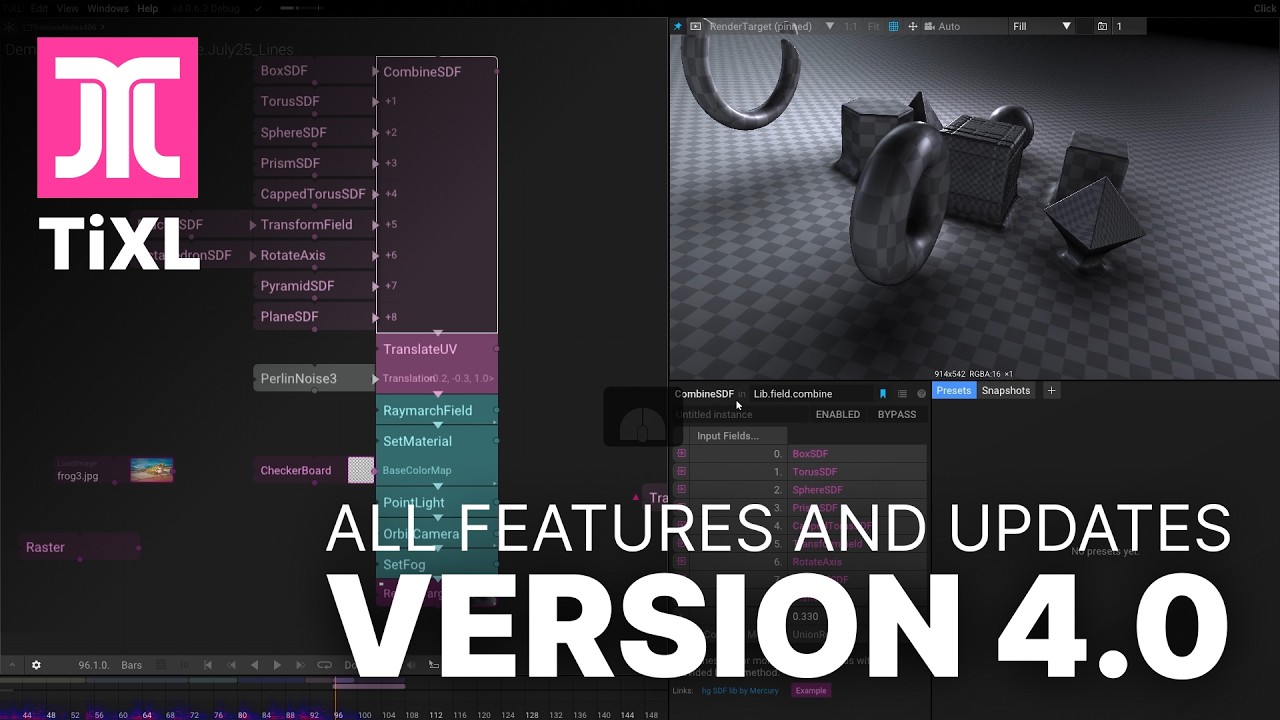
Installer & Releases
- Install to "Program Files" by default
- Simplify compilation without ProcessCommander and ProcessRunner
Working with projects and Export
- Fix creation of new projects
- Excluded large files (>100mb) from backup
- Fix copying of resources when exporting player
- Update tests to and copy them to AppData in release mode
- Added licenses folder
Improvements to the magnetic graph
- Connections are no longer disconnected when unsnapped
- Vertical lines can be dragged
- Add operator output views when hovering outputs and tweak look of curve line
- Implementing GraphHoverModes for MagGraph
- Prevent accidental graph layout adjustments when replacing connections
- Tweak annotation rename interaction
- Fix incorrect connection line warning when inserting multiinput
- Snap ops horizontally enabled by default
- Improve searching with Ctrl+F focus into view behaviour
- Indicate connections that are about to be removed
- Fix undo/redo when replacing a connection on an input
- Add add Node to graph context menu
- Operator names are properly scaled with UI scaling
Timeline improvements
- Automatically resolve overlapping for new timeclips
- Height of TimeClip layer area can be adjusted
- Non-connected TimeClips are not highlighted when within current time
- Reduce default timeline clip height
- Improve autoscaling of non-scalar dope sheet curves
- Increase width of updated curves
- Fix glitch in recount keyframe values
- Fix view adjustment when shift clicking on dope sheet parameter background
- Fix accidental deletion of unselected TimeClips
- Refactor DopeSheet and timeline to reduce allocations and improve display of curve animation lines
User Interface / New features and improvements
- Add HDR indicator to color swatches
- Add gradient editor curve overlays
- Tweak symbol search order
- Updated default layouts
- Refactor Value input UI to support separate clamping of min and max
- Converted more Custom Operator Uis
- Improve Infinity slider with UI scaling
General Fixes and improvements
-
Composition (background) can be pinned if nothing selected
-
Fit background image into graph (without timeline) and disable fading/clear on left edge
-
Fix rotate camera view breaking view target vector distance
-
Fix context menu in project list
-
Project list can be scrolled
-
Don't update project modification time if no symbols were changed
-
Fix toggle mute audio button in the time controls bar
-
ui-minor Display keyboard shortcut for pinning
-
Prevent multiple instanced for file resources in dropdown list
-
Prefer integrated graphic cards over MS basic render graphics card emulation
-
Initialize new gradient inputs so no more reload is required to change them from null
-
Support filenames with spaces when opening files or folders externally
-
Fix camera keyboard control while pressing mouse button
-
Fix potential crash when switching "Bypassed" failed
-
Fix exception when input for NdiOuput contains mipmaps
-
Fix dragging from Symbol Library on to Legacy Graph
Output and rendering
- Increase max bandwidth when exporting videos
- Fix graph visualization in floatList and intList grid output
Working with audio and live performances
- Fix update of audio background image
- Add Playback volume project setting
- Fix beat-tapping without disabled beat lock
- Increase max BPM rate for tapping from 200 to 600
- Clean up export soundtrack code
- Implemented reload of audio images
Performance improvements
- Optimize curve implementation
- Made Instance Outputs and Inputs from IReadOnlyList -> List to avoid allocations
- Tweak display of metrics (only show damped values)
Working with variables
- [SetVar...] operators show reference lines
- Add [SetBoolVar] [GetBoolVar]
Operators updates
Fields and shader graphs
-
Add [HeightMapSdf]
-
Add [InvertField]
-
Add [TranslateUV]
-
Add [JonBakerSDFLoader] generator. -This node is loading the jbaker sdf's
-
Add [SdfToVector] to define procedural vector fields for particle forces
-
Fix [SdfToColor] when used with particle effects
-
Fix [CustomSDF] mod definition because some presets depend on it
-
Optimize [BoxSDF] scale implementation
-
Fix [BendField]
-
Fix [PlaneSDF] transform gizmo for negative axis
-
Fix [TransformField] uniform scaling and add RotateFieldVecs parameter
-
Refactor [GenerateShaderGraphCode] to directly read template file
-
Fix [FractalSdf] to correctly initialize UVs
-
Add [CombineFieldColor] Mix mode
-
Fix [SdfToColor] combining multiple ops
Points
- New: Cleaned up [SelectPointsWithSdf] and added nice examples
- Add [ApplyVectorField]
- Update [RandomizePoints]' Fix color randomization and add Scale parameter. Not longer clamps HDR colors when not randomizing color HSB
- Update [MapPointAttributes] increase default resolution of gradient, supports amount factor, and fix color factor implementation
- Update [RadialPoints] (add color and remove obsolete parameters)
- Update [MeshFacesPoints] Cleaned up (added parameters and example)
- Update [SetPointAttributes] supports amount factor
- Fix incorrect [PointsOnImage] Fx2 default
- Fix [PairPointsForGridWalkLines] and added example
- Breaking change [SnapPointsToGrid] now uses StrengthFactor parameter
- Refactor and rename [PointTrail] -> [PointTrailFast] and [PointTrail2] -> [PointTrail]
for Particles
-
We cleaned up the namespaces. You'll now find all particle ops under Lib/particle/
-
Add [VelocityForce]
-
Add [ToroidalVortexForce]
-
Add [RandomJumpForce]
-
Add [VectorFieldForce]
-
Update [ParticleSystem] tweak settings and parameters and add EmitVelocityFactor parameter
-
Update [FieldVolumeForce] add ReflectOnCollision option
-
Update [FieldDistanceForce] add Decay parameter
-
Update [TurbulenceForce] supports ValueFields for amount
-
Update [FieldDistanceForce] clean up parameters, formatting and presets
-
Update [ReconstructiveForce] adjust default strength of
Mesh and Rendering
-
Add [Icosahedron]
-
Add [DrawSphere] helper
-
Align PBR-implementation with color fields for [DrawMesh], [RaymarchField], [DrawPointsShaded], [DrawMeshAtPoints]
-
Update [DrawLines] add FadeTooLong parameter
-
Update [DrawPointsShaded] fade out near points parameter and align it with common PBR implementation
-
Update [DrawMeshAtPoints] implementation and add ColorField support
-
Update [RaymarchField] using local space instead of position for specular lighting; add
EnableDepth parameter -
Update [DrawMesh] specular implementation
-
Update [SetEnvironment] has some useful defaults for fallback
-
Update and fix [RepeatMeshAtPoints] to support correct scaling and fx
-
Update [TransformMeshUV] adjust Pivot parameter default
-
Fix [SplitMeshVertices]
Working with animation
-
Add [AnimBoolean] including custom ui
-
Add [AnimFloatList] generator
-
Add [SetKeyframes] operator
-
Rename DelayTrigger -> DelayTriggerChange
-
Fix update of [HasTimeChanged] with multiple connections out
-
Fix Trigger OnlyOnDown
-
Fix [SetSpeedFactors] assignment
-
Add [Time] Frozen mode that enables implementing caching for animated ops
-
Fix [AnimValue] trigger timing
-
Fix [HasValueChanged] when rewinding time
-
Fix [Once] with multiple outputs
-
Renamed [Time2] to [Time]
-
Fix [SetBpm] and [GetBpm] updating
IO
- Add Banidu's IO ops for handing artnet, dmx, serial ports
- Add [VideoDeviceInput] webcam support
- Add [ArtnetInput] node for listening artnet
- Update [ArtnetOutput] with raw networking without library. Added unicast and artsync. Theres poll functions now.
- Update [SpoutInput] add UpdateCount output to help sync with frame effects
- Update [PointsToArtNetLights] Improve Nan correction and Add WhiteChannel parameter. Pan/Tilt possible to disable with channel 0.
- Update [OscOutput] supports integers
- Update [OscOutput] add FloatList input
- Fix [NDI] dependencies to support in exported executable
- Fix [Spout] required a ConvertFormat, let's try to failover to a safe default format
- Fix [MidiInput] wasTrigger update
Working with colors
- Change [RgbaToColor] default Alpha to 1
- Add [KeepColors], [PickColorFromList], [OKLChToColor] and [BuildGradient]
- Add [ColorListToInts]
- Fix excessive line in [ImageLevels]
- Add List type and [ColorList] and [StringList] can be editted in the parameter window
- Add [SampleGradient] override interpolation option. If disabled using the intrinsic gradient interpolation
- Increase gradient editor curve resolution
- Fix gradient slider context menu with multiple SampleGradientNodes
working with numbers and math
-
Add [SetVec3] and [GetVec3]
-
Add [IntListToFloatList]
-
Add [FloatListToIntList]
-
Add [RemapFloatList]
-
Add [IntsToList] and [PickIntFromList]
-
Add [DivideVector2]
-
Update [IntValue] now as beautiful op ui
-
Update [PickFloat] implementation
-
Fix [PickFloat] caching
Help and examples
- Add [HowToUseColors] tutorial
- Cleaning up ChunkInstancingExample
- Update/Fix SamplePointColorAttributesExample
Image operators
-
Add [DetectMotion] helper
-
Add [ReactionDiffusion] with an nice example
-
Update [Sketch] (uses project resource directory and handles better page interaction)
-
Update [CheckerBoard] caching
-
Update [LoadImage] to shows thumbnails in mag graph
-
Update [SinForm] to support caching
-
Update [Grain] now to ony uses local time, has a new Animation parameter and implements caching if static
Other improvements
- Update [OrthographicCamera] add Roll parameter
- Updating [VisualTest] to support waiting for async operations; Add [IoTests] ...
v4.0.5.0
v4.0.4
Release Notes 4.0.4
Another preview release of TiXL focused on stability.
Feature Highlights
- Rewrote the compilation of projects and assemblies. This should fix custom UI for most operators.
- Added rotate and scale gizmos.
- Improved editing with time clips (see Documentation).
- Added horizontal snapping of operators to improve connection layout.
- Added keybinding editor (♥ @newemka).
Fixes
- Fixed crash when deleting snapped operators.
Timeline Editor
- Time clips can be split with
Ctrl+X. - After splitting, clips are automatically reconnected.
- Improved dragging and snapping interaction.
- Improved layout of the context menu.
- New: Edit Clip Times editor.
- Time clip changes can be undone.
UI Fixes
- Improved memory performance (♥ @mrvux).
- Improved UI scaling in the graph toolbar (♥ @newemka).
- Added [VideoClip] proof-of-concept.
New Operators and Improvements
- Renamed [SetCommandTime] → [SetTime].
- Fixed [Counter].WasStep output with multiple connections.
SDF, Fields, and Raymarching
Contributors


Assets 4
TiXL v4.0.3
Release Notes 4.0.3
Another preview release of TiXL that comes with a lot of improvements and new features.
Feature Highlights
-
Based on the support from @banidu, @nr4, @Messy, and @yoda, we implemented and tested how to control stage lights via Art-Net/DMX with TiXL. This allows you to combine visuals with tightly synchronized and controlled stage light effects.
-
In live performance mode, TiXL uses advanced audio analysis to follow the current music tempo and automatically adjust phase and BPM to stay in sync.
-
Added scale gizmo to most operators.
Mag Graph Interface
- Improved visibility of snapped connection arrows.
- Horizontal snapping when dragging operators to avoid overlapping connections.
- Operators can be added by clicking on vertical inputs. Improved insertion between vertically snapped operators.
- Improved dragging and snapping of annotations (♥ @newemka).
- Slightly tweaked output picking (now also works with click).
- Mag Graph now supports focus mode interaction.
- Output nodes rendered with their type and additional styling.
- Input nodes are highlighted if updated (i.e., prevent caching).
- Added right padding in operators with custom UI to avoid interfering with additional output indicators.
- Prevent background dragging while adjusting infinity slider position.
- Fixed editing of embedded gradient sliders.
Parameter window
- FloatLists can now be edited in the parameter window and reordered by dragging indices.
- Parameter names with PascalCase are shown as separate words (can be toggled in Settings).
- Bypass buttons are disabled if not available.
- Optional parameter edit smoothing (see Settings) to improve live performances.
- Multiline string input fields grow with content.
- User settings for connection style (♥ @newemka).
UI Improvements
-
Added FloatList and IntList output styles with new grid view.
-
Prompt before exiting the editor.
-
Link to releases in the Help menu.
-
Improved image sequence rendering and screenshot support (♥ @newemka).
-
Show elapsed compilation time in the console (♥ @newemka / @mrvux).
-
Option to disable keyboard shortcuts (useful for live performances).
-
Increased resolution of sample images.
-
Fixed Shake disconnect on high frame rate displays.
Even More...
- Parameters can be excluded from presets.
- Strings can be part of presets.
- Added monospaced font (for multiline text).
- Increased minimum canvas scale factor for greater zoom-out.
- Show custom titles of symbols in pinned view (♥ @nikki).
UI Fixes
- Fixed unintended creation of connections while dragging operators.
- Fixed item hovering and clicking of animated properties in the dope sheet to center the animated operator.
- Fixed theme dropdown (♥ @newemka).
- Fixed issues related to modifying certain numbers.
- Fixed value output graph scaling with UI scaling.
- Fixed Undo/Redo of transform gizmo actions.
- Editor now ignores mouse if it's on the output window (♥ @newemka).
- Fixed crash when connecting from the parameter window.
- SpaceMouse can control locked camera without output window focus.
- Fixed camera interaction with keyboard while holding the left mouse button.
- Fixed preset thumbnail rendering.
- Canvas grid color uses theme color (♥ @newemka).
- Fixed potential exception when curves were modified while saving (also cleaned up curve code).
- Screenshot button now displays the save location.
New Operators and Improvements
- Almost all operators now have documentation (♥♥♥ @1x-vision).
- Added [Spout] support (♥♥♥ @nikki).
- Fixed spelling mistakes in all operator documentation.
⚠ Breaking Changes
- Removed [DepthOfField] command input.
- [TorusSDF] uses separate parameters for radii.
- Replaced [RepeatWithMirror] with [RepeatAxis] and a mirror parameter.
SDF, Fields, and Raymarching...
- New [CustomSDF] for live coding and converting shaders, with many effects.
- New [PlaneSDF].
- New [MovePointsToSDF], a versatile point modifier.
- New [FieldToImage] to convert a 3D field slice into a texture.
- New [Image2dSDF] for using 2D textures to create SDFs.
- New [RotateAxis] to improve performance.
- Added [VisualizeFieldDistance] transform gizmo.
- Refactored and cleaned up [TwistField].
- Added uniform scale to [BoxSDF].
- Added mirror parameter to [PolarRepeatSDF] (reduces artifacts and looks nice).
- Fixed [TorusSDF] axis update issue.
- Fixed [RaymarchField] behavior inside scaled transforms.
- [RaymarchField] now respects group color overrides.
More
- New [AnimInt] to switch random seeds on beat.
- New [ParticleSystem] Update trigger to freeze simulations.
- New [Dot] and [Cross] product ops (♥ Martin K).
- New [HSE] (Hue, Saturation, Exposure).
- Added TextureFormat parameters to [LinearGradient], [RadialGradient], and [FractalNoise].
- Added amount parameter to [VolumeForce].
- [SetEnvironment] now implements proper caching and auto-converts to cubemap if needed.
New Examples
- [TorusMeshExample]
- [PointTrailExample]
- [SimForceOffsetExample]
- [MoveToSDFExample]
- [EaseExample]
- [PointsToArtNetLightsExample]
- [Image2dSDFExample]
- Improved [SimForceOffsetExample]
- Updated [CombineSDFExample]
- Updated [DrawBillboardExample]
Fixes
- Fixed pixel glitches with [LinearGradient] and [RadialGradient] in ping-pong repeat mode (♥ @newemka).
- Improved [Distort] image parameters and options.
- Improved [GetPointLightOcclusion] parameters.
- Fixed [DrawMeshAtPoints] AlphaCutOff.
- Fixed [RepeatMeshAtPoints].
- Fixed [LinePoints] Twist parameter.
- Fixed [NumberPattern] (♥ @newemka).
- Fine-tuned AudioReaction parameter ranges (♥ @sense).
- Fixed [IntsToBuffer] caching issue.
- Clarified undefined [MidiInput] device names until configured.
- Fixed caching for [PointsOnMesh].
- Refactored [GetTextureSize] to return IsCubeMap.
- Fixed [SpreadLayout] with a single child.
- Fixed [SelectPointsWithField].
- Fixed [SequenceAnim] triggering with multiple connected ops.
- Fixed [LoadObj] status icon messages.
Performance Improvements
- TextureReadAccess now buffered to avoid frame drops.
- Audio analysis now applied directly after receiving the audio buffer, improving latency slightly.
- Fixed JSON document exporter.
- Added typeless support for Output (♥ @mrvux).
- Fixed null reference due to incorrect build version (♥ @mrvux).
- Fixed GPU memory leak in the editor (♥ @mrvux).
- Backup and restore tessellation and geometry shader stages during UI drawing (♥ @mrvux).
- Added option to disable DirectX debug mode for the device (♥ @mrvux).
Contributors


Assets 3
TiXL v4.0.2 - Preview3
Another preview release that should address a lot of issues of v4.0.1
Release video: https://www.youtube.com/watch?v=7L7h3EXdF34
Updates Since v4.0.1
🧠 Improvements
- Better layout in Help → About dialog
- Early support for automatically detecting and using dedicated graphics cards
- [RemapUi] can now be dragged to adjust bias and gain
Vec2parameter controls now support undo/redo- [MagGraph] now supports Focus Mode (F12)
- [MagGraph] now supports parameter popups
- Most "Tooll" references updated to TiXL
🧩 MagGraph Improvements
- Fix: dragging an op from horizontal snaps no longer breaks connections
- Split horizontal connections at drag position
- Improved collapsing of horizontal stacks after ungroup
- Snapped connections to additional inputs can now be split
- Correctly collapse disconnected input lines
- Connected inputs can now be replaced via snapped connection line
🆕 New Operators
- [GetScreenPos] — helps with 2D annotations (check out the example!)
- [TwistField] — a new field operator
- [ScreenCloseUp] — a post-effect simulating content shown on a digital screen
🛠 Fixes
- Fixed: hovering/updating Presets and Snapshots caused unwanted operator changes
- Prevented project creation with duplicate names
- Fixed: bypassed operators remained active after reload; bypassing again broke their update
- Fixed: interaction issues with [AnimVec2] and [AnimVec3] in the graph
- Fixed: symbols with only one child couldn’t be opened
- Fixed: connecting input-output sockets in some cases led to crashes
- Fixed: inserting invalid ops between vertically snapped ops caused crashes
- Prevented camera movement via keyboard while editing input fields
- Fixed stride size handling for [CombineMeshes]
- Fixed: [PlayVideo] now correctly picks local
.mp4files and handles nullables more cleanly
TiXL v4.0.1 - Preview2
Another preview release that should address a lot of issues of v4.0.0
Release video: https://www.youtube.com/watch?v=7L7h3EXdF34
TiXL v4.0.0 - preview
An early pre-release for TiXL.