This is a tile matching game that is developed around collapse/blast mechnanic. Levels can be adjusted easily even if a user that has not development experience. The general idea of collapse mechanic is blasting candy blocks that have same color to reach the level goal before player is out of move. Also, amount of adjacent candy blocks that have same color, changes the icon type based on condition that is adjusted by game designer.
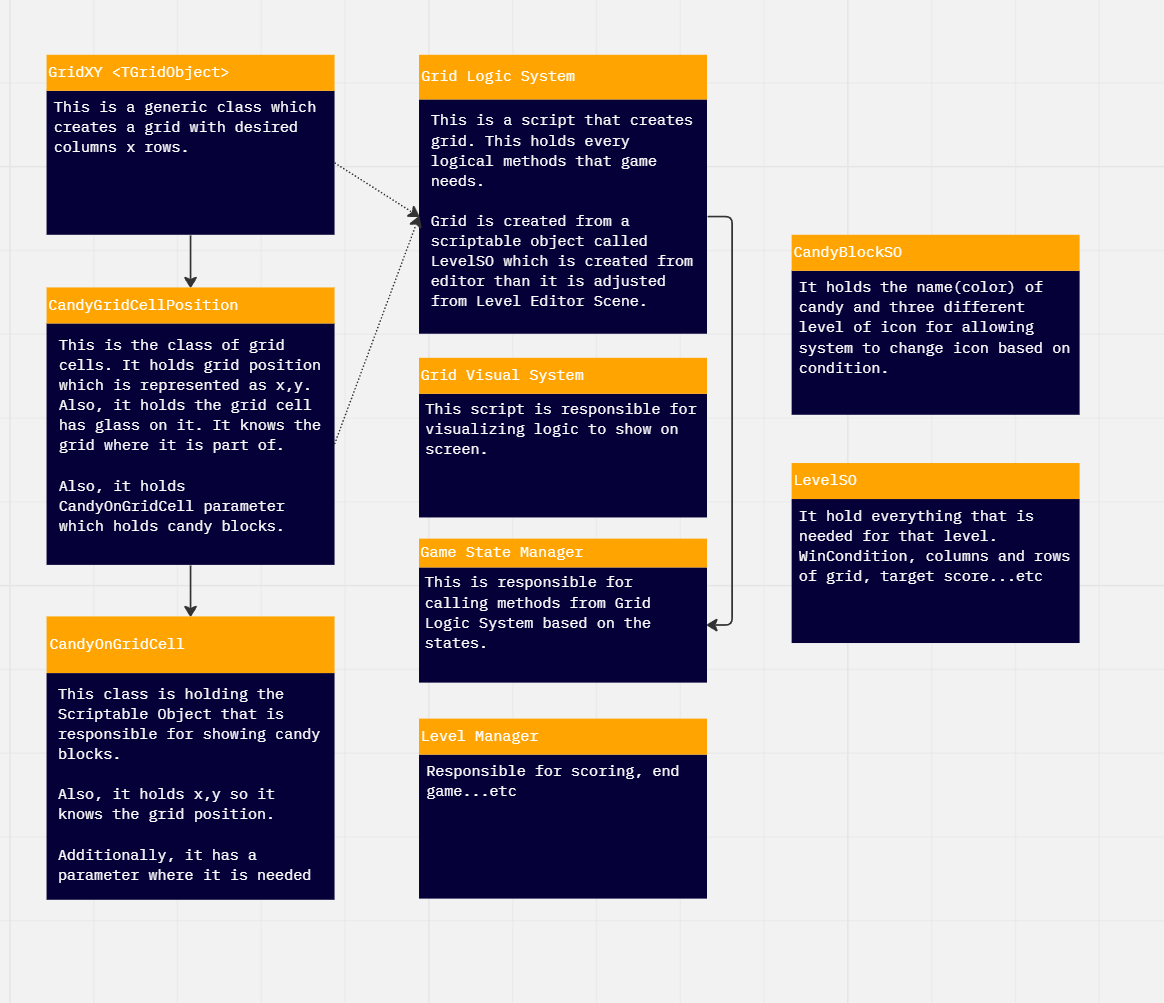
Inside the Scenes folder there is scene called "Level Editor". Once you open that scene you will be able to change desired levelSO depends on your wish. Once you are in Unity Editor, press right mouse click and navigate to "Create ---> Level SO". Once you click the Level SO that you created, you will see this in the inspector.

You need to add Candy Block SO scriptable objects to Candy Block List. Candy Grid Position List will be created after you start the scene with the Level So that you created. Dont forget to set your resolution to 1920 x 1080 in play mode. It is a must that filling columns,rows,candyblock list to use editor. Also dont forget to assign your LevelSO to the game object called Level Editor in hierarchy.
Once you start level editor, this is what you will see. You can move your mouse to desired grid, then press the buttons to change candy block.
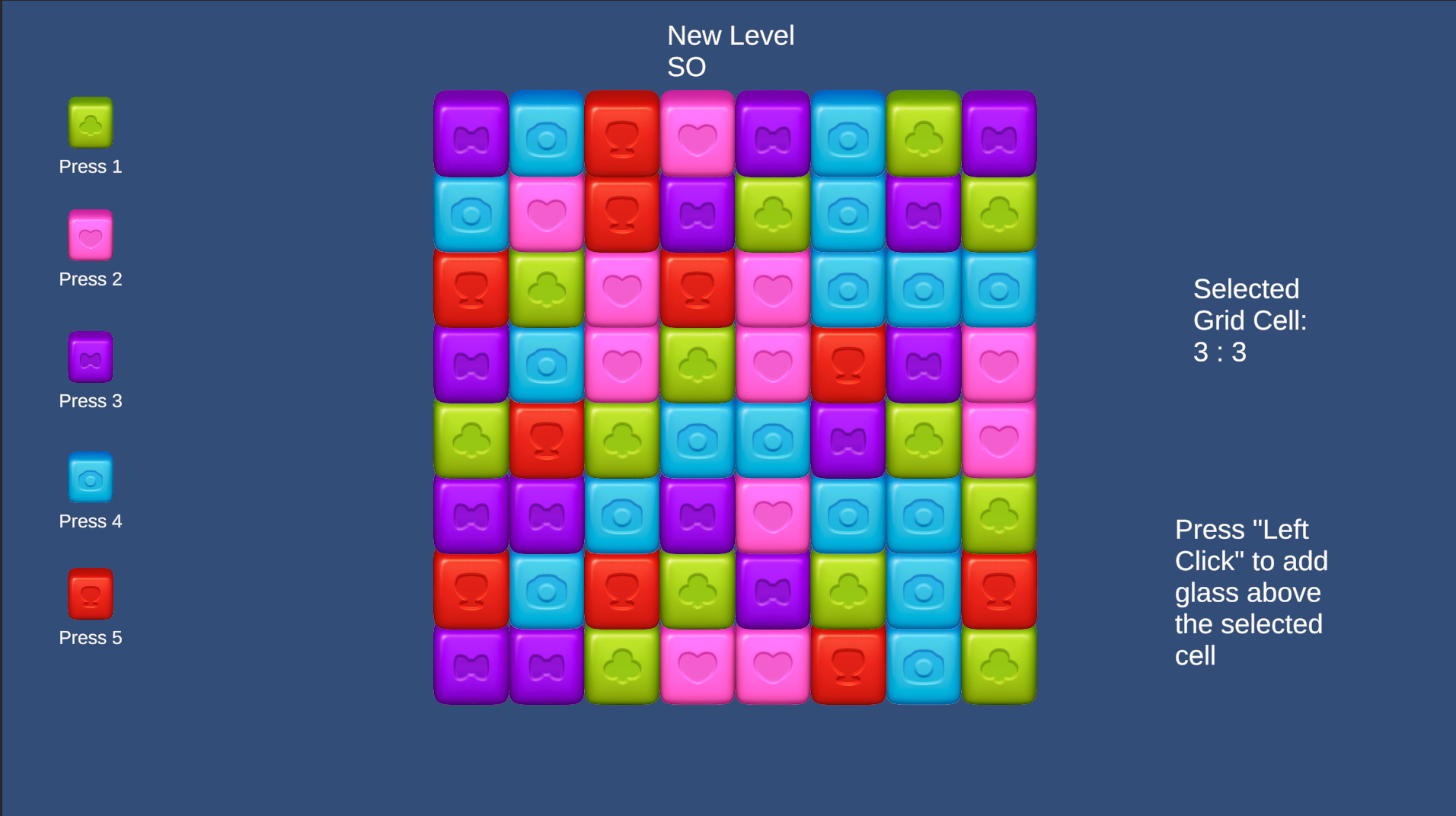
After you finish editing level, you can exit play mode without fearing that is saved or not. You can check levelso scriptable object to check it out.
After creating desired level, all you need to is creating a new scene. Delete everything in Hierarchy except global volume and light objects (even camera). Then, navigate to Prefabs ==> Systems. Then drag the prefab called "AllGameSystem" to hierarchy. All you need to set is changing the levelso parameter inside the Grid Logic System. Grid Logic System gameobject can be found as a child of AllGameSystem. If you cant blast, probably you forget to set a value in the levelso scriptable object.
Icons of candy blocks changes based on the conditions inside levelso. For example, if you set condition 1 as a 3, candy blocks will be change to next level sprite that is assigned in candy block so.