Conversation


|
are you on the MCP Discord? Let me know your Discord username and I will give you a special flair that's only for MCP server authors. |

WalkthroughREADME.mdにクリック可能なバッジ(画像をリンクで囲む)を追加し、その直後に空行を挿入。注意事項セクションの箇条書きの表示形式を微調整。その他の内容や公開APIには変更なし。 Changes
Estimated code review effort🎯 1 (Trivial) | ⏱️ ~2 minutes Poem
✨ Finishing Touches🧪 Generate unit tests
Thanks for using CodeRabbit! It's free for OSS, and your support helps us grow. If you like it, consider giving us a shout-out. 🪧 TipsChatThere are 3 ways to chat with CodeRabbit:
SupportNeed help? Create a ticket on our support page for assistance with any issues or questions. CodeRabbit Commands (Invoked using PR/Issue comments)Type Other keywords and placeholders
CodeRabbit Configuration File (
|
![coderabbitai[bot]](https://avatars.githubusercontent.com/in/347564?s=60&v=4)

There was a problem hiding this comment.
Actionable comments posted: 1
📜 Review details
Configuration used: CodeRabbit UI
Review profile: CHILL
Plan: Pro
📒 Files selected for processing (1)
README.md(2 hunks)
🔇 Additional comments (1)
README.md (1)
117-117: 注意事項の文面は明確で妥当ですジョーク用途の旨が適切に伝わっています。現状のままで問題ありません。
| <a href="https://glama.ai/mcp/servers/@upamune/human-mcp"> | ||
| <img width="380" height="200" src="https://glama.ai/mcp/servers/@upamune/human-mcp/badge" alt="human-mcp MCP server" /> | ||
| </a> | ||
|
|
There was a problem hiding this comment.
💡 Verification agent
🧩 Analysis chain
外部リンクのセキュリティ属性追加と画像の歪み防止(またはMarkdown化)を提案
バッジ追加は有用です。細部のブラッシュアップとして以下いずれかを推奨します。
- target/_blank に伴う rel="noopener noreferrer" の付与(セキュリティ/パフォーマンス)
- height の固定除去(縦横比の歪み防止)
- alt の日本語化(閲覧者言語に合わせたアクセシビリティ)
- 可能なら Markdown 記法に統一(シンプルで GitHub での互換性も高い)
Option A: 現行の HTML を維持して改善
-<a href="https://glama.ai/mcp/servers/@upamune/human-mcp">
-  <img width="380" height="200" src="https://glama.ai/mcp/servers/@upamune/human-mcp/badge" alt="human-mcp MCP server" />
-</a>
+<a href="https://glama.ai/mcp/servers/@upamune/human-mcp" target="_blank" rel="noopener noreferrer">
+  <img width="380" src="https://glama.ai/mcp/servers/@upamune/human-mcp/badge" alt="human-mcp MCP サーバー" />
+</a>
Option B: Markdown に置き換え(最も簡潔)
-<a href="https://glama.ai/mcp/servers/@upamune/human-mcp">
- <img width="380" height="200" src="https://glama.ai/mcp/servers/@upamune/human-mcp/badge" alt="human-mcp MCP server" />
-</a>
+[](https://glama.ai/mcp/servers/@upamune/human-mcp)リンクの健全性を一度確認しておくと安心です。以下で 200 応答を確認できます。
🏁 Script executed:
#!/bin/bash
set -euo pipefail
for url in \
  "https://glama.ai/mcp/servers/@upamune/human-mcp" \
  "https://glama.ai/mcp/servers/@upamune/human-mcp/badge"
do
  echo "Checking: $url"
  status=$(curl -s -o /dev/null -w "%{http_code}" "$url")
  echo "HTTP $status"
  if [ "$status" != "200" ]; then
    echo "Non-200 for $url" >&2
    exit 1
  fi
done
Length of output: 831
リンク正常確認済み:外部リンクのセキュリティ強化&画像表示のブラッシュアップ提案
両URLともHTTP 200を確認しました。GitHub上での表示やアクセシビリティ向上のため、以下いずれかの対応をおすすめします。
Option A: HTML表記を残して改善
-<a href="https://glama.ai/mcp/servers/@upamune/human-mcp">
-  <img width="380" height="200" src="https://glama.ai/mcp/servers/@upamune/human-mcp/badge" alt="human-mcp MCP server" />
-</a>
+<a href="https://glama.ai/mcp/servers/@upamune/human-mcp" target="_blank" rel="noopener noreferrer">
+  <img width="380" src="https://glama.ai/mcp/servers/@upamune/human-mcp/badge" alt="human-mcp MCP サーバー" />
+</a>
Option B: Markdown記法に統一(もっともシンプル)
-<a href="https://glama.ai/mcp/servers/@upamune/human-mcp">
- <img width="380" height="200" src="https://glama.ai/mcp/servers/@upamune/human-mcp/badge" alt="human-mcp MCP server" />
-</a>
+[](https://glama.ai/mcp/servers/@upamune/human-mcp)– target="_blank" rel="noopener noreferrer" で外部リンクの安全性・パフォーマンスを確保
– height 属性を外すことで縦横比の歪みを防止
– alt を日本語化し、閲覧者言語に合わせたアクセシビリティ強化
どちらかを選んでREADME.mdを更新すると良いでしょう。
📝 Committable suggestion
‼️ IMPORTANT
Carefully review the code before committing. Ensure that it accurately replaces the highlighted code, contains no missing lines, and has no issues with indentation. Thoroughly test & benchmark the code to ensure it meets the requirements.
| <a href="https://glama.ai/mcp/servers/@upamune/human-mcp"> | |
| <img width="380" height="200" src="https://glama.ai/mcp/servers/@upamune/human-mcp/badge" alt="human-mcp MCP server" /> | |
| </a> | |
| <a href="https://glama.ai/mcp/servers/@upamune/human-mcp" target="_blank" rel="noopener noreferrer"> | |
| <img width="380" src="https://glama.ai/mcp/servers/@upamune/human-mcp/badge" alt="human-mcp MCP サーバー" /> | |
| </a> |
| <a href="https://glama.ai/mcp/servers/@upamune/human-mcp"> | |
| <img width="380" height="200" src="https://glama.ai/mcp/servers/@upamune/human-mcp/badge" alt="human-mcp MCP server" /> | |
| </a> | |
| [](https://glama.ai/mcp/servers/@upamune/human-mcp) |
🤖 Prompt for AI Agents
In README.md around lines 5 to 8, the external HTML link and image should be
hardened and made more accessible: either convert to Markdown image link or keep
HTML but (1) add target="_blank" rel="noopener noreferrer" to the anchor, (2)
remove the height attribute from the img to avoid aspect-ratio distortion (keep
width or use CSS), and (3) replace the alt text with a Japanese description for
better accessibility; pick Option B (Markdown) for simplicity or Option A (HTML)
if you need advanced attributes, then update the README accordingly.
1 participant

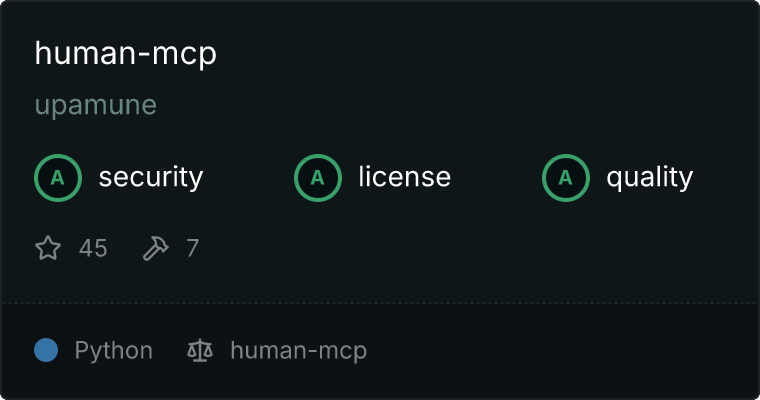
This PR adds a badge for the human-mcp server listing in Glama MCP server directory.
Glama performs regular codebase and documentation checks to:
This badge helps your users to quickly assess that the MCP server is safe, server capabilities, and instructions for installing the server.
Summary by CodeRabbit