

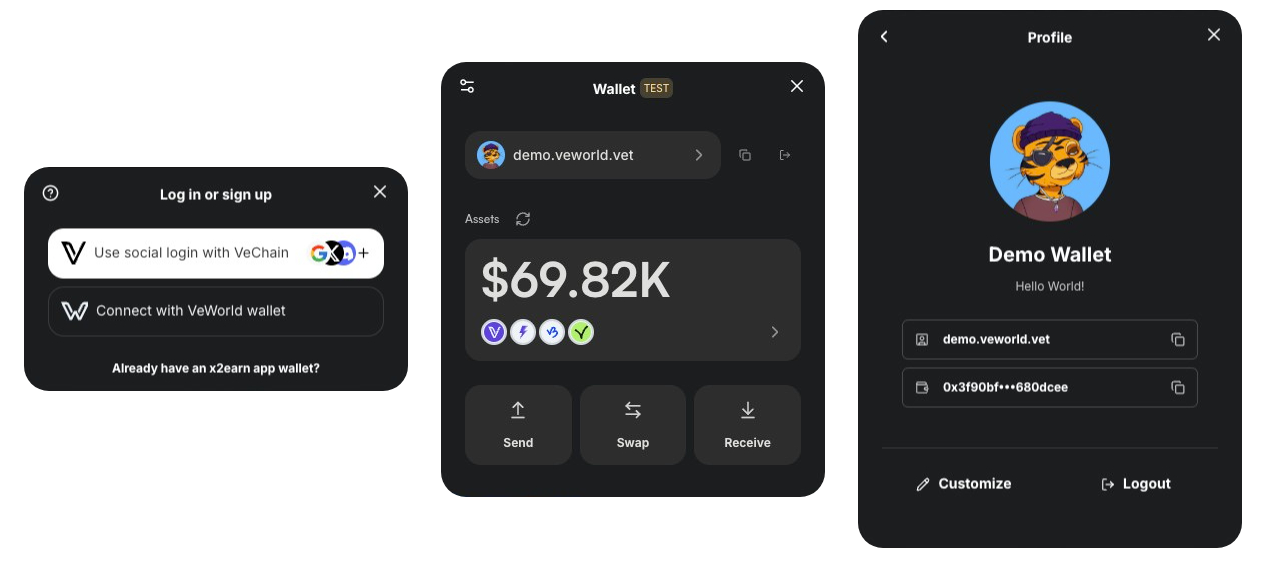
VeChain Kit is a comprehensive library designed to make building VeChain applications fast and straightforward.
It offers:
- Seamless Wallet Integration: Support for VeWorld, Sync2, WalletConnect, VeChain Embedded Wallet, and social logins (Google, Apple, GitHub, X/Twitter, Discord, TikTok, LINE, email, passkey — powered by Privy).
- Custom Connection UI: Vechain-kit's own connect modal handles the VeWorld and Sync2 flows directly, with a built-in “Waiting for signature…” view and a fully themeable layout. WalletConnect's QR modal is preserved.
- Social Logins Without Your Own Privy Account: Drop a "Continue with Google / Apple / X / Discord / GitHub / TikTok / LINE" button in your app and it just works — the kit routes through VeChain's whitelabel cross-app host (
cross-app-connect/) so users get one VeChain identity that follows them across every kit-using dApp. No Privy bill, no dashboard setup. - Unified Ecosystem Accounts: Leverage Privy’s Ecosystem feature to give users a single wallet across multiple dApps, providing a consistent identity within the VeChain network.
- Developer-Friendly Hooks: Easy-to-use React Hooks that let you read and write data on the VeChainThor blockchain.
- Pre-Built UI Components: Ready-to-use components (e.g., TransactionModal) to simplify wallet operations and enhance your users’ experience.
- Multi-Language Support: Built-in i18n for a global audience.
- Token Operations: Send tokens, check balances, manage VET domains, and more—all in one place.
Note: Currently supports React and Next.js only
📚 For detailed documentation, visit our VeChain Kit Docs
- Homepage
- VeKit Playground — interactive playground with live demos, code snippets and ready-made AI prompts for every kit feature
- Sample Next.js App
- Smart Account Factory
- Docs
When a user picks "Continue with Google / Apple / VeChain / …" from a kit-using dApp, the kit opens a small popup that handles the OAuth/SMS handshake and posts the resulting signature back. That popup runs on VeChain's whitelabel host, which lives in this repo at cross-app-connect/ — a Next.js static export with VeChain branding, a calldata-aware transaction summary, recovery from stale connection records, and 17 languages.
The whitelabel popup is why your app can offer social login without owning a Privy account: users see VeChain chrome and get one identity across every kit-integrated dApp.
See cross-app-connect/README.md for the popup's architecture, the rationale behind dropping Chakra / TanStack Query / vechain-kit from that surface, deploy instructions (GitHub Pages workflow included), and how to add translation keys.
The hosted properties of VeChain Kit live across three repos:
- vechain/vechain-kit-infra — Terraform that provisions S3 + CloudFront + ACM + Route53 for
vechainkit.vechain.org,kit.vechain.org,preview.vechainkit.vechain.org, andplayground.vechainkit.vechain.org. Owns thevechainkit.vechain.orgRoute53 zone. - vechain/vechain.org-domains — Terraform-managed DNS records for the
vechain.orgzone. Holds the NS delegation that pointsvechainkit.vechain.orgat the AWS nameservers managed byvechain-kit-infra. - This repo's
.github/workflows/—deploy-cloudfront.yaml(homepage on push to main),deploy-preview.yaml(per-PR homepage previews),deploy-playground-cloudfront.yaml(playground on push to main),deploy-playground-preview.yaml(per-PR playground previews atpreview.vechainkit.vechain.org/<branch>/playground).
Deploys are triggered by GitHub Actions; the infrastructure (S3 buckets, CloudFront distributions, IAM role for OIDC) is provisioned out-of-band by terraform apply against vechain-kit-infra/terraform/frontend.
- Node.js >= 20.10.0
- Yarn >= 1.22.10
You will need to have 3 terminals open:
- In terminal 1, run the command to install all dependencies, both in the
vechain-kitandexamplesfolders. Run this command every time you add dependencies to the project.
yarn install:all- In terminal 2, enter in 'packages/vechain-kit' and run the command to keep your build in sync with the code you are developing.
yarn watch- In terminal 3, enter in 'examples/sample-next-privy-app' and run the command to start the NextJS app.
yarn devWelcome to our project! Here's an overview of our branching strategy.
- main: The main branch represents the production-ready code. Only stable and tested features should be merged into this branch. Once ready for publishing, a new tag should be created from this branch.
We utilize Playwright for end-to-end (E2E) testing. To conduct these tests, you'll need to install browsers first:
cd tests/e2e
yarn install-browsers
Once installed, you can run tests in the browser using:
yarn testAlternatively, you can run them in headed mode (the opposite of headless):
yarn test:headedOnce the tests are done, run this to open the report:
yarn reportcd packages/vechain-kit
yarn translateThis will complete all the missing translations in the en.json file.
In order to translate the file, you will need to create a .env inside the packages/vechain-kit folder with the OPENAI_API_KEY set to your OpenAI API key.
- Prepare the release, this will check out the release branch, install dependencies, build packages, test and update the package versions
yarn prepare:release X.Y.ZThis will create a release branch called vX.Y.Z and update the package versions in the package.json files.
-
Create the PR for the release branch
vX.Y.Z. -
When the PR is merged, create the release on github called
X.Y.Z, it will automatically tag the commit with the versionX.Y.Z. -
Publish the release
yarn publish:release X.Y.Z