With just a few lines of code, automate changing your OBS scenes using the @b3nelly/change-obs-scene npm package. 💜
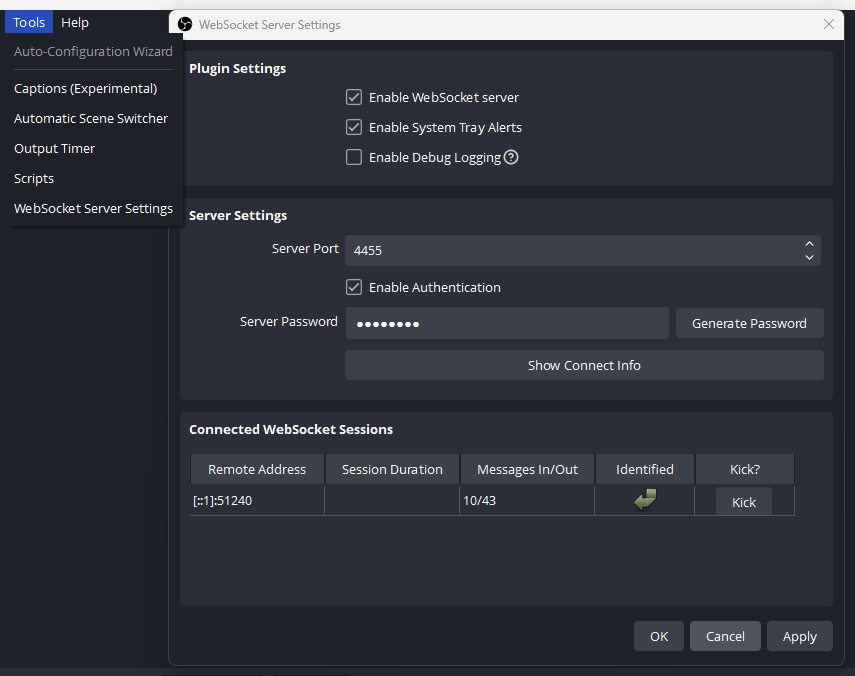
npm install @b3nelly/change-obs-sceneFirst, launch OBS and enable the WebSocket Server
Tools > WebSocket Server Settings:

- Don't forget to set your Server Password
- If you do not set a password, you do not need to pass the
obsWebSocketServerPasswordparam tochangeScene()
const changeScene = require("@b3nelly/change-obs-scene").default;
const intervalInSeconds = 30; // 30 seconds per scene
changeScene(intervalInSeconds); // it's that simple.const changeScene = require("@b3nelly/change-obs-scene").default;
const obsSkipScenes = [];
const intervalInSeconds = 30;
const obsWebSocketServerPassword = "your-password-here";
const obsWebSocketServerURL = "ws://localhost:4455";
changeScene(
  intervalInSeconds,
  obsSkipScenes,
  obsWebSocketServerPassword,
  obsWebSocketServerURL
);import changeScene from "@b3nelly/change-obs-scene";
const obsSkipScenes = [];
const intervalInSeconds = 30;
const obsWebSocketServerPassword = "your-password-here";
changeScene(intervalInSeconds, obsSkipScenes, obsWebSocketServerPassword);<!DOCTYPE html>
<html lang="en">
<head>
<meta charset="UTF-8" />
<meta name="viewport" content="width=device-width, initial-scale=1.0" />
<title>AMD Example</title>
<script src="https://cdnjs.cloudflare.com/ajax/libs/require.js/2.3.6/require.min.js"></script>
<script>
require.config({
paths: {
changeScene: "@b3nelly/change-obs-scene/dist/change-obs-scene.amd",
},
});
require(["changeScene"], function (changeScene) {
const obsSkipScenes = [];
const intervalInSeconds = 90;
const obsWebSocketServerPassword = "your-password-here";
changeScene(
intervalInSeconds,
obsSkipScenes,
obsWebSocketServerPassword
);
});
</script>
</head>
<body></body>
</html>changeScene(
intervalInSeconds,
obsSkipScenes,
obsWebSocketServerPassword,
obsWebSocketServerURL
);| Parameter | Type | Default | Description |
|---|---|---|---|
intervalInSeconds (optional) |
number |
60 |
Number of seconds between each scene |
obsSkipScenes (optional) |
Array<string> |
[] |
An array of scene names to skip when switching scenes |
obsWebSocketServerPassword (optional) |
string |
undefined |
OBS WebSocket Server Password |
obsWebSocketServerURL (optional) |
string |
"ws_://localhost:4455" |
OBS WebSocket Server URL / IP |
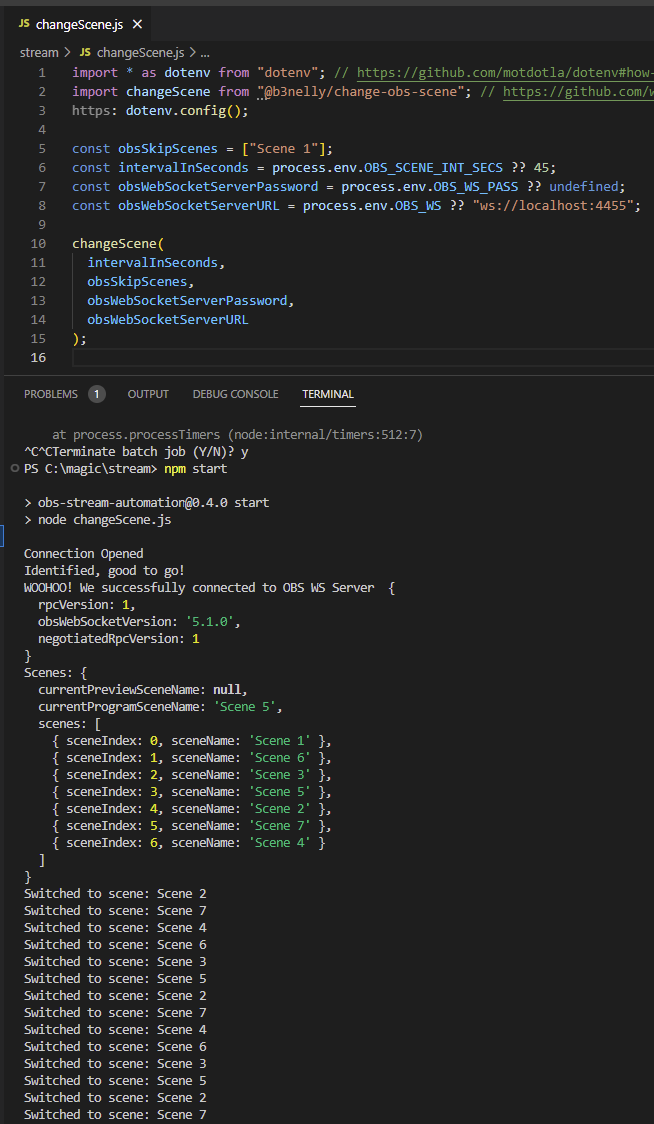
npm run cliYou will be prompted to enter in the changeSence() params. Leave param blank to use default value.
npm run buildRunning the build command will automatically create the dist/ dir and create/update the cjs, esm, and amd files inside.
Configuration file rollup.config.js
- @babel/core
- @babel/preset-env
- @rollup/plugin-babel
- @rollup/plugin-commonjs
- @rollup/plugin-json
- @rollup/plugin-node-resolve
- @rollup/plugin-terser
- rollup
This README.md file provides installation and usage instructions, as well as a brief description of the API for the @b3nelly/change-obs-scene package. Feel free to modify it as needed.