Store creation M2: checkout flow #8216
Conversation


…d `WebCheckoutViewModel` for `StoreCreationCoordinator` to show the webview.
…ator.purchasesManager`.
…e ID since the latter usually results in an error banner.
…th `StoreCreationCoordinator`.
…CheckoutViewModel`.
 jaclync
added
type: enhancement
jaclync
added
type: enhancement
…e on CI so that fetching products returns after `waitUntil` timeout.

You can test the changes from this Pull Request by:
|


 itsmeichigo
left a comment
itsmeichigo
left a comment
itsmeichigo
left a comment
There was a problem hiding this comment.
The purchase succeeded for me, and code looks good ✅
I notice a few non-blocking issues - please feel free to address them in a future PR:
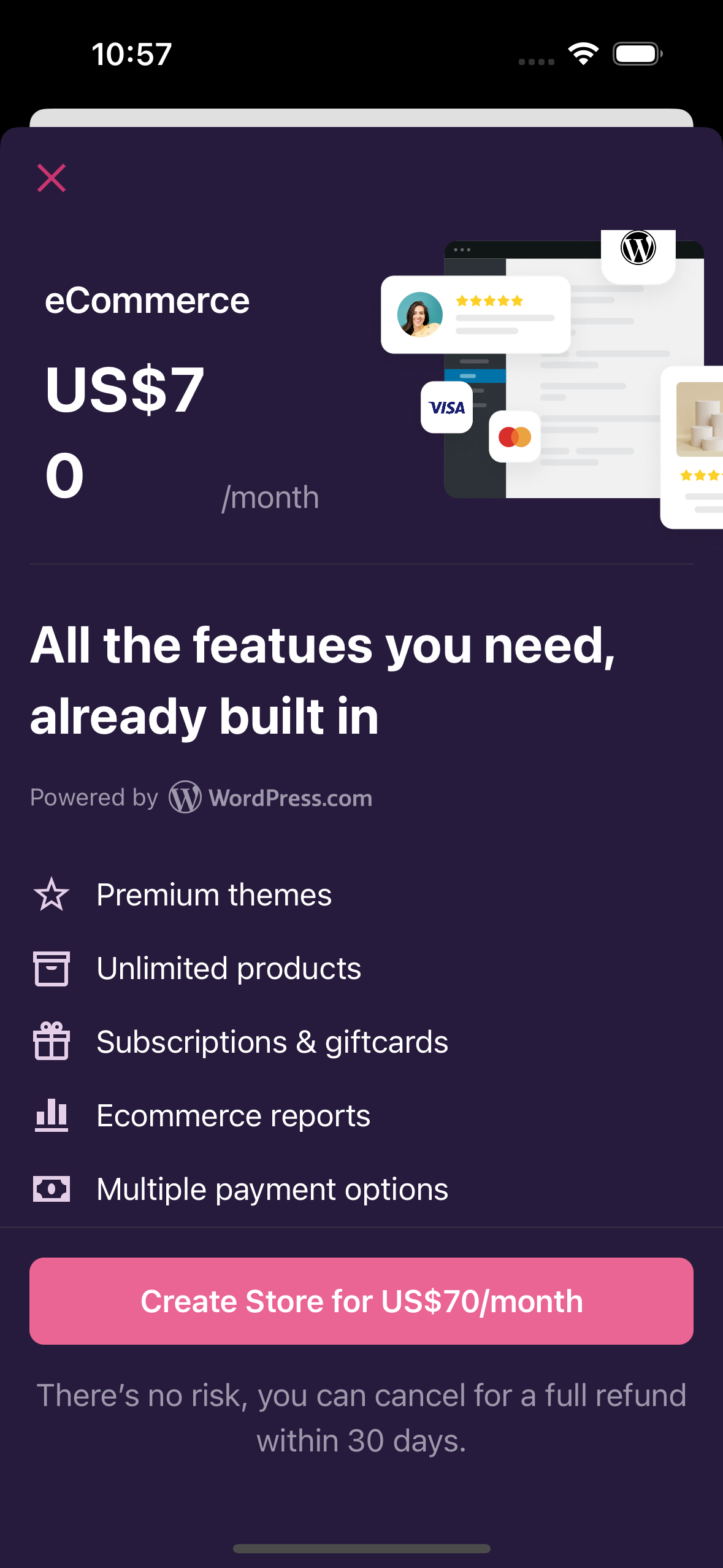
- On the information screen for the purchase plan, the pricing label is clipped off into 2 lines. Maybe we should prioritize the width of the label over the image's?
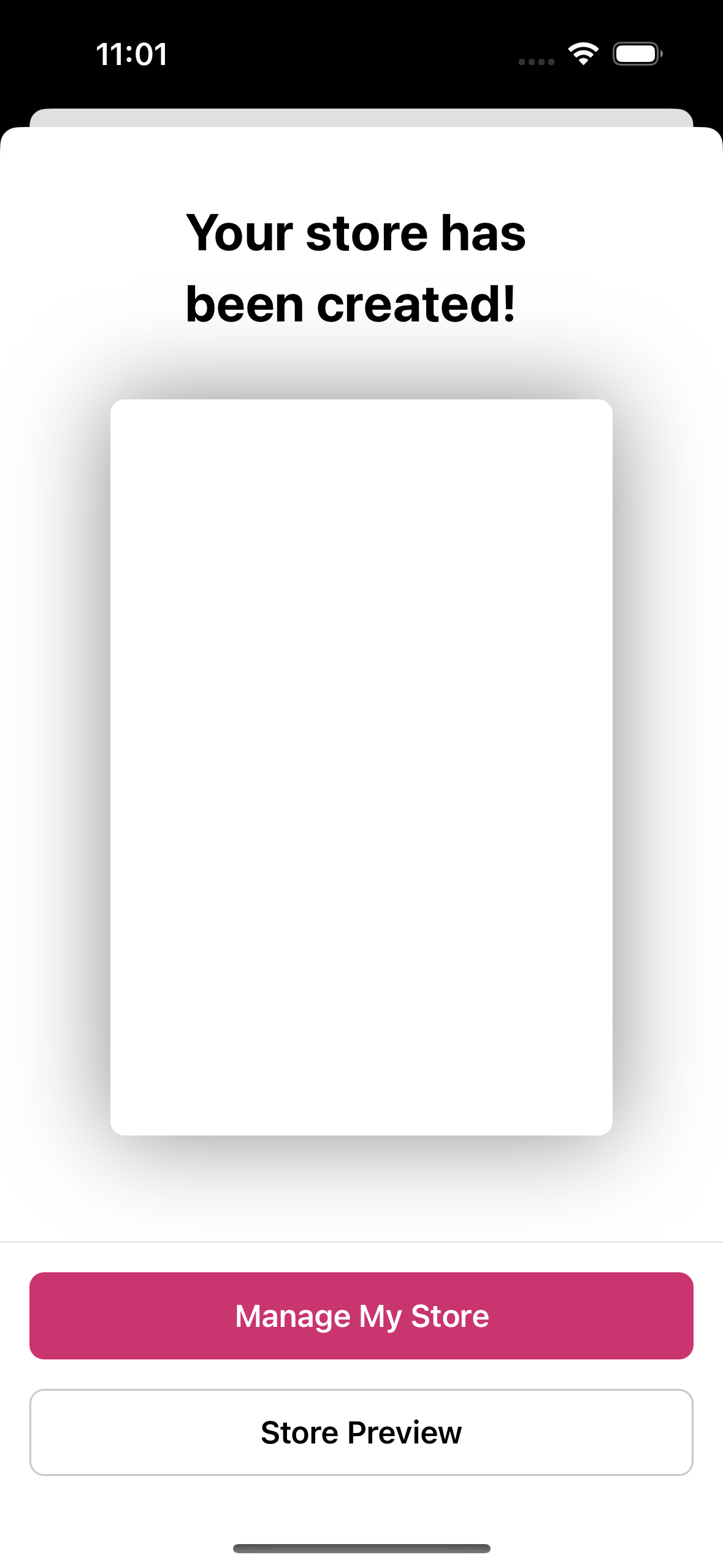
- When my store is created, the summary screen can't seem to load my page in the preview:
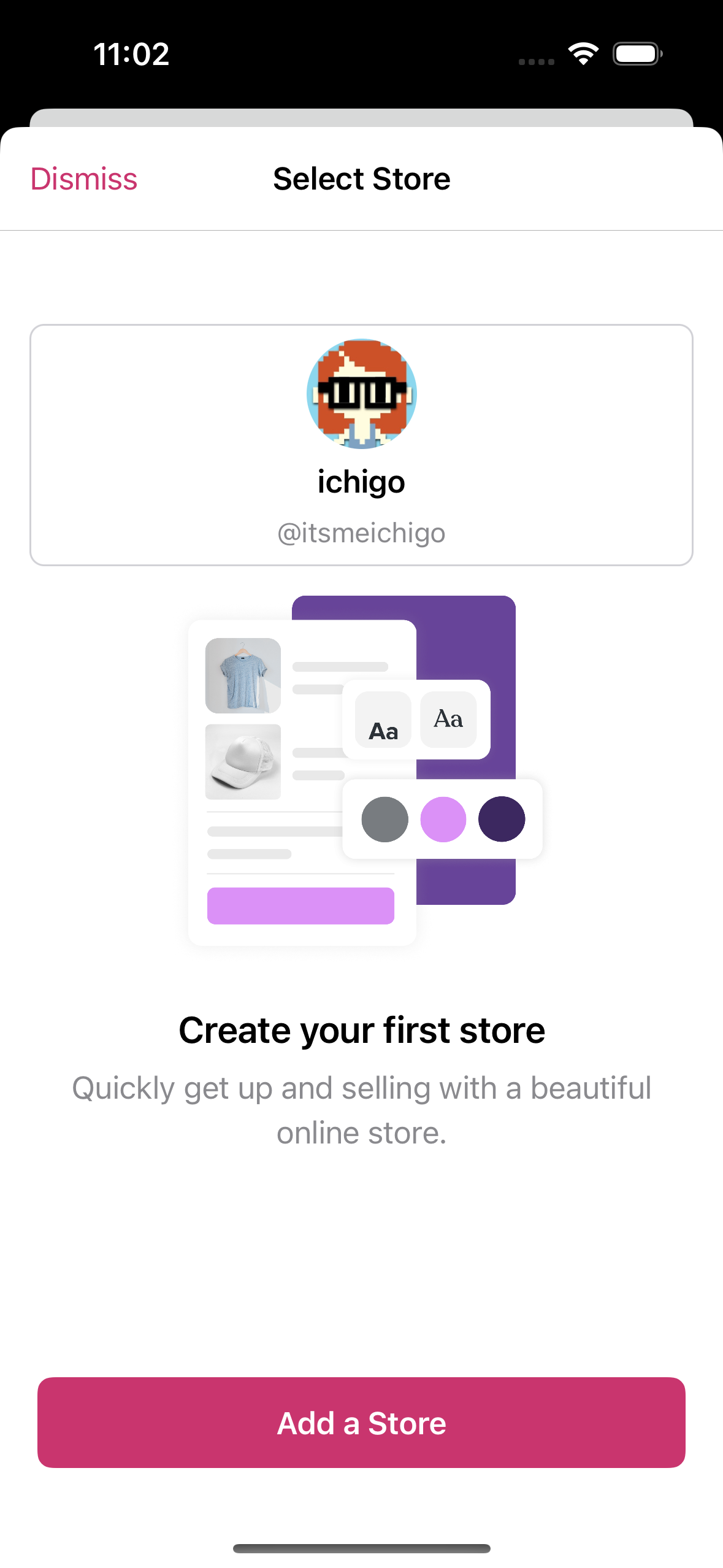
- I didn't test this flow from the switch store screen endpoint, but from the empty store picker instead (since my test account didn't have any store). After the purchase succeeded, I got navigated to the home screen, and the new store was not listed on the switch store screen:
| } | ||
|
|
||
| func handleDismissal() { | ||
| // no-op: dismissal is handled in the close button in the navigation bar. |
There was a problem hiding this comment.
This method is to add any tracks needed when the view is dismissed, not about implementing the dismissal 😅 Sorry if the name is misleading.
| Task { @MainActor in | ||
| if let iapManager { | ||
| self.iapManager = iapManager | ||
| if let purchasesManager { | ||
| self.purchasesManager = purchasesManager | ||
| } | ||
| } |
There was a problem hiding this comment.
❓ Just curious - why does this have to be called async?
There was a problem hiding this comment.
It's because the IAP implementation InAppPurchasesForWPComPlansManager is a MainActor, and thus this purchasesManager property has to also be MainActor. Because the property is a MainActor, setting/mutating it requires it to be from a MainActor context. We could make the StoreCreationCoordinator initializer to be MainActor, but that introduces a lot of changes upstream so I thought it's easier to set it this way.
Without the Task/MainActor context, an error is thrown:
Main actor-isolated property 'purchasesManager' can not be mutated from a non-isolated context

|
Thanks for sharing these observations!
The design was updated to split the pricing info into two lines in HyVloP5FipZzyPVenH2euI-fi-2369%3A102723&t=DpwmzfbPkivo7ZcX-0 after I saw the same issue, especially with the previous $69.99 price. I'm going to work on the design changes on this screen (there's another one) as in #8108 in a separate PR later.
Yea I also noticed the same issue a few times (and the preview was never loaded), I plan to look into this separately as a subtask in #8118 since it's not reproducible every time. Maybe I'll show a spinner while loading the URL.
@itsmeichigo can you share more info about the steps - which CTA on the prologue screen, did you create an account or log in with an existing account? after the purchase succeeded, did you see the loading screen |

These are the steps that I followed:
I tried reproducing this issue with the same account, but I got stuck forever on the loading screen Creating your store. I tried with another account with a few stores and couldn't reproduce the issue. Let's keep an eye on the issue to see if it happens again. |
* trunk: (337 commits)
  Bump version number
  Use the correct stats order
  Bump version number
  Update metadata translations
  Update app translations – `Localizable.strings`
  Update release toolkit to 6.0
  Remove fastlane/Pluginfile and move its contents to Gemfile
  Fix failing UI tests from expecting a display name on the store picker that was changed to email.
  Replace the disabled native jetpack setup experiment with a new cloned experiment.
  Fix a failing test case in `StorePickerCoordinatorTests` now that store creation isn't launched automatically.
  Remove unused code.
  Fix popover issue in tablet for store picker action menu.
  Update unit tests for UI related variables
  Store picker: also show the action button for store creation configuration.
  Add 16px horizontal padding to account header content.
  Update action button color to accent color.
  Update UI/UX on the empty store picker screen based on the latest design.
  Add unit tests for error handling
  Clean temporary code
  Link product card to main view model
  ...

# Conflicts:
#	WooCommerce/WooCommerceTests/Authentication/Store Creation/StoreCreationCoordinatorTests.swift

Generated by 🚫 dangerJS |
Thanks for sharing the steps! I originally thought the empty store picker was shown during the store creation flow after the checkout step, it sounds like it was from opening the store picker after the app was logged in to the new store. Do you have the site ID of the store that you don't see in the store picker? I've seen a few times where the newly created site's Jetpack properties are set, but not
I've also seen once or twice where the site's I'm going to merge the PR shortly to make it easier for other followup changes, next time if you see anything odd after the purchase step you can share the site ID with me! 🙏 |


Part of #8108
⚠️ Please only review this PR when #8205 is ready to merge without critical suggestions ⚠️
Description
We decided to go with a different checkout flow from what we originally planned in p1669122130164769/1668764715.771189-slack-C045CUK1Y3U. After the Yosemite layer changes #8205, this PR replaces the current
MockInAppPurchaseswith a newWebPurchasesForWPComPlansfor web checkout when thestoreCreationM2WithInAppPurchasesEnabledfeature flag is disabled.WebPurchasesForWPComPlansconforms toInAppPurchasesForWPComPlansProtocol, loads the eCommerce monthly plan and creates a cart throughPaymentStore. After a cart with the eCommerce plan is created,StoreCreationCoordinatorthen shows an authenticated webview to check out with the newWebCheckoutViewModel. After a success purchase URL is detected, the coordinator navigates to the in-progress screen to wait for the site to become a Jetpack site and then eventually navigates to the success screen.Testing instructions
Please feel free to mention any improvements or issues when testing the flow!
Switch store+ Add a storeCreate a new store--> an in-progress modal should be shown briefly, then dismissed. the store name form is then presentedContinuewhen ready --> the store name should be used for the initial domain query in the next screenContinue--> a free Simple site should be created, and a store summary screen is shown with the store name and site slugContinue to payment--> the eCommerce plan should be shown in the currency of the WPCOM accountCreate Store for */month--> an in-progress screen should be shown about creating the store. after the site becomes available as a Jetpack site in the/me/sitesresponse (about 30s-1m), the success screen should be shownManage My Storeto continue to the new site in the app --> the new site should be an Atomic site with WC activated, where you can add a product successfullyScreenshots
Example screencast in p1669190357377079/1668764715.771189-slack-C045CUK1Y3U
RELEASE-NOTES.txtif necessary.