[Mobile Payments] Implement simpler built-in reader connection flow #8281
Conversation


 joshheald
added
type: enhancement
joshheald
changed the title
joshheald
added
type: enhancement
joshheald
changed the title

You can test the changes from this Pull Request by:
|

|
@toupper No rush on this: it's fine to go in 11.6 given that it's all feature flagged anyway. @jostnes @lmischner: optional as usual, and there will be a fair bit more change in the refactor here. I want to keep you up to date with development/refactoring progress though. This moves us towards the flow for connecting a built in reader, which is simpler than the bluetooth reader and described here pdfdoF-1J0-p2#comment-2949 |
This corrects an issue where if the feature flag was on, we would search for localMobile readers in the Manage card reader screen. That was not intended, as there’s nothing to manage about localMobile readers.

In future, the Manage card readers screen will start to use the non-legacy connection controller; by doing so, it’ll always get `bluetoothScan`, same as in this commit.

|
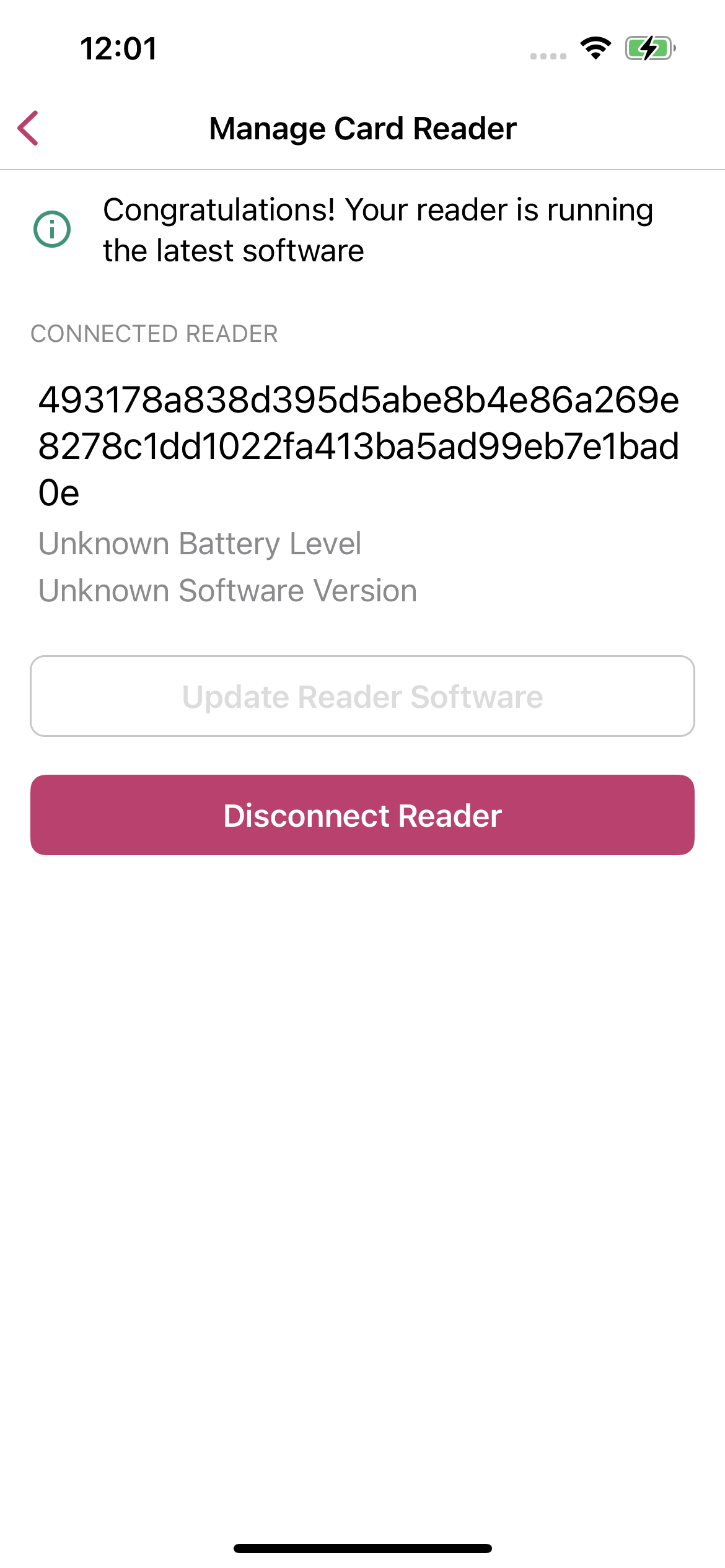
Thanks a lot for this PR @joshheald, it looks much simpler now, and it tests well.
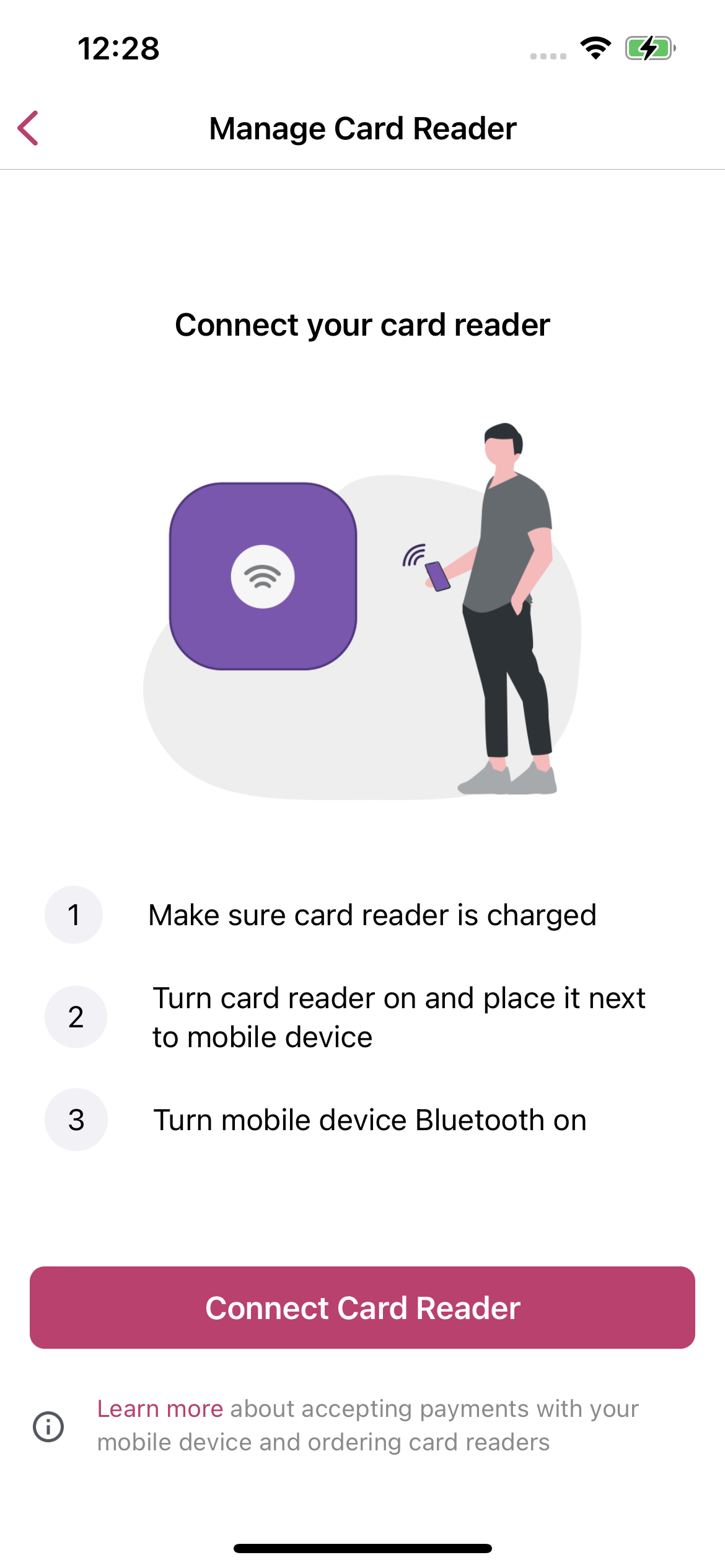
If however, we disconnect it, the connect screen doesn't reference the built-in reader, being very specific for Bluetooth ones:
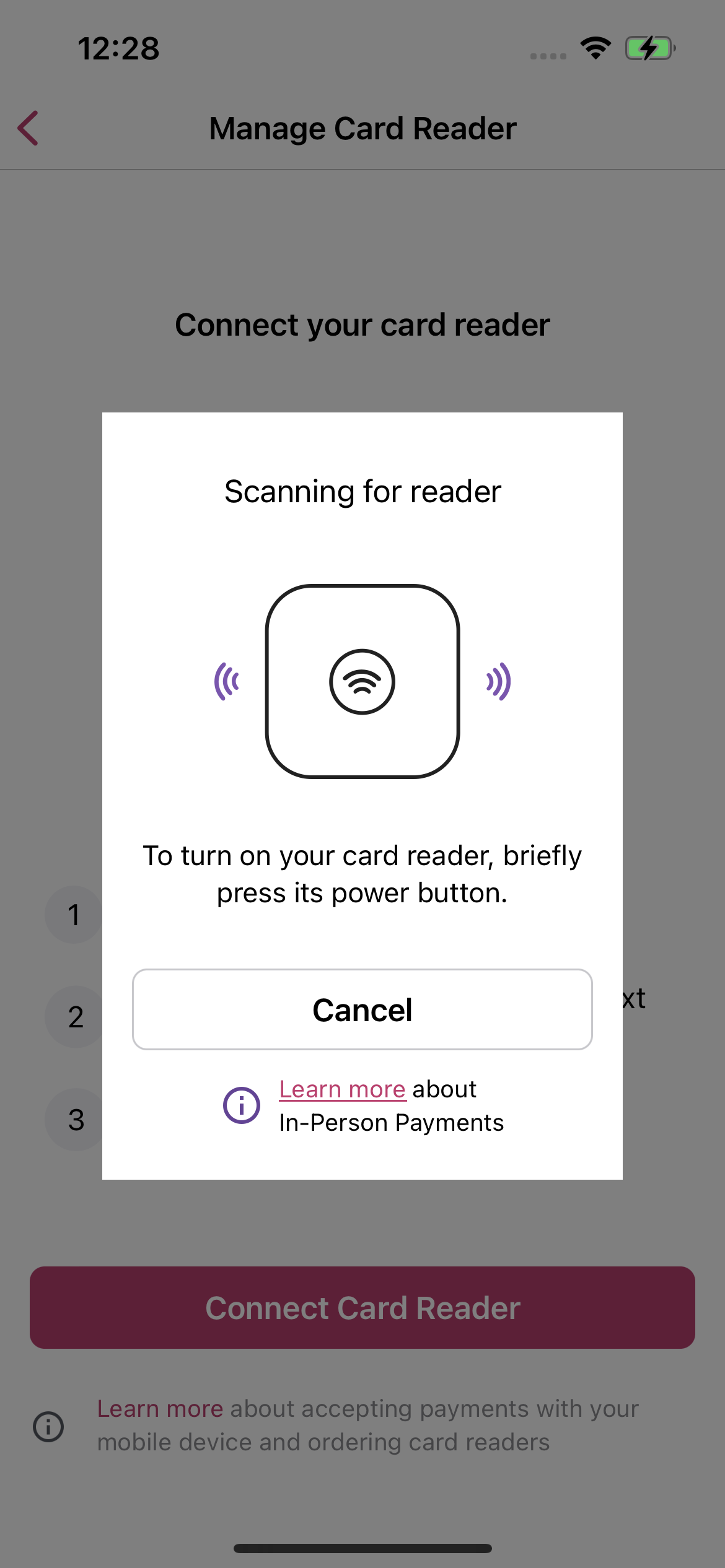
If we try to connect a reader there, we cannot connect to the built-in one:
I think these inconsistencies might be confusing to the user. Are we planning to address this issue? Thanks a lot! |



|
Thanks for the review @toupper!
I've not addressed that screen yet, but my plan is not to change it significantly: there's nothing for the user to manage about a built in reader (no battery level, no software updates) and no useful information (serial number) to be gained from this screen. The built-in reader shows up here when it's connected, because it needs to be disconnected before we can use a different reader, but there's no other reason to show it. We can review that with some more design input, but that might be more appropriate for a later iteration. Potentially we could immediately prompt the user to disconnect the built in reader if they come to this screen with it connected? Some planned work which might help avoid user confusion is to surface the built in reader in the payments menu (#8087) and simplify the display of the built in reader in this screen (#8081). |
That would be a great idea, surfacing the built in reader in Payments is good not only for avoiding confusion but also for highlighting this new feature. |
joshheald
deleted the
issue/8082-simplify-BuiltInCardReaderConnectionController
branch


Part of: #8082
Description
In sTAP Away, we add the ability to use the built-in NFC card reader on compatible iPhones to take card payments.
The Stripe SDK we use keeps a very similar interface for built in reader connections, compared to bluetooth reader connections. The interface is almost identical, asking us to discover a reader, then connect to it, even though it's the phone's built in hardware.
The connection flows for BuiltIn and Bluetooth card readers are similar, but the built-in flow has less complexity. In particular, we only need to support one built-in reader for Tap on Mobile, so we can remove the ability to skip a reader, don't need to show a list of readers to choose between, and can always auto connect to a found reader.
Using the BuiltIn variant of the CardReaderConnectionController (duplicated in #8280) I've stripped out the unnecessary steps and code to provide the following connection flow.
candidateReaderlocalMobilesearch usingCardPresentPaymentAction.startCardReaderDiscoveryconnected(reader)so that Preflight can continue with its workN.B. There's no change to the visuals or text for the Built-in reader flow – this PR continues to use the same alerts as the bluetooth reader flow.
The next step is to update the alerts that are shown, and then, I'll factor out the shared code.
Testing instructions
If you do not have a device which is provisioned for Tap on Mobile, please enable the simulated card reader and build to a simulator.
To enable the Stripe simulated reader, in Xcode go to
Product > Scheme > Edit Schemeand selectRunin the sidebar, thenArgumentsin the tabs. Check the-simulate-stripe-card-readerbox.Using a US store with WCPay or the Stripe gateway:
Tap to Pay on iPhoneexperimental feature in settingsMenu > Payments > Collect PaymentRepeat, using the simulated reader, after setting the software update type to
.required(change it in code and rebuild)Observe that when you do this, the connection flow proceeds and performs the update, displaying progress as it does so.
Screenshots
built-in-reader-connection-flow.mp4
RELEASE-NOTES.txtif necessary.