Skip to content

Conversation

@selanthiraiyan
Copy link
Contributor

@selanthiraiyan selanthiraiyan commented Jan 25, 2023

Part of: #8679

Description

This PR adds a new A/B test experiment for the REST API project to enable application password authentication. Experiment details: pbxNRc-2i4-p2

  • Added new A/B test experiment.
  • Replaced the temporary feature flag with A/B test.

Testing instructions

Testing the control variation

  • Log out of the app or skip login onboarding if needed.
  • On the prologue screen, observe that you see the login screen as before.
  • Login flow should work as before without any changes.

Testing the treatment variation

We will have to sandbox and assign a particular variation to the device to test the variations.

Prerequisites:

  • Please follow the setup in PCYsg-Fq7-p2#assignments-api for proxied sandboxed API requests: connect to sandbox via ssh, and point WP.com API to the sandbox IP address (ifconfig) in the local matchine's /etc/hosts
  • In Xcode, set a breakpoint at ExPlatService L47 where anon_id is set in the URL request
  • Make an API request PATCH /wpcom/v2/experiments/0.1.0/assignments with the following body and make sure it's successful:
{
    "variations": {
        "woocommerceios_login_rest_api_project_202301_v2": "treatment"
    },
    "anon_id": "anon_id_from_the_previous_step",
    "username_override": ""
}
  • Launch the app, and let it sit for a bit
  • Close and relaunch the app

1. Prologue screen and site address login flow.

  • Log out of the app or skip onboarding if needed.
  • Notice that the prologue screen has only CTAs to log in with the site address and create a new store.
  • Select Enter your site address and proceed with the address of a self-hosted site. Notice that the app will then navigate to the site credential login screen immediately.
  • Try again with the address of a WPCom site. Tapping Continue should navigate to WPCom login flow.

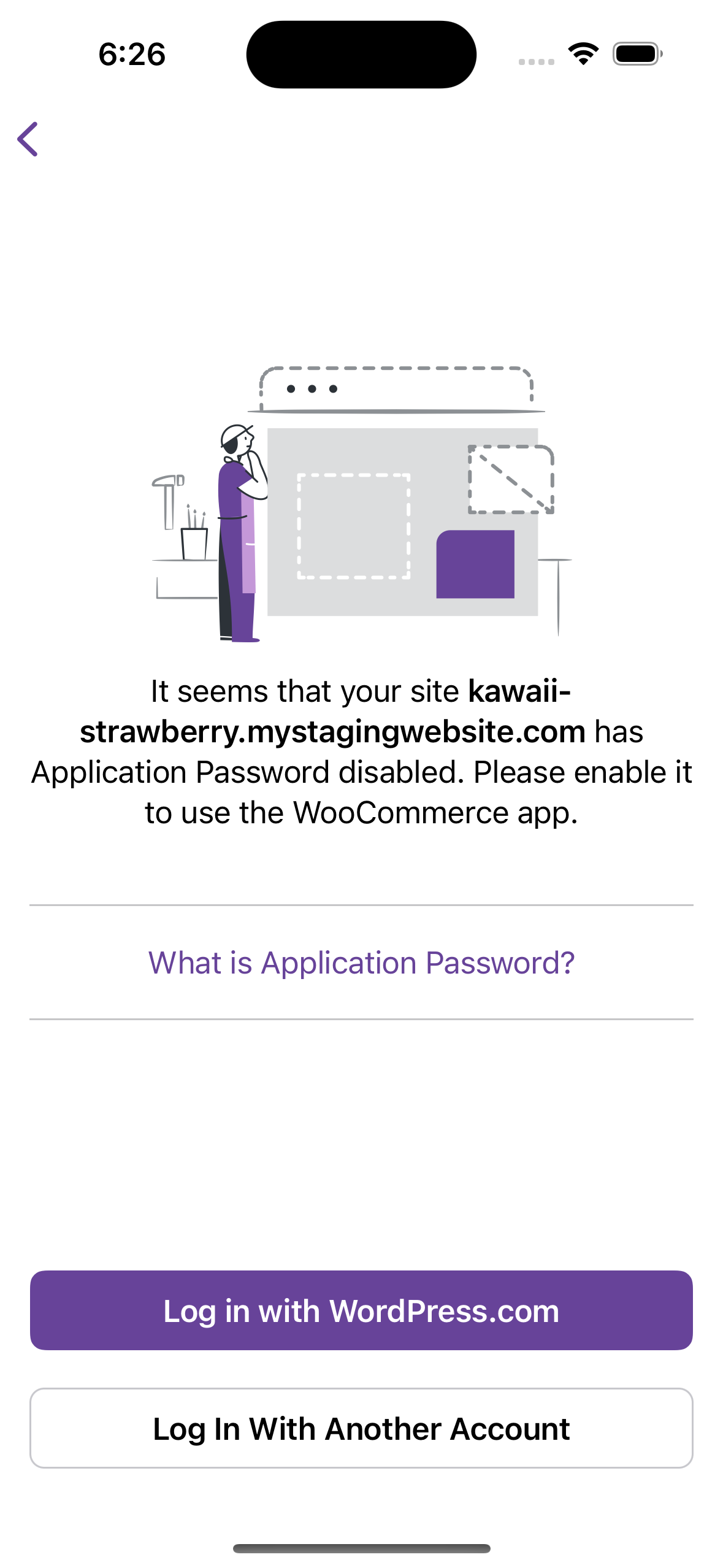
2. Application password disabled screen

Pre-requisite: Disable application password on your self-hosted site (e.g. by installing WordFence plugin Free version is enough for testing).

  • Log out of the app or skip onboarding if needed.
  • Notice that the prologue screen has only CTAs to log in with site address and create a new store.
  • Select Enter your site address and proceed with the address of a self-hosted site.
  • Enter your site credentials. You should then be navigated to the application password disabled screen.
  • Notice that there's a primary button on the screen to log in with WPCom. Tap that button.
  • Continue with the WPCom login flow. After the login succeeds, you should be able to navigate to the My Store screen.

Screenshots

Control Treatment
Prologue screen
After enter site address

Application password disabled:


  • I have considered if this change warrants user-facing release notes and have added them to RELEASE-NOTES.txt if necessary.

@selanthiraiyan selanthiraiyan added type: task An internally driven task. feature: REST API Authenticating requests using application password and using REST API instead of Jetpack tunnel. labels Jan 25, 2023
@wpmobilebot
Copy link
Collaborator

wpmobilebot commented Jan 25, 2023

You can test the changes from this Pull Request by:
  • Clicking here or scanning the QR code below to access App Center
  • Then installing the build number pr8744-c48427f on your iPhone

If you need access to App Center, please ask a maintainer to add you.

@selanthiraiyan selanthiraiyan added this to the 12.1 milestone Jan 25, 2023
@selanthiraiyan selanthiraiyan marked this pull request as ready for review January 25, 2023 11:58
@peril-woocommerce
Copy link

Warnings
⚠️ This PR is assigned to a milestone which is closing in less than 2 days Please, make sure to get it merged by then or assign it to a later expiring milestone

Generated by 🚫 dangerJS

Copy link
Contributor

@ealeksandrov ealeksandrov left a comment

Choose a reason for hiding this comment

The reason will be displayed to describe this comment to others. Learn more.

Works as described :shipit:

  • ✅ control login flow
  • ✅ treatment login flow
    • ✅ self-hosted site
    • ✅ treatment self-hosted site
    • ✅ treatment self-hosted site with application password disabled

One note: when I log out in app settings - I always get login flow for control group (3 buttons), after app restart it resets to treatment (2 buttons).

@selanthiraiyan
Copy link
Contributor Author

Thanks for the review, @ealeksandrov 🙇

One note: when I log out in app settings - I always get login flow for control group (3 buttons), after app restart it resets to treatment (2 buttons).

AFAIK this could be because ABTest variant info is cleared during logout, and the login screen is shown before we fetch the variations again from the server.
@jaclync made an improvement during a previous A/B test PR in this commit. More details here #8170 (comment)

@selanthiraiyan
Copy link
Contributor Author

@ealeksandrov

I have updated the abacus experiment to a newer version. I added a new version to address the feedback I received on the experiment proposal. pbxNRc-2i4-p2

I have validated this new experiment with my sandbox.

Could you kindly validate this with your sandbox? Thank you!

Copy link
Contributor

@ealeksandrov ealeksandrov left a comment

Choose a reason for hiding this comment

The reason will be displayed to describe this comment to others. Learn more.

All flows still work as described :shipit:

Sign up for free to join this conversation on GitHub. Already have an account? Sign in to comment

Labels

feature: REST API Authenticating requests using application password and using REST API instead of Jetpack tunnel. type: task An internally driven task.

Projects

None yet

Development

Successfully merging this pull request may close these issues.

5 participants