Jetpack Focus: Implement design for the new users overlay #19881
Conversation


You can test the changes in Jetpack from this Pull Request by:
|
You can test the changes in WordPress from this Pull Request by:
|

 momo-ozawa
left a comment
momo-ozawa
left a comment
momo-ozawa
left a comment
There was a problem hiding this comment.
Works as described! A couple of UI things I noticed:
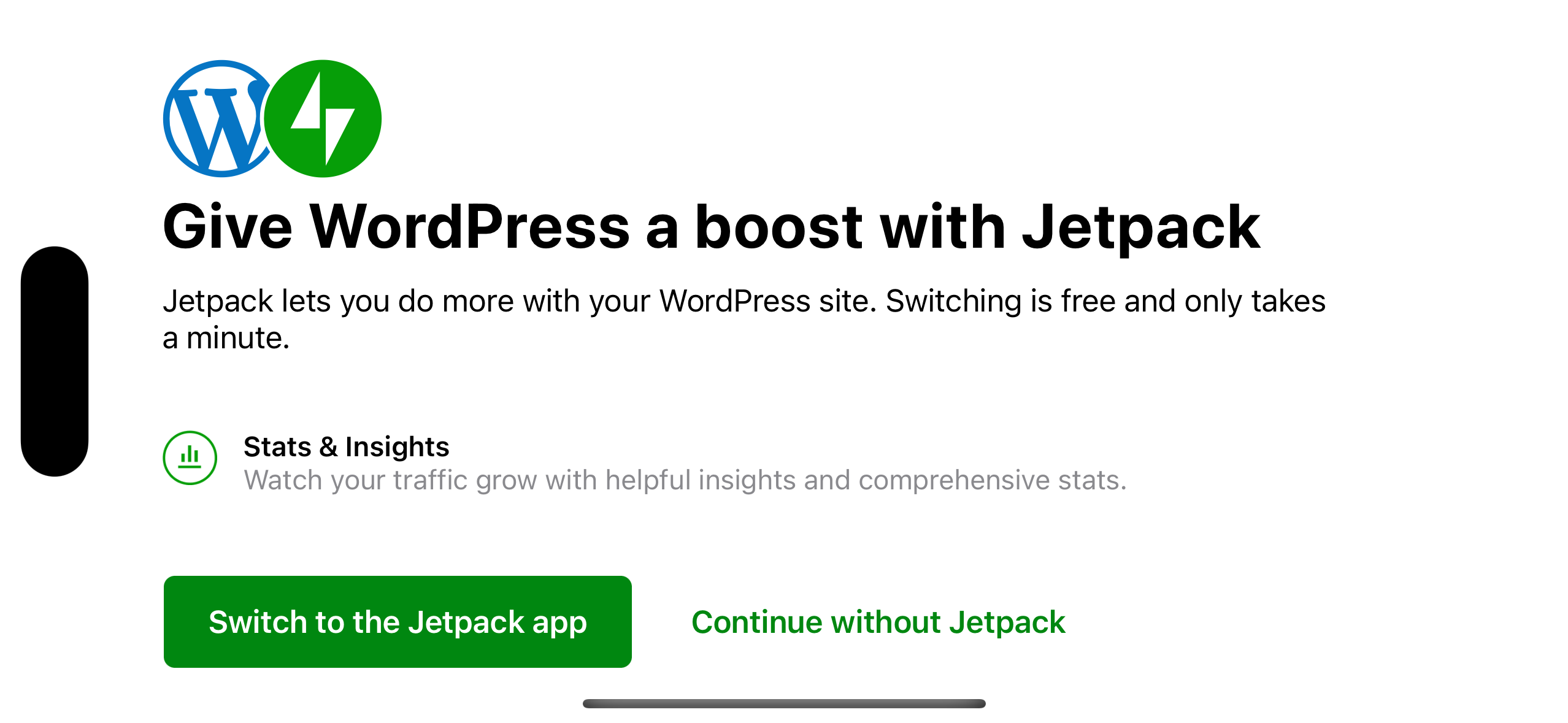
- Are the buttons supposed to be leading aligned or center aligned in compact height mode? Currently they're aligned to the leading margin, but just wanted to make sure.
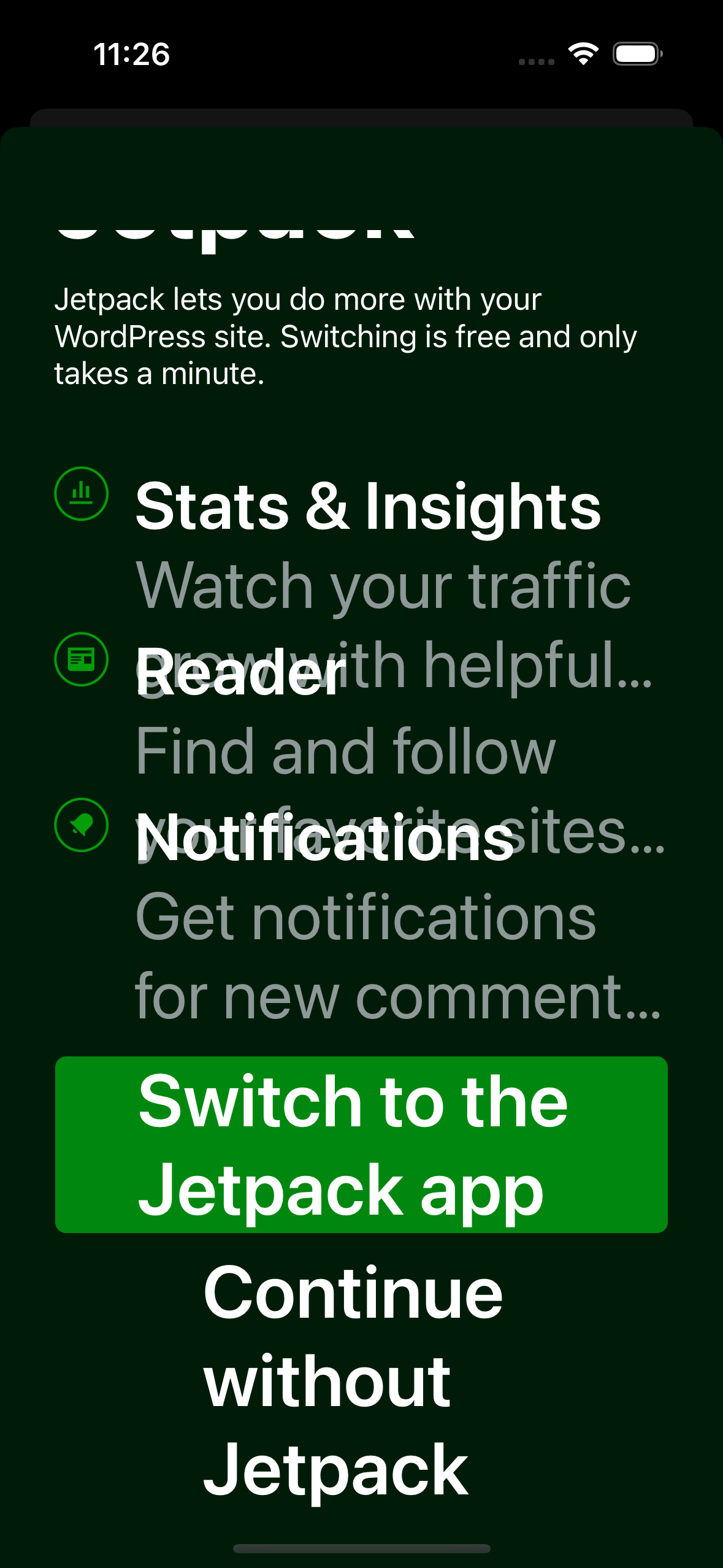
- If you adjust the text size to use larger accessibility sizes, the labels in the secondary view overlap each other.
| static let notificationsContinueButtonTitle = NSLocalizedString("jetpack.fullscreen.overlay.notifications.continue.title", | ||
| value: "Continue to Notifications", | ||
| comment: "Title of a button that dismisses an overlay and displays the Notifications screen.") | ||
| static let continueButtonTitle = NSLocalizedString("jetpack.fullscreen.overlay.phaseThree.general.continue.title", |
There was a problem hiding this comment.
[nit]
| static let continueButtonTitle = NSLocalizedString("jetpack.fullscreen.overlay.phaseThree.general.continue.title", | |
| static let continueButtonTitle = NSLocalizedString("jetpack.fullscreen.overlay.general.continue.title", |
There was a problem hiding this comment.
I intentionally did not update this to not force a new translation of an already translated string. But now I'm having second thoughts. Not sure what's worse, having an inaccuracy in the key or translating an already translated string. What do you think?
Related thread: p1650995535103199/1650995010.603439-slack-CC7L49W13
There was a problem hiding this comment.
Thanks for the thread link, that makes a lot of sense.
Hmmm. In this case the renaming is a super minor change (i.e. it doesn't noticeably improve the readability etc), so maybe it's best to leave it as is.

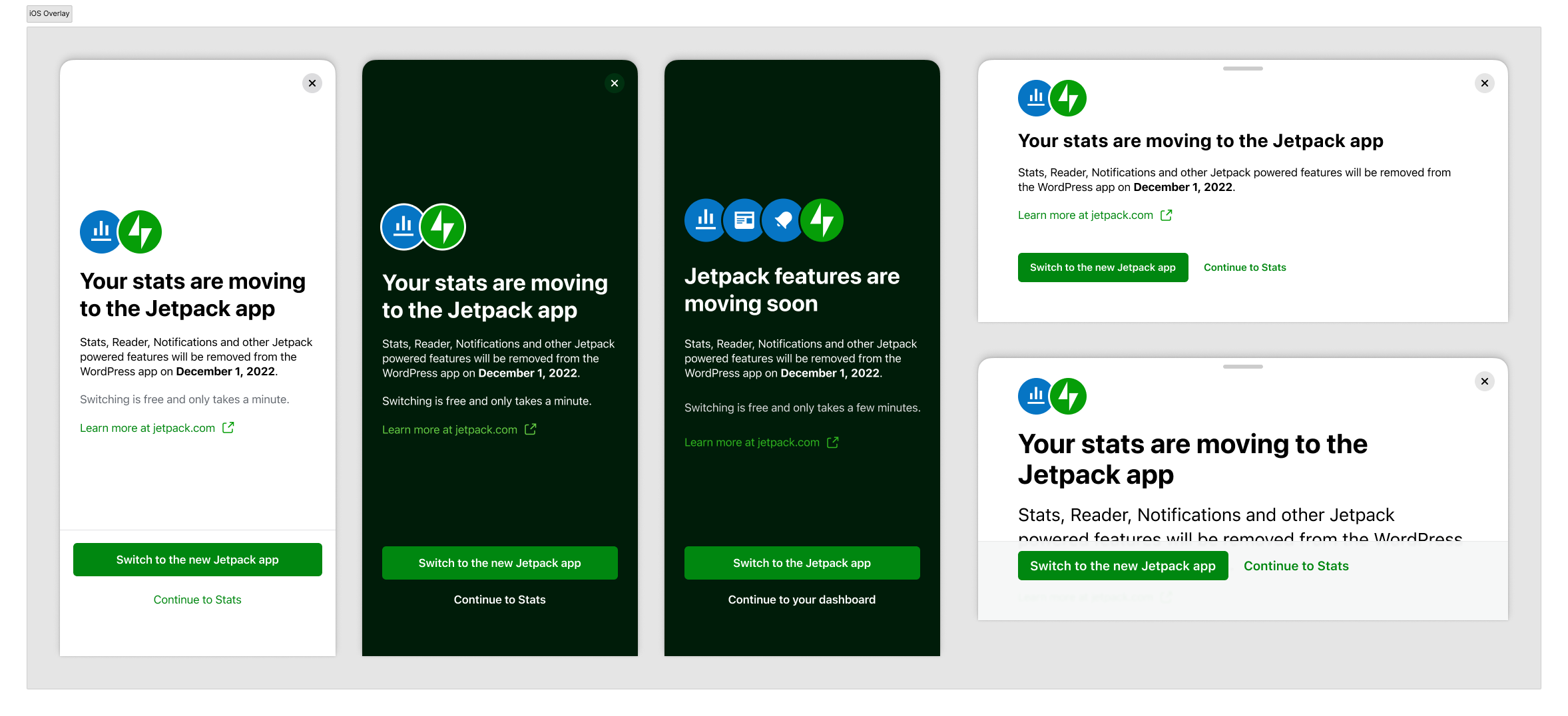
@momo-ozawa That's the expected behavior, yes. Below is a screenshot from Figma:
|


Part of #19453
Description
This PR implements the overlay for new users. The design for this overlay is different from the existing overlays, which required adding a way to customize the generic overlay.
The focus of this PR is only on the design of the overlay.
The menu card and showing the overlay on login will be implemented in a future PR.
Screenshots
Pre-testing Instructions
JetpackFullscreenOverlayGeneralViewModel.swiftline 183return nilJetpackFeaturesRemovalCoordinator.swiftline 132trueTesting Instructions
Regression Notes
Potential unintended areas of impact
The design of other overlays.
What I did to test those areas of impact (or what existing automated tests I relied on)
Tested manually.
What automated tests I added (or what prevented me from doing so)
N/A
PR submission checklist:
RELEASE-NOTES.txtif necessary.