
CSS JS Prefixer is a powerful VS Code extension designed to streamline your development process by converting standard CSS properties into JavaScript object notation.
Simply select your CSS code, trigger the extension, and watch as it transforms your styles into a clean and structured JavaScript object format. With support for all standard CSS properties and seamless integration into your workflow, this extension helps you maintain consistency and efficiency in your projects. Say goodbye to manual conversions and hello to effortless CSS to JS transformation with CSS JS Prefixer.
Whether you're working with Emotion, styled-components, or inline styles, it transforms your styles into clean, camelCased JavaScript objects—complete with automatic vendor prefixing.
- 🚀 Instant Conversion: Instantly turn CSS rules into JS objects.
- 🐪 CamelCase Transformation: Automatically converts kebab-case properties (e.g.,
background-color) to camelCase (backgroundColor). - 🛠️ Autoprefixer Integration: Leverages Autoprefixer to handle vendor prefixes for you.
- ⌨️ Quick Shortcuts: Dedicated keyboard shortcut for a seamless workflow.
- ⚙️ Highly Configurable: Customize Autoprefixer options directly in your VS Code settings.
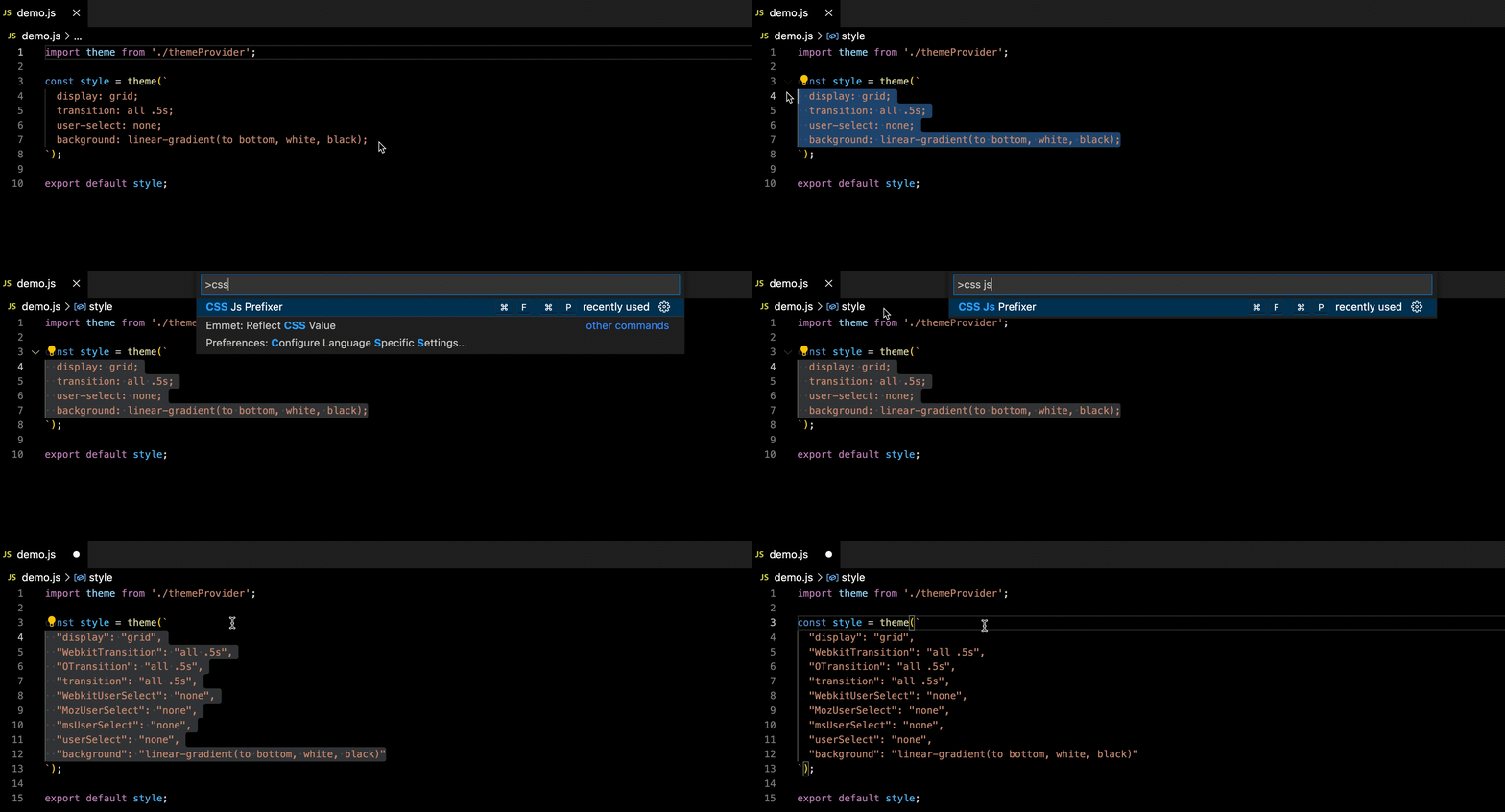
To install, search for css-js-prefixer in the VS Code Extensions view (Ctrl+Shift+X) and click Install.
- Select the CSS code you want to convert.
- Press
Ctrl+Shift+K(orCmd+Shift+Kon macOS). - Alternatively, open the Command Palette (
Ctrl+Shift+P) and typeCSS Js Prefixer.
CSS included code:
const card = css({
  display: grid;
  color: red;
  background-color: blue;
  font-size: 1rem;
})
Selected from display: grid; to font-size: 1rem; and applied extension:
Converted CSS-in-JS code:
const card = css({
  display: 'grid',
  color: 'red',
  backgroundColor: 'blue',
  fontSize: '1rem',
});In your VS Code settings.json, you can configure the Autoprefixer options under the key cssJsPrefixer.options. This configuration object is passed directly to Autoprefixer.
{
  "cssJsPrefixer.options": {
    "browsers": ["last 4 versions", "ie >= 9", "> 5%"]
  }
}{
"cssJsPrefixer.options": {
"flexbox": true,
"grid": "autoplace"
}
}{
"cssJsPrefixer.options": {
"browsers": ["last 2 versions"],
"options": {
"supports": true
}
}
}| Shortcut | Command |
|---|---|
Ctrl+Shift+K |
cssJsPrefixer.execute |
Contributions are welcome! If you find a bug or have a feature request, please open an issue.
This extension is licensed under the MIT License.