Sample ASP.NET MVC page with step-by-step wizard for ordering the company x-mas gift.
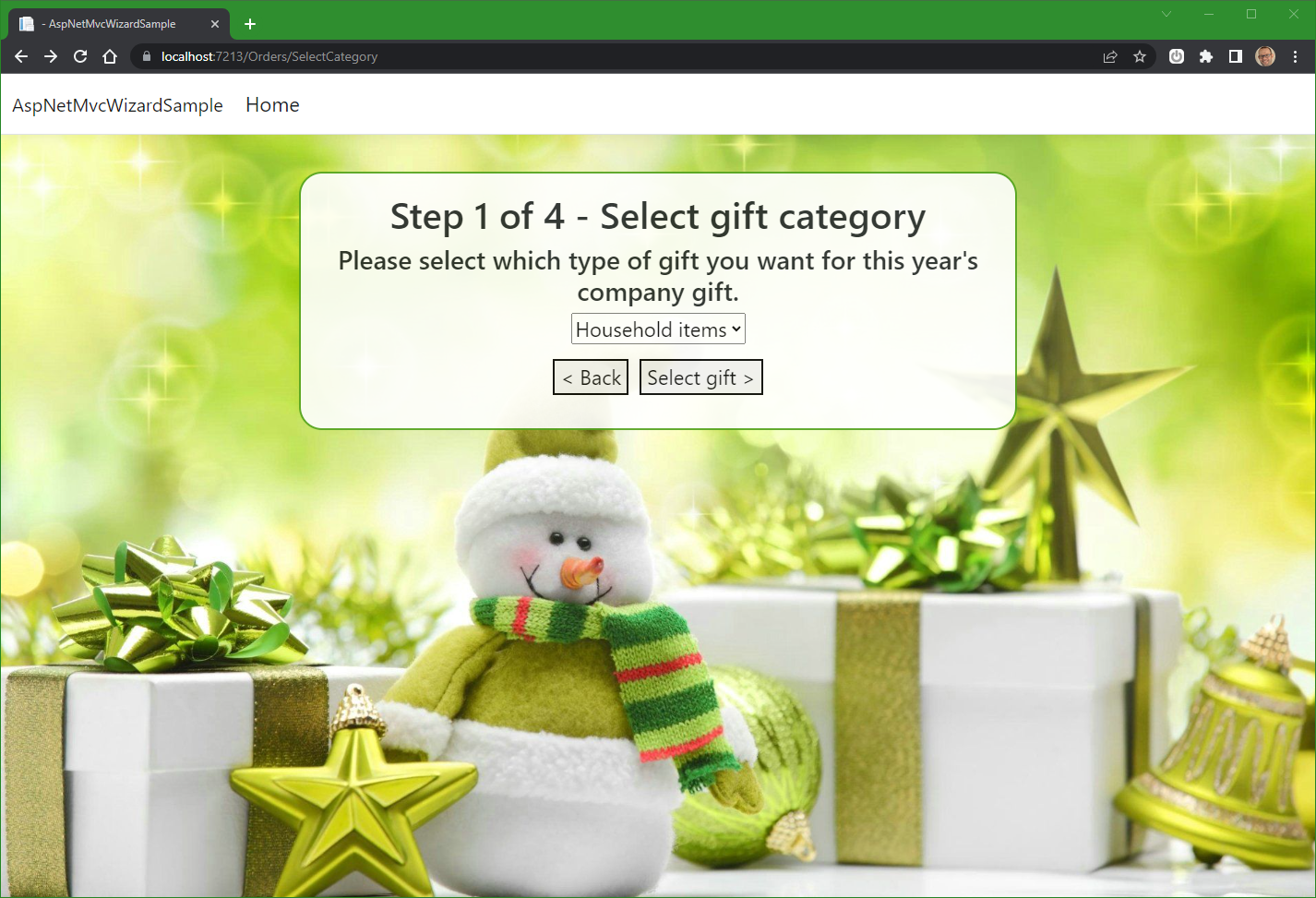
This solution focuses on the step-by-step nature of a wizard (e.g. in creating an order).
It is basically an ASP.NET MVC Controller class OrdersController, which has an action for each step in the wizard.
Each action has a view, with a form which posts the user's selections to the next action (i.e. gift category, gift, place of delivery):
//NOTE: only selected actions of the controller are shown here
public class OrdersController : Controller
{
    //Step 1 of 4 - select the category of gift
    public ActionResult SelectCategory() {...}

    //Step 2 of 4 - select the actual gift
    [HttpPost]
    public ActionResult SelectGift(int giftCategoryId){...}

    //Step 3 of 4 - select where the gift should be delivered
    [HttpPost]
    public ActionResult SelectDelivery(int giftId) {...}

    //Step 4 of 4 - save the finished order and display it
    [HttpPost]
    public ActionResult ShowOrder(DeliveryLocation deliveryLocation) {...}
}The way the forms (from the call to View() in each of theOrdersController's actions) sends the user to the next action is via the "action" attribute on the forms and a form element with a name that matches the parameter of the following action.
<form action="/Orders/SelectGift" method="post">
<select name="giftCategoryId">
<option value="1">Candy</option>
<option value="2">Wearables</option>
<option value="3">Household items</option>
<option value="4">Electronics</option>
</select>
<p>
<div>
<button onclick="history.go(-1);return false;">< Back</button>
<button type="submit">Select gift ></button>
</div>
</p>
</form>Note how the form's action attribute has the value /Orders/SelectGiftId so it matches the name of the next action in the wizard, and the name of the select (drop down) is giftCategoryId so it matches the parameter in the SelectGift(int giftCategoryId) action on the controller.
...so it can pass the user to the next action on postback, with the value of the selected giftCategoryId.
<form action="/Orders/SelectDelivery" method="post">
<input id="id_11" type="radio" name="giftId" value="11" checked="checked" } />
<label for="id_11">Dark coding chocolates</label>
<br>
<input id="id_12" type="radio" name="giftId" value="12" } />
<label for="id_12">Programmers Energy Drink '!Boozta!'</label>
<br>
<input id="id_13" type="radio" name="giftId" value="13" } />
<label for="id_13">Debugging Edibles</label>
<br>
<p>
<div>
<button onclick="history.go(-1);return false;">< Back</button>
<button type="submit">Select delivery ></button>
</div>
</p>
</form>Note how the form's action attribute has the value /Orders/SelectDelivery so it matches the name of the next action in the wizard, and the name of the input (radio buttons) is giftId so it matches the parameter in the SelectDelivery(int giftId) action on the controller.
<form action="/Orders/ShowOrder" method="post">
<select name="deliveryLocation">
<option value="Work">Work</option>
<option value="Home">Home</option>
<option value="Reception">Reception</option>
</select>
<p>
<div>
<button onclick="history.go(-1);return false;">< Back</button>
<button type="submit">Place order ></button>
</div>
</p>
</form>Note how the form's action attribute has the value /Orders/ShowOrder so it matches the name of the next action in the wizard, and the name of the select (drop down) is deliveryLocation so it matches the parameter in the ShowOrder(DeliveryLocation deliveryLocation) action on the controller. Since the dropdown in the form is populated from the enum DeliveryLocation, the string value passed from the form to the ShowOrder action is automatically parsed to a value from that enum.
To enable the order object (created in the SelectDelivery() method) to be sent to the final action (ShowOrder()), the Order object is stored in and retrieved from TempData[] using two helpermethods:
 #region Helpermethods

//////////// HELPER METHODS /////////////////////////////////
//The following two methods are helpermethods
//to allow for the storage and retrieval of an Order object
//between actions on the controller
//////////////////////////////////////////////////////////
private void StoreOrderInTempData(Order order)
{
    TempData["Order"] = JsonConvert.SerializeObject(order);
}
private Order GetOrderFromTempData()
{
    return JsonConvert.DeserializeObject<Order>((string)TempData["Order"]);
}
//////////////////////////////////////////////////////////
#endregion
Note that it is perfectly fine to store an object in TempData through the entire wizard flow. It is just not necessary in the four steps above, as the only thing sent from the SelectCategory action is the category id and the only thing sent from the SelectGiftaction is the gift id.
This project uses Dependency Injection to enable low coupling between components.
This means that the OrdersController receives the components it is dependent on in its constructor:
private readonly IGiftsDataAccess _giftsData;
private readonly IOrdersDataAccess _ordersData;
private readonly IAuthenticationProvider _authenticationProvider;

public OrdersController(IGiftsDataAccess giftsData, IOrdersDataAccess ordersData, IAuthenticationProvider authenticationProvider)
{
    _giftsData = giftsData;
    _ordersData = ordersData;
    _authenticationProvider = authenticationProvider;
}
The IGiftsDataAccess interface defines the needed functionality for the controller to be able to
- get all gift categories
- get gifts within a specific category
- get a gift from its id This is implemented as an in-memory store, but could easily use a database.
The the IOrdersDataAccess interface defines the needed functionality for the controller to be able to
- add a new order
- get an order by its id This is implemented as an in-memory store, but could easily use a database.
The IAuthenticationProvider interface defines the needed functionality for the controller to be able to
- retrieve the current user This is implemented as a stub, which just returns 42, but could be hooked up to ASP.NET Authentication.
The interfaces mentioned above are registered in the Program.cs file:
// Add services to the container.
builder.Services.AddSingleton<IOrdersDataAccess, InMemoryOrderDataAccess>();
builder.Services.AddSingleton<IGiftsDataAccess, HardcodedGiftsDataAcess>();

//emulate an actual authentication provider, by hardcoding a stub with the value "42"
builder.Services.AddSingleton<IAuthenticationProvider>((_)=>new AuthenticationProviderStub(42));
so the ASP.NET framework knows which classes to instantiate for the OrdersController's constructor.