UI wrapper for flask's jsonify
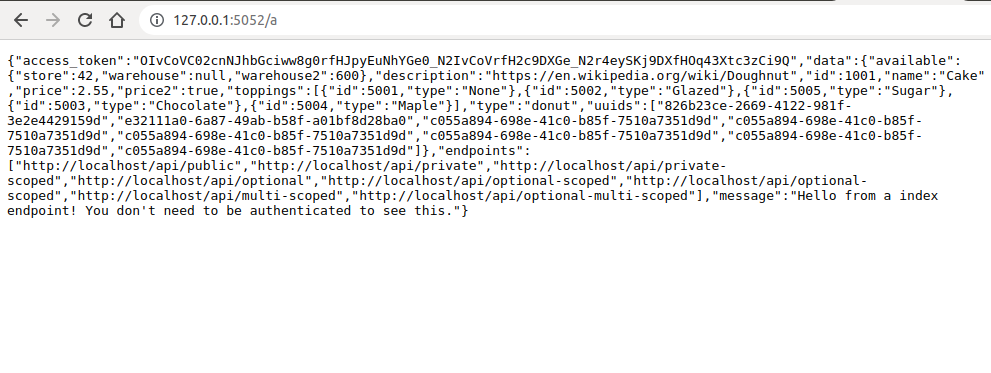
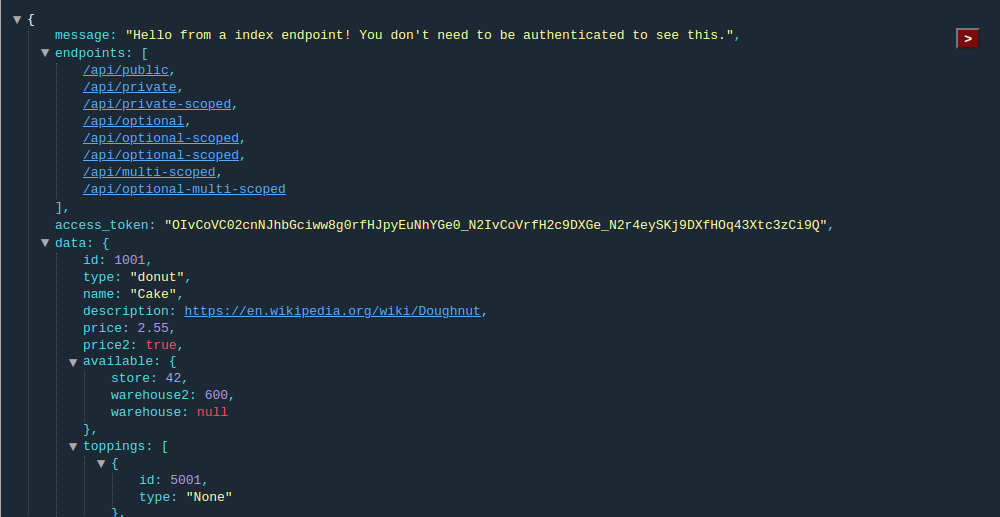
Jsonify is a drop in replacement for flask.jsonify;
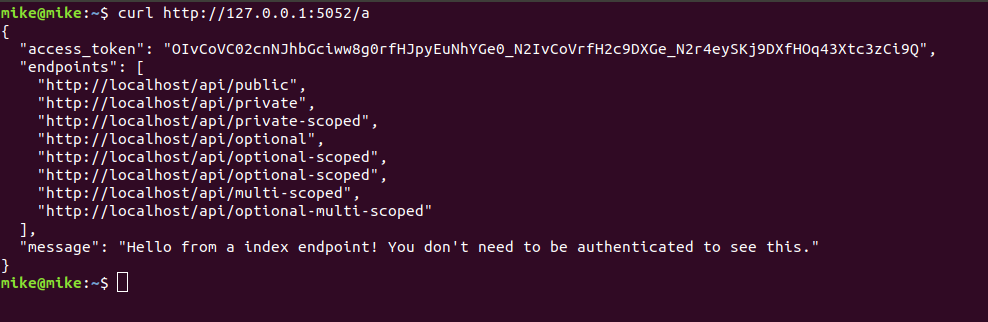
- Only browsers will get the HTML page everyone else will get a normal
flask.jsonifyJSON data response. - UI requires no imports, no npm, Pure Javascript.
- Useful for devlopers when debugging API's
# from github
pip install git+https://github.com/xzava/jsonify.git --upgrade

# from pypi.org (Coming soon)
# pip install jsonify

# or for development
git clone https://github.com/xzava/jsonify.git
cd jsonify
python setup.py develop

# for requirements.txt
git+https://github.com/xzava/jsonify.git# main.py
from flask import Flask
from jsonify import jsonify
app = Flask(__name__)
app.debug = True
@app.route("/")
def index_route():
""" This route does not need authentication or authorization """
data = {
"message": "Hello from a index endpoint! You don't need to be authenticated to see this.",
"endpoints": [
"http://localhost/api/public",
"http://localhost/api/private",
"http://localhost/api/private-scoped",
"http://localhost/api/optional",
"http://localhost/api/optional-scoped",
"http://localhost/api/optional-scoped",
"http://localhost/api/multi-scoped",
"http://localhost/api/optional-multi-scoped"
],
"access_token": "eyJhbGciOC02cnNuNhY4ww8g0rfHJpyESKj9DXGe0_N2IvCoVrfH2c9DXGe_N2IvCoVrfHOq43Xtc3zCi9Q",
}
return jsonify(data)
if __name__ == '__main__':
# python main.py
app.run(port=5080, debug=app.debug)
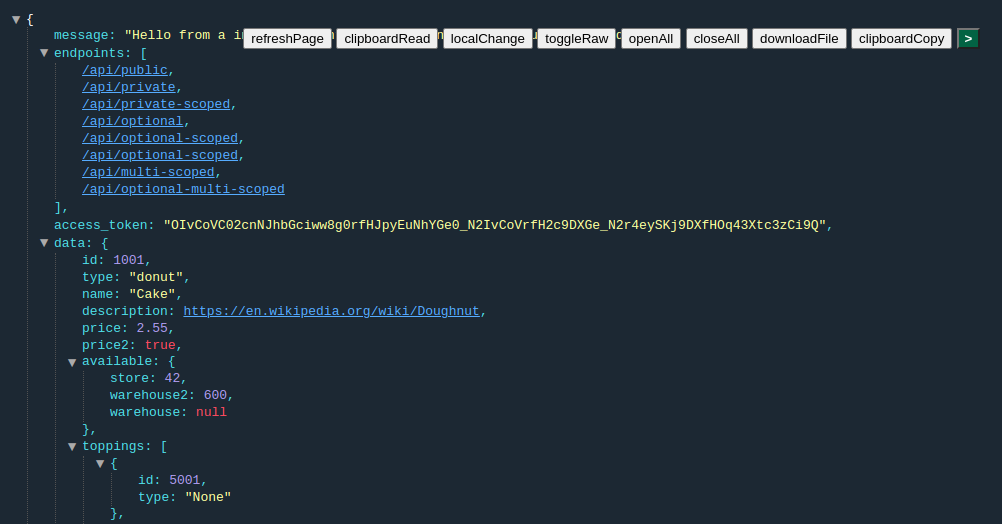
- Interactive JSON UI
- Respects:
content-type: "application/json", ie the HTML UI is only shown to browsers - By default will only run when
app.debugis True. For programmers. export JSONIFY_ALWAYS=1to run when debug mode is off. For your users.- If the user agent looks like a browser it will run, if not it will return the json data
- Turn it off by commenting out the import.
Try it out, Star it if you like it.
Inspiration from this jquery plugin - with all the jquery removed, styles improved and buttons added, and connected with flask
Inspiration also from firefox nightly, they apply a similar UI for json by default.
Making this free and useful is the right thing to do. Consider donating if you find this as useful as I do.

Question: How does jsonify know if it should render the HTML or send the JSON response
- Check one: Is the request coming from a user-agent with anything remotely browser in the string?
Send HTML.
ie
is_broswer = any(e in request.headers['User-Agent'].lower() for e in {"mozilla", "linux", "apple", "gecko", "chrome", "safari", "firefox", "iphone", "opera", "android"})- Check two: Does the headers have a
Content-Type: application/json- This header is respected and JSON will always be returned.
Send JSON.
ie
requesting_json = request.headers.get("Content-Type") == "application/json"Suggestions on how to improve detection are welcome.
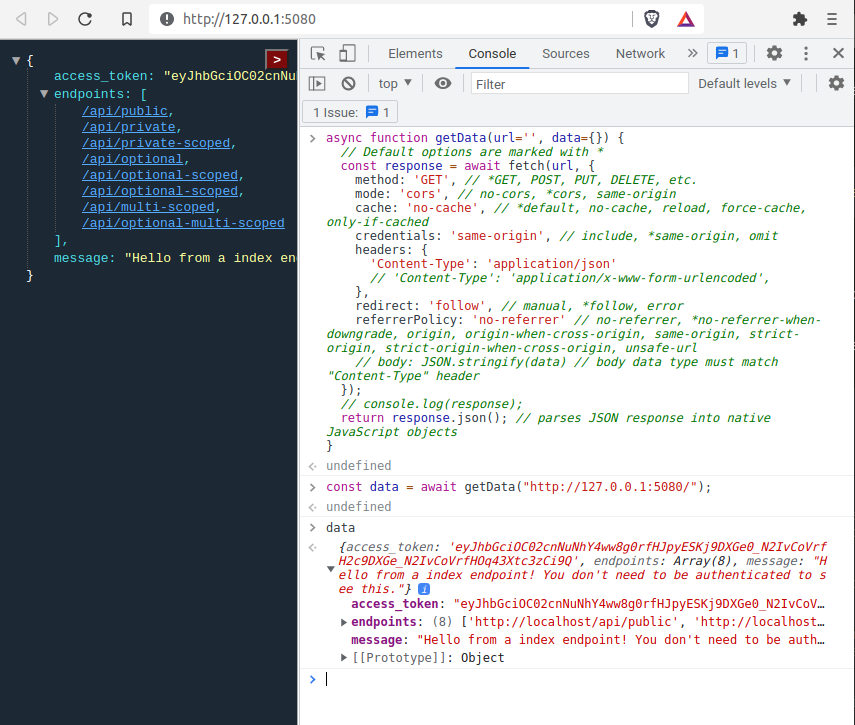
It's written in this way so a javascript Fetch() from the browser will always return JSON data, if they include Content-Type: application/json which is normally the case.
Return JSON
ie The following javascript will return JSON to this request but HTML to a human page reload.
async function getData(url='', data={}) {
  // Default options are marked with *
  const response = await fetch(url, {
	method: 'GET', // *GET, POST, PUT, DELETE, etc.
	mode: 'cors', // no-cors, *cors, same-origin
	cache: 'no-cache', // *default, no-cache, reload, force-cache, only-if-cached
	credentials: 'same-origin', // include, *same-origin, omit
	headers: {
	  'Content-Type': 'application/json'
	  // 'Content-Type': 'application/x-www-form-urlencoded',
	},
	redirect: 'follow', // manual, *follow, error
	referrerPolicy: 'no-referrer' // no-referrer, *no-referrer-when-downgrade, origin, origin-when-cross-origin, same-origin, strict-origin, strict-origin-when-cross-origin, unsafe-url
	// body: JSON.stringify(data) // body data type must match "Content-Type" header
  });
  // console.log(response);
  return response.json(); // parses JSON response into native JavaScript objects
}

const data = await getData("http://127.0.0.1:5080/");

console.log(data);
If for some reason you need to send a fetch/ajax request from the browser and you need to specify a particular Content-Type that is not application/json.
Then make a pull request for a custom HTTP header X-jsonify: application/json, I'll be happy to review the PR.