
Kaka Subtitle Assistant
An LLM-powered video subtitle processing assistant, supporting speech recognition, subtitle segmentation, optimization, and translation.
Kaka Subtitle Assistant (VideoCaptioner) is easy to operate and doesn't require high-end hardware. It supports both online API calls and local offline processing (with GPU support) for speech recognition. It leverages Large Language Models (LLMs) for intelligent subtitle segmentation, correction, and translation. It offers a one-click solution for the entire video subtitle workflow! Add stunning subtitles to your videos.
- Support for word-level timestamps and VAD voice activity detection with high recognition accuracy
- LLM-based semantic understanding to automatically reorganize word-by-word subtitles into natural, fluent sentence paragraphs
- Context-aware AI translation with reflection optimization mechanism for idiomatic and professional translations
- Batch video subtitle synthesis support to improve processing efficiency
- Intuitive subtitle editing and viewing interface with real-time preview and quick editing
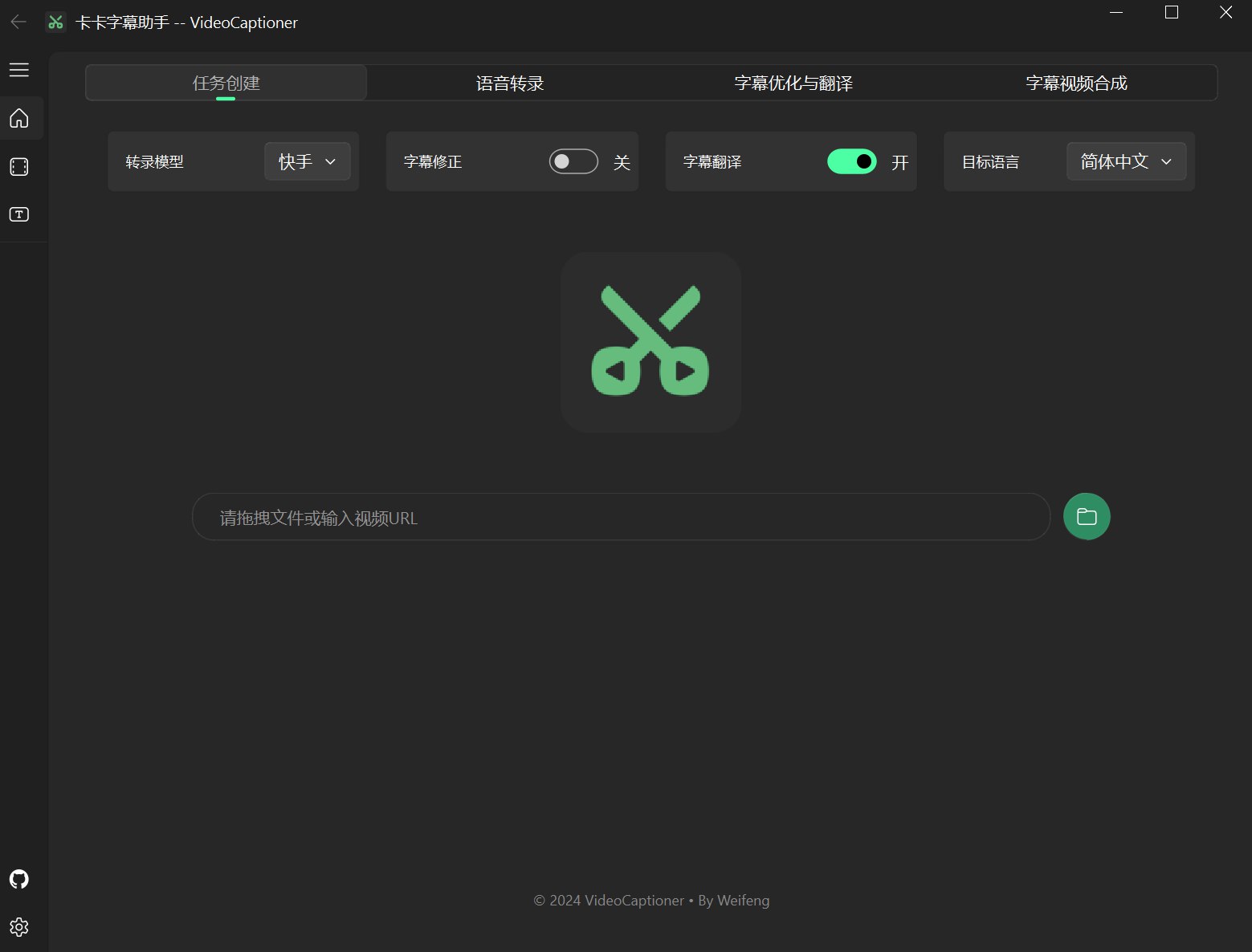
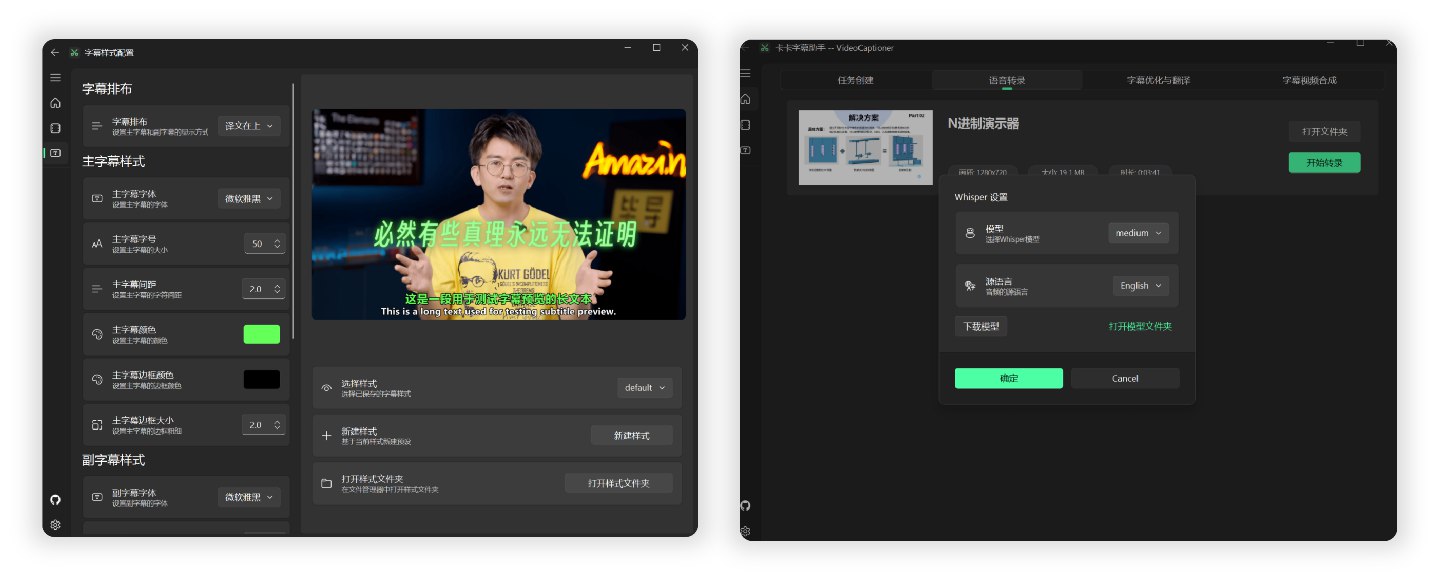
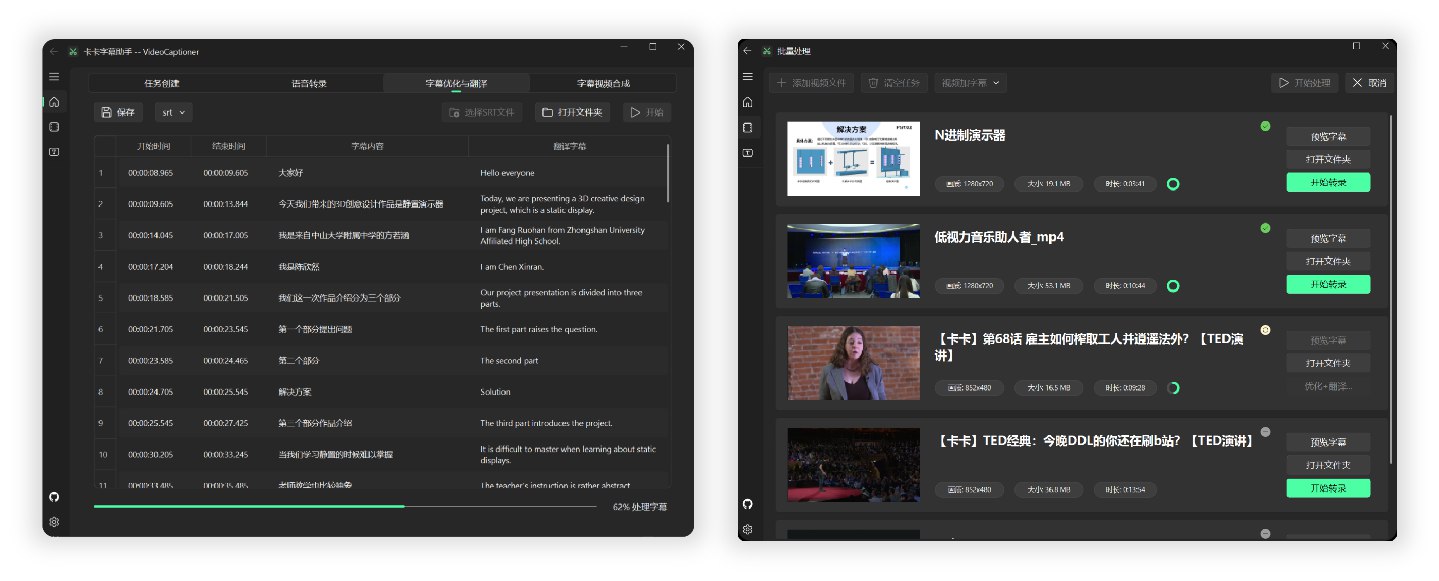
Processing a 14-minute 1080P English TED video from Bilibili end-to-end, using the local Whisper model for speech recognition and the gpt-5-mini model for optimization and translation into Chinese, took approximately 4 minutes.
Based on backend calculations, the cost for model optimization and translation was less than ¥0.01 (calculated using OpenAI's official pricing).
For detailed results of subtitle and video synthesis, please refer to the TED Video Test.
The software is lightweight, with a package size of less than 60MB, and includes all necessary environments. Download and run directly.
-
Download the latest version of the executable from the Release page. Or: Lanzou Cloud Download
-
Open the installer to install.
-
LLM API Configuration (for subtitle segmentation and correction), you can use this project's API relay
-
Translation configuration, choose whether to enable translation (default uses Microsoft Translator, average quality, recommend configuring your own API KEY for LLM translation)
-
Speech recognition configuration (default uses B interface for online speech recognition, use local transcription for languages other than Chinese and English)
# Method 1: Direct run (auto-installs uv, clones project, installs dependencies)
curl -fsSL https://raw.githubusercontent.com/WEIFENG2333/VideoCaptioner/main/scripts/run.sh | bash

# Method 2: Clone first, then run
git clone https://github.com/WEIFENG2333/VideoCaptioner.git
cd VideoCaptioner
./scripts/run.sh
The script will automatically:
- Install the uv package manager (if not installed)
- Clone the project to
~/VideoCaptioner(if not running from project directory) - Install all Python dependencies
- Launch the application
Manual Installation Steps
curl -LsSf https://astral.sh/uv/install.sh | shbrew install ffmpeggit clone https://github.com/WEIFENG2333/VideoCaptioner.git
cd VideoCaptioner
uv sync # Install dependencies
uv run python main.py # Run# Install dependencies (including dev dependencies)
uv sync
# Run application
uv run python main.py
# Type checking
uv run pyright
# Code linting
uv run ruff check .The software fully utilizes the advantages of Large Language Models (LLMs) in understanding context to further process subtitles generated by speech recognition. It effectively corrects typos, unifies terminology, and makes the subtitle content more accurate and coherent, providing users with an excellent viewing experience!
- Supports mainstream video platforms (Bilibili, YouTube, TikTok, X, etc.)
- Automatically extracts and processes the original subtitles of the video.
- Provides multiple online recognition interfaces with effects comparable to Jianying (free, high-speed).
- Supports local Whisper model (privacy protection, offline).
- Automatically optimizes the format of terminology, code snippets, and mathematical formulas.
- Contextual sentence segmentation optimization to improve reading experience.
- Supports manuscript prompts, using original manuscripts or related prompts to optimize subtitle segmentation.
- Context-aware intelligent translation ensures that the translation takes the entire text into account.
- Guides the large model to reflect on the translation through prompts, improving translation quality.
- Uses a sequence fuzzy matching algorithm to ensure complete consistency of the timeline.
- Rich subtitle style templates (popular science style, news style, anime style, etc.).
- Multiple subtitle video formats (SRT, ASS, VTT, TXT).
LLM is used for subtitle segmentation, optimization, and translation (if LLM translation is selected).
| Configuration Item | Description |
|---|---|
| SiliconCloud | SiliconCloud Official, for configuration see online docs Low concurrency, recommend setting threads below 5. |
| DeepSeek | DeepSeek Official, recommend using deepseek-v3 model. |
| OpenAI Compatible | If you have API from other providers, fill in directly. base_url and api_key VideoCaptioner API |
Note: If your API provider doesn't support high concurrency, lower the "thread count" in settings to avoid request errors.
For high concurrency, or to use quality models like OpenAI or Claude for subtitle correction and translation:
Use this project's ✨LLM API Relay✨: https://api.videocaptioner.cn
Supports high concurrency, excellent value, with many domestic and international models available.
After registering and getting your key, configure settings as follows:
BaseURL: https://api.videocaptioner.cn/v1
API-key: Get from Personal Center - API Token page.
💡 Model Selection Recommendations (high-value models selected at each quality tier):
-
High quality:
gemini-3-pro,claude-sonnet-4-5-20250929(cost ratio: 3) -
Higher quality:
gpt-5-2025-08-07,claude-haiku-4-5-20251001(cost ratio: 1.2) -
Medium quality:
gpt-5-mini,gemini-3-flash(cost ratio: 0.3)
This site supports ultra-high concurrency, max out the thread count in the software~ Processing speed is very fast~
For more detailed API configuration tutorial: API Configuration
| Configuration Item | Description |
|---|---|
| LLM Translation | 🌟 Best translation quality. Uses AI large models for translation, better context understanding, more natural translations. Requires LLM API configuration (e.g., OpenAI, DeepSeek, etc.) |
| Microsoft Translator | Uses Microsoft's translation service, very fast |
| Google Translate | Google's translation service, fast, but requires access to Google's network |
Recommended: LLM Translation for the best translation quality.
| Interface Name | Supported Languages | Running Mode | Description |
|---|---|---|---|
| Interface B | Chinese, English only | Online | Free, fast |
| Interface J | Chinese, English only | Online | Free, fast |
| WhisperCpp | Chinese, Japanese, Korean, English, and 99 other languages. Good performance for foreign languages. | Local | (Actual use is unstable) Requires downloading transcription models. Chinese: Medium or larger model recommended. English, etc.: Smaller models can achieve good results. |
| fasterWhisper 👍 | Chinese, English, and 99 other languages. Excellent performance for foreign languages, more accurate timeline. | Local | (🌟Recommended🌟) Requires downloading the program and transcription models. Supports CUDA, faster, accurate transcription. Super accurate timestamp subtitles. Windows only |
There are two Whisper versions: WhisperCpp and fasterWhisper (recommended). The latter has better performance and both require downloading models within the software.
| Model | Disk Space | RAM Usage | Description |
|---|---|---|---|
| Tiny | 75 MiB | ~273 MB | Transcription is mediocre, for testing only. |
| Small | 466 MiB | ~852 MB | English recognition is already good. |
| Medium | 1.5 GiB | ~2.1 GB | This version is recommended as the minimum for Chinese recognition. |
| Large-v2 👍 | 2.9 GiB | ~3.9 GB | Good performance, recommended if your configuration allows. |
| Large-v3 | 2.9 GiB | ~3.9 GB | Community feedback suggests potential hallucination/subtitle repetition issues. |
Recommended model: Large-v2 is stable and of good quality.
- On the "Subtitle Optimization and Translation" page, there is a "Manuscript Matching" option, which supports the following one or more types of content to assist in subtitle correction and translation:
| Type | Description | Example |
|---|---|---|
| Glossary | Correction table for terminology, names, and specific words. | Machine Learning->机器学习 Elon Musk->马斯克 Turing patterns Bus paradox |
| Original Subtitle Text | The original manuscript or related content of the video. | Complete speech scripts, lecture notes, etc. |
| Correction Requirements | Specific correction requirements related to the content. | Unify personal pronouns, standardize terminology, etc. Fill in requirements related to the content, example reference |
- If you need manuscript assistance for subtitle optimization, fill in the manuscript information first, then start the task processing.
- Note: When using small LLM models with limited context, it is recommended to keep the manuscript content within 1000 words. If using a model with a larger context window, you can appropriately increase the manuscript content.
If you encounter the following situations when using the URL download function:
- The video website requires login information to download.
- Only lower resolution videos can be downloaded.
- Verification is required when network conditions are poor.
- Please refer to the Cookie Configuration Instructions to obtain cookie information and place the
cookies.txtfile in theAppDatadirectory of the software installation directory to download high-quality videos normally.
The simple processing flow of the program is as follows:
Speech Recognition -> Subtitle Segmentation (optional) -> Subtitle Optimization & Translation (optional) -> Subtitle & Video Synthesis
The main directory structure of the project is as follows:
VideoCaptioner/
├── app/                        # Application source code directory
│   ├── common/                 # Common modules (config, signal bus)
│   ├── components/             # UI components
│   ├── core/                   # Core business logic (ASR, translation, optimization, etc.)
│   ├── thread/                 # Async threads
│   └── view/                   # Interface views
├── resource/                   # Resource file directory
│   ├── assets/                 # Icons, Logo, etc.
│   ├── bin/                    # Binary programs (FFmpeg, Whisper, etc.)
│   ├── fonts/                  # Font files
│   ├── subtitle_style/         # Subtitle style templates
│   └── translations/           # Multi-language translation files
├── work-dir/                   # Working directory (processed videos and subtitles)
├── AppData/                    # Application data directory
│   ├── cache/                  # Cache directory (transcription, LLM requests)
│   ├── models/                 # Whisper model files
│   ├── logs/                   # Log files
│   └── settings.json           # User settings
├── scripts/                    # Installation and run scripts
├── main.py                     # Program entry
└── pyproject.toml              # Project configuration and dependencies
-
The quality of subtitle segmentation is crucial for the viewing experience. The software can intelligently reorganize word-by-word subtitles into paragraphs that conform to natural language habits and perfectly synchronize with the video frames.
-
During processing, only the text content is sent to the large language model, without timeline information, which greatly reduces processing overhead.
-
In the translation stage, we adopt the "translate-reflect-translate" methodology proposed by Andrew Ng. This iterative optimization method ensures the accuracy of the translation.
-
When processing YouTube links, video subtitles are automatically downloaded, saving the transcription step and significantly reducing operation time.
The project is constantly being improved. If you encounter any bugs during use, please feel free to submit Issues and Pull Requests to help improve the project.
View the complete update history at CHANGELOG.md
If you find this project helpful, please give it a Star!
Donation Support

