


A Prettier plugin that formats single-declaration CSS rules onto one line when they fit within printWidth. This addresses a long-standing community request from 2019.
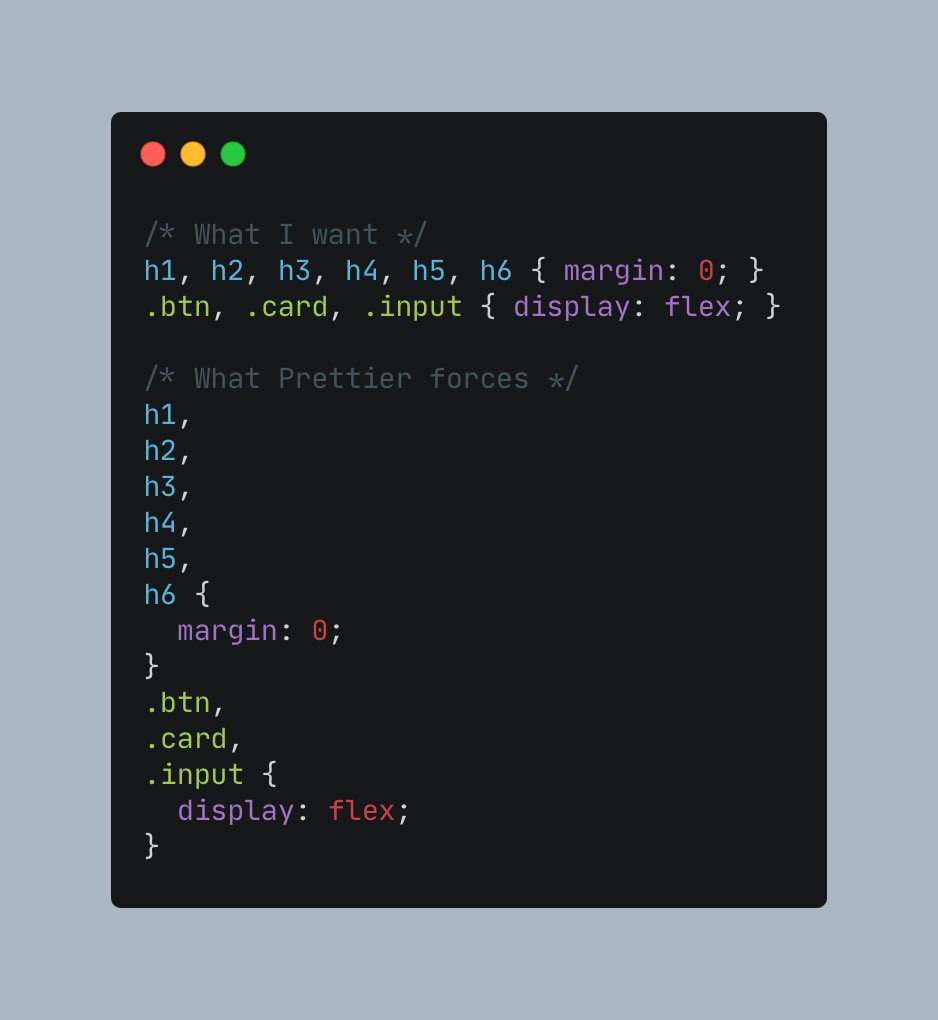
- Single-line formatting for rules with exactly one declaration
- Respects printWidth and includes current indentation/nesting in width calculation
- Preserves Prettier's value formatting (no custom value transforms)
- Supports CSS, Less, and SCSS
- Falls back to Prettier's default formatting when conditions are not met
pnpm add -D prettier prettier-plugin-css-singleline
# or
npm i -D prettier prettier-plugin-css-singlelineExample prettier.config.mjs:
import postcss from "prettier/plugins/postcss";
import * as singleline from "prettier-plugin-css-singleline";

export default {
  plugins: [postcss, singleline],
  printWidth: 100,
};
You can also load the plugin by path during local development:
import postcss from "prettier/plugins/postcss";
import * as singleline from "./index.mjs";

export default {
  plugins: [postcss, singleline],
};- A rule is formatted to a single line if all are true:
- The rule has exactly one declaration
- There are no comments inside the rule
- The resulting single line (including current indentation) is <= printWidth
- Multiple selectors are allowed (e.g.
h1, h2, h3 { margin: 0; }) as long as the rule still fits - Value formatting is handled entirely by Prettier; this plugin does not transform values
- Nesting/indentation is considered when checking width, so deeply nested rules must still fit
Before:
h1,
h2,
h3 {
margin: 0;
}After:
h1, h2, h3 { margin: 0; }Input (unformatted):
h1,
h2,
h3 {
  margin: 0;
}

.mt1 {
  margin-top: 0.25rem;
}

@media (min-width: 600px) {
  .card {
    margin: 0;
  }
}
Output (with this plugin):
h1, h2, h3 { margin: 0; }

.mt1 { margin-top: 0.25rem; }

@media (min-width: 600px) {
  .card { margin: 0; }
}Run tests with:
pnpm test
# or
npm test- The plugin extends Prettier's postcss printer, so it applies to CSS, Less, and SCSS automatically.
- No additional configuration options are exposed (yet). If you have a use case, please open an issue.
- Open an issue or PR with a clear description
- Add tests for new behavior (fixtures preferred)
- Ensure
npm testpasses